Bulk generation
How to create product descriptions for multiple products at once
What is bulk generation?
Bulk generation allows you to create product descriptions for multiple products simultaneously.
Instead of creating descriptions one by one, you can select multiple products and generate optimized content for all of them in one click.
This helps:
- Save hours of writing time
- Ensure consistency across your product catalog
- Implement content improvements quickly across the store
- Manage large content updates
How to use bulk generation
Go to Generate in bulk
Select what you want to generate
- Product description
- Product SEO description
- Collection description
- Collection SEO description
Select template
Select language
Select products / collections
Use filter or search to select all products / collections you want to create descriptions for.
Click Generate
Publish or Edit
After generating content, you can:
- Publish — generated content replaces the current description (if any)
- Edit — tweak the generated content to match your brand voice before publishing
Track generation history
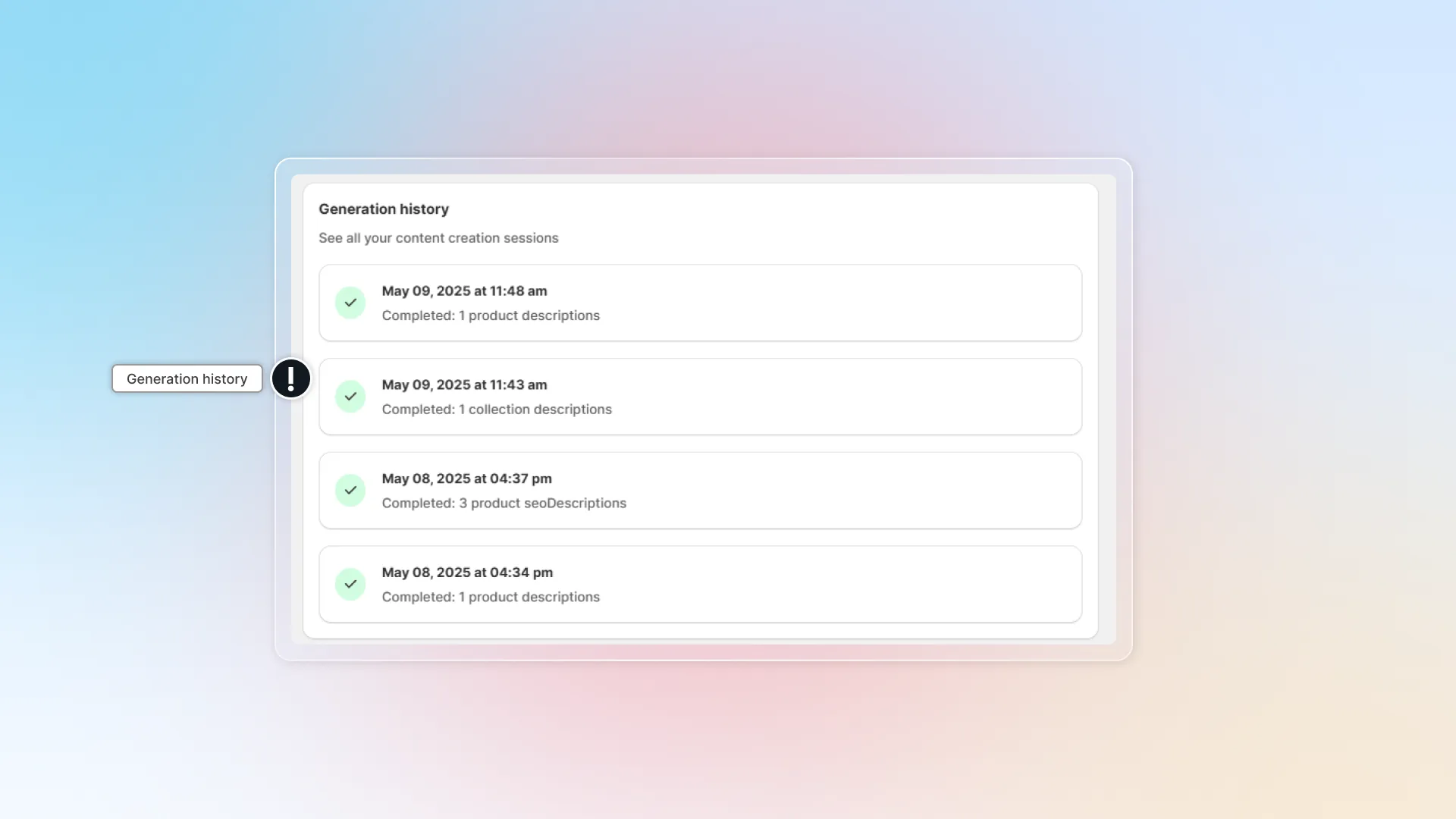
You can monitor all your content creation activities in the Generation history:
- Go to Generate in bulk
- Scroll down to the Generation history section
- You'll see a list of all your generation sessions in time order. Each entry shows:
- Date and time of generation
- Number and type of descriptions completed
- Status
- Generated content
- Use this history to track progress and ensure all products have been updated. Click any entry to edit and republish the description.