Running Multiple Active Campaigns
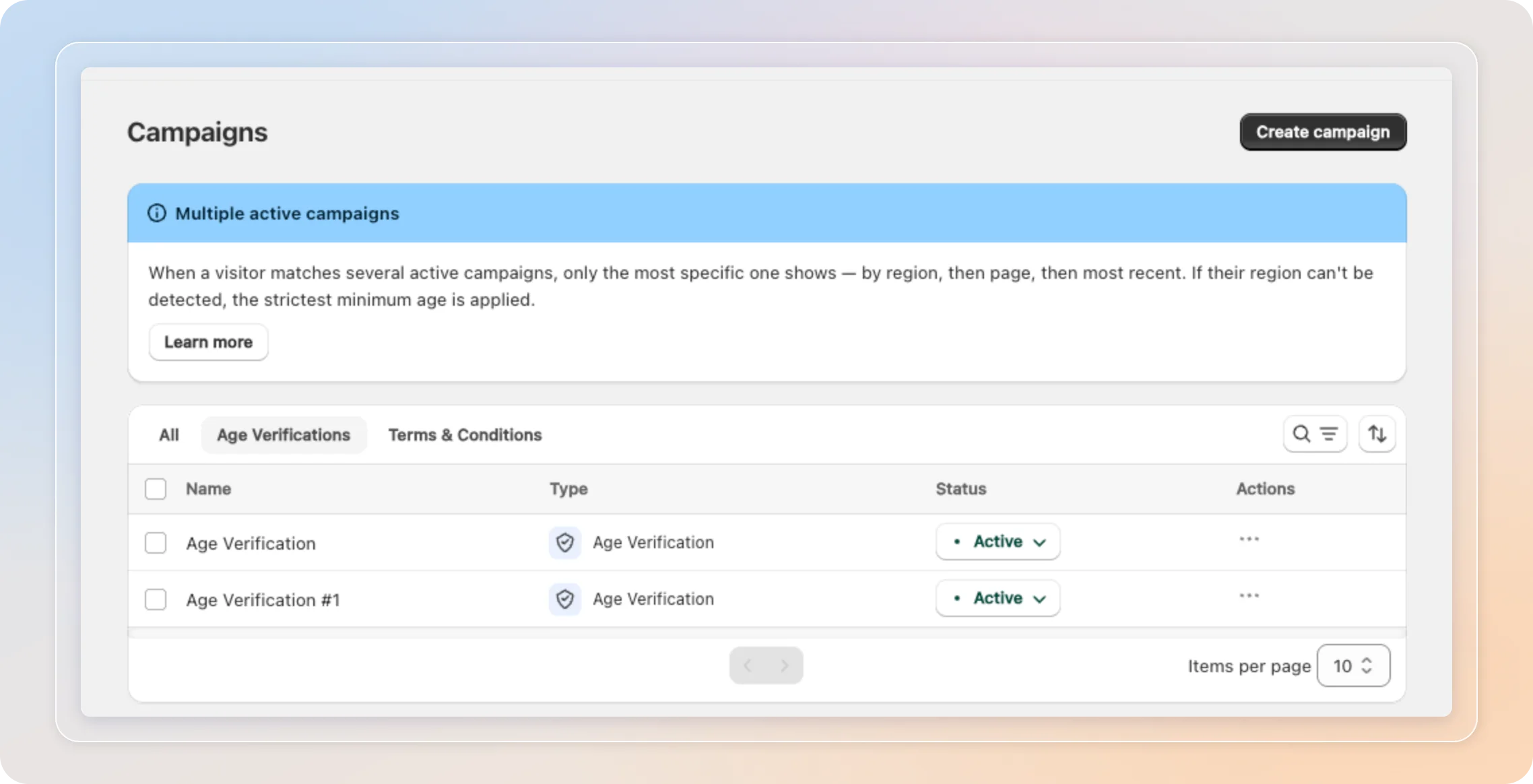
You can run several age verification campaigns at once, each targeting different countries or pages. This lets you apply distinct verification rules per region without disabling existing campaigns.
You can have up to 5 active campaigns per template type at the same time. Need more? Deactivate one, or contact support to raise the limit.
How campaigns are activated
Each campaign has an Active / Inactive toggle on the Campaigns dashboard. An Active campaign is eligible to show on your storefront - as long as it matches the current visitor's country and page.
Campaign targeting
Each campaign is targeted along two dimensions on its General tab:
Country visibility
| Option | Who sees the campaign |
|---|---|
| All countries | Every visitor |
| Show only in specific countries | Only the countries you add |
| Hide in specific countries | Everyone except the countries you add |
Display settings (pages)
| Option | Where it shows |
|---|---|
| All pages | Any page of your store |
| Specific pages only | Only the ticked page types |
| All pages except... | Everywhere except the ticked page types |
Which campaign shows when several match
When two or more active campaigns match the same visitor on the same page, only the most specific one shows. The app compares them in this strict order:
- Country specificity - A campaign targeting the visitor's country ("Show only") beats a "Hide in" campaign, which beats an all-countries campaign. Country targeting always outranks page targeting.
- Page specificity - Among campaigns tied on country, one targeting the current page type beats one shown on all pages.
- Newest first - If still tied, the most recently created campaign wins. Priority follows the creation date, not the last edit - so restyling or rewording an older campaign will never change which campaign takes over. Only creating a new campaign does.
Example - a visitor from France on a product page:
| Campaign | Targeting |
|---|---|
| A | Show only in France, all pages |
| B | All countries, product pages only |
Campaign A wins, because country targeting outranks page targeting - even though B targets the current page more precisely.
Which minimum age applies
The winning campaign enforces its own minimum age. Ages are not combined across campaigns.
Safety exception: when the visitor's location can't be detected, the app can't tell which jurisdiction applies, so it enforces the strictest (highest) minimum age across all matching campaigns.
Tips
- Use more specific targeting (country + page) to make sure the right campaign reaches the right audience.
- Keep a general fallback campaign (all countries, all pages) as a low-specificity default.
- If a campaign isn't showing as expected, check whether a more specific - or more recently created - campaign is overriding it.
Related Articles
And there you have it! You now know exactly which campaign wins when several are active at once - so you can layer regional and page-specific rules with confidence.
If you have any questions or run into any issues, don't hesitate to reach out. We're here to help!