Reconciliation
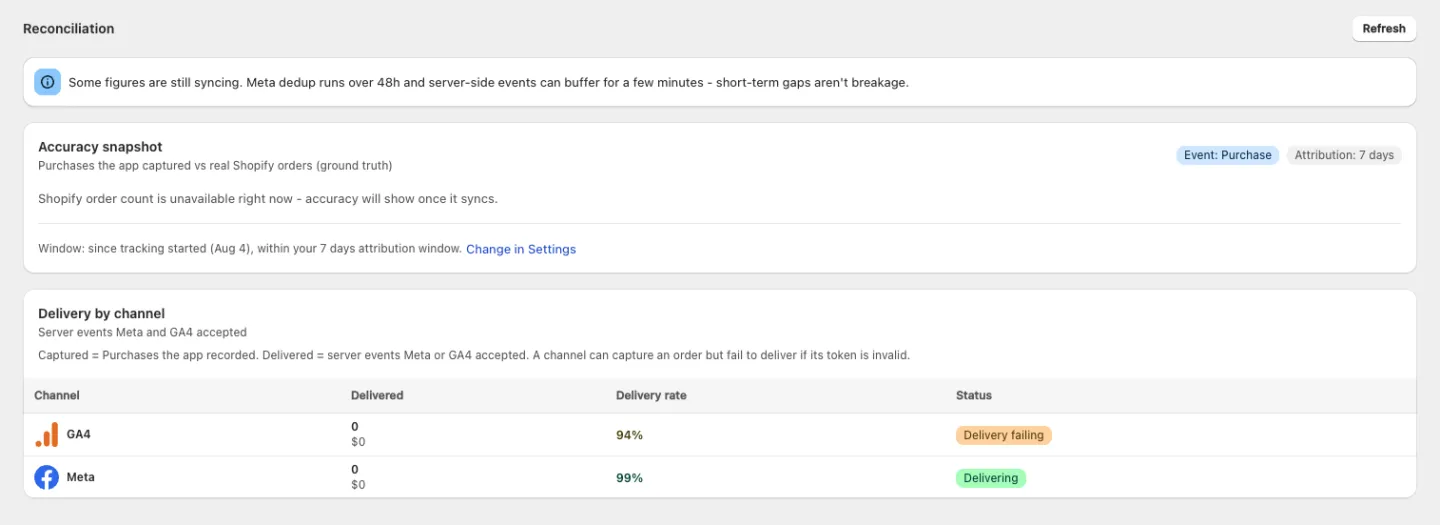
Reconciliation sits at the bottom of the Connections page. It answers the one question ad platforms can't: of the orders my store really got, how many did my pixels actually count?
Shopify's own order count is the ground truth. Everything here is measured against it.
Use Refresh to re-pull the numbers.
Accuracy snapshot
Purchases the app captured vs real Shopify orders (ground truth).
Two badges tell you exactly what's being measured: Event: Purchase and Attribution, showing the window you set. Then a headline percentage, labelled "of Shopify orders captured by the app", which turns green at 95% or above.
Below it, two bars:
- Shopify orders (ground truth) — always the full width
- Captured - all channels — how far your tracking actually reaches
If some orders haven't settled yet, a line tells you how many more are awaiting Shopify confirmation.
The footer states the window in words — either "Window: since tracking started …, within your … attribution window" (naming the date tracking began) or "Window: last … (attribution window)" — with a Change in Settings link to Attribution.
No numbers yet? With no pixels the card reads "No pixels to reconcile yet" — "Connect Meta or GA4 and enable a Purchase pixel." With pixels but no orders in the window, it says so instead of showing a misleading 0%.
Delivery by channel
Server events Meta and GA4 accepted. This is the second half of the story, and the distinction matters:
Captured = Purchases the app recorded. Delivered = server events Meta or GA4 accepted. A channel can capture an order but fail to deliver if its token is invalid.
| Column | Description |
|---|---|
| Channel | Meta or GA4 |
| Delivered | How many events the platform accepted, with their total value underneath |
| Delivery rate | Delivered as a share of what was captured — green when healthy, amber when not |
| Status | The channel's current health |
A high capture rate with a low delivery rate on one channel points at that channel's credentials, not at your storefront.
Give a fresh gap time to settle
100% is not the target, and a new gap is not automatically a bug.
You may see an information banner: "Some figures are still syncing. Meta dedup runs over 48h and server-side events can buffer for a few minutes - short-term gaps aren't breakage." Take it at face value — wait before treating a fresh gap as a problem.
A Purchase the browser missed is recovered from Shopify's order webhook roughly 10 minutes after the order is placed. Orders from the last few minutes can look untracked until that check runs.
What to do about a real gap
- Check Delivery by channel. One bad channel is a credentials problem — reconnect it in Settings → Platforms.
- Check that Server-side API is on for your Purchase pixels (Pixel settings). Server-side delivery is what covers ad-blocked sessions.
- Open Diagnostic and complete a test checkout — confirm the browser and server receipts both land.
- Check Alerts. If accuracy has drifted, the app has probably already told you why.
Next steps
- Diagnostic — see individual events and their dedup status
- Alerts — automatic drift and breakage detection
- Settings → Attribution — change the window this report uses