How Does Accessibility Function on Your Store
This guide explains what your visitors see and can do when they interact with the Avada Accessibility widget on your storefront.
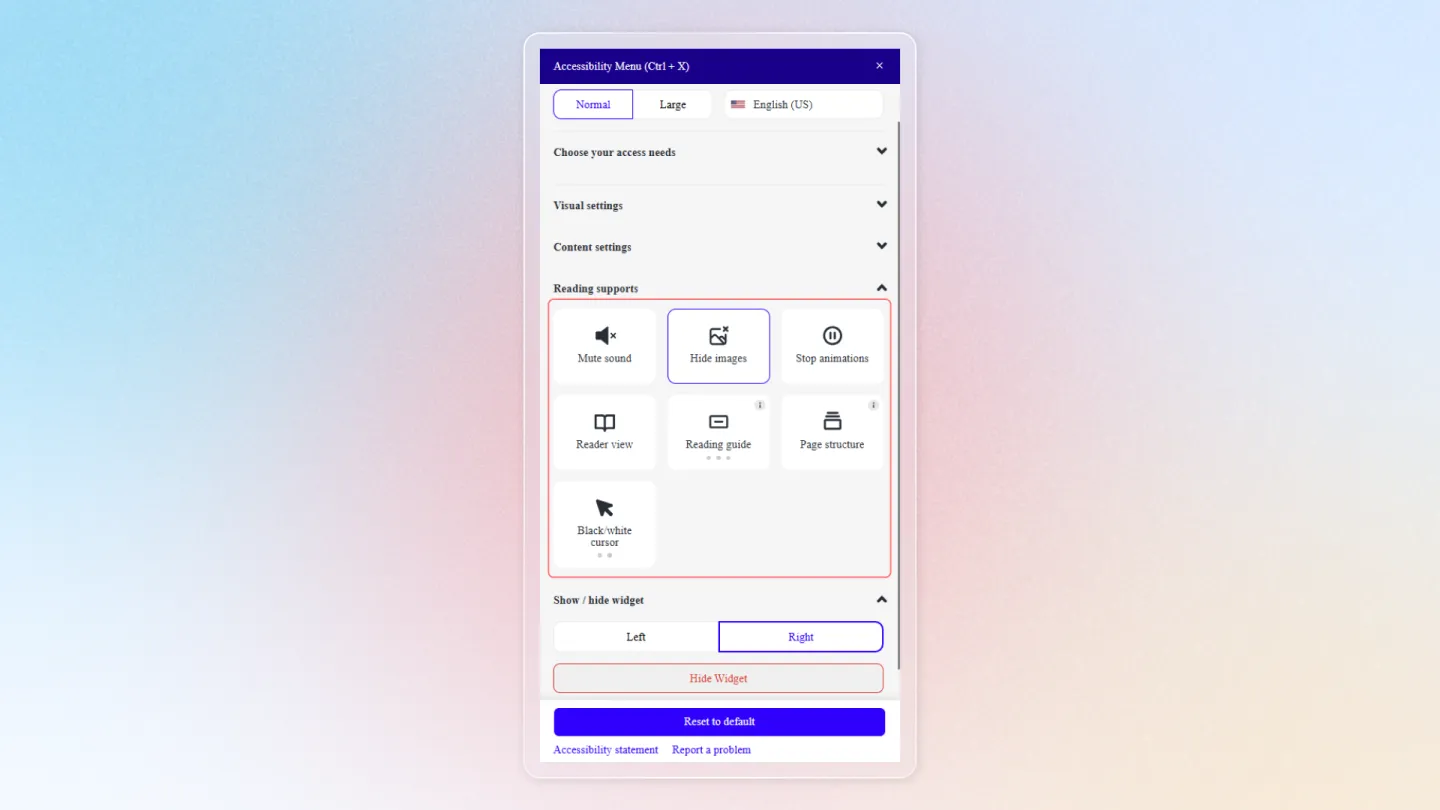
Widget Size Adjustment
Visitors can switch the widget between two preset sizes - Normal and Large - using the size buttons at the top of the panel. Large increases the widget's own text so the controls are easier to read. This section only appears if you have enabled Resize content in Menu Settings.
Language Selection
The widget displays a language selector at the top, allowing visitors to switch the widget interface to their preferred language. The available languages are configured in your Menu Settings.
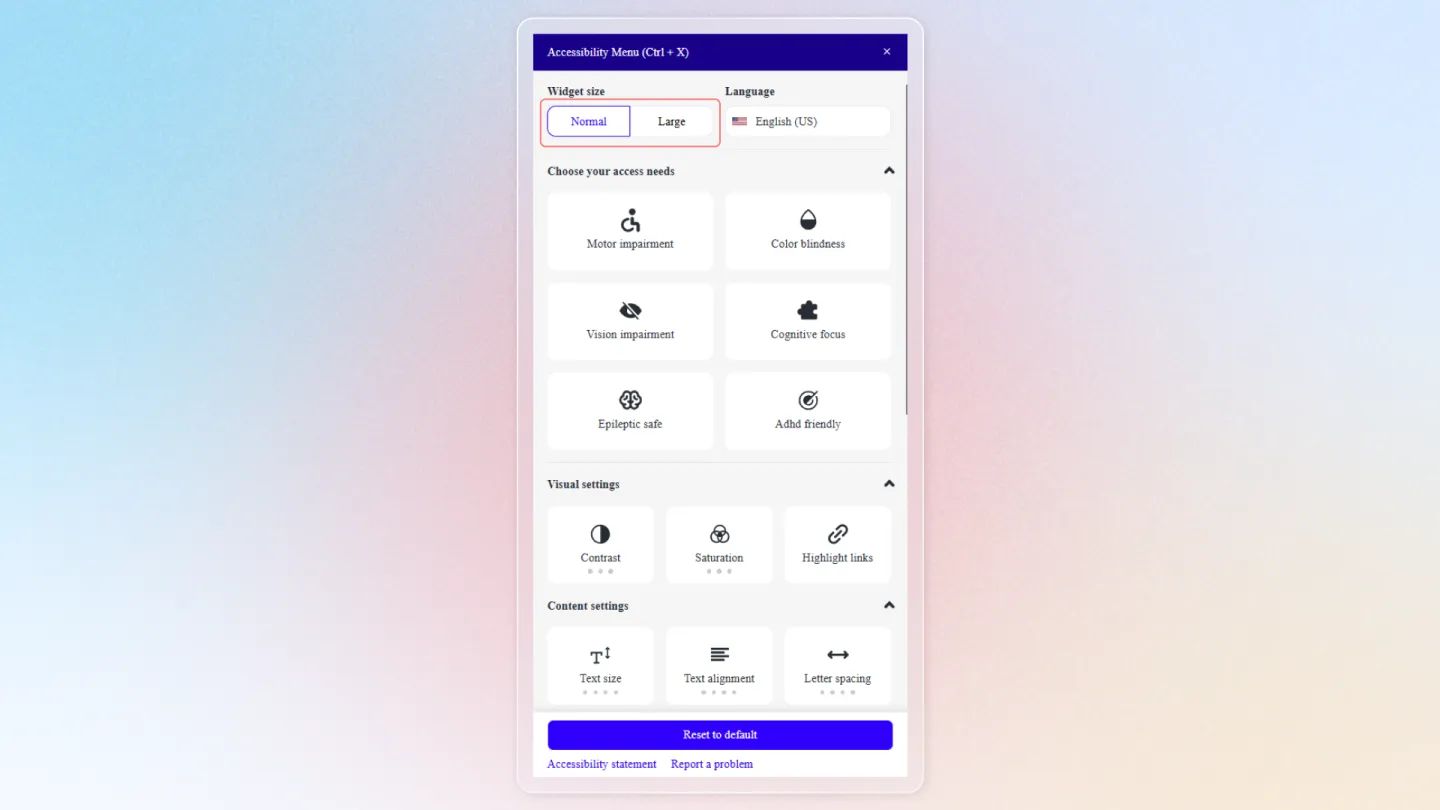
Accessibility Profiles
Six ready-made profiles provide one-click accessibility adjustments tailored to specific needs:
Motor impairment
For visitors with limited motor control:
- Lowers colour saturation.
- Stops animations.
- Highlights links.
- Turns on the text magnifier.
Color blindness
For visitors with colour vision deficiency:
- Raises colour saturation so colours are easier to tell apart.
Vision impairment
For visitors with low vision:
- Raises colour saturation.
- Switches to a readable font.
- Turns on the white cursor.
- Stops animations.
- Turns on the text magnifier.
- Increases text size to 150%.
Cognitive focus
For visitors who need a calmer reading experience:
- Increases text size to 125%.
- Turns on the reading guide.
- Highlights links.
- Stops animations.
Epileptic safe
Reduces content that may trigger seizures:
- Lowers colour saturation.
- Stops animations.
- Increases text size to 125%.
ADHD friendly
Minimises distraction:
- Lowers colour saturation.
- Stops animations.
- Turns on the reading mask, which dims everything except the strip being read.
Selecting a profile applies its adjustments in one click. Choosing the same profile again clears them. Visitors can still fine-tune any individual setting afterwards.
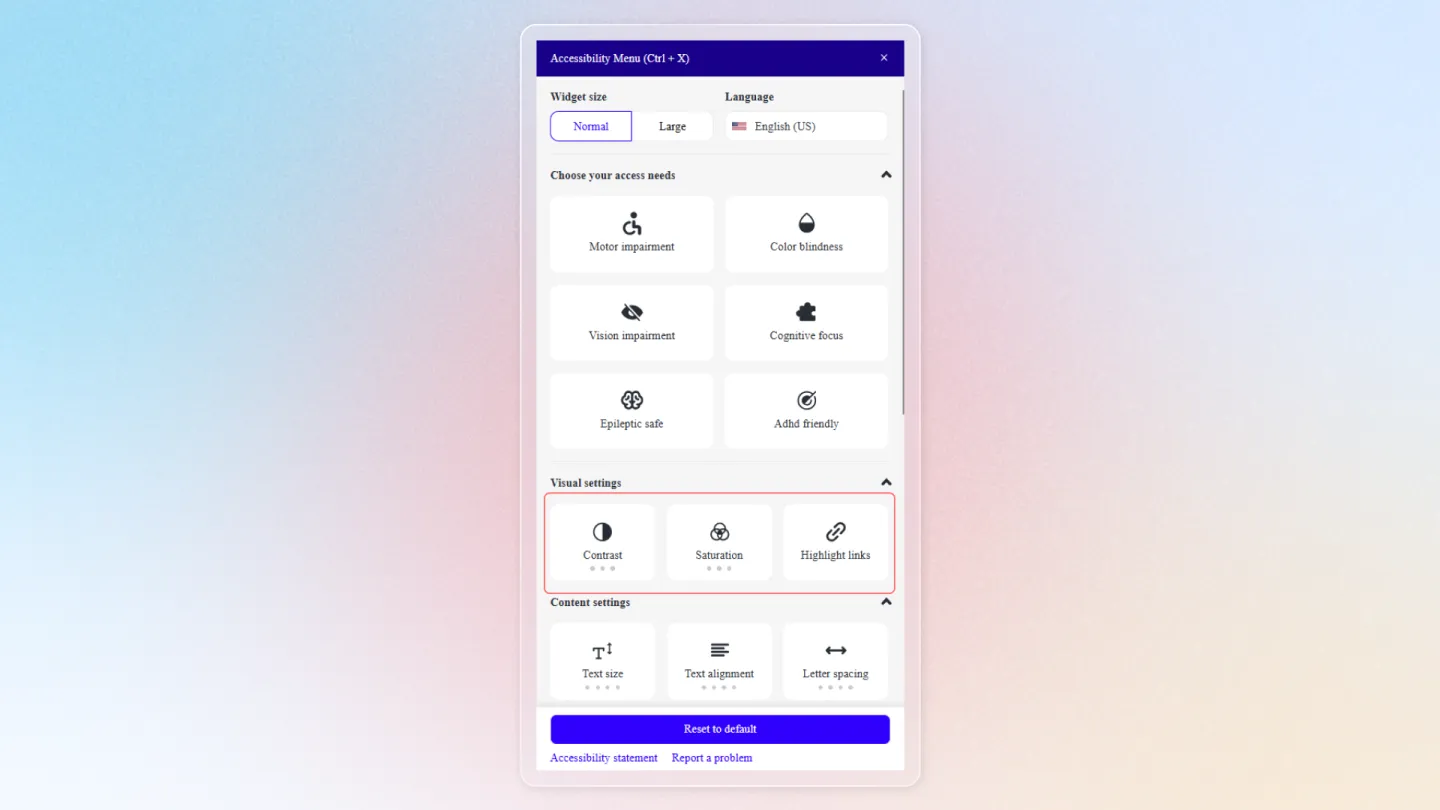
Visual Settings
Visitors can manually adjust visual properties:
| Setting | Options |
|---|---|
| Contrast | Dark contrast, light contrast, or invert colours |
| Saturation | High, low, or monochrome |
| Highlight links | Underline and visually emphasize all links |
Content Customization
Visitors can adjust how text and content appear:
- Text size -- Increase or decrease font size.
- Text alignment -- Align text left, center, right, or justified.
- Line and letter spacing -- Adjust spacing for readability.
- Readable fonts -- Switch to dyslexia-friendly or other readable fonts.
- Text magnifier -- Hover to magnify text under the cursor.
Reading Supports
Tools to help visitors read and navigate content:
- Text-to-Speech -- Reads selected text or full page content aloud.
- Hide images -- Removes images to reduce visual distractions.
- Stop animations -- Pauses all moving elements.
- Reader view -- Strips the page to essential text content.
- Reading guide -- A horizontal line that follows the cursor to help track reading. A reading mask option dims everything outside the current line.
- Page structure -- Shows a navigable outline of headings and sections.
- Black/White cursor -- Replaces the cursor with a large black or large white one for better visibility.
Visitors can combine multiple settings and profiles. All changes are applied in real time and reset when the visitor closes their browser or clicks the Reset button in the widget.