Create blog post
How to create a blog post
Go to Content manager
Click Create post
Select how to write the blog post
- Start from scratch — create blog posts manually
- Start with AI writer — generate an outline for the blog post with AI
Click Save
If you set the blog's visibility as Visible, your blog will be published after saving.
Autosave
While you are writing blog posts, we help save your progress with autosave.
It safeguards your work against accidental closures, power outages, or system crashes. You don't have to manually save blog posts frequently, streamlining your writing workflow.
To turn on autosave, go to Settings and turn on Autosave. (Autosave is still in development — click Contact us for assistance.)
Version history
A version history (also known as a change log or release notes) is a record of changes made to your blog posts over time. It's like a timeline that shows how your blog post has updated.
In Avada AI Blog Builder, on the top right corner, click Version history.
Each version specifies when it was released. You can view, rename, delete, or restore a version.
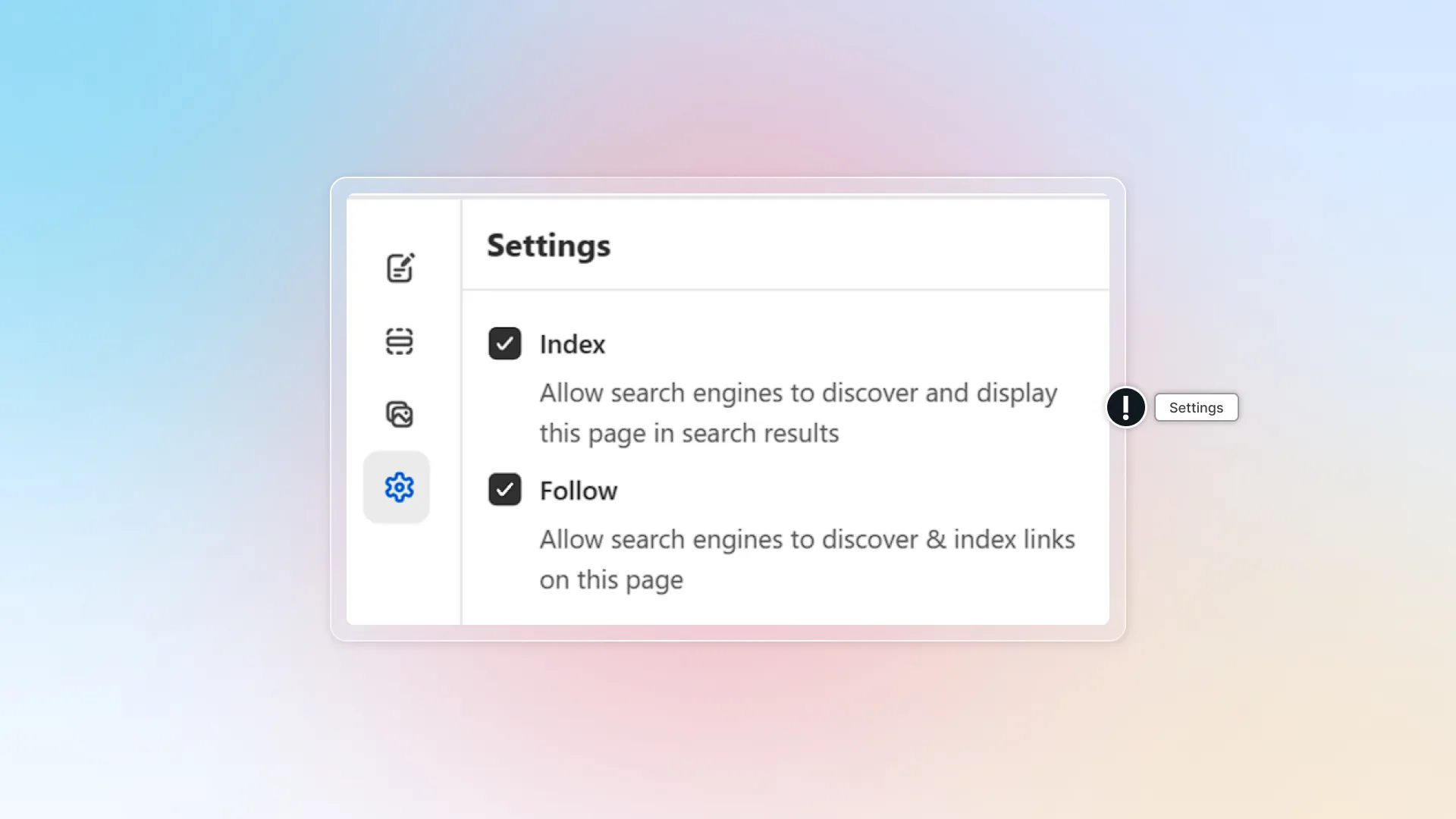
Settings
In Settings, you can select how search engines react with your blog.
- Index — allow search engines to read, discover, and show your blog post in search results.
- Follow — allow search engines to discover and index all the links in your blog post.