Post information
Display reading time, word count, published date, and category on your blog posts.
Post Information displays useful metadata about your blog posts on your storefront, such as reading time, word count, published date, and category. This helps readers quickly understand what to expect from a post before they start reading.
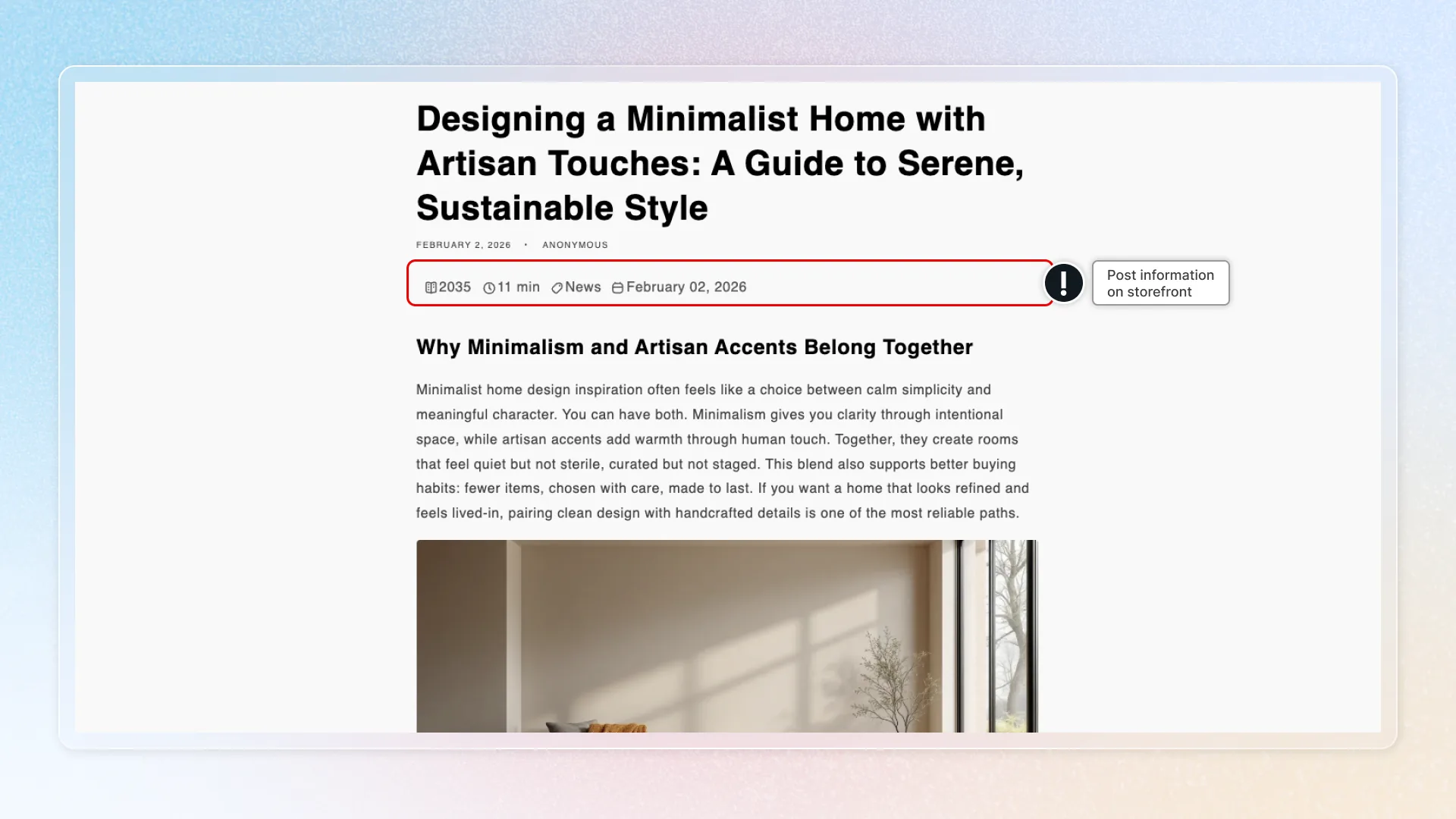
Location in app: Sections > Post Information
Information items
Choose which metadata items to display on your blog posts. Each item can be toggled on or off independently.
| Item | Description |
|---|---|
| Reading time | Shows how long the article takes to read (e.g., "5 min read"). Calculated automatically from the word count. |
| Word count | Indicates the article length. |
| Published date | Displays when the content was published. |
| Category | Shows the article's topic category. |
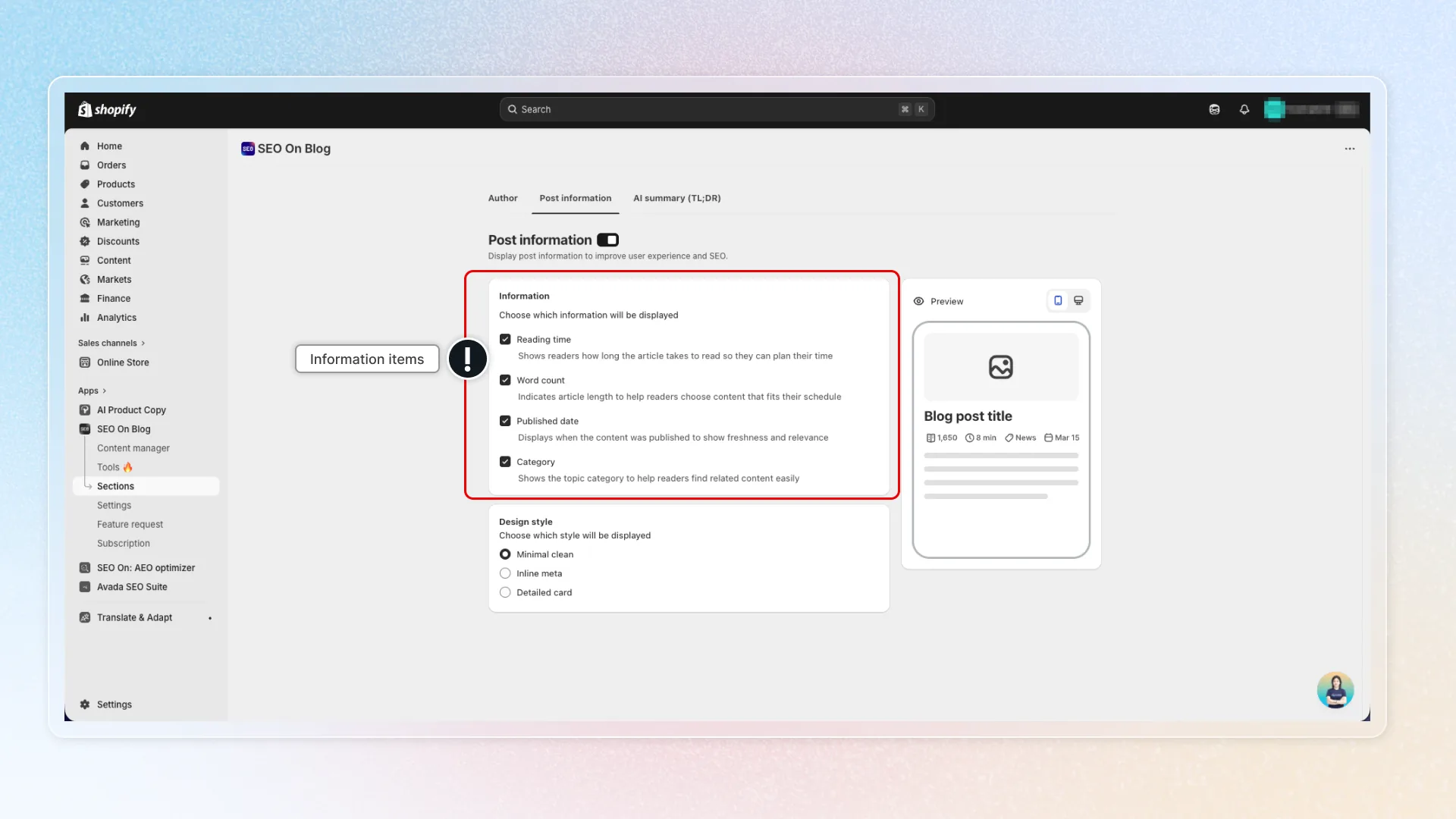
By default, all four items are enabled.
Design styles
Choose from three layout styles:
| Style | Description |
|---|---|
| Minimal Clean | Simple, clean layout with plain text and no borders. Best for minimalist designs. |
| Inline Meta | Items on a single line separated by dividers. Compact option for most themes. |
| Detailed Card | Card format with background and padding for more visual prominence. |
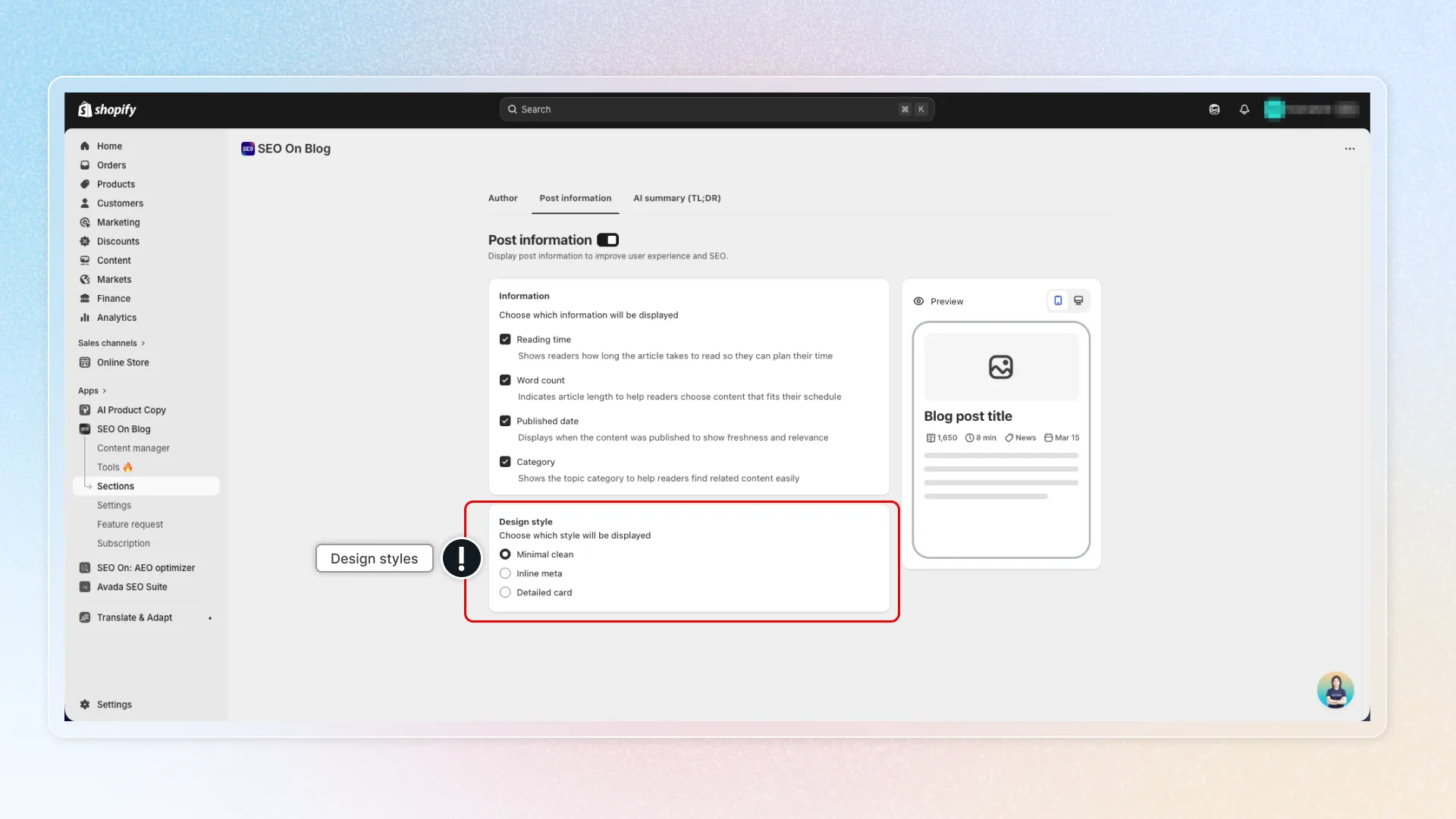
The default is Minimal Clean. Changes are previewed in real time.
Theme block installation
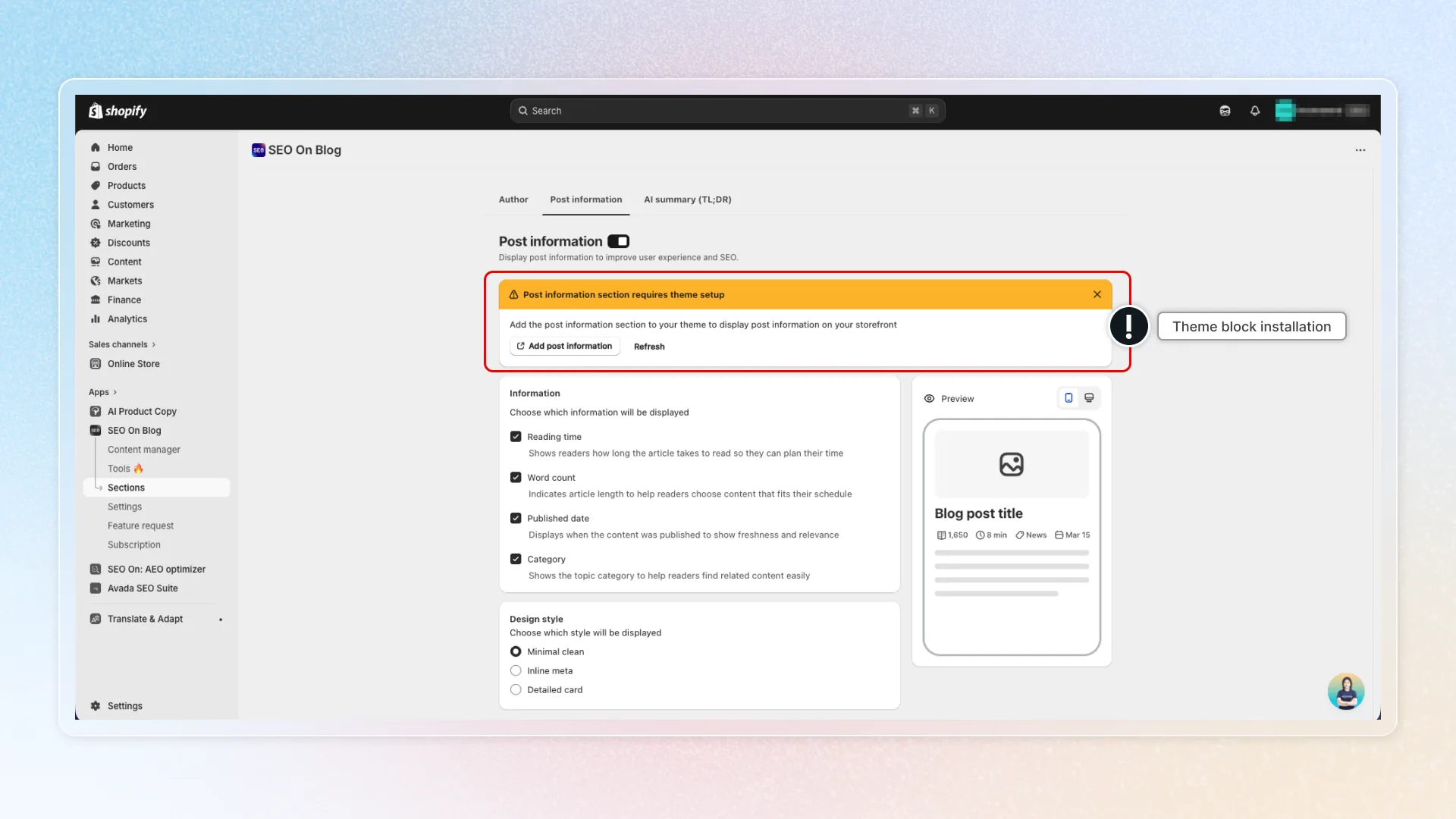
To display Post Information on your storefront, add the block to your Shopify theme:
- In the app, go to Sections > Post Information.
- If the block has not been added, a warning banner appears at the top.
- Click "Add block" to open the Shopify Theme Editor at the correct location.
- Confirm the block is added to your article template.
- Save your theme changes.
- Return to the app and click Refresh to confirm detection.
Manual setup alternative:
- In Shopify admin, go to Online Store > Themes > Customize.
- Navigate to the Blog post (article) template.
- Click Add block and look for the Avada AI Blog Builder Post Information block.
- Position the block where you want the post information to appear.
- Save.
Notes
- Post Information settings apply to all blog posts. You cannot configure different settings per post.
- Reading time and word count are calculated automatically from the post content.
- No AI tokens are required.