Keyword research
Analyze and optimize keywords in your blog posts to improve search engine visibility.
What is Keyword Optimizer?
Keyword Optimizer is a powerful feature in Avada SEO Suite that helps you analyze and optimize the keywords in your blog posts to improve search engine visibility. It allows you to track keyword density, add related keywords, and conduct keyword research to ensure your content meets SEO best practices.
Why use Keyword Optimizer?
Search engines rely heavily on keywords to understand what your content is about.
Optimizing your keywords helps:
- Increase your content's visibility in search results
- Attract more targeted organic traffic to your store
- Ensure your content meets SEO standards
- Identify opportunities to improve content relevance
What does it help with?
Keyword Optimizer provides three core functions:
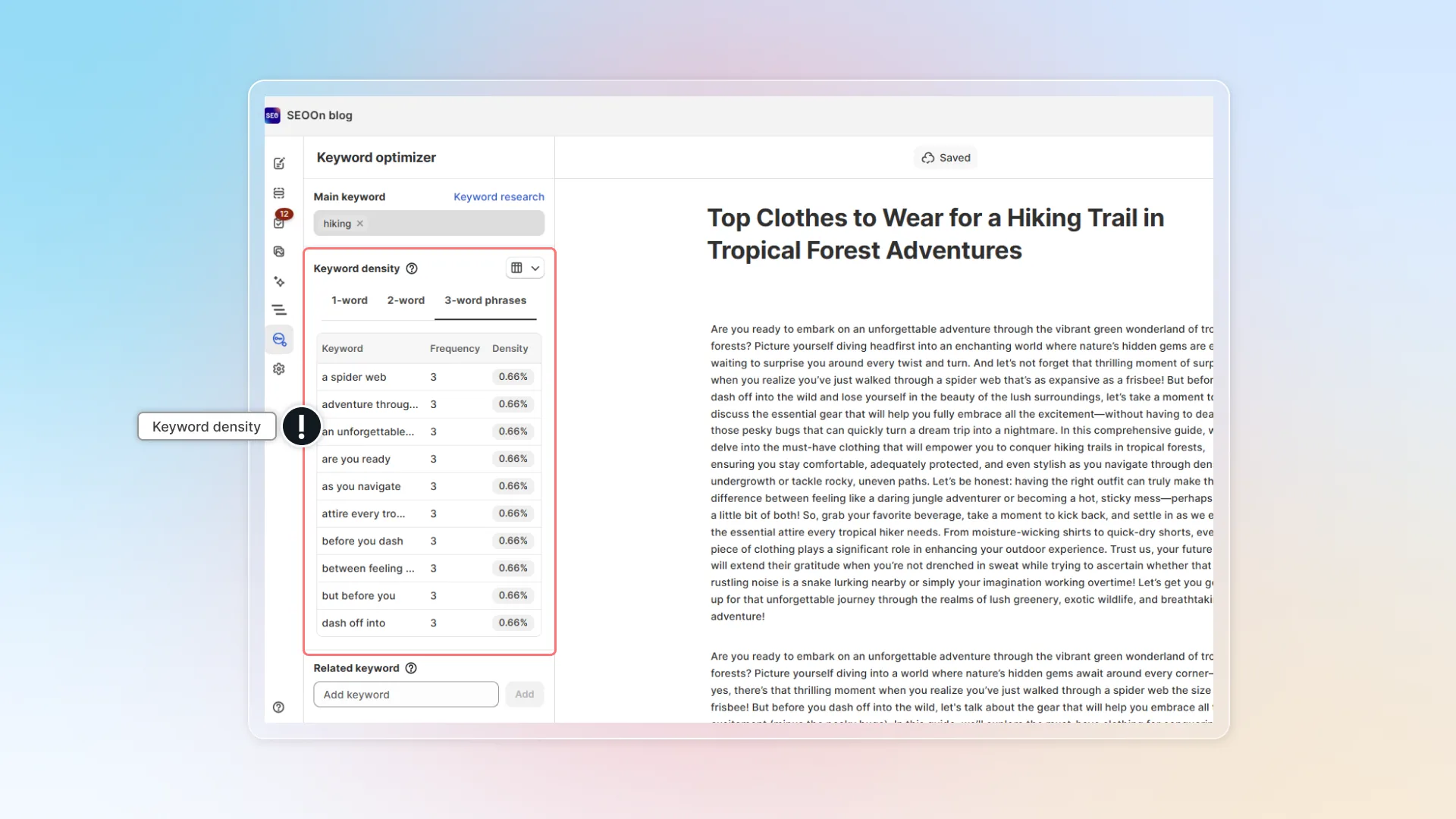
- Keyword density analysis — show the frequency and distribution of keywords in your blog post, helping you avoid keyword stuffing while ensuring sufficient keyword coverage.
- Related keywords management — suggest additional relevant keywords for your content based on your main keyword, with recommendations.
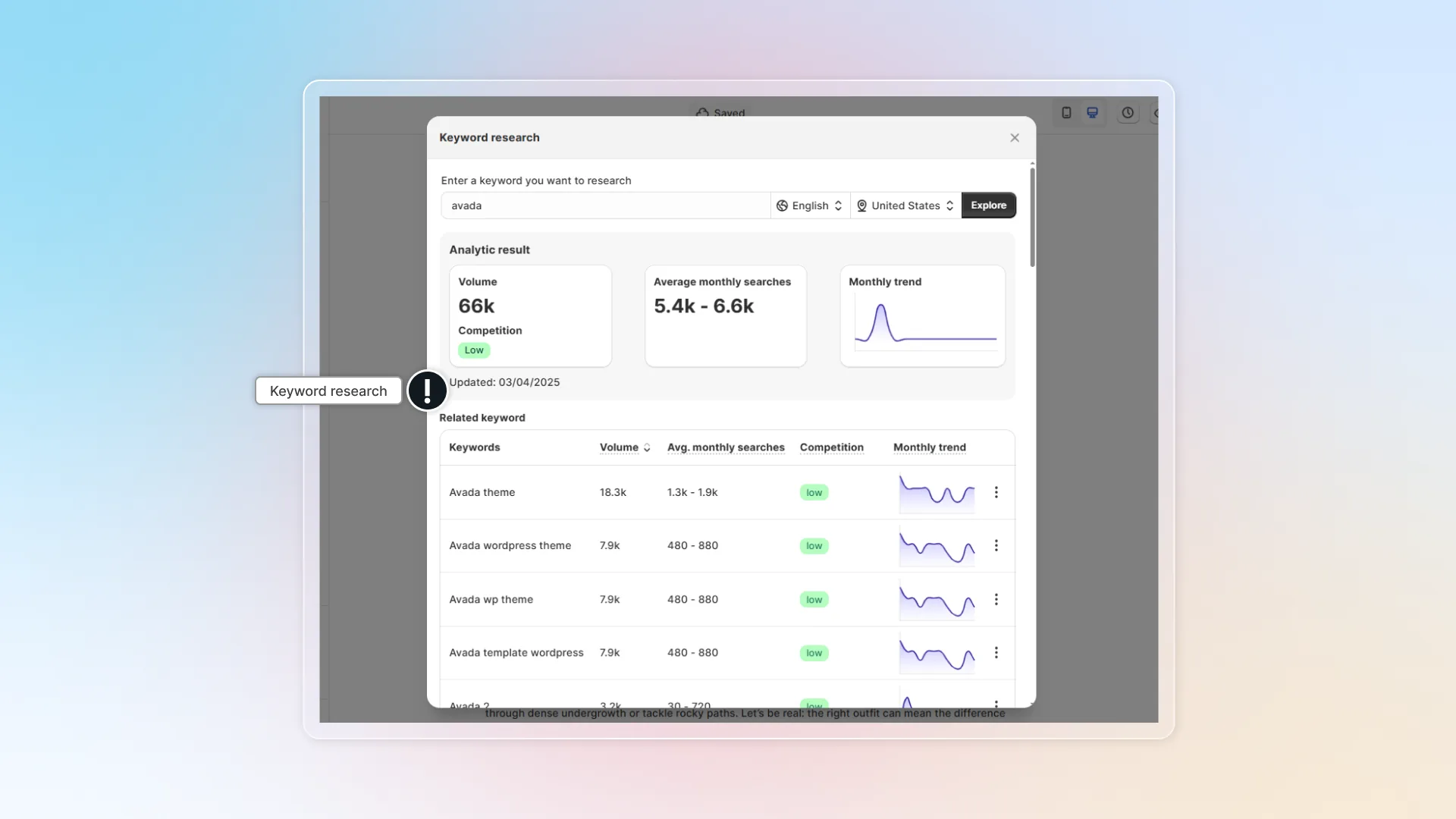
- Keyword research — analyze your chosen keywords to determine their search potential and competitiveness, helping you select the most effective keywords for your content.
How to use Keyword Optimizer
Manage primary keyword and related keywords
Go to blog editor
Go to Keyword Optimizer
Enter your main keyword
Your main keyword will automatically appear in the Main keyword section.
Analyze keyword density
Use this information to ensure your main keyword and related terms appear naturally throughout your content without overuse.
Go to blog editor
Go to Keyword Optimizer
Check keyword density
View the keyword density breakdown, which shows:
- Top 10 most frequently used words or phrases in your content
- Frequency count for each keyword or phrase
- Density percentage for each keyword or phrase
You can change between table view and chip view.
Conduct keyword research
Go to blog editor
Go to Keyword Optimizer
Click Keyword research
Click Keyword research next to your main keyword.
Enter keyword
Select language and location
Click Explore
Check keyword information
- Search volume — how often people search for this term
- Competition level — how difficult it might be to rank for this term
- Related search terms — other keywords people search for about your term
You can set keyword as main keyword or add to related keywords.