Customize the Confirmation Email
Prerequisites
- The Avada Withdrawal Form app must be installed on your store.
- Keep Withdrawal request confirmation enabled on the Settings page. See Configure Email Notifications.
Open the email template editor
Open Avada Withdrawal Form, go to Settings → Email notification, and click Withdrawal request confirmation in the Customer emails card.
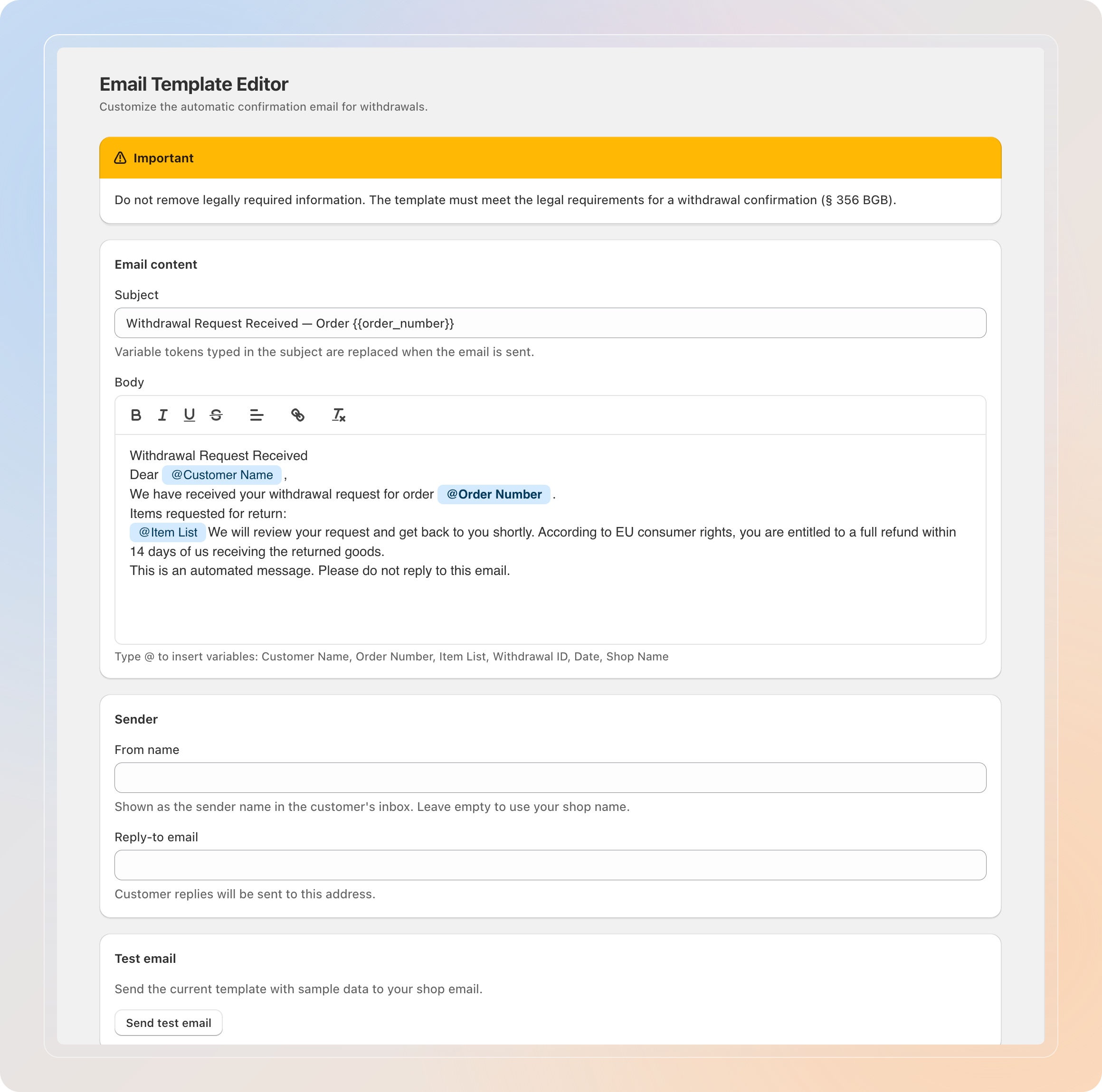
Editing the email in other languages is a Pro feature. You can edit the default content on any plan; upgrade to Pro to rewrite the email for each storefront language. See the FAQ for details.
Don't remove legally required information. The template must meet the legal requirements for a withdrawal confirmation (§ 356 BGB).
Edit the email content
In the Email content section, write what customers receive.
- Set the Subject line for the email.
- Edit the Body of the message.
- Type @ in the body to insert variables, such as the customer name or order number.
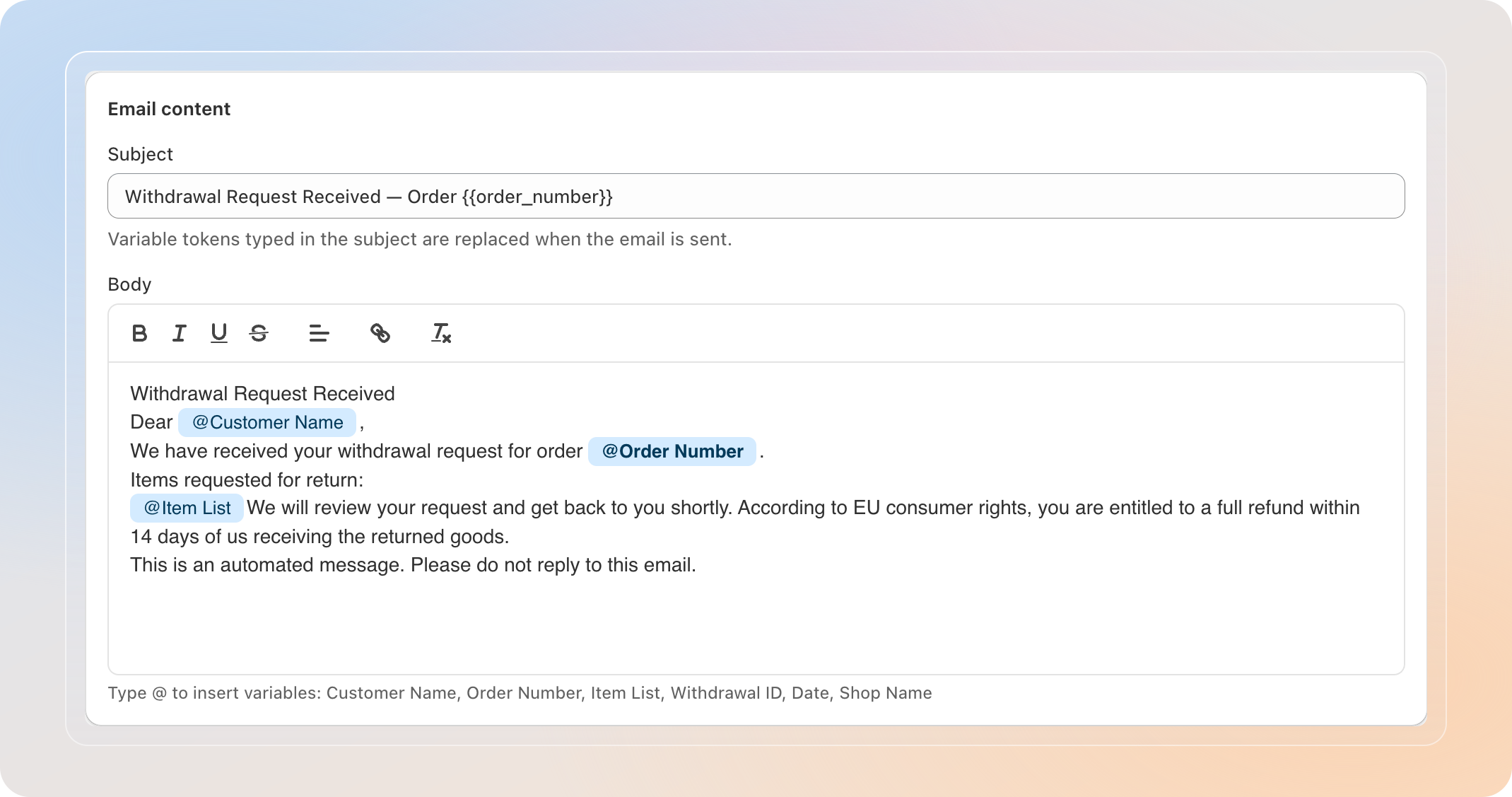
Variable tokens typed in the subject are also replaced when the email is sent.
Set the sender details
In the Sender section, control how the email appears in the customer's inbox.
- Set the From name — leave it empty to use your shop name.
- Set the Reply-to email so customer replies reach the right address.
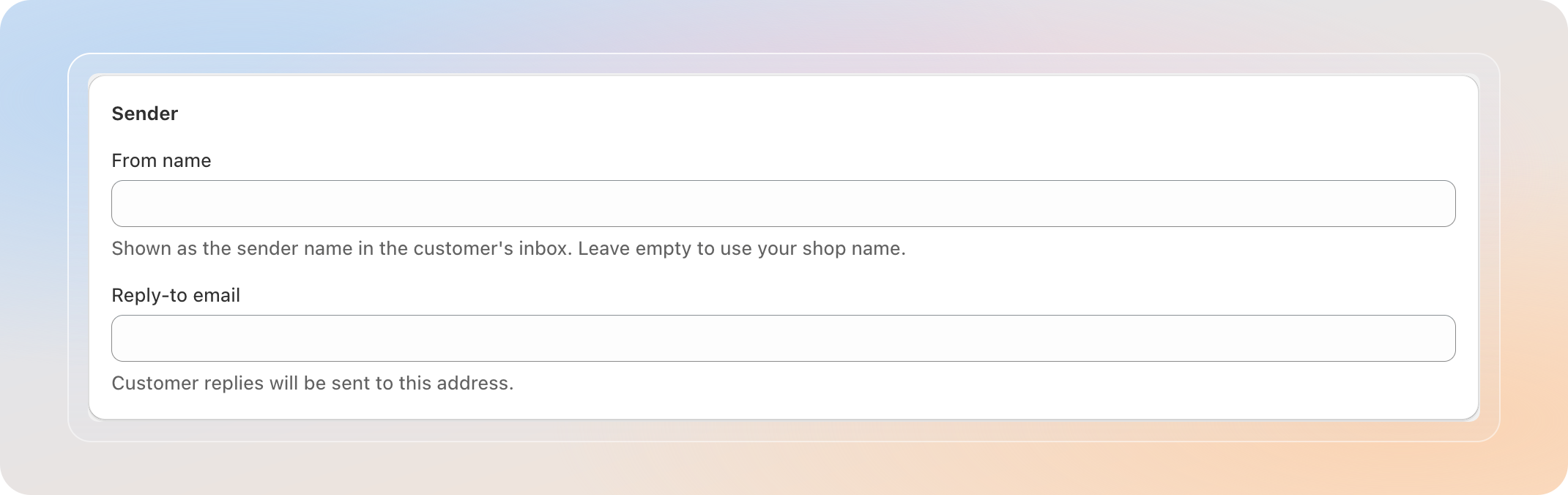
The reply-to field must be a valid email address before you can save.
Send a test email
Before going live, check how the email looks.
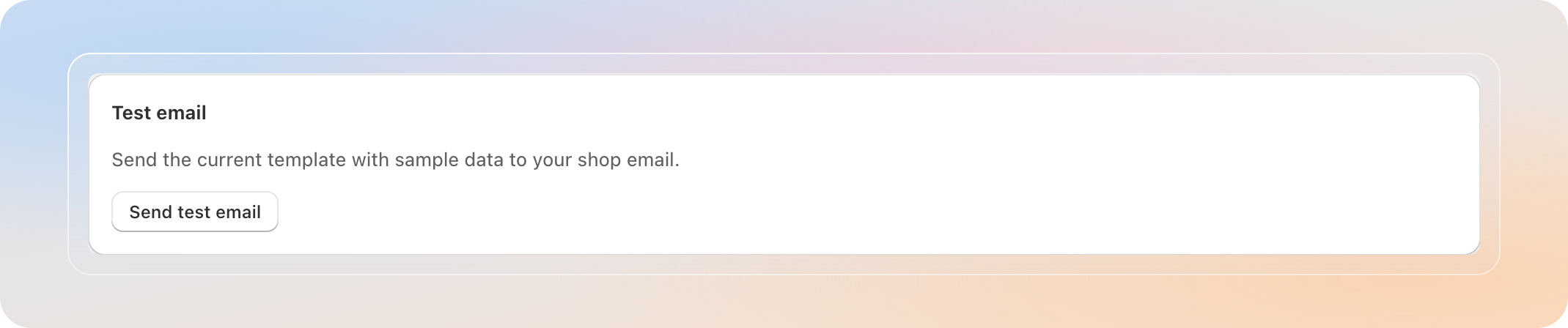
- In the Test email section, click Send test email.
- The current template is sent with sample data to your shop email.
Save your template
- Click Save to apply your changes.
- New confirmation emails use your updated template right away.
Tips
- Send a test email after every change so you catch formatting issues before customers do.
- Keep the legally required withdrawal information in the body; only adjust the wording around it.
- Set a monitored Reply-to email so you don't miss customer replies.
Related Articles
And there you have it! You've successfully customized the confirmation email. Customers now receive a clear, branded, and compliant message after every withdrawal request.
If you have any questions or run into any issues, don't hesitate to reach out. We're here to help!