Customize the Store Owner Email
Prerequisites
- The Avada Withdrawal Form app must be installed on your store.
- Keep Withdrawal request notification enabled on the Settings page. See Configure Email Notifications.
The store owner email is the Withdrawal request notification that lands in your inbox whenever a customer submits a request. You control who receives it, what it says, and the sender name.
Open the store owner email editor
Open Avada Withdrawal Form, go to Settings → Email notification, and click Withdrawal request notification in the Store owner emails card.
Choose who receives the notification
In the Recipient card, set where new-request alerts are sent.
| Option | What it does |
|---|---|
| My shop email | Sends the notification to your Shopify shop email. |
| Another email address | Sends it to an address you enter, such as a shared support inbox. |
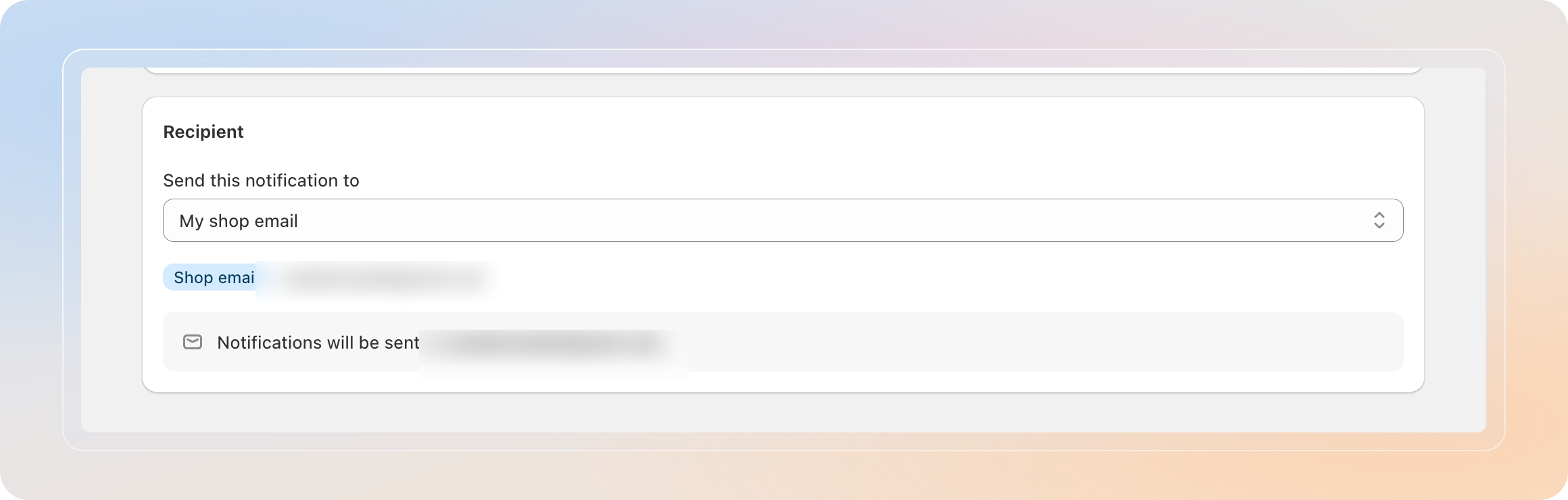
If you choose Another email address and leave it empty, the app falls back to your shop email.
Edit the email content
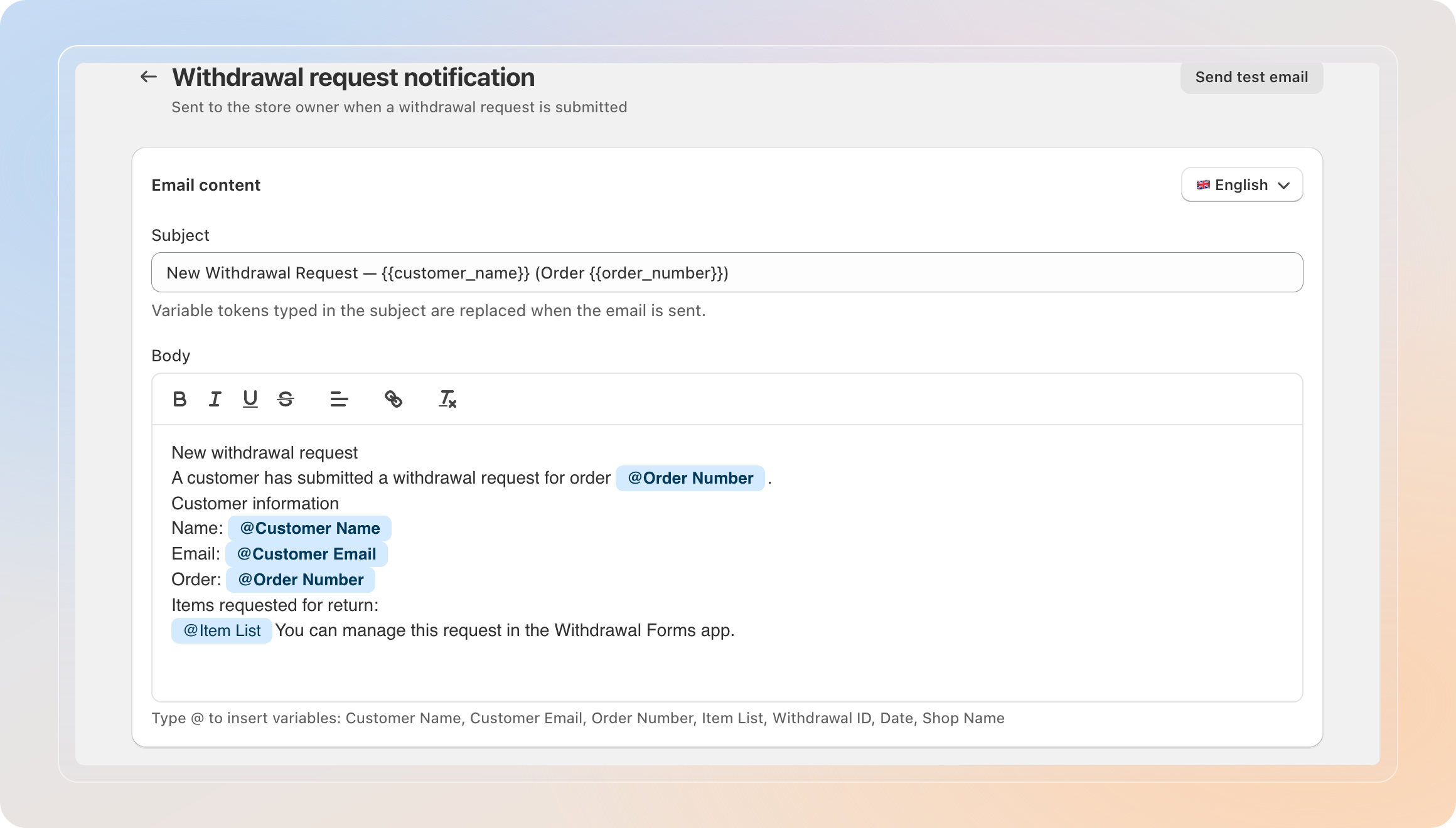
In the Email content section, change what the notification says.
- Set the Subject line.
- Edit the Body of the message.
- Type @ in the body to insert variables, such as Customer Name, Order Number, or Item List.
Customizing the content is a Pro feature. By default this email uses a fixed template. Upgrade to Pro to rewrite the subject and body and translate it for each language. See the FAQ for details.
Set the sender name
In the Sender section, set the From name that appears in your inbox. Leave it empty to use your shop name.
Send a test and save
- Click Send test email in the top-right corner to preview the notification with sample data.
- Click Save to apply your changes.
Tips
- Point the recipient at a shared support inbox so your whole team sees new requests.
- Add the Item List variable so you can see which items a customer wants to withdraw without opening the app.
- Keep the Order Number in the subject line to find and match requests quickly.
Related Articles
And there you have it! You've customized the store owner notification. New withdrawal requests now reach the right inbox with exactly the details you need.
If you have any questions or run into any issues, don't hesitate to reach out. We're here to help!