Welcome to Avada Fraud Filter
Pro Tip: Use hot key Ctrl + K to quickly look up the information you are seeking in this guide!
Get the app you need here: https://apps.shopify.com/sea-fraud-filter-ip-blocker (opens in a new tab)
Avada Fraud Filter IP Blocker protects your Shopify store from fraudulent visitors and risky orders. It blocks unwanted traffic by IP, country, or location, screens checkout details, detects bots and VPNs, and scores incoming orders for fraud risk - all in real time, with no theme code to maintain.
What you can do
| Feature | What it does |
|---|---|
| Blocking rules | Block, redirect, or whitelist visitors by IP address, country, state/province, email, phone, or name. |
| Bot & VPN protection | Automatically block automated bots, and block VPN, proxy, or TOR traffic. |
| Order protection | Score every new order from 0-100 for fraud risk using 8 customizable risk factors. |
| Automated actions | Auto-tag, auto-cancel, or get email alerts for high-risk orders. |
| Block page styling | Customize the page blocked visitors see - colors, fonts, message, and button. |
| Visitor analytics | See who's visiting, who's blocked, and where blocked traffic comes from. |
A few features have a setup requirement before they work - for example, Order Protection needs the app embed turned on, and VPN detection needs a VPNapi.io API key. Each guide calls these out under Prerequisites.
Getting around the app
The sidebar gives you access to each area:
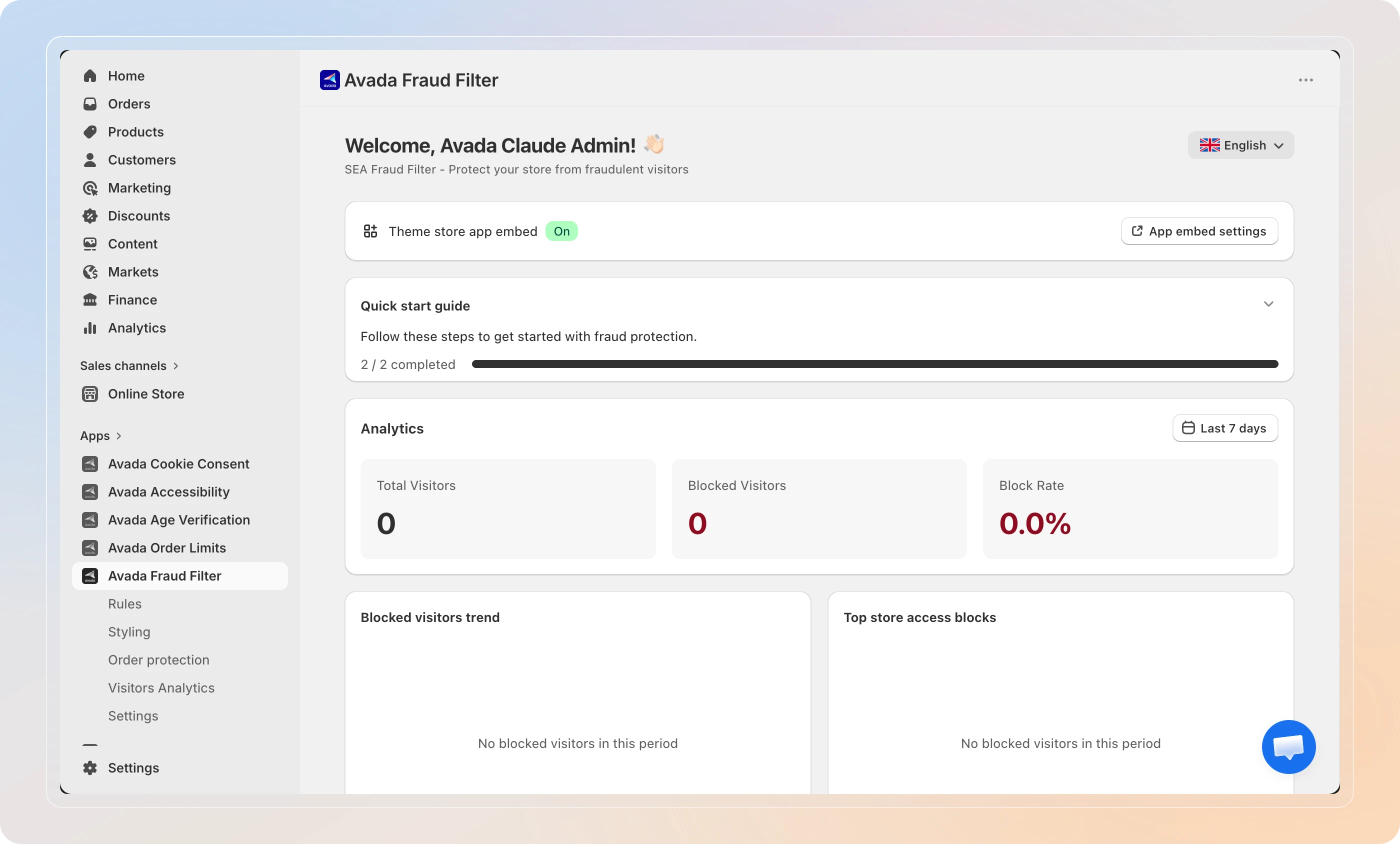
- Dashboard - Your home screen with visitor stats, block trends, and a quick start checklist.
- Rules - Create and manage blocking, redirect, and whitelist rules.
- Styling - Customize the block page that restricted visitors see.
- Order protection - Review the fraud risk score for each incoming order.
- Visitors Analytics - Explore visitor logs, blocked traffic, and a world map of blocked origins.
- Settings - Turn on order risk analysis, bot blocking, VPN detection, and email notifications.
How it works
When a visitor arrives at your store, Avada Fraud Filter checks them against your active rules. If they match a Block rule, they see your block page instead of your store. If they match a Redirect rule, they're sent to a URL you choose. Whitelist rules always take priority, so trusted visitors are never blocked.
At checkout, the app can also screen the customer's email, phone, and name. And when an order comes in, Order protection scores it for fraud risk so you can review, tag, or cancel suspicious orders before you fulfill them.
Tips
- Start with the Quick Start guide - the fastest way to go from install to your first protected store is the built-in checklist on your Dashboard, walked through in Quick Start.
- Whitelist your own IP first - before blocking a whole country or region, add your office IP to a whitelist rule so you never lock yourself out.
Ready to protect your store? Head to the Quick Start guide to get up and running in a few minutes!