Block Fraudulent Customers at Checkout
Some fraud only shows itself at checkout - a known bad email, a repeat-offender phone number, or a name tied to chargebacks. Avada Fraud Filter lets you block these customers with Email, Phone, and Name rules that are checked when a customer reaches checkout.
Prerequisites
- The app embed must be active so the app can screen checkout details. See the Quick Start guide.
Open the Rules page
In the sidebar, click Rules, then click Add rule.
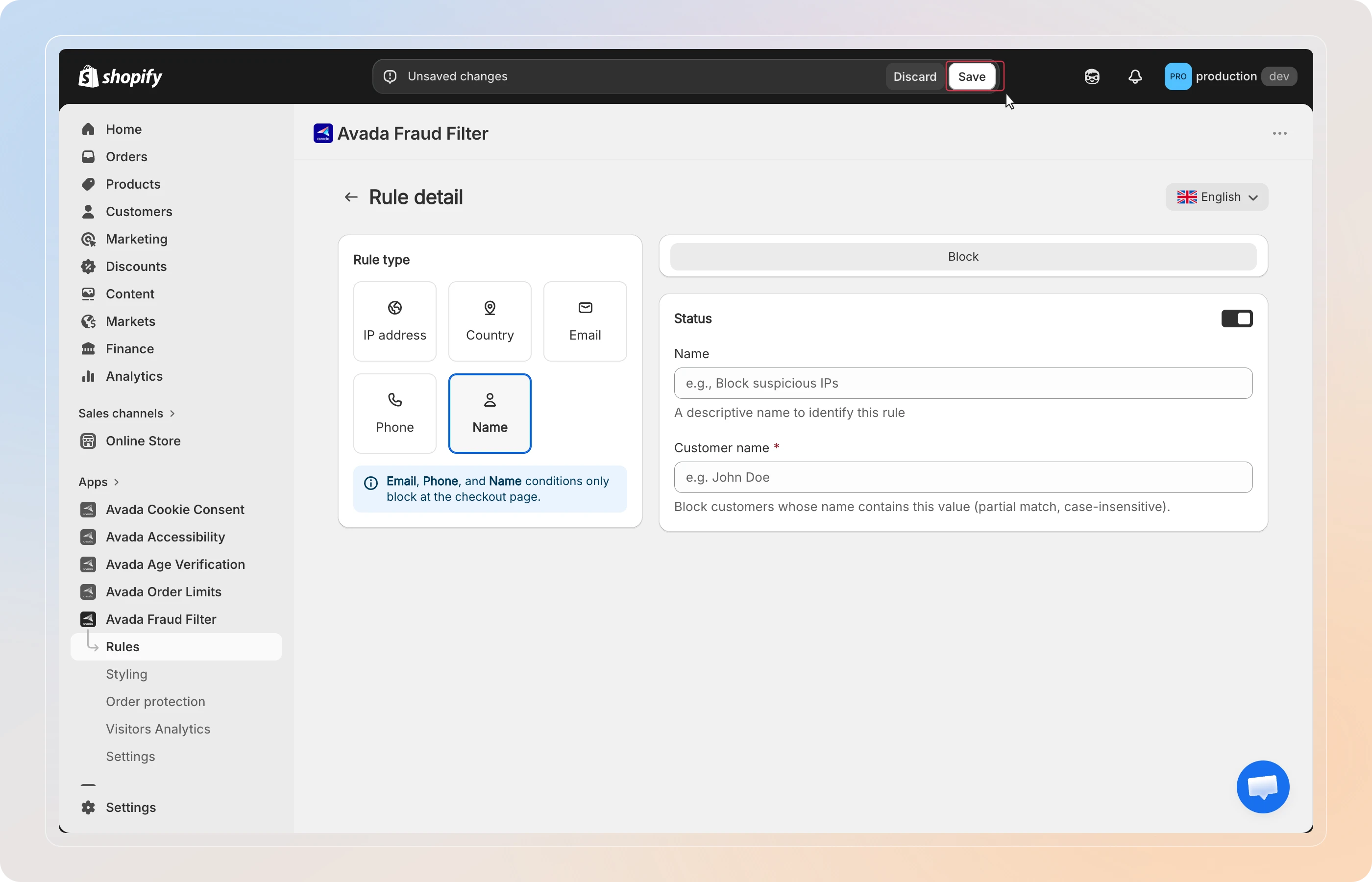
On the Rule detail page, choose one of the checkout rule types: Email, Phone, or Name.
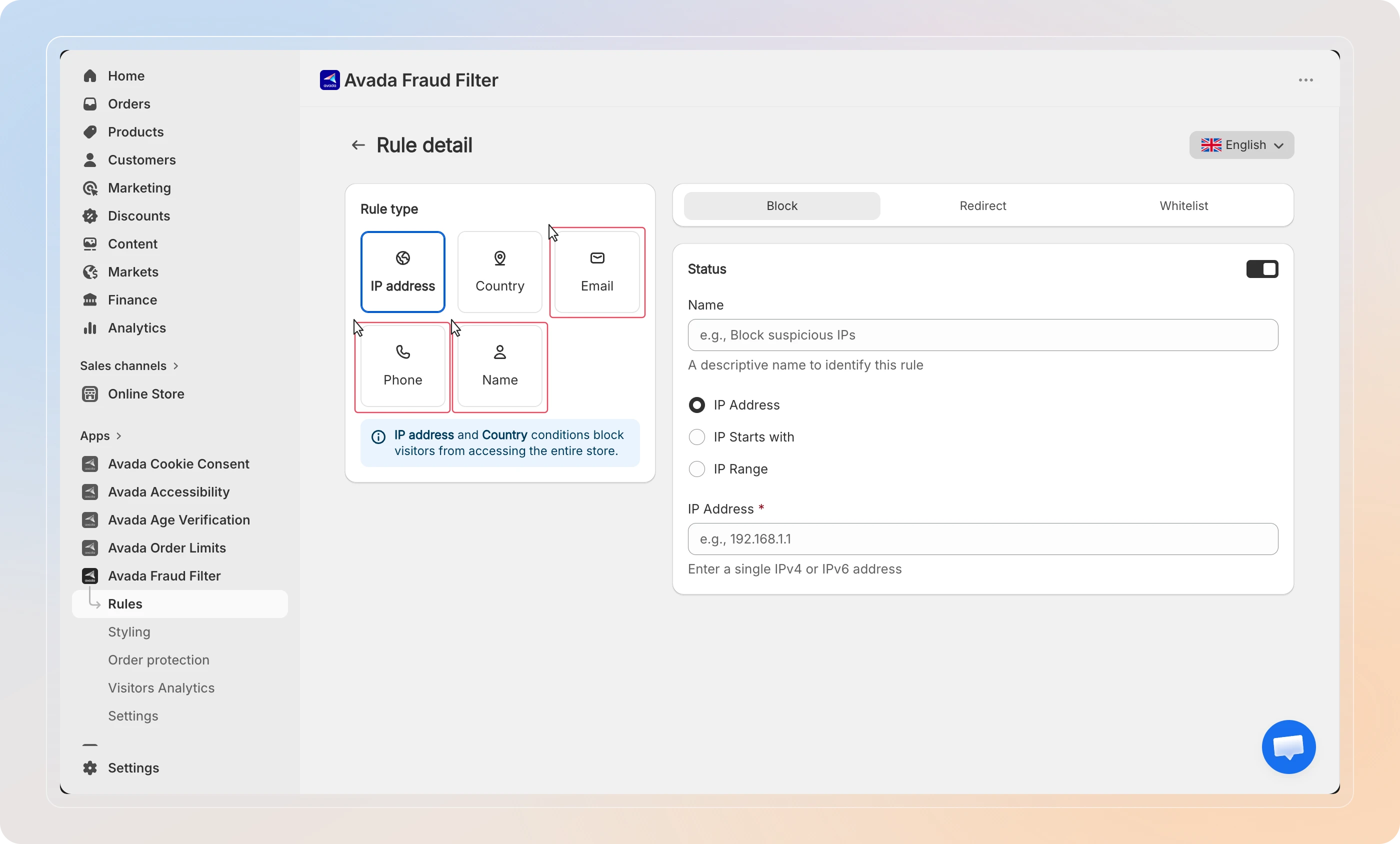
Email, Phone, and Name rules apply at checkout only. To block visitors before they reach checkout, use IP address or Country rules instead - see Block Visitors by IP, Country, or Location.
Block by email
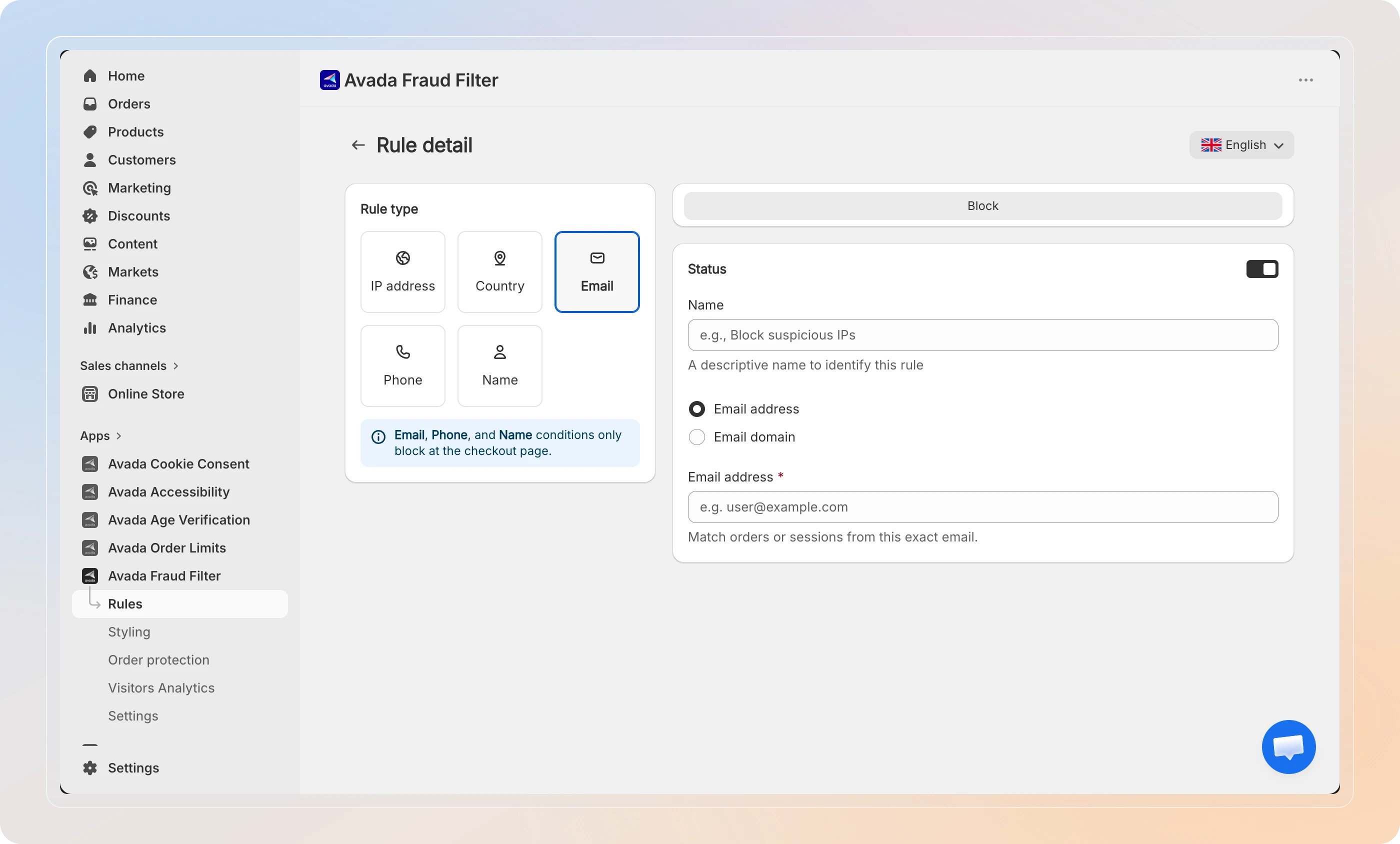
Select Email, then choose how to match:
- Email address - block one exact email, e.g.,
[email protected] - Email domain - block every email ending in a domain, e.g.,
example.comblocks all@example.comaddresses
Enter the value, then continue to the save step.
Tip: Use Email domain to block disposable-email providers in bulk, rather than adding addresses one by one.
Block by phone
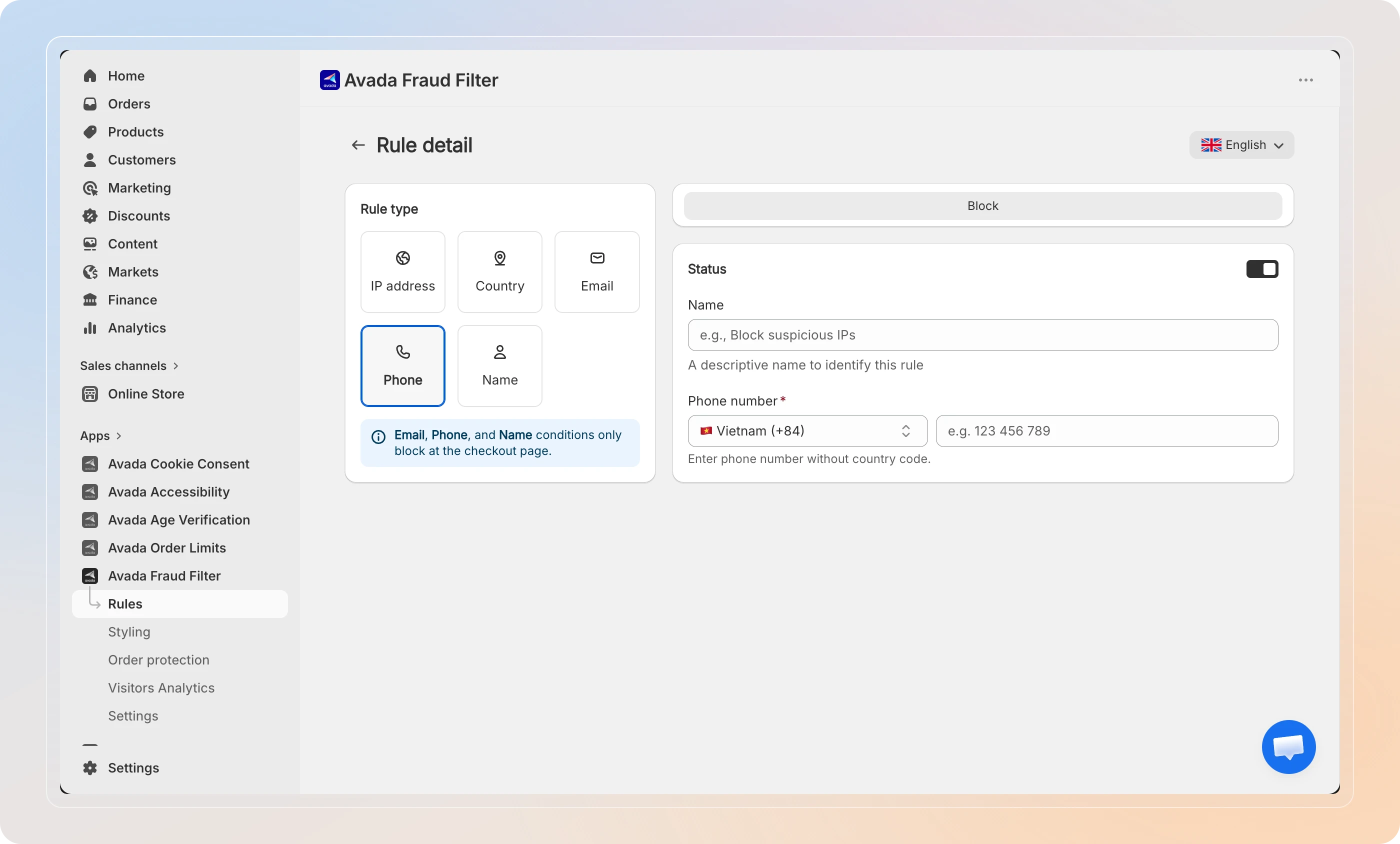
Select Phone. Choose the Country code from the dropdown, then enter the Phone number without the country code (e.g., 123 456 789).
Block by name
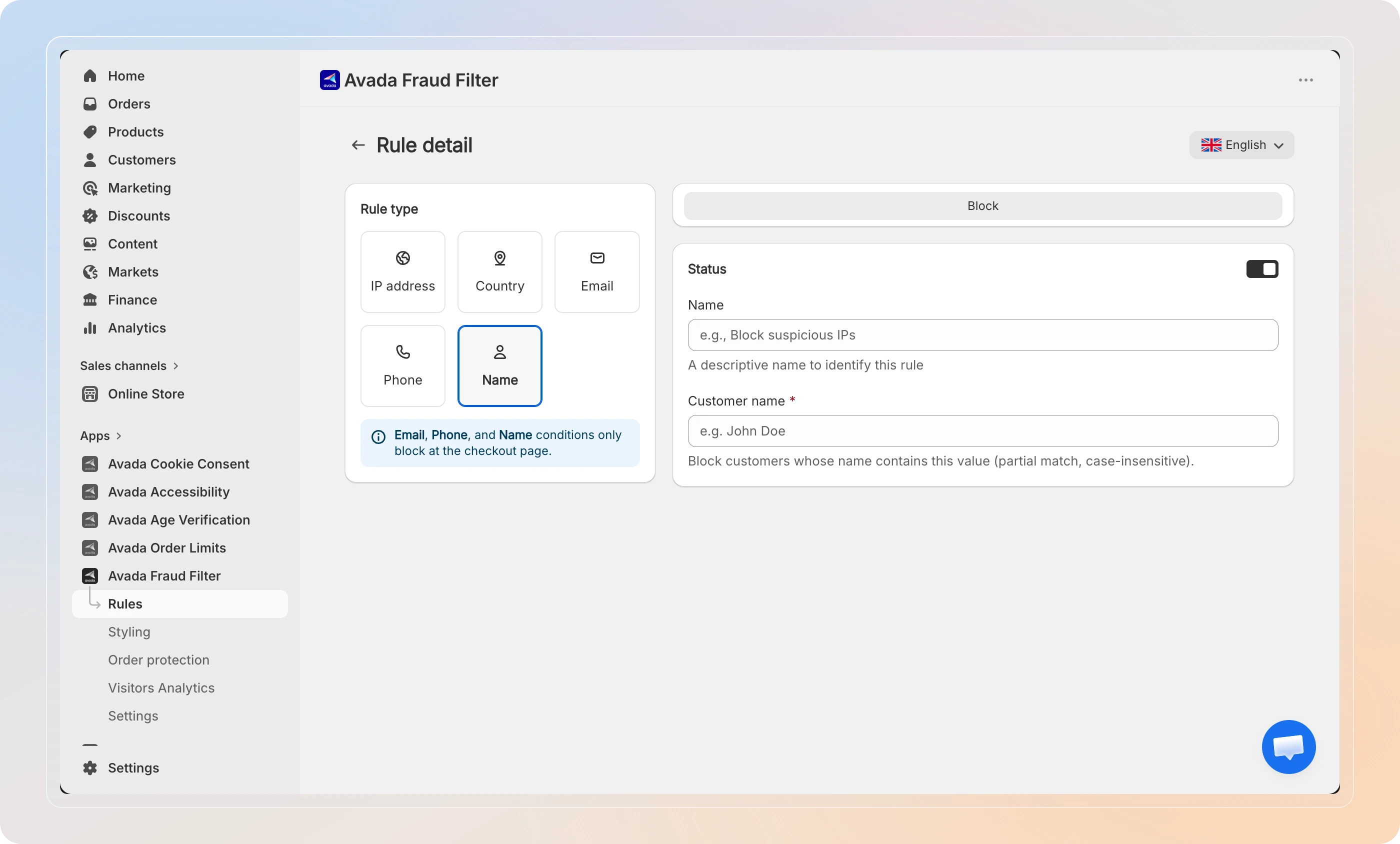
Select Name, then enter the Customer name to block (e.g., John Doe).
Name matching is a partial, case-insensitive match - any customer whose name contains the value you enter will be blocked.
Because name matching is partial, keep values specific. A short value like Sam would also match Samuel or Samantha.
Save the rule
Checkout rules use the Block action - a matching customer can't complete checkout. (Redirect and Whitelist apply to IP address and Country rules only.)
Optionally add a Name to identify the rule, leave Status set to Active, and click Save.
Tips
- Combine signals - block a fraudulent email and its associated phone number with two rules, so the customer can't slip through by changing one detail.
- Review before fulfilling - checkout rules stop new fraud, but for risk scoring on orders you've already received, turn on Order Risk Analysis.
And there you have it! You've successfully set up checkout rules to block fraudulent customers by email, phone, or name.