Quick Start
Avada Fraud Filter helps you block fraudulent visitors and screen risky orders. This guide takes you from a fresh install to a protected store in about five minutes.
Your Dashboard includes a Quick start guide checklist that tracks your progress as you complete each step below.
Activate the app
Before the app can protect your store, you need to enable its app embed in your theme.
- On the Dashboard, click App embed settings (new users can also click Activate app in the Quick start guide checklist).
- In the theme editor that opens, toggle the app embed on, then click Save.
- Return to the app - the Theme store app embed status shows On when the app is active.
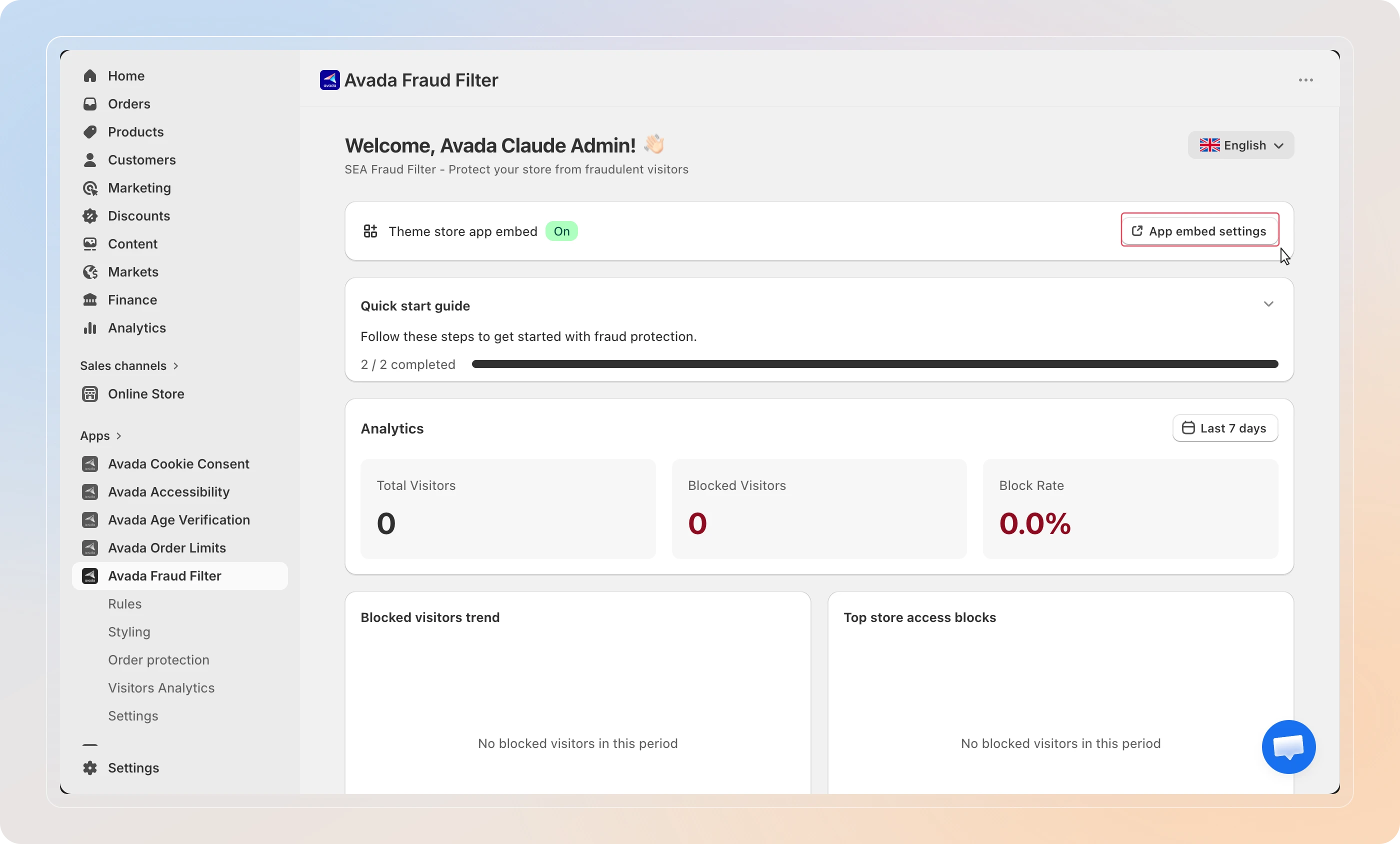
Order protection and storefront blocking only work while the app embed is active. If you ever pause the app, re-enable the embed to resume protection.
Create your first blocking rule
Now add a rule to block, redirect, or whitelist visitors.
- In the sidebar, click Rules.
- Click Add rule in the top right.
- Choose a Rule type - for example, IP address or Country.
- Enter the value you want to match, then choose an action: Block, Redirect, or Whitelist.
- Click Save.
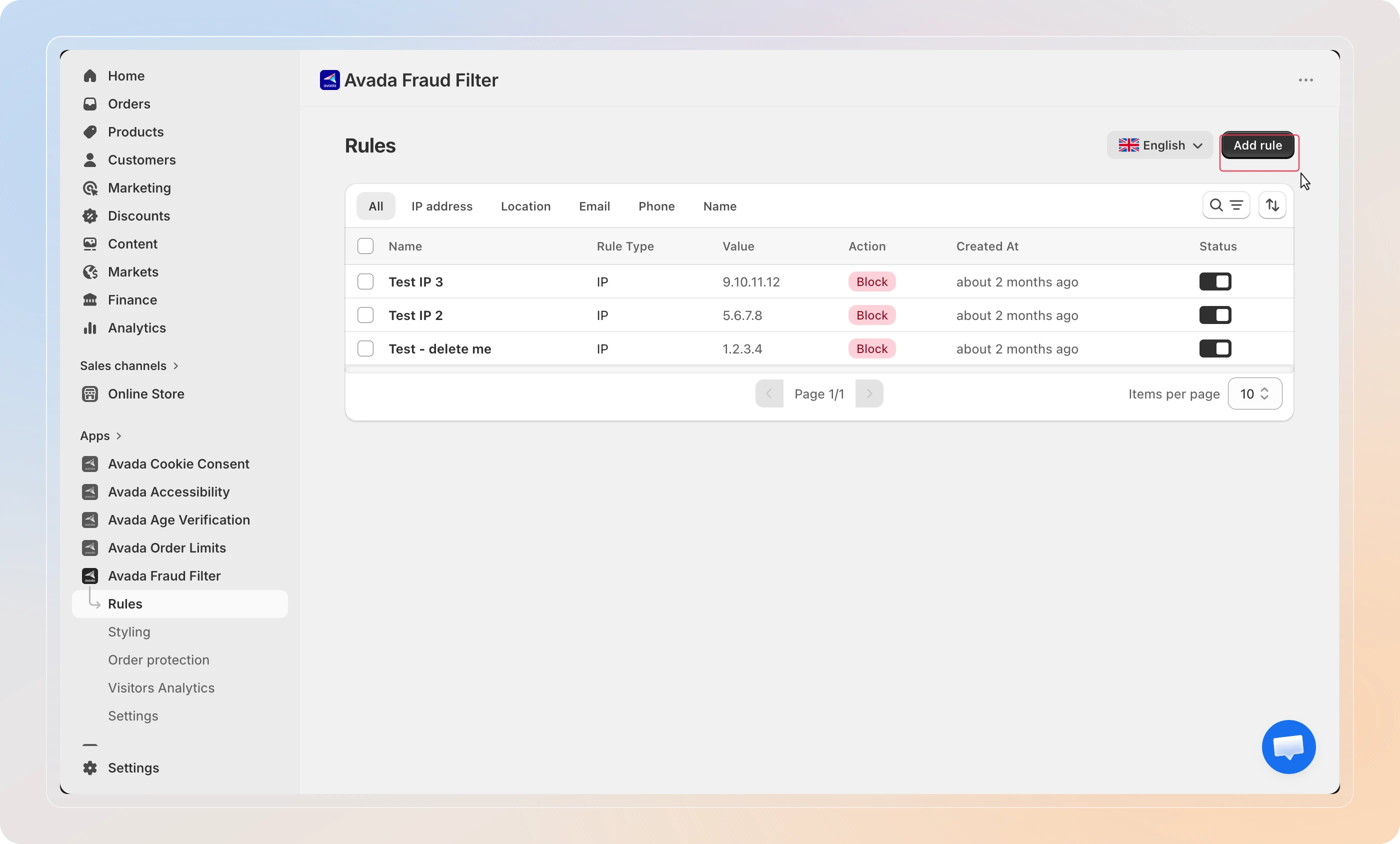
Tip: Whitelist your own office IP first so a broad country block never locks you out. Whitelist rules always take priority.
For the full walkthrough, see Block Visitors by IP, Country, or Location.
Customize your block page
Decide what blocked visitors see.
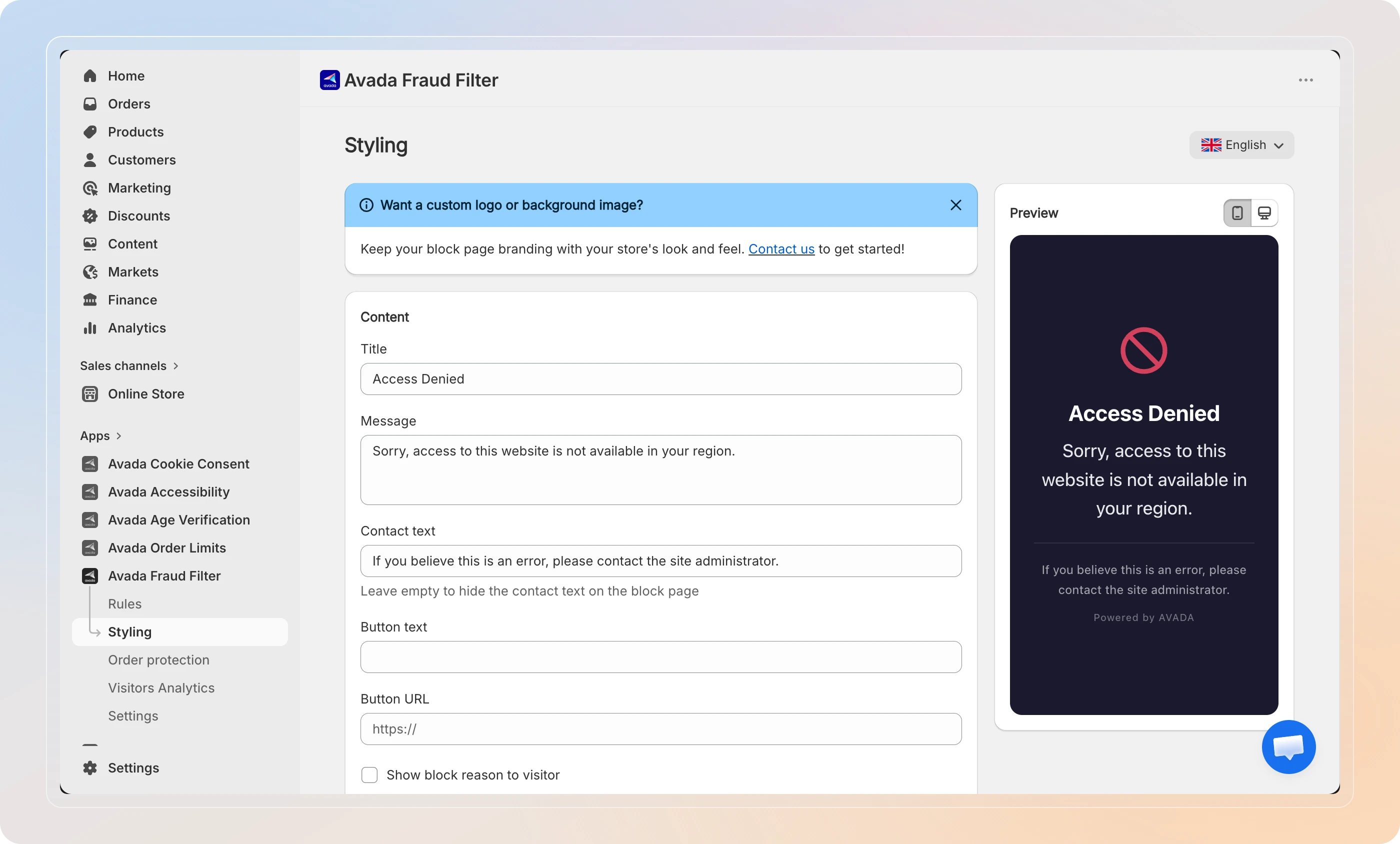
- In the sidebar, click Styling.
- Edit the Title, Message, and button text, and adjust colors and fonts.
- Use the live preview to check how it looks, then click Save.
Turn on Order Protection
Score incoming orders for fraud risk.
- In the sidebar, click Settings, then open the Order protection section.
- Toggle Enable order risk analysis on.
- Review the eight risk factors and adjust any thresholds to match your store.
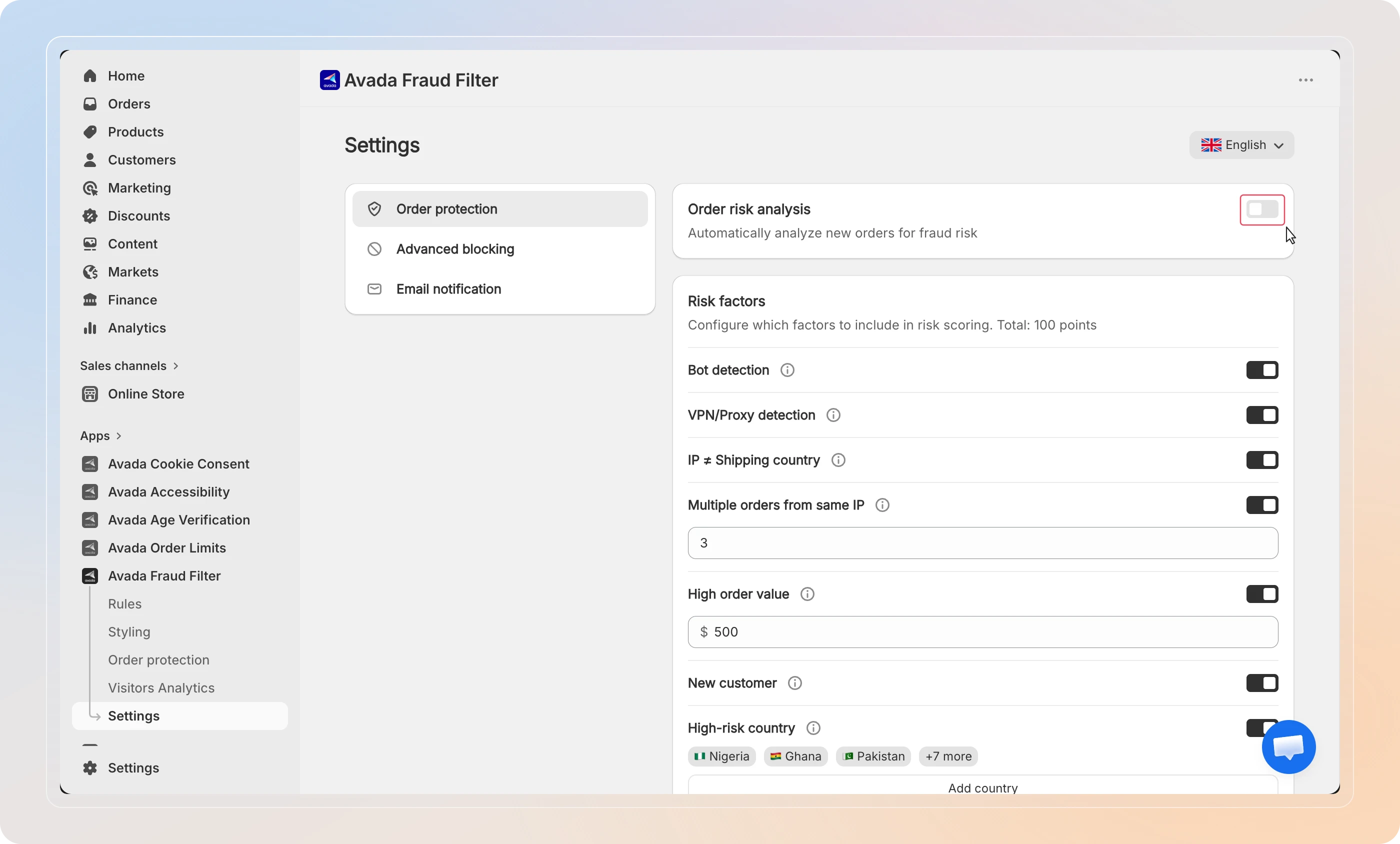
Order risk analysis requires the app embed from the first step to be active.
Tips
- Check the Dashboard daily - the analytics cards show Total Visitors, Blocked Visitors, and Block Rate so you can see protection working at a glance.
- Add rules over time - you don't need every rule on day one. Start with your highest-risk countries or known bad IPs, then expand as you learn what to block.
You're all set! With the app activated and your first rule in place, Avada Fraud Filter is now protecting your store in real time. Next, explore checkout blocking and risk scores.