Automate Order Actions
Reviewing every order by hand doesn't scale. Once you trust your risk scores, let Avada Fraud Filter act on them automatically - tag risky orders, push the assessment into Shopify Admin, email yourself on high-risk orders, and (carefully) auto-cancel the worst ones.
All of these live in Settings → Order protection and Settings → Email notification.
Prerequisites
- Order risk analysis must be enabled. See Set Up Order Risk Analysis.
Auto-tag high-risk orders
Tagging adds a label to risky orders in Shopify Admin so they're easy to find and filter.
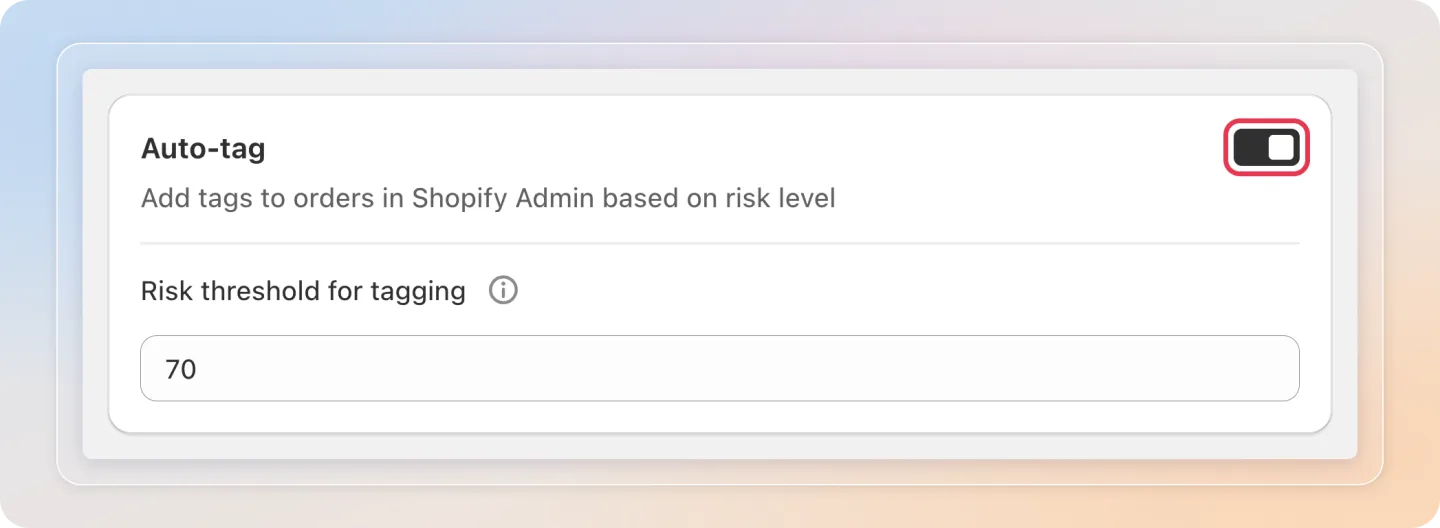
- In Settings → Order protection, find the Auto-tag section.
- Turn on the Auto-tag toggle.
- Set the Risk threshold for tagging - orders scoring at or above this value get tagged.
Push risk assessment to Shopify Admin
Show the risk assessment right where you manage orders.
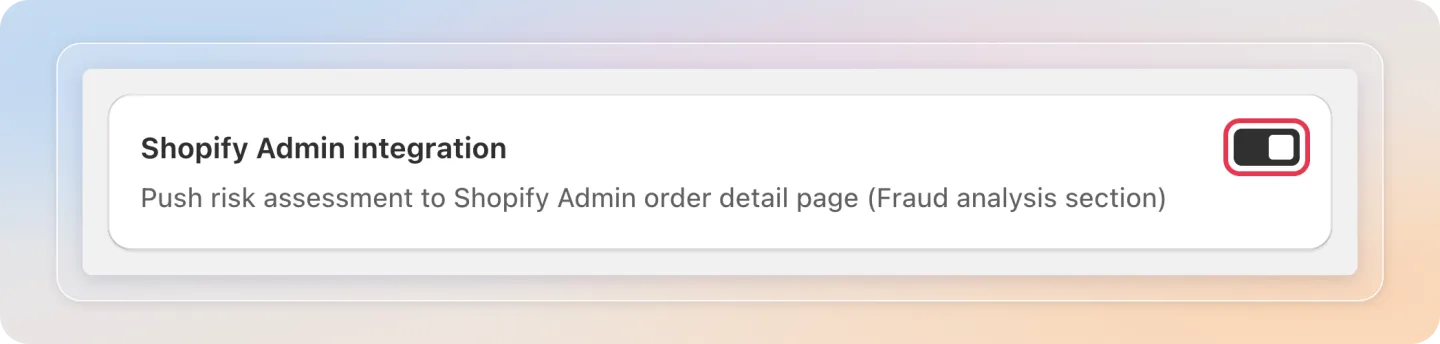
- In the Shopify Admin integration section, turn on the toggle.
- The risk assessment then appears on the order's detail page in Shopify Admin, in the Fraud analysis section.
Get email alerts on high-risk orders
Be notified the moment a risky order comes in.
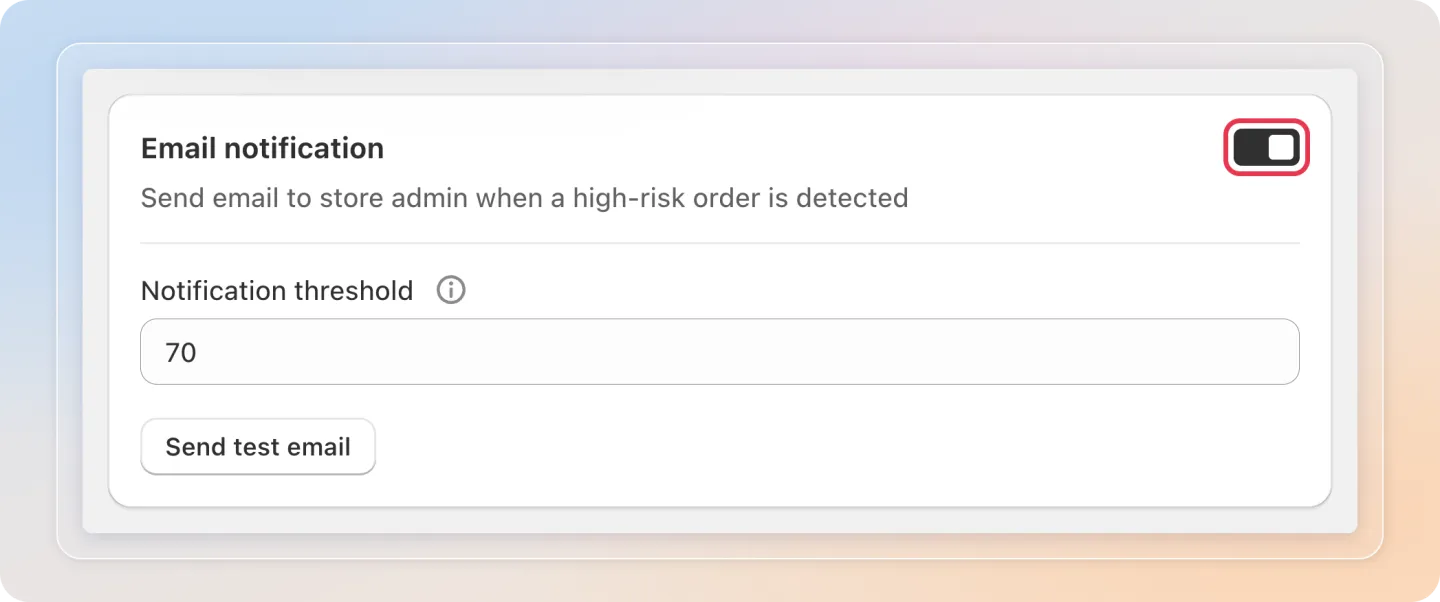
- Open the Email notification section in Settings.
- Turn on the Email notification toggle.
- Set the Notification threshold (0-100). You'll get an email whenever an order scores at or above it.
Send a test email
Want to see the alert before a real risky order comes in? Send yourself a sample first.
- With Email notification turned on, click Send test email.
- In the pop-up, confirm or change the Send to email address (it defaults to your shop's email).
- Click Send. You'll get a sample email using the same content as a real high-risk order alert.
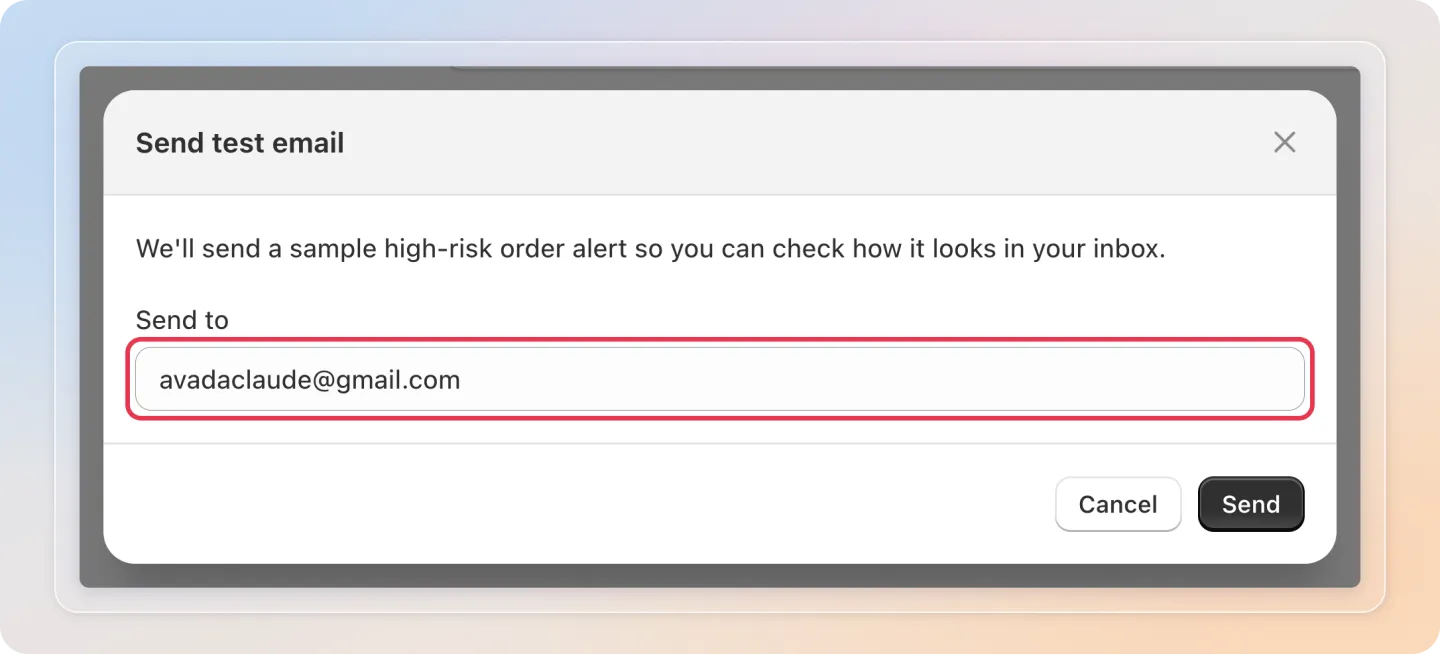
Note: If the email address is empty or not valid, the button shows an error instead of sending. Sending too many test emails in a short time is limited to prevent spam.
Auto-cancel the riskiest orders
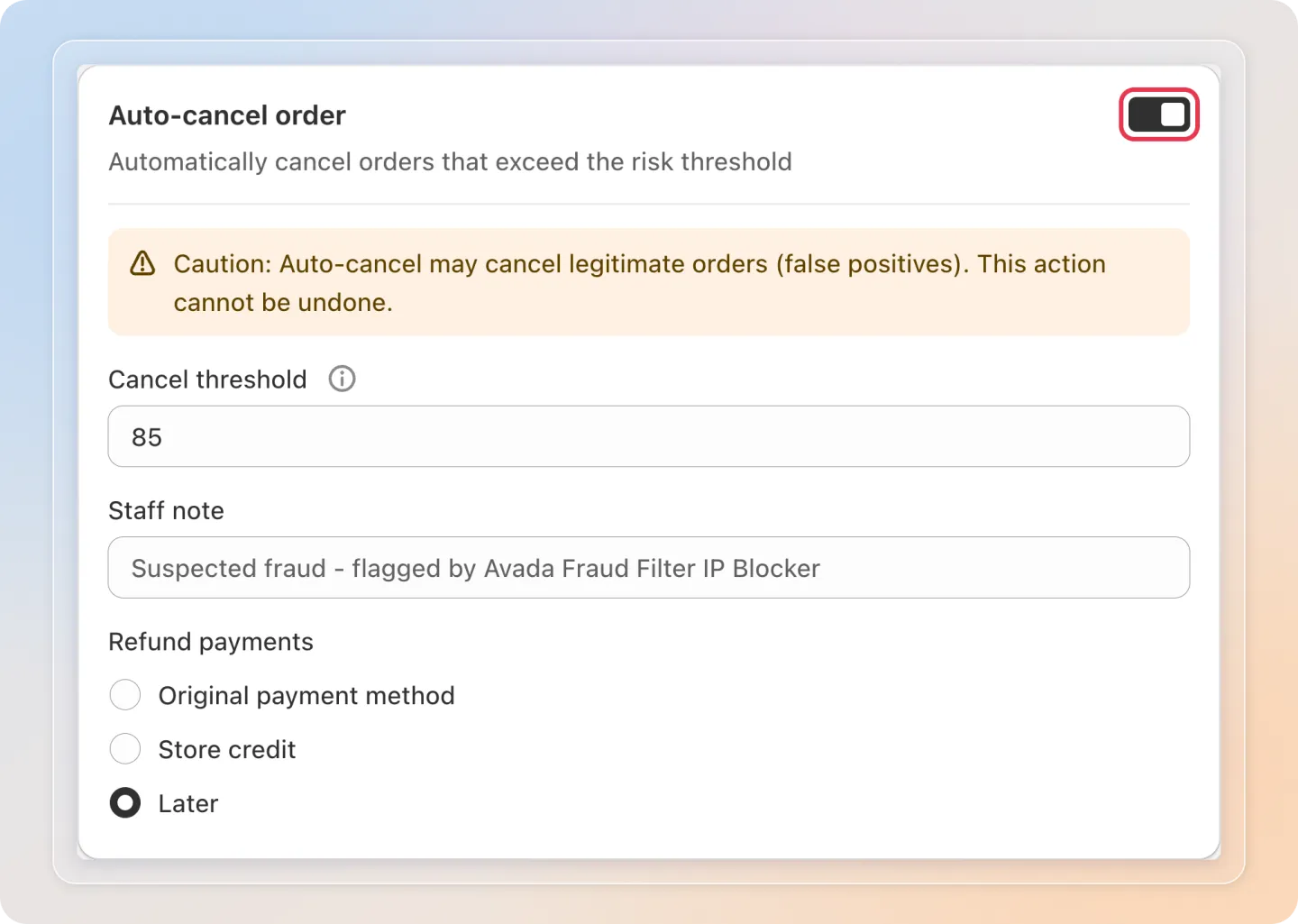
Auto-cancel automatically cancels orders above a threshold you set. This is powerful - and irreversible - so configure it carefully.
Warning: Auto-cancel may cancel legitimate orders (false positives). This action cannot be undone. Set the threshold high and monitor results before relying on it.
- In the Auto-cancel order section, turn on the toggle.
- Set the Cancel threshold - it must be higher than your tag threshold.
- Optionally add a Staff note so your team knows why an order was cancelled.
- Choose your Refund payments option: Original payment method, Store credit, or Later.
Save
Click Save in the top bar to apply your automation settings.

How the thresholds stack up
Set your thresholds so actions escalate with risk:
| Action | Typical threshold | Effect |
|---|---|---|
| Auto-tag | Lower | Flags orders for review |
| Email alert | Medium | Notifies you to look now |
| Auto-cancel | Highest | Cancels automatically - use sparingly |
Auto-cancel's threshold must always be higher than auto-tag's.
Related Articles
- Set Up Order Risk Analysis
- Understand Risk Scores & Risk Factors
Tips
- Walk before you run - start with auto-tag and email alerts only. Turn on auto-cancel later, once you've seen scores match real fraud for your store.
- Review tagged orders in Shopify - filter your Shopify orders by the app's tag to triage everything flagged in one place.
- Keep a staff note - a clear auto-cancel Staff note helps your team understand why an order was cancelled.
- Send a test email first - use Send test email to check the alert reaches your inbox and looks right before you rely on it.
And there you have it! You've successfully automated how Avada Fraud Filter handles risky orders - tagging, alerting, and optionally cancelling them for you.
Need help? Contact our support team.