Set Up Order Risk Analysis
Blocking rules stop bad visitors, but some fraudulent orders still get through. Order risk analysis scores every new order from 0 to 100 using eight risk factors, so you can spot and review suspicious orders before you fulfill them.
This guide turns on order risk analysis and tunes which factors it uses.
Prerequisites
- The app embed must be active. Order risk analysis won't run until it is. See the Quick Start guide.
Enable order risk analysis
- In the sidebar, click Settings, then open the Order protection section.
- Turn on Enable order risk analysis.
If you see the banner App embed is not activated, click through to activate the app embed in your theme first, then return and refresh.
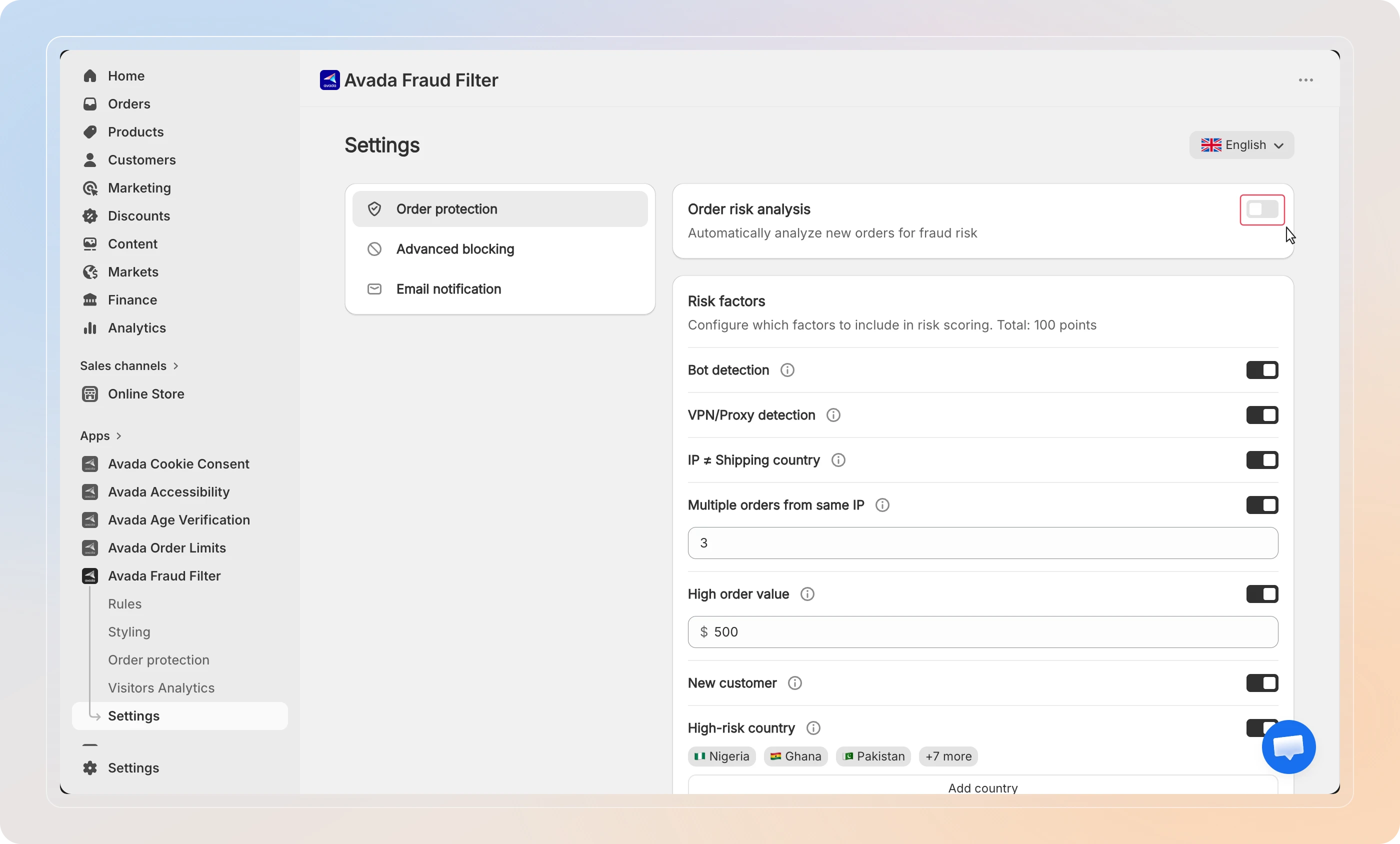
Only orders placed after you enable analysis are scored. Existing orders aren't scored retroactively.
Review the risk factors
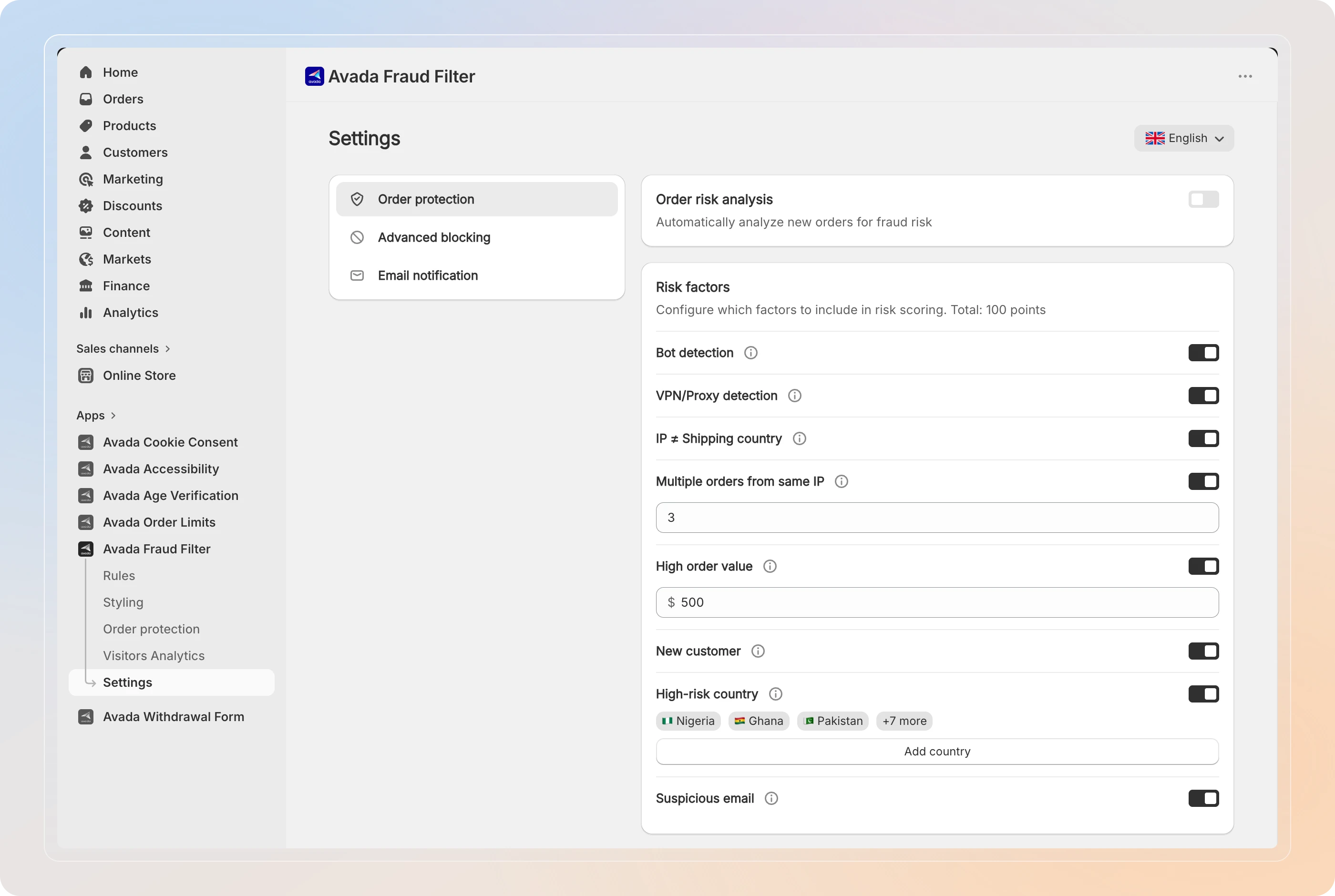
Under Risk factors, you'll see eight signals that contribute to an order's score. The total adds up to 100 points. Turn off any factor that doesn't fit your store.
| Risk factor | What it flags |
|---|---|
| Bot detection | Order placed by an automated / headless browser |
| VPN/Proxy detection | Customer connected through a VPN or proxy |
| IP ≠ Shipping country | IP location doesn't match the shipping address |
| Multiple orders from same IP | Several orders from one IP within 24 hours |
| High order value | Order total exceeds a value threshold |
| New customer | First-time customer with no order history |
| High-risk country | Shipping to a country on your high-risk list |
| Suspicious email | Disposable or temporary email provider |
Set your thresholds
A few factors have thresholds you can tune to your store:
- Multiple orders from same IP - set the Order threshold (within 24h). An order is flagged once this many orders arrive from the same IP in 24 hours.
- High order value - set the Value threshold in your store currency. Orders above this amount are flagged.
- High-risk country - click Add country to open the Edit regions picker and choose which destinations count as high-risk.
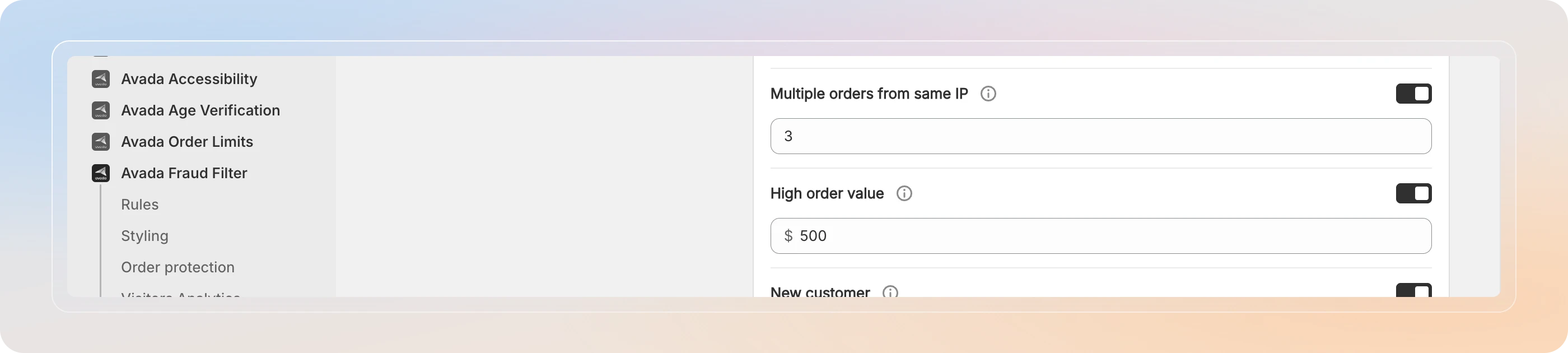
Tip: Match thresholds to your normal order pattern. If most orders are under $200, a Value threshold of $500 cleanly flags unusually large orders without noise.
Save
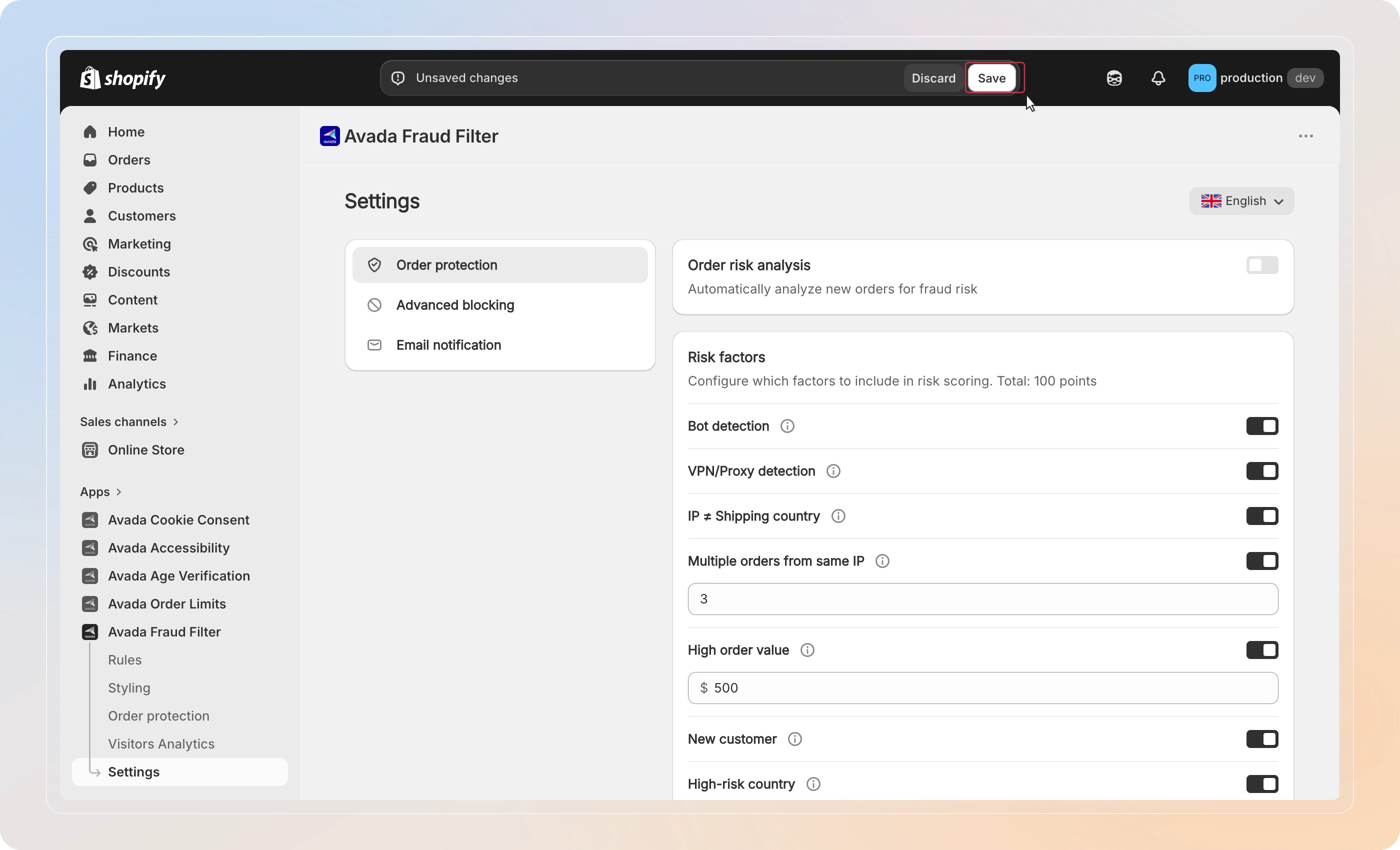
Click Save in the top bar. New orders are now scored automatically.
Tips
- Start broad, then trim - leave all factors on at first, watch a week of orders on the Order protection page, then disable any factor that flags too many legitimate orders.
- Pair with automation - once you trust the scores, set up auto-tagging and alerts so high-risk orders surface without manual checking. See Automate Order Actions.
And there you have it! You've successfully enabled order risk analysis. Every new order is now scored for fraud risk - learn how to read the scores in Understand Risk Scores.