Variables
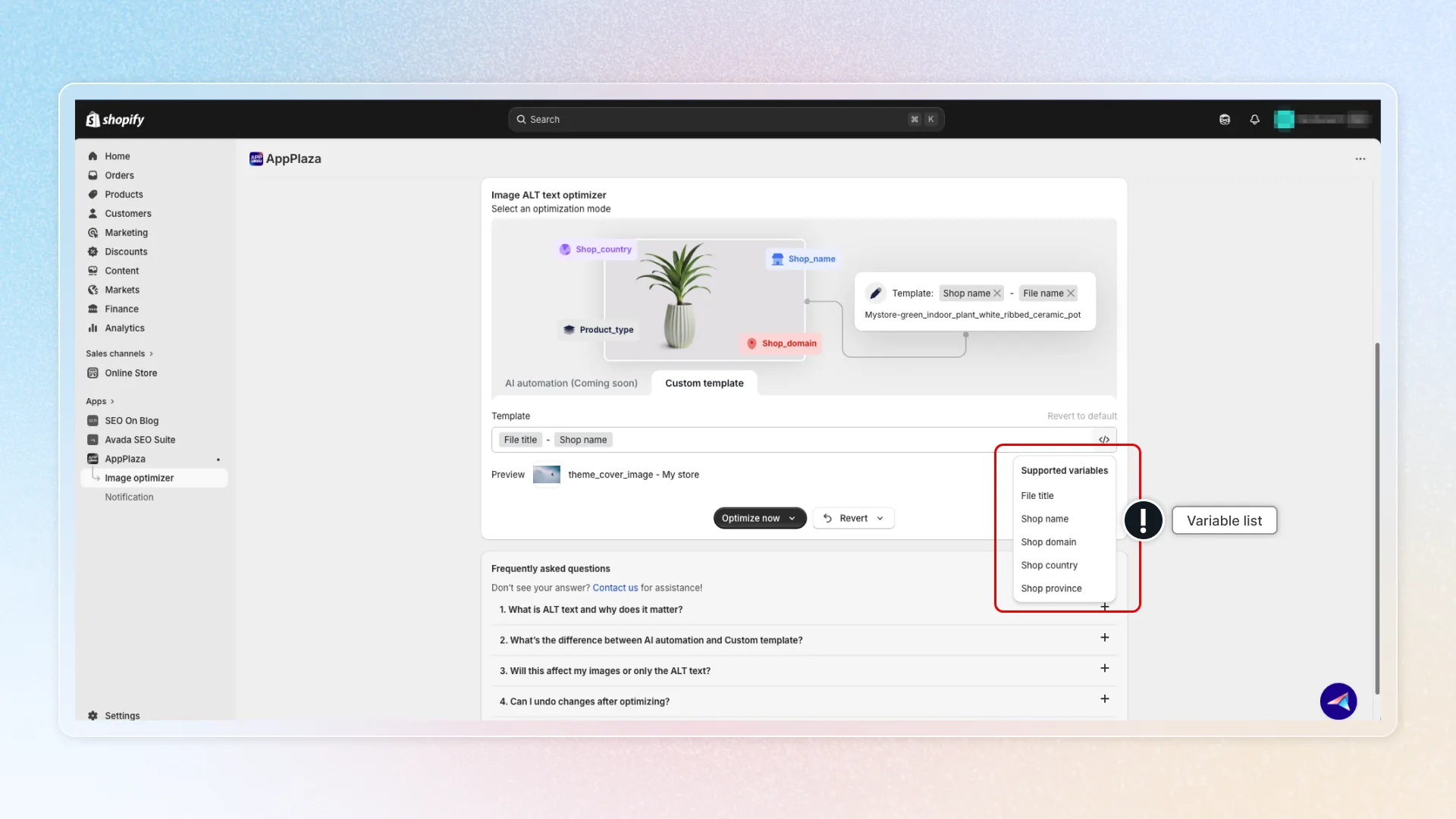
What variables are and how to use it to set up content on your website
What are variables
Variables act as placeholders that you fill in with actual information as the workflow happens. They automatically populate with your store's data when generating ALT text.
Using variables helps you save time and effort. You can set ALT text for all images at once instead of editing them one by one.
Format: {{ variables }}
| Content | What visitors see |
|---|---|
{{ file_title }} - {{ shop_name }} | theme_cover_image - My store |
{{ shop_name }} - {{ file_title }} | Mystore-green_indoor_plant_white_ribbed_ceramic_pot |
{{ file_title }} |
Benefits
- Maintain consistency across your store
- Save hours on image optimization
- Automatically generate alt text for all images at once
- Improve your store's SEO performance
Supported variables
| Variable | Description | Example |
|---|---|---|
File title | Image file name | green_indoor_plant |
Shop name | Your Shopify store name | My store |
Shop domain | Store domain | mystore.myshopify.com |
Shop country | Store country | US |
Shop province | Store province/state | California |
Note: Variables are based on image file and store information. Since the app now optimizes by file (not by product page), product-level variables (product type, collection name) are no longer available.
Tips
- Combine multiple variables for more detailed descriptions
- Review the Preview before applying changes
- Use variables consistently across all images for uniform SEO optimization
- Click
<>in the template builder to switch to code view for advanced editing