👤 Speed expert
What is Speed up expert?
Speed up handles the standard stuff well, but some speed problems need a real person to fix — hand-tuning theme code, untangling third-party scripts, chasing down layout shifts in custom sections. That's what Speed up expert is for.
A dedicated specialist works directly on a copy of your theme. Your live store is never touched until you give the go-ahead. When they're done, you get a report showing exactly what changed and how much faster your store is.
What's included:
- A dedicated speed specialist on your store, available 24/7
- Hands-on theme code optimization
- Core Web Vitals tuning (LCP, FCP, CLS)
- A speed audit report each month so you always know where you stand
- Priority support
- First optimization delivered in 3–5 days
Why use Speed up expert?
- Fixes what automation can't — hand-tuned theme code, third-party scripts, and custom-section layout shifts.
- Zero risk to your live store — all work happens on a theme copy; nothing goes live until you approve it.
- Proof of impact — before/after PageSpeed scores and a full change log, every time.
- Ongoing, not one-off — a monthly speed audit report keeps your store optimized as it changes.
- Hands-off for you — the specialist does the work; you just review and say yes.
⚙️ How Speed up expert works
Step 1: Upgrade to Expert
Go to Subscription and upgrade to the Expert plan. That's all you need to do to get started.
Step 2: Meet your specialist
Our Customer Success team reaches out automatically. They introduce you to your specialist and ask a few questions to kick things off — what pages matter most to you, any known issues, and theme access details.
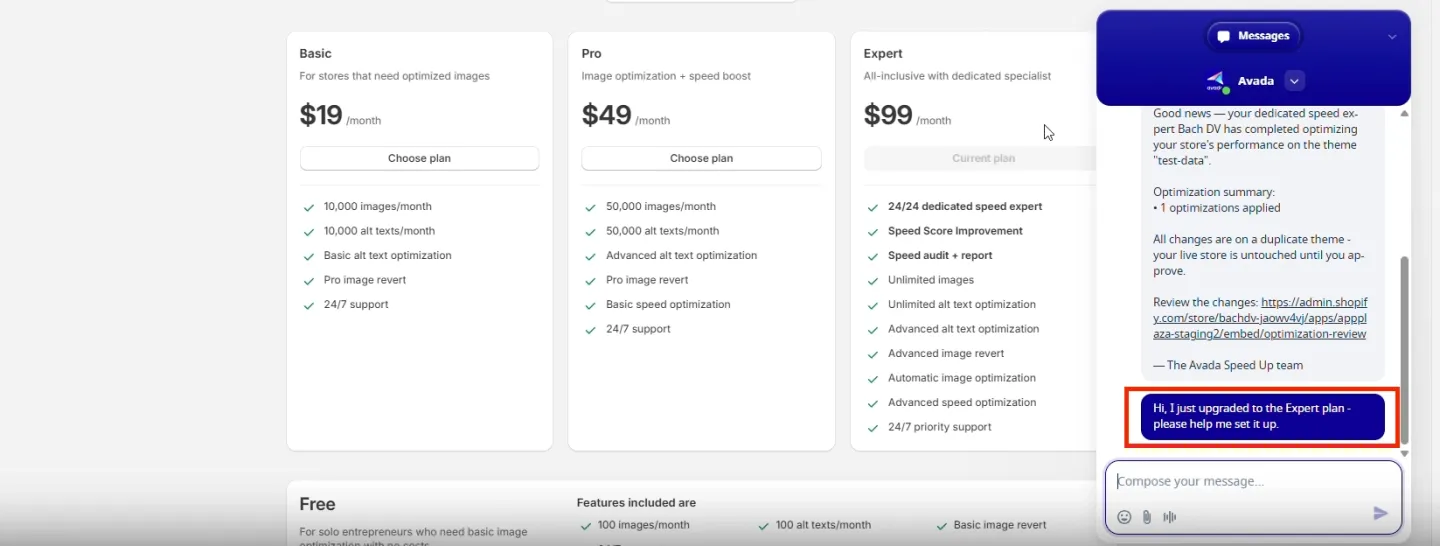
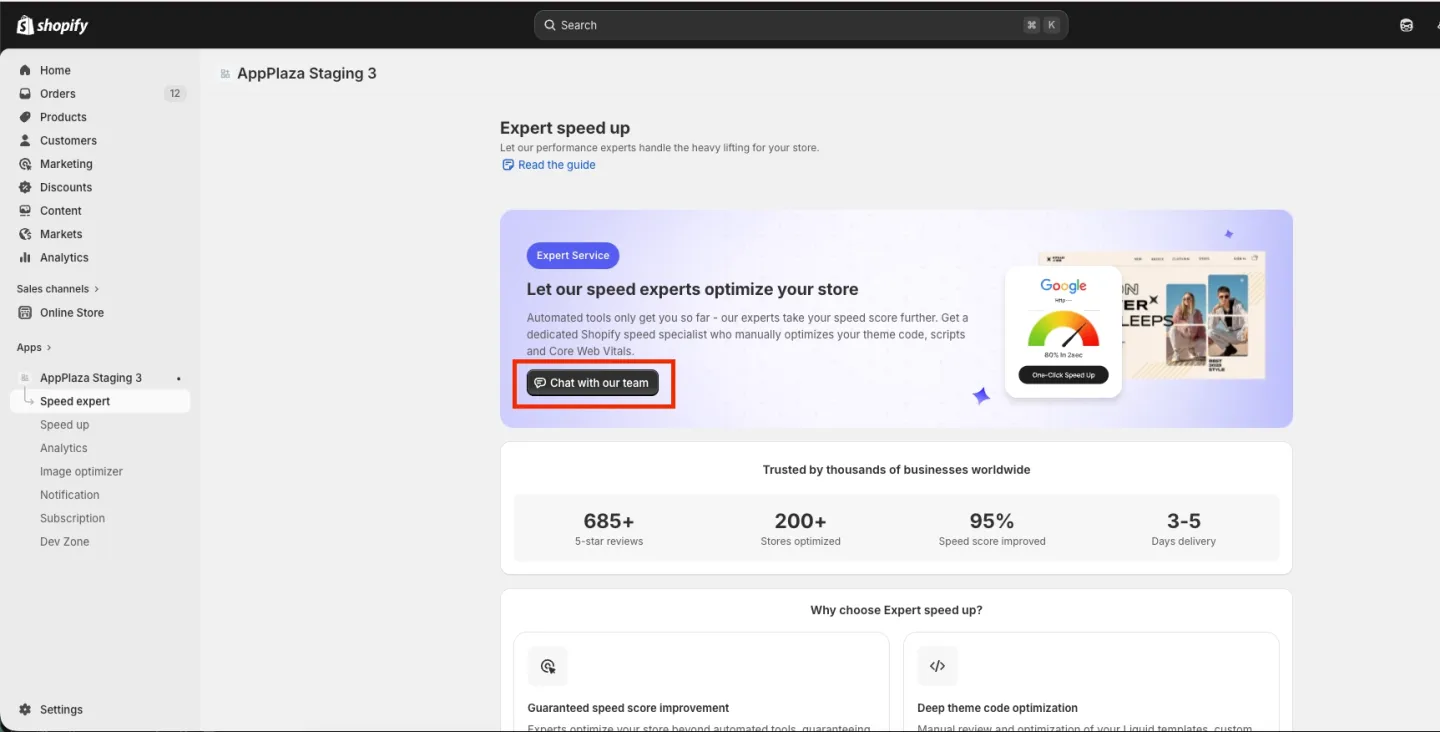
You can also start the conversation yourself. Go to Speed up → Expert and click Chat with our expert.
Step 3: Your specialist optimizes a theme copy
Your specialist creates a copy of your live theme and starts optimizing. Your live store stays exactly as it is — no risk while the work is in progress.
Step 4: Review the optimization report
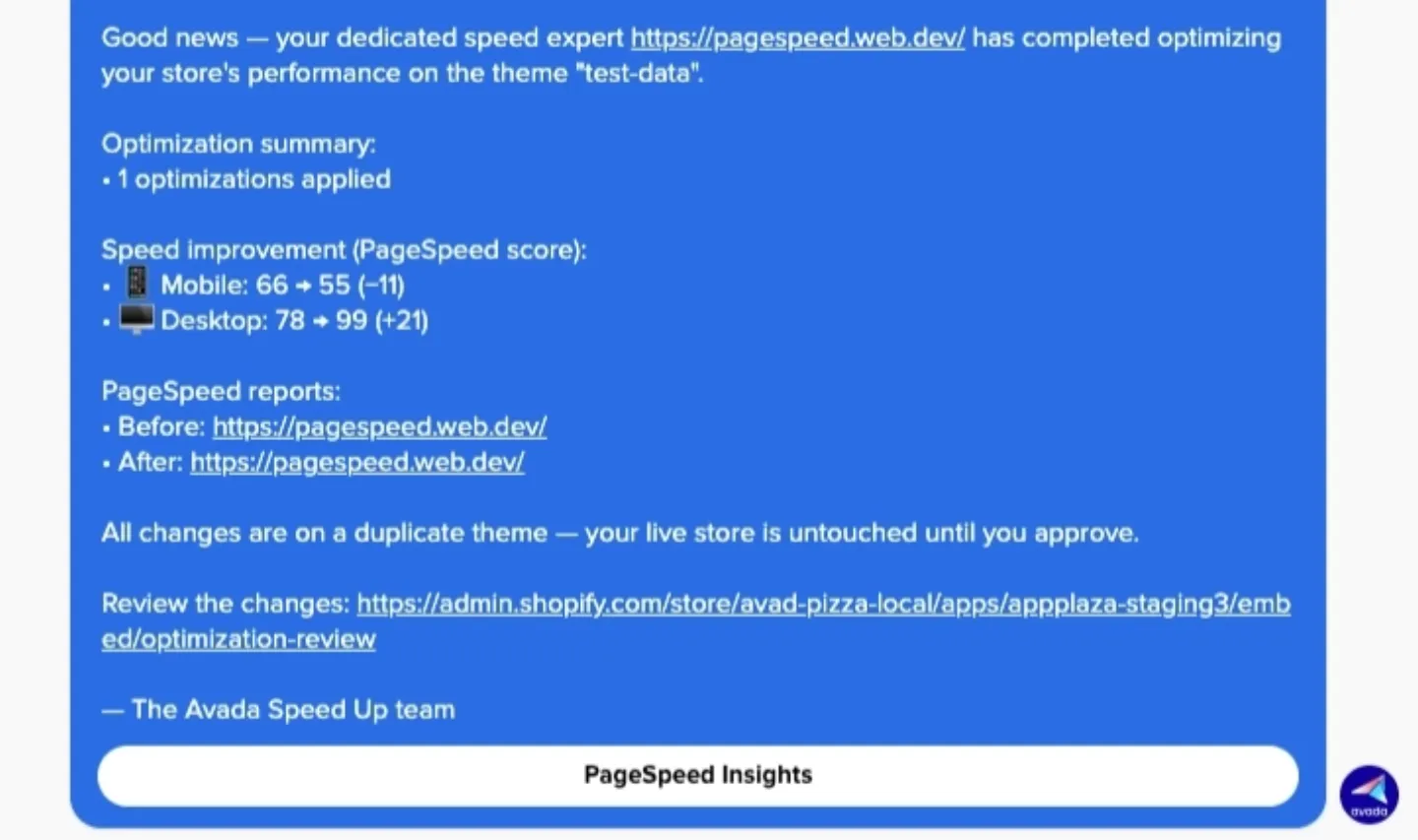
When the optimization is ready, you'll get a short report from your specialist in the in-app chat. The report includes:
- Your specialist's name and the theme they worked on
- Optimization summary — how many changes were applied
- Speed improvement (PageSpeed score) — your Mobile and Desktop scores before and after, with the change in points
- PageSpeed reports — before/after links so you can dig into the details
- A Review the changes link to open the optimized theme preview
Step 5: Review and approve
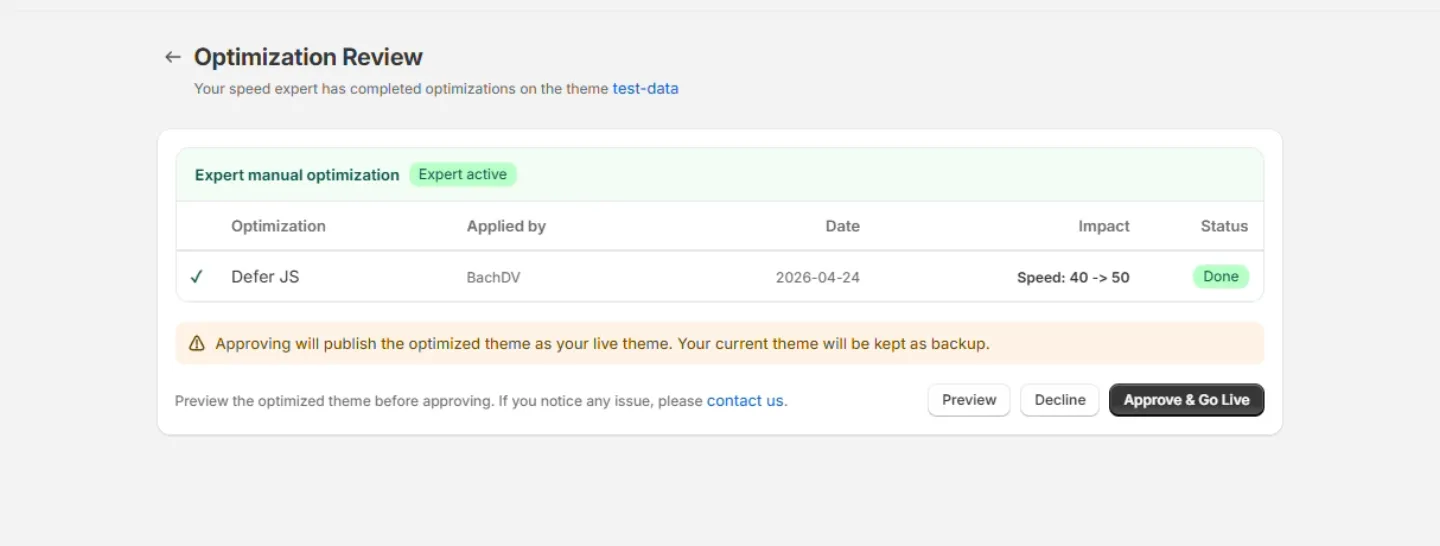
Click Review the changes to open the preview. Check everything looks right, then approve. The optimized theme only goes live once you say yes — you're always in control.
Step 6: Get monthly reports
Every month after that, your specialist sends a speed audit report with your current performance, anything new that needs attention, and what to do next. See Notifications for what each update includes and where you receive them.
📌 Merchant Notes
- We commit to help improve your speed score — we don't promise a specific number, because the final result depends on your theme, your apps, and your content, all of which are outside our control.
- Every change your specialist makes is logged in Analytics → Optimization activity, so you have a full record of what was done, when, and the impact.
- The optimized theme only goes live when you approve it — your live store is never changed without your go-ahead.
- Your first optimization is delivered in 3–5 days after kickoff.
- To track your store's speed over time, see Analytics.