Speed audit
What is Speed audit?
An on-demand deep scan that finds what's slowing a page down and how to fix it. Paste a URL, click Run audit, and get a full diagnostic powered by Google PageSpeed and your Shopify Analytics data.
Speed audit runs on demand. To track your speed continuously, use Analytics.
⚙️ How to run an audit
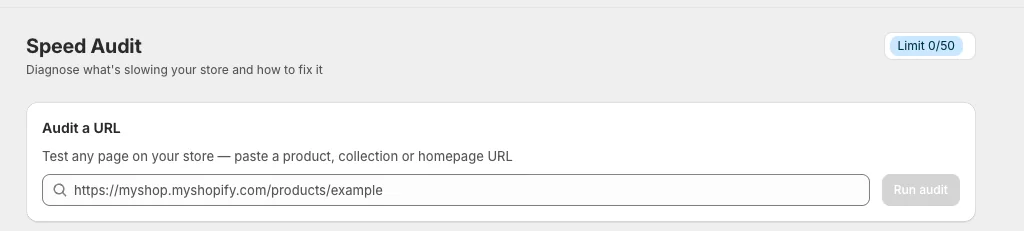
Step 1: Audit a URL
Open Speed audit, paste any page (product, collection, or homepage), and click Run audit.
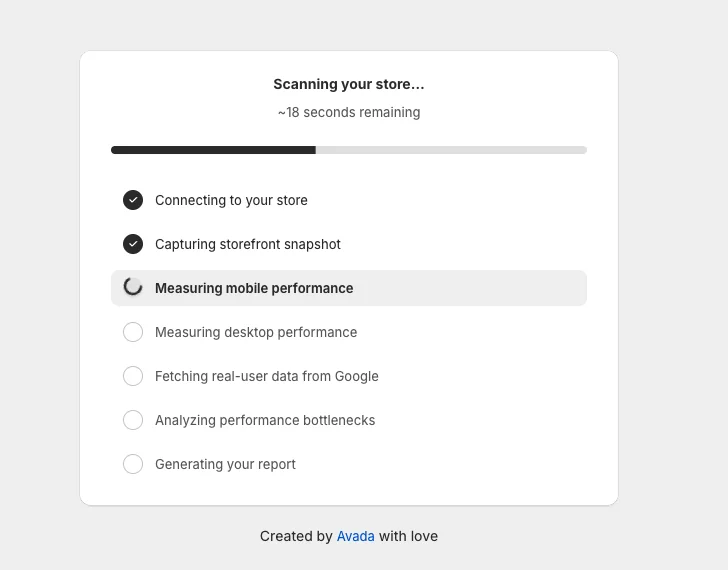
Step 2: Wait for the scan (~45s)
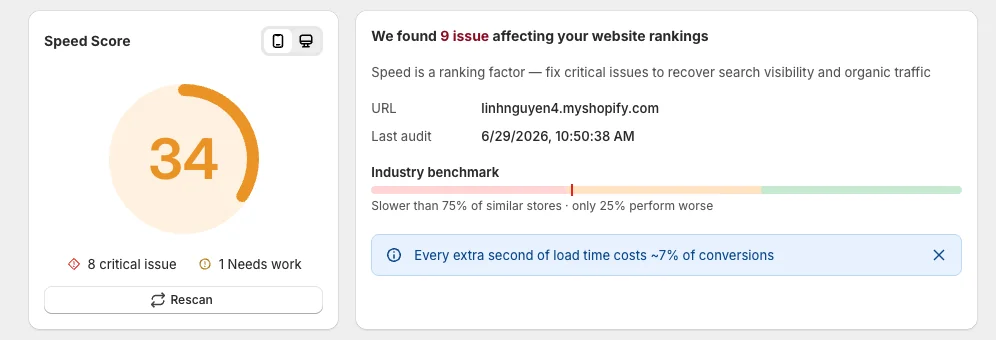
Step 3: Read your score
Speed Score (0–100, Mobile/Desktop toggle, issue counts, Rescan) plus a card with your URL, last audit time, an Industry benchmark, and the conversion cost of slow loading.
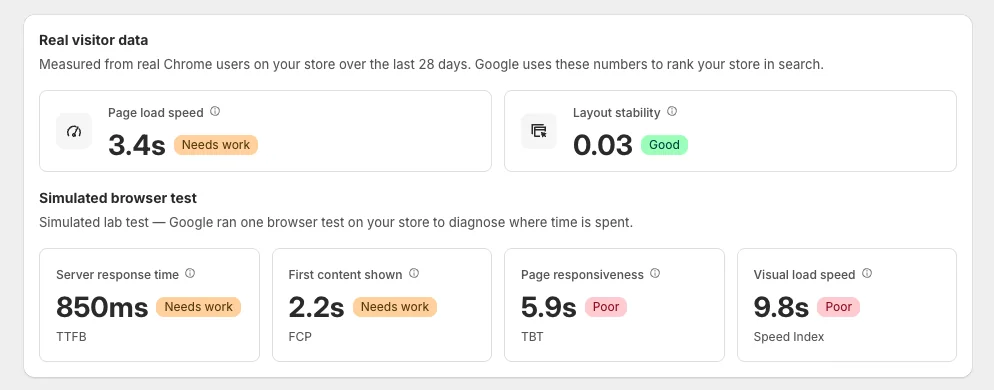
Step 4: See how visitors experience your store
- Real visitor data (real Chrome users, last 28 days) — Page load speed, Layout stability.
- Simulated browser test (one lab test) — TTFB, FCP, TBT, Speed Index.
Step 5: Review the issues
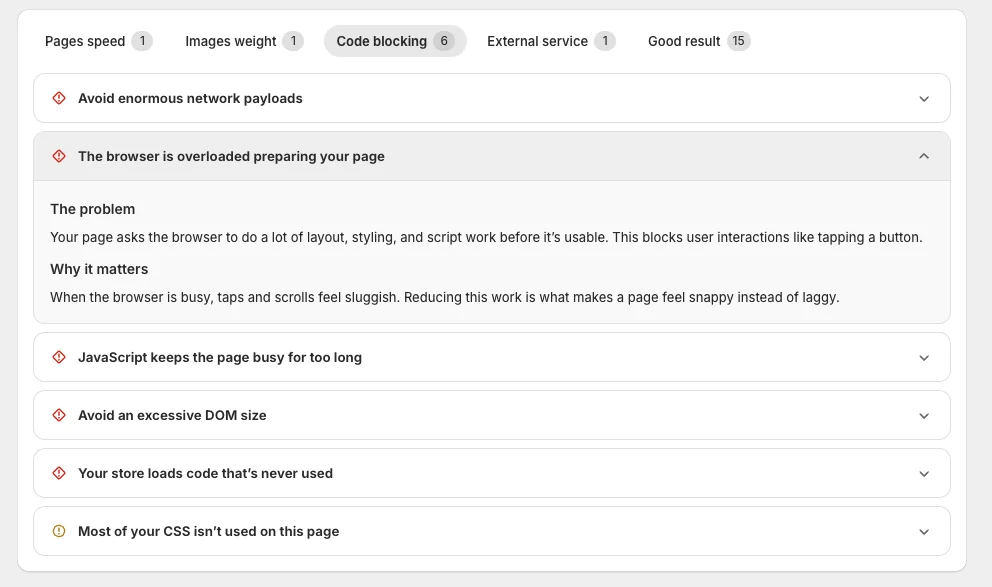
Issues are grouped into tabs with counts — Pages speed · Images weight · Code blocking · External service · Good result. Click any issue to see The problem and Why it matters.
Step 6: Fix it
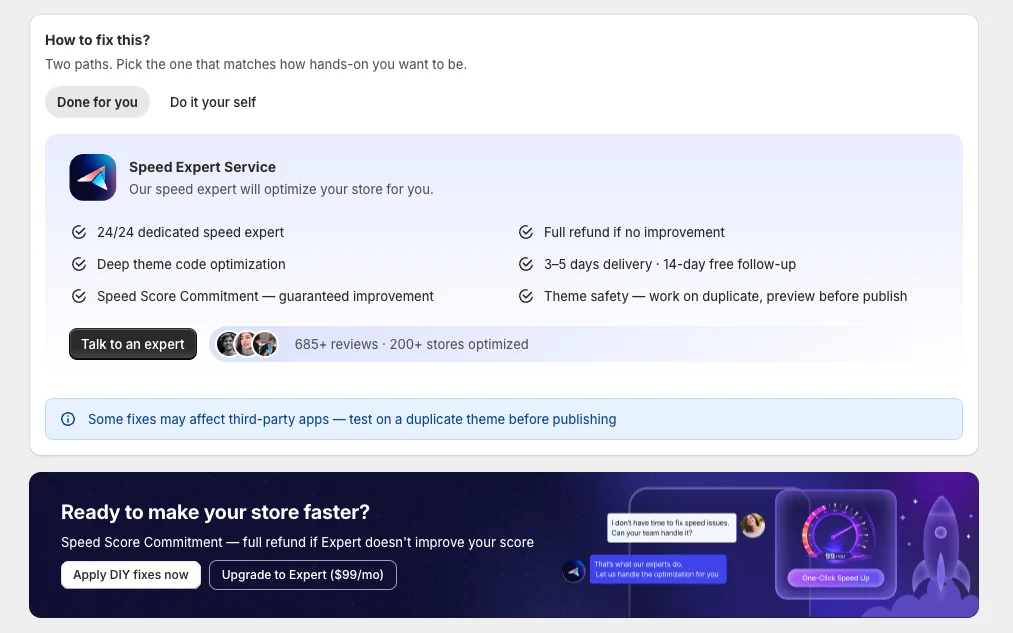
- Done for you — the Speed Expert Service optimizes your store for you. Click Talk to an expert.
- Do it yourself — turn on the matching Speed up feature; each issue links straight to its fix.
Step 7: Take action
Click Apply DIY fixes now, or Upgrade to Expert to have a specialist do it.
📌 Notes
- The Limit badge (e.g.
1/50) shows audits used in your current window. - Real and simulated numbers can differ — that's normal.
- Re-run an audit after any big change to see the impact.