Add Block in Theme
Who can use this feature?
This feature is available for all users.
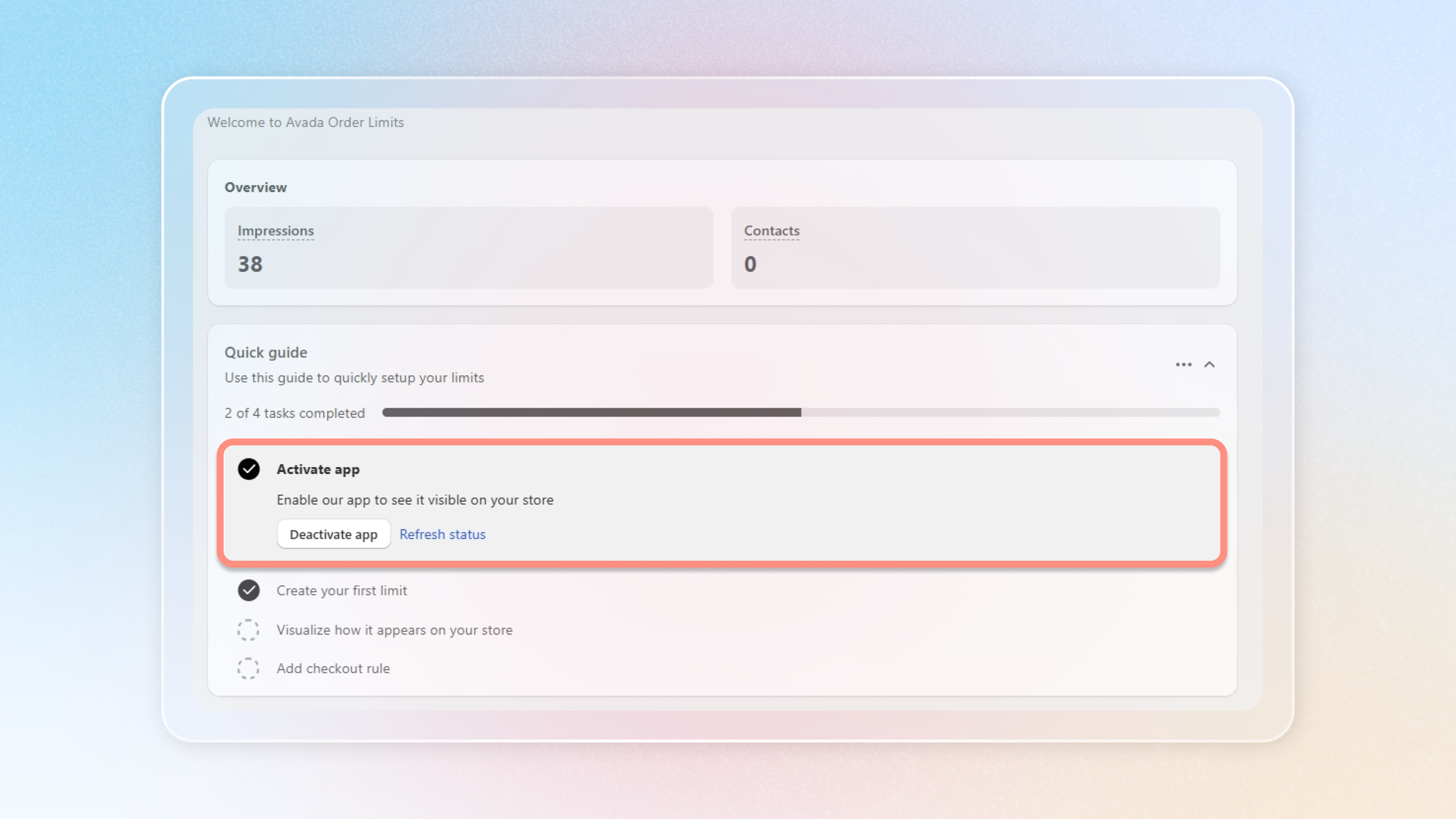
To make this happen, please ensure that the Avada Order Limit app is active.
Step 1: Navigate to Themes editor
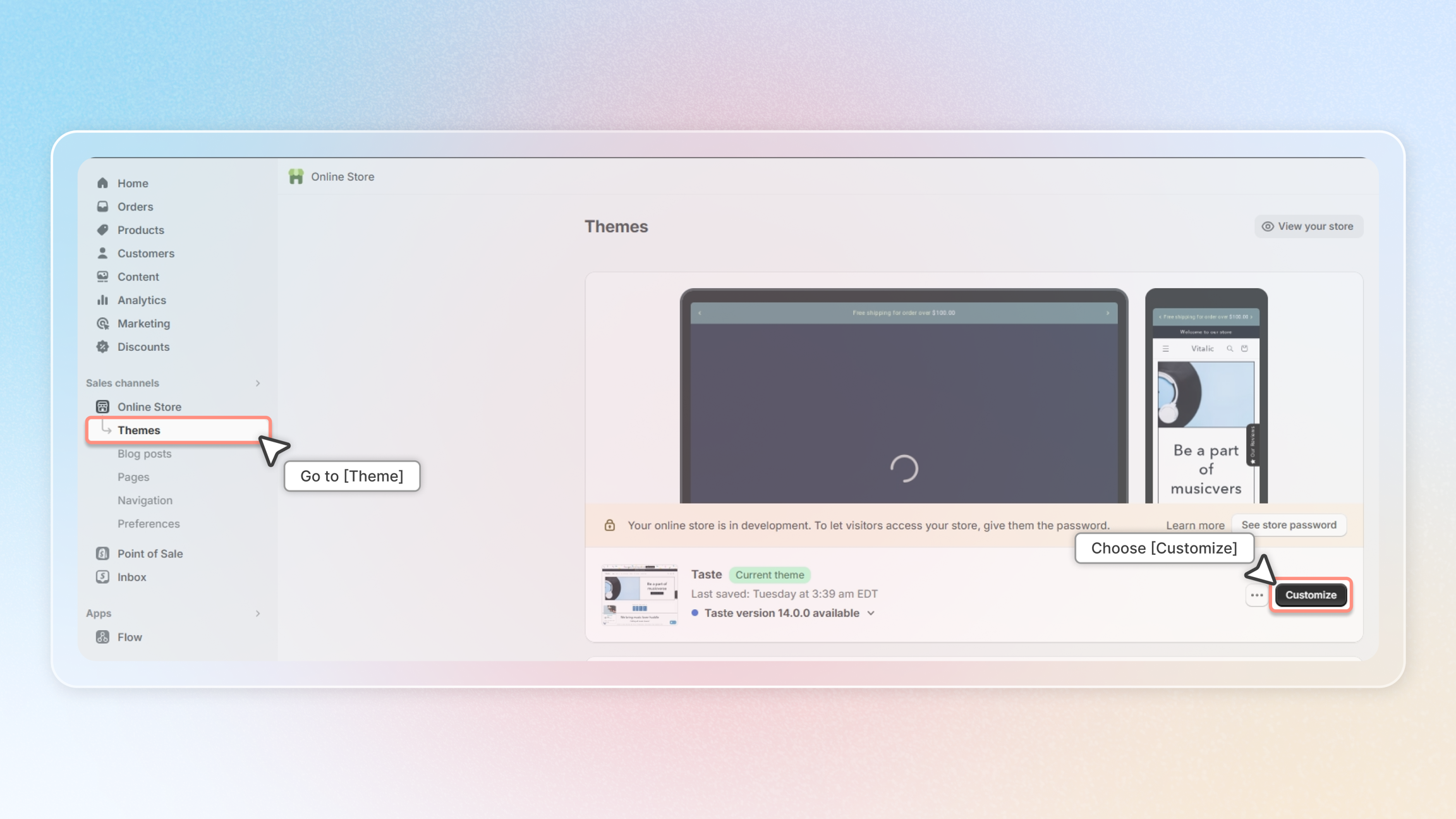
Please navigate to Online Store → Themes → Customize.
Step 2: Locate the Product page
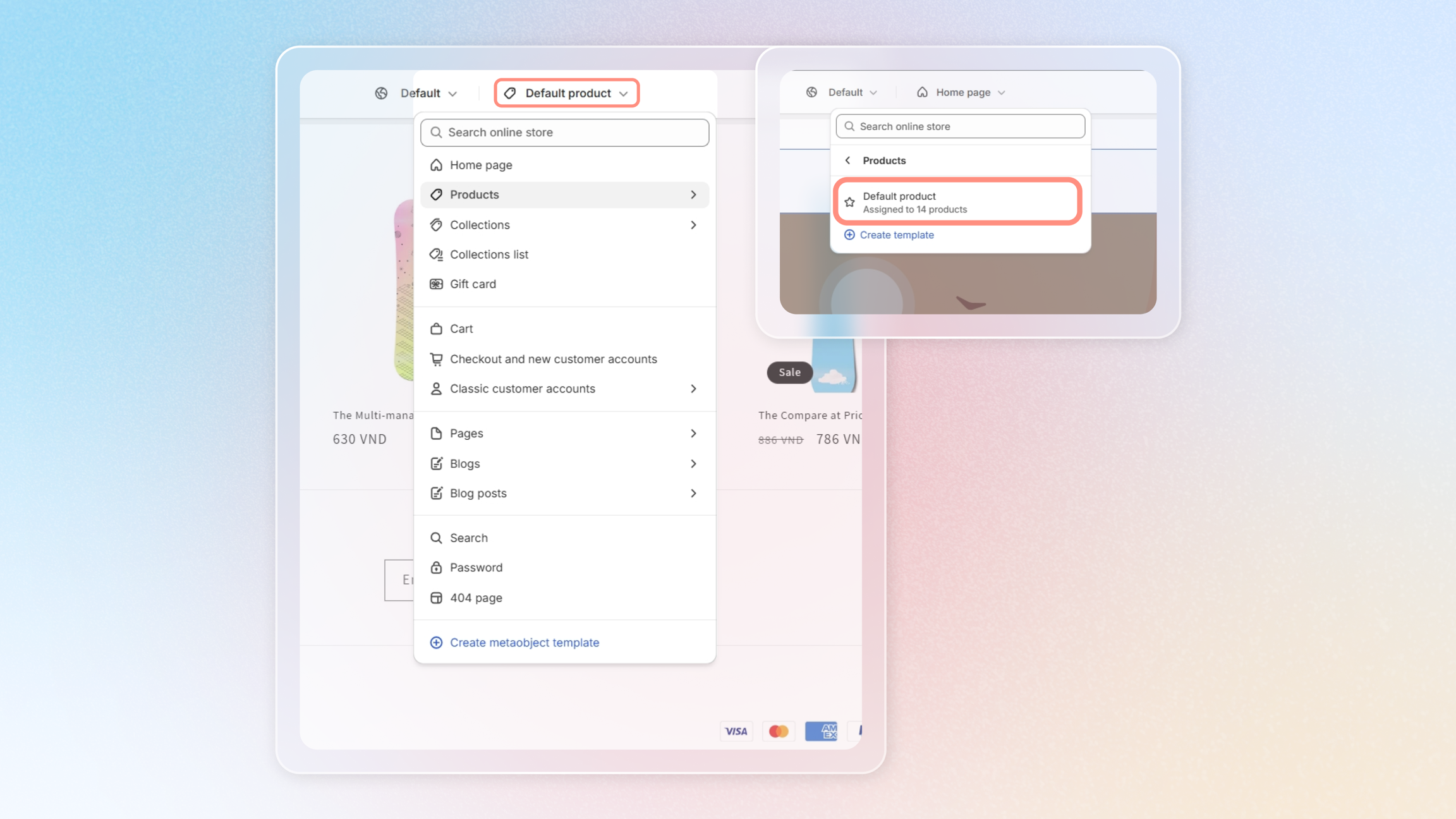
Next, please select 'Product'.
Step 3: Add Avada Order Limit block
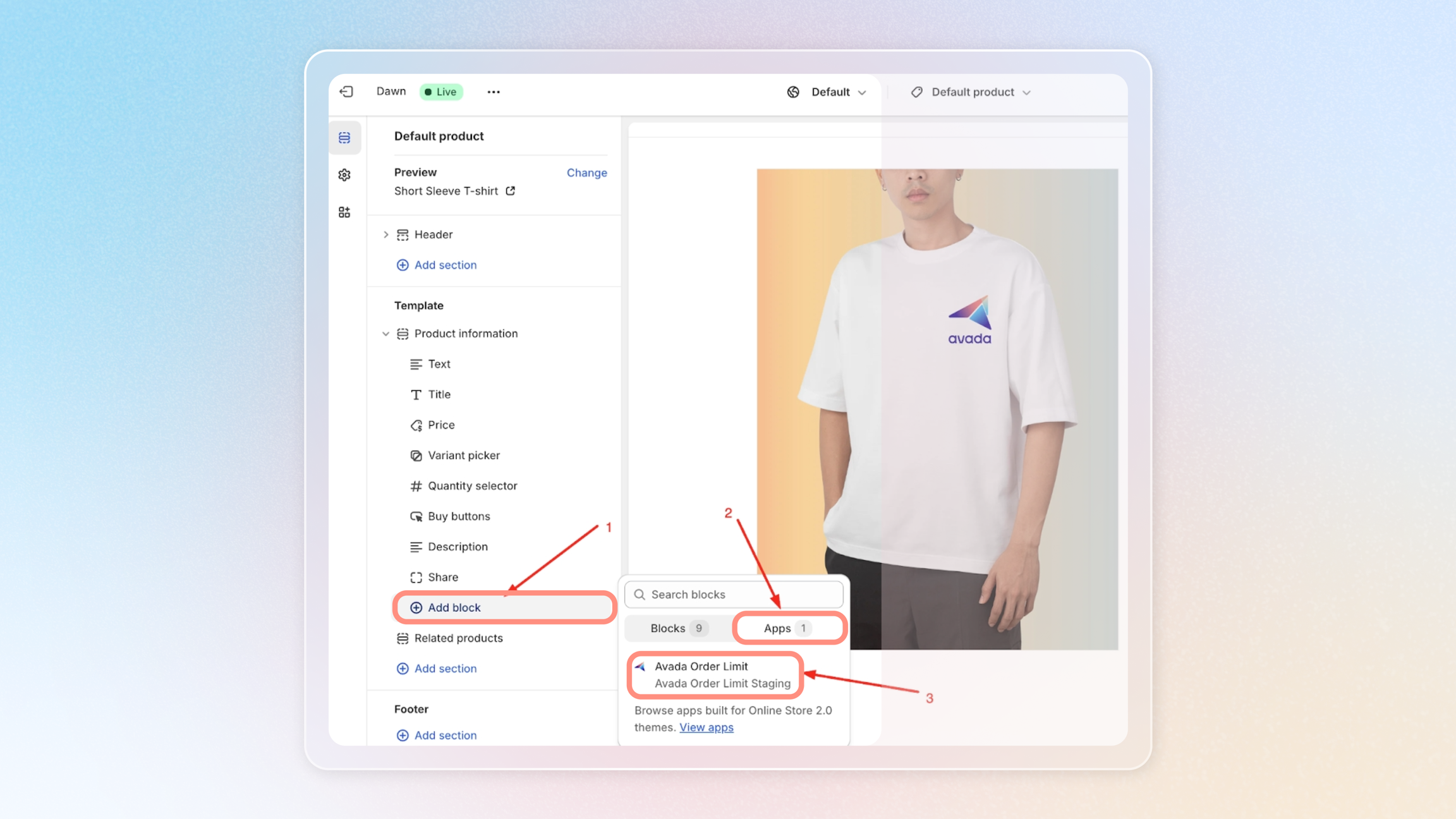
Now, click on 'Add block' → Select 'App' → Choose 'Avada Order Limit'.
Step 4: Block placement and save
Finally, drag and drop the block to the location where you want it to be displayed.
Don't forget to hit the Save button for your changes.
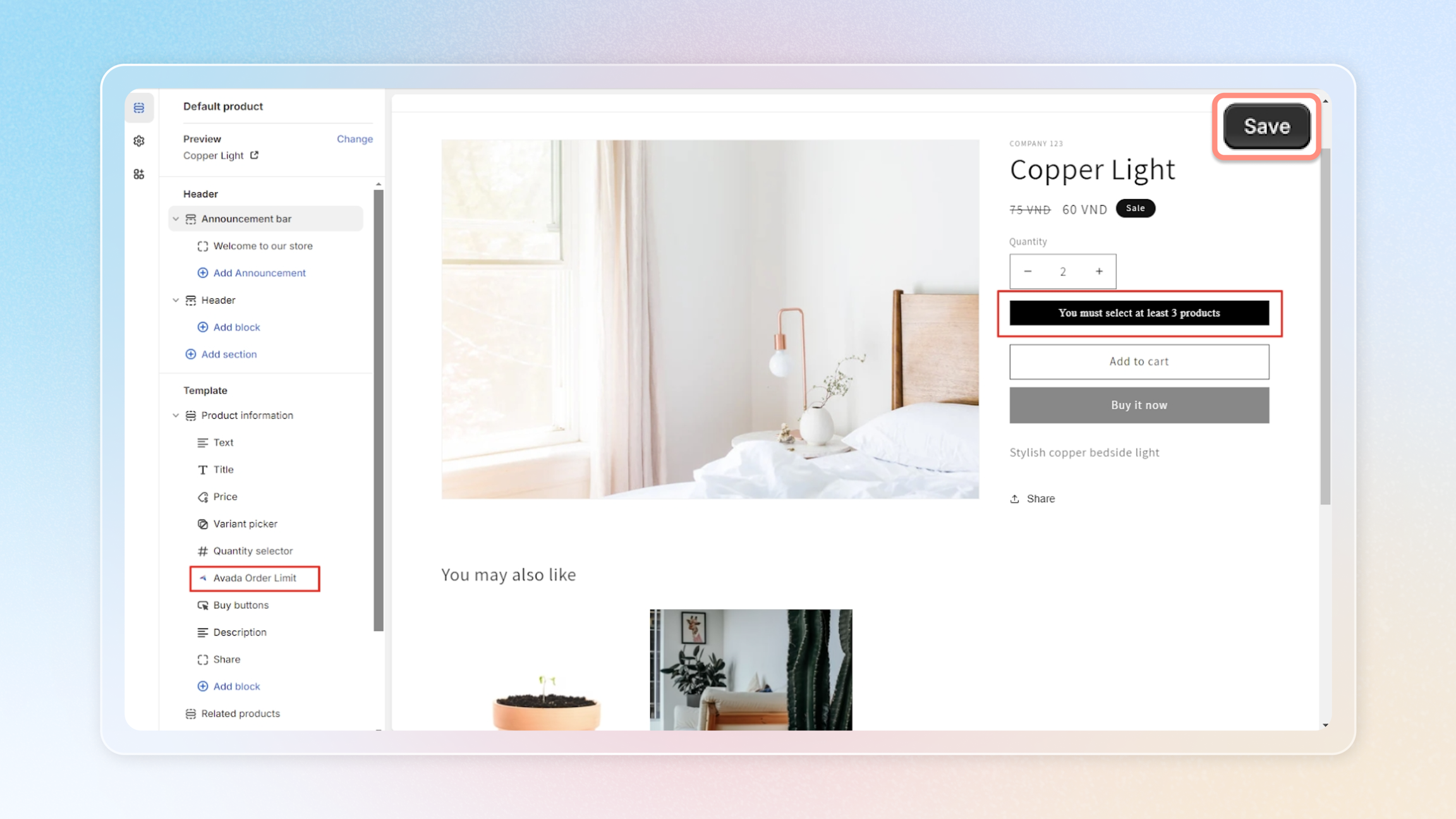
And there you have it! Your inline limit notification is now set up at your desired location. If you have any other questions or need further assistance, please don't hesitate to ask.