Add Snippet Code
Who can use this feature?
This feature is available for all users.
Step 1: Accessing the Snippet Code
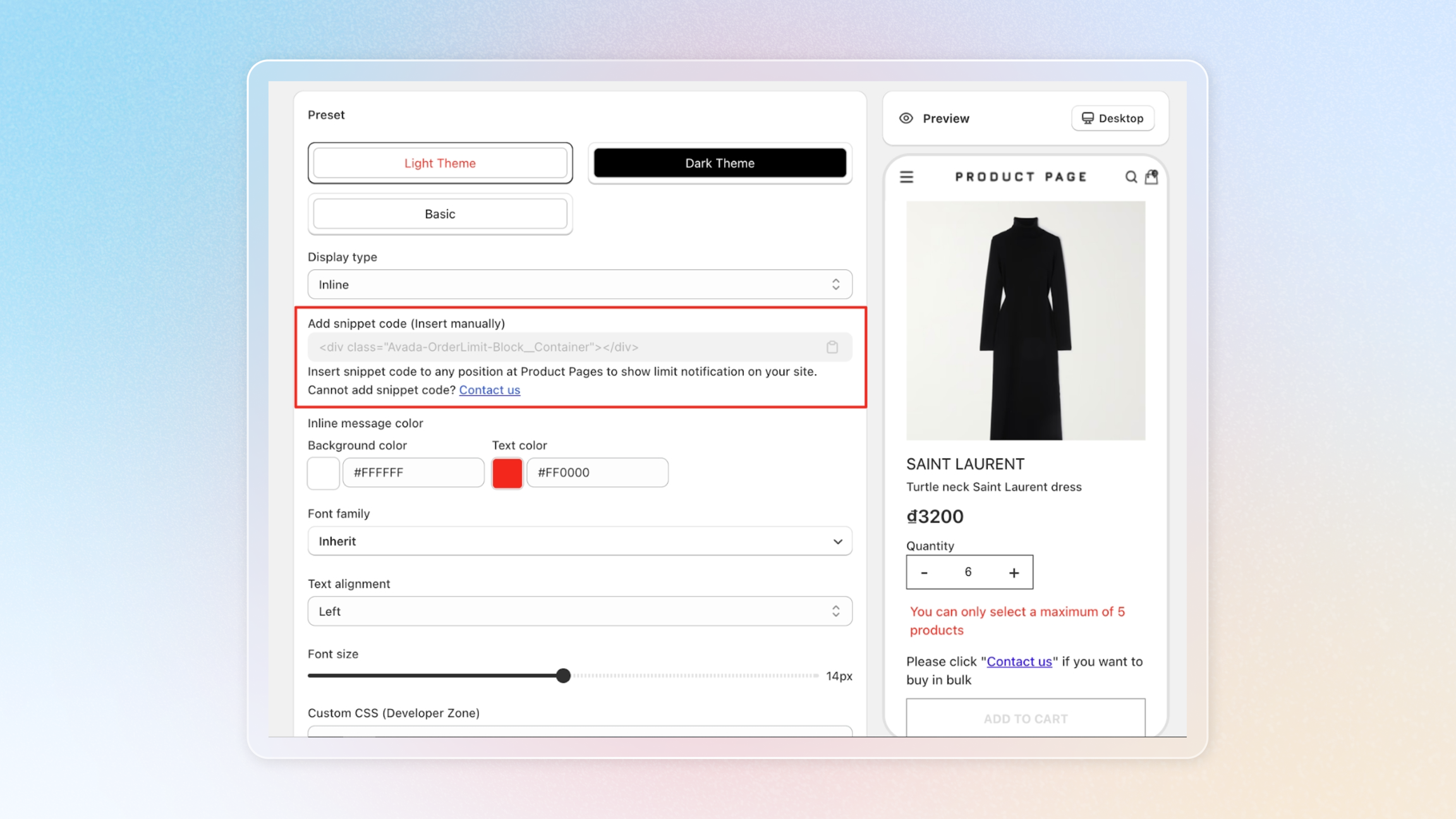
Firstly, please navigate to the Avada Order Limit app, then click on 'Branding'. Here you'll find the snippet code that you need to copy.
Step 2: Navigating to the Theme Code
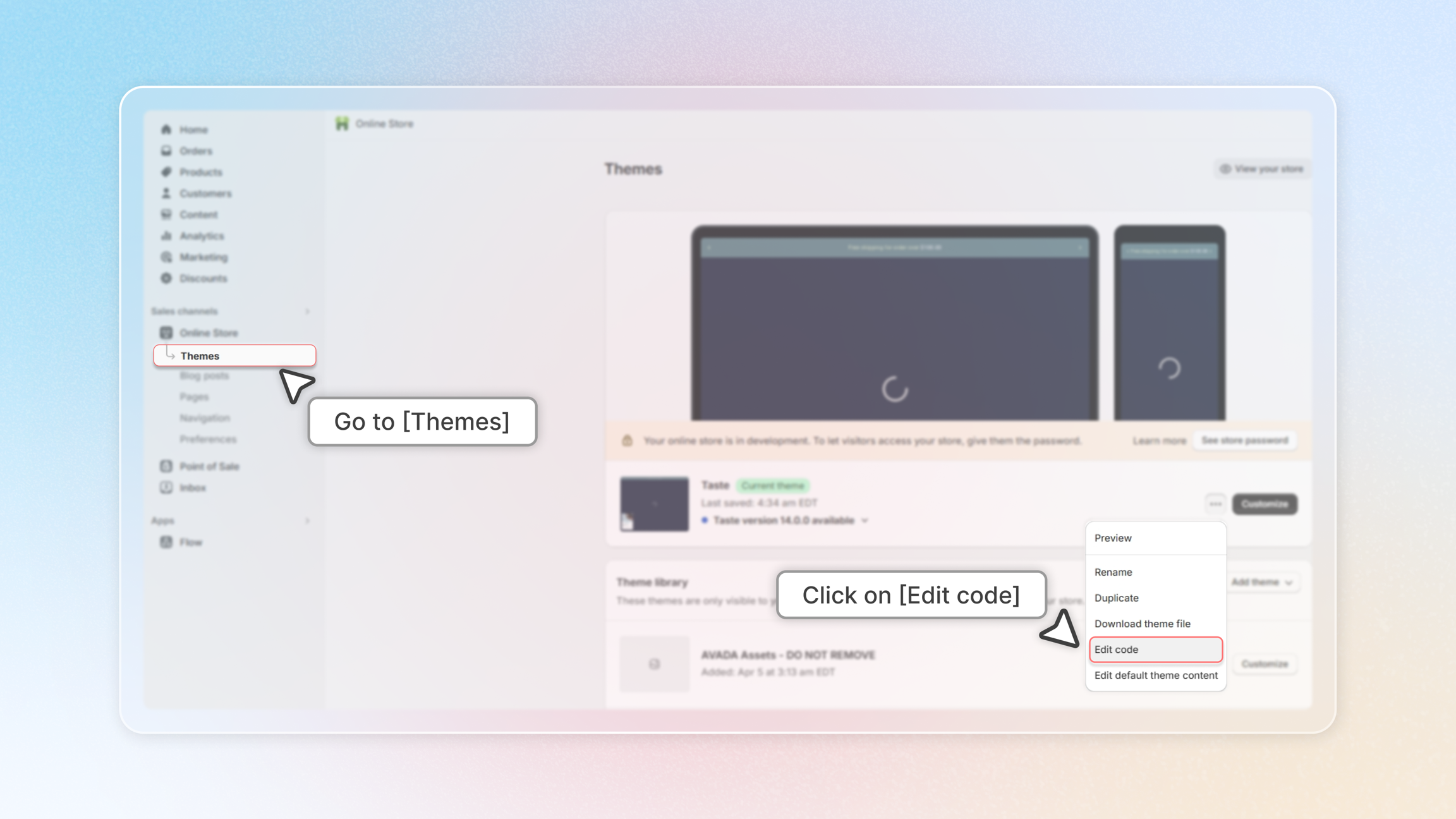
Next, please go to 'Online Store', then 'Themes', and finally click on 'Edit code'.
Step 3: Adding the Snippet Code to Product.liquid
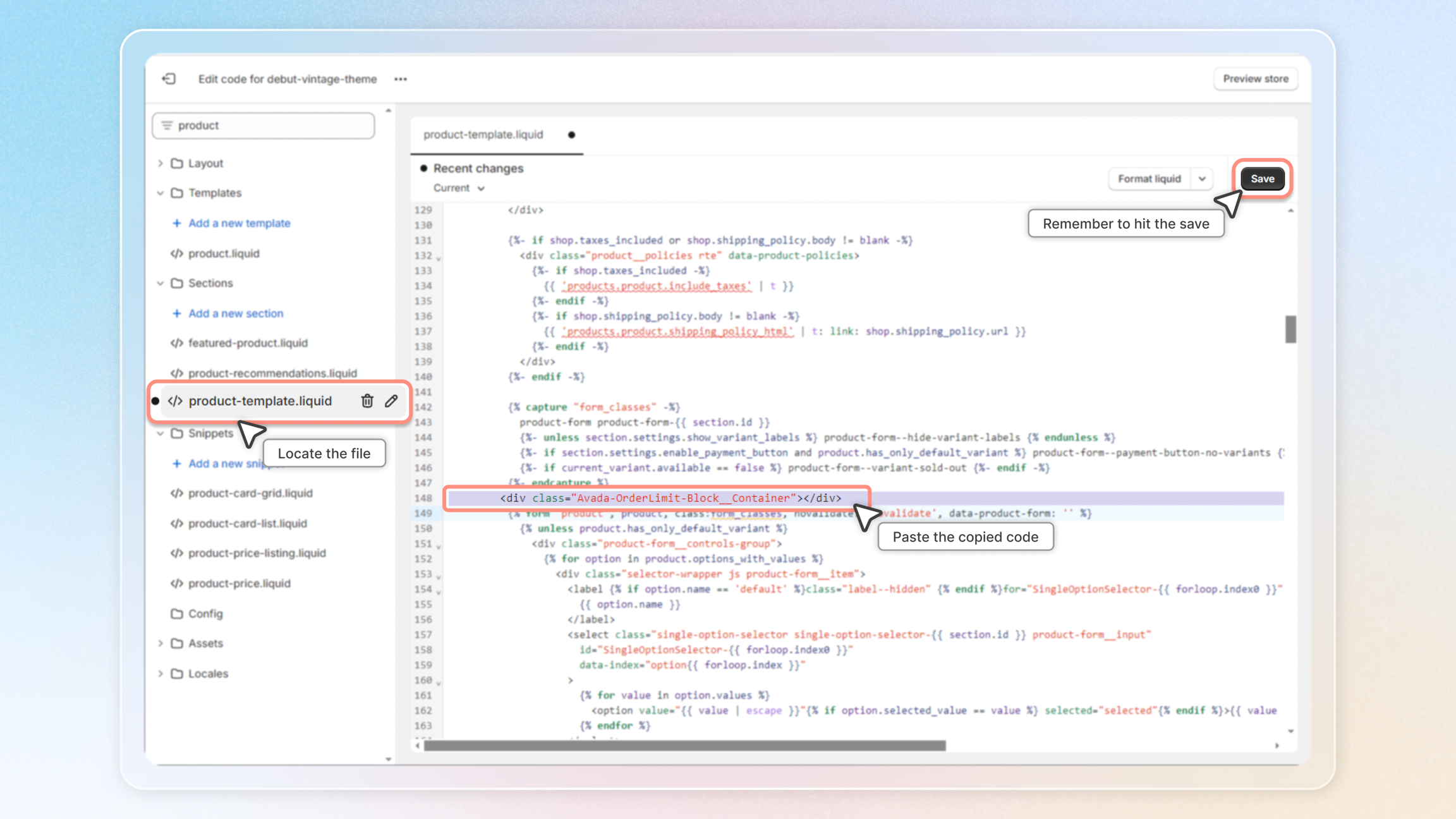
Now, please select 'product-template.liquid'. Here, you will paste the snippet code at the location where you want the notification to appear.
Step 4: Adding the Snippet Code to Cart.liquid
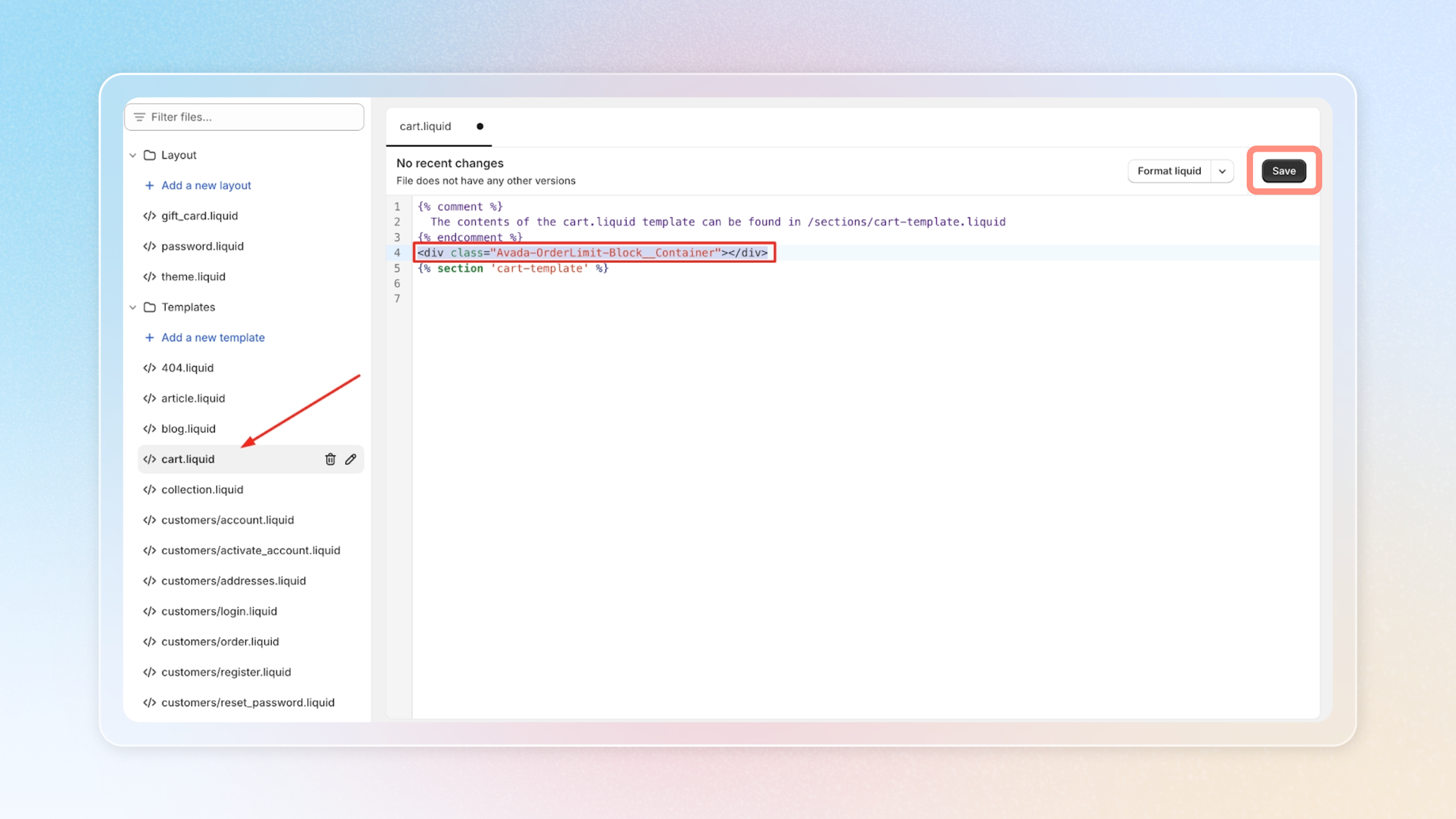
Similarly, please select 'Cart.liquid'. Here, you will paste the snippet code at the location where you want the notification to appear.
Step 5: Saving Your Settings
Finally, please click on 'Save' to keep your settings. And voila, you're all set!
Thank you for following this guide. If you have any questions or need further assistance, don't hesitate to ask. We're here to help!