Introduction
Advertise your products in ChatGPT and see which sales your ads bring in, all from your Shopify admin.
What you get
You connect your ChatGPT Ads account once, with one Ads API key. The app then does four jobs for you.
- Your products in ChatGPT. The app sends your catalog to OpenAI and keeps prices and stock up to date, so shoppers see what you actually sell.
- Sales you can trust. The OpenAI pixel and the Conversions API report your store's visits, checkouts and purchases to ChatGPT Ads. Events are sent only when shoppers allow it.
- Campaigns without surprises. Create Shopping or chat card campaigns from your products. Every new campaign starts paused, and nothing spends until you click Activate.
- Problems found early. Alerts flag feed, tracking and campaign problems, by email and in the app, with what to do next.
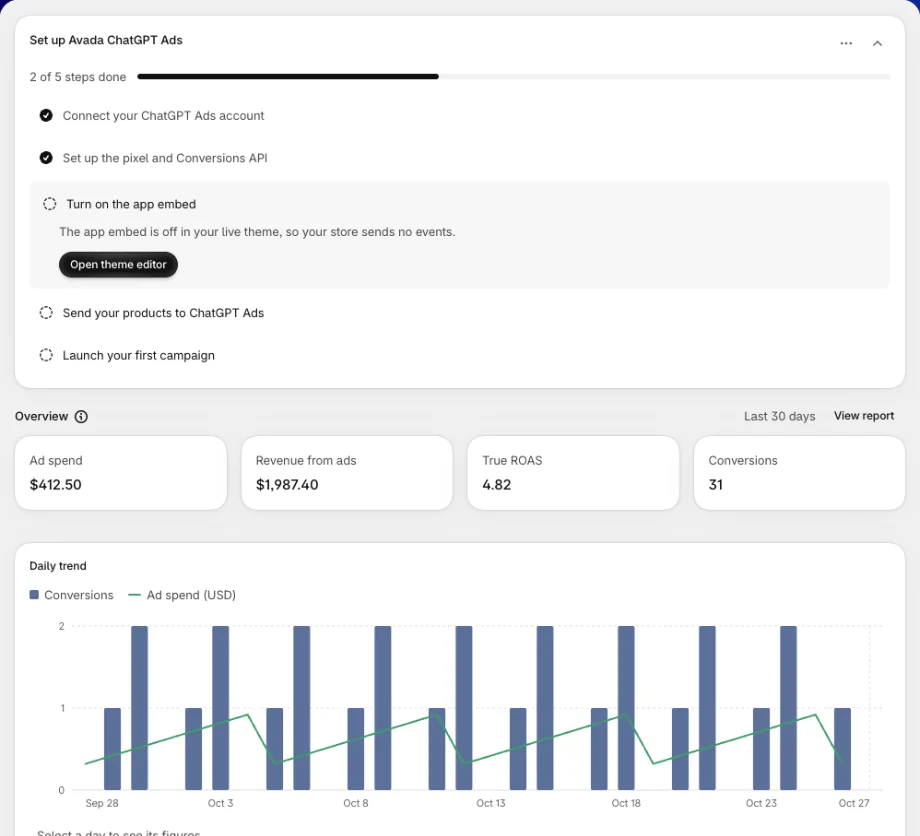
On the Performance page, OpenAI's own figures sit next to the orders and revenue your store attributes to ChatGPT ads. That gives you a true return on ad spend (true ROAS), based on real Shopify orders.
How it fits together
| Part | What it does for you | Where in the app |
|---|---|---|
| Account | Links the app to the ChatGPT Ads account you advertise with | Settings → Connected account |
| Tracking | Counts the visits and sales your ads bring in | Tracking |
| Product feed | Shows your products in ChatGPT and keeps them current | Product feed |
| Campaigns | Creates and manages your ads, always starting paused | Campaigns |
| Performance | Puts ad spend next to the sales it brought in | Performance |
Your Shopify store stays the source of truth. The app reads your products and orders. It changes a product only when you use Fix in Shopify on a product issue and save.
Avada ChatGPT Ads is built by Avada. It is not made, endorsed or sponsored by OpenAI. ChatGPT and OpenAI are trademarks of OpenAI.
Find your way around
The app sits in your Shopify admin sidebar. Its menu has:
- Home: the setup guide, your results at a glance, and anything that needs attention.
- Product feed: send your products, follow each upload and fix product issues.
- Campaigns: create, review, pause and budget your campaigns.
- Performance: ad spend, revenue from ads and true ROAS, by campaign and by product.
- Tracking: your pixel, what it sends, and whether sales reach ChatGPT Ads.
- Settings: your connected account, alert emails, data retention and consent.
Alerts opens from Home and from alert emails.
Discover Avada ChatGPT Ads
Getting started
Connect your account and go live in a few minutes
Home
Your setup guide and results at a glance
Tracking
Set up the pixel and Conversions API, and check events arrive
Product feed
Show your products in ChatGPT and keep them up to date
Product issues
Find what keeps products out of ChatGPT and fix it in Shopify
Campaigns
Review, pause and budget your campaigns
Create a campaign
Build a Shopping campaign or a chat card that starts paused
Performance
Compare ad spend with the sales your ads bring in
Alerts
What went wrong, and how to fix it
Settings
Account, alert emails, data retention and consent
Still have questions?
Chat with us from the app, any time. You can also check the FAQ.