Step 1: Connect your account
The app works with your ad account through one key: an Ads API key you create in ChatGPT Ads Manager. With it, the app reads your account's health, sets up your pixel and its Conversions API, and sends your product feed. It takes about two minutes.
Open the step
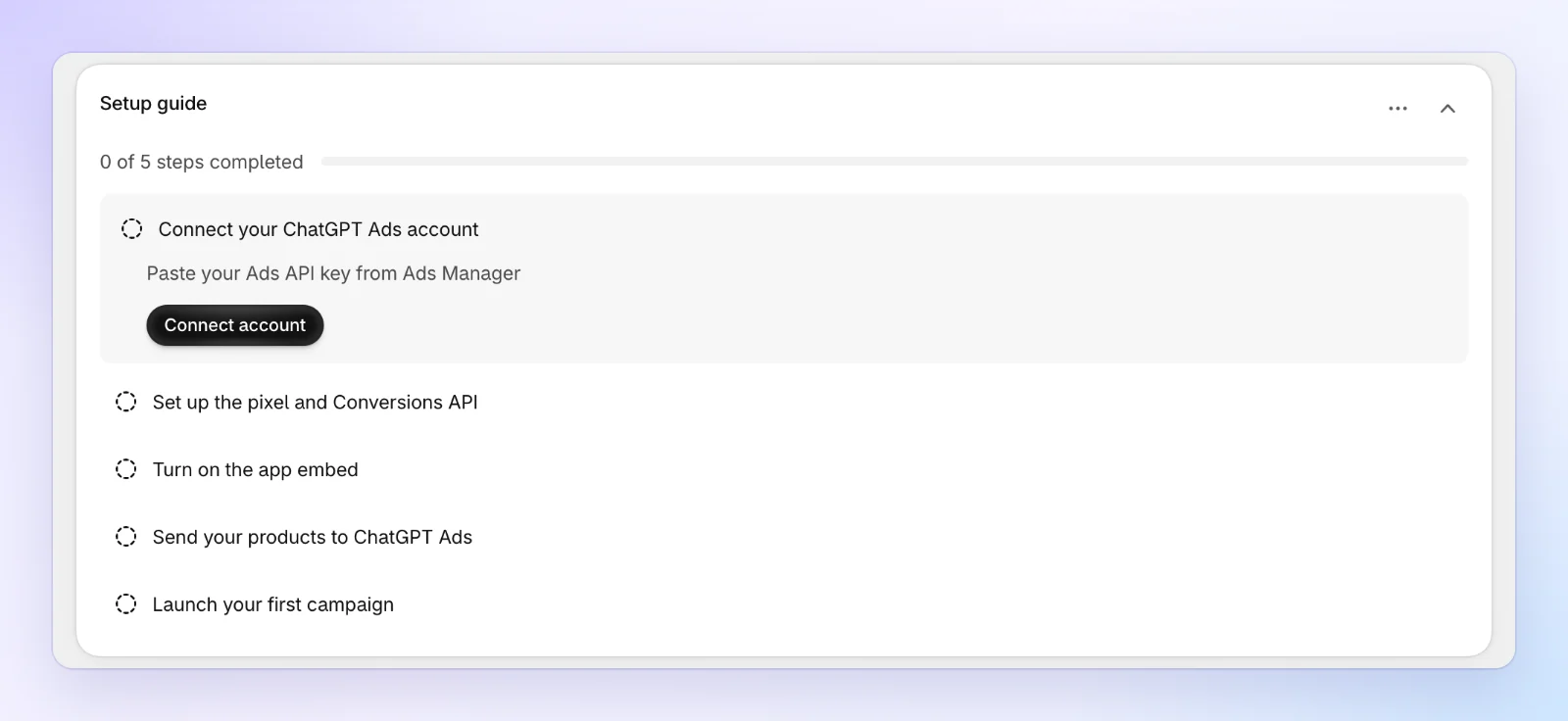
On Home, the first step of the Setup guide is Connect your ChatGPT Ads account. Click Connect account. The app opens Settings, where the ChatGPT Ads account card is the first section.
Create a key in Ads Manager
On the ChatGPT Ads account card, click Open Ads Manager settings. Ads Manager opens in a new tab.
In Ads Manager, open Settings → General. Under API Keys, click Create New Key. Give it a name you'll recognize later, such as Avada ChatGPT Ads.
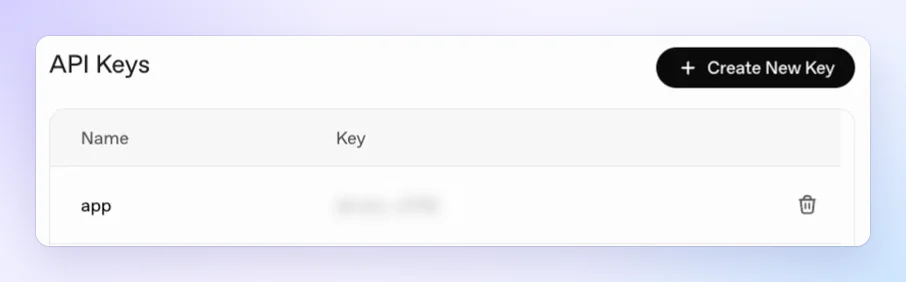
Copy the key as soon as it's created. It starts with sk-. Afterwards, Ads Manager lists each key by its first and last few characters only.
Paste the key and click Connect
Back in the app, paste the key into Ads API key and click Connect.
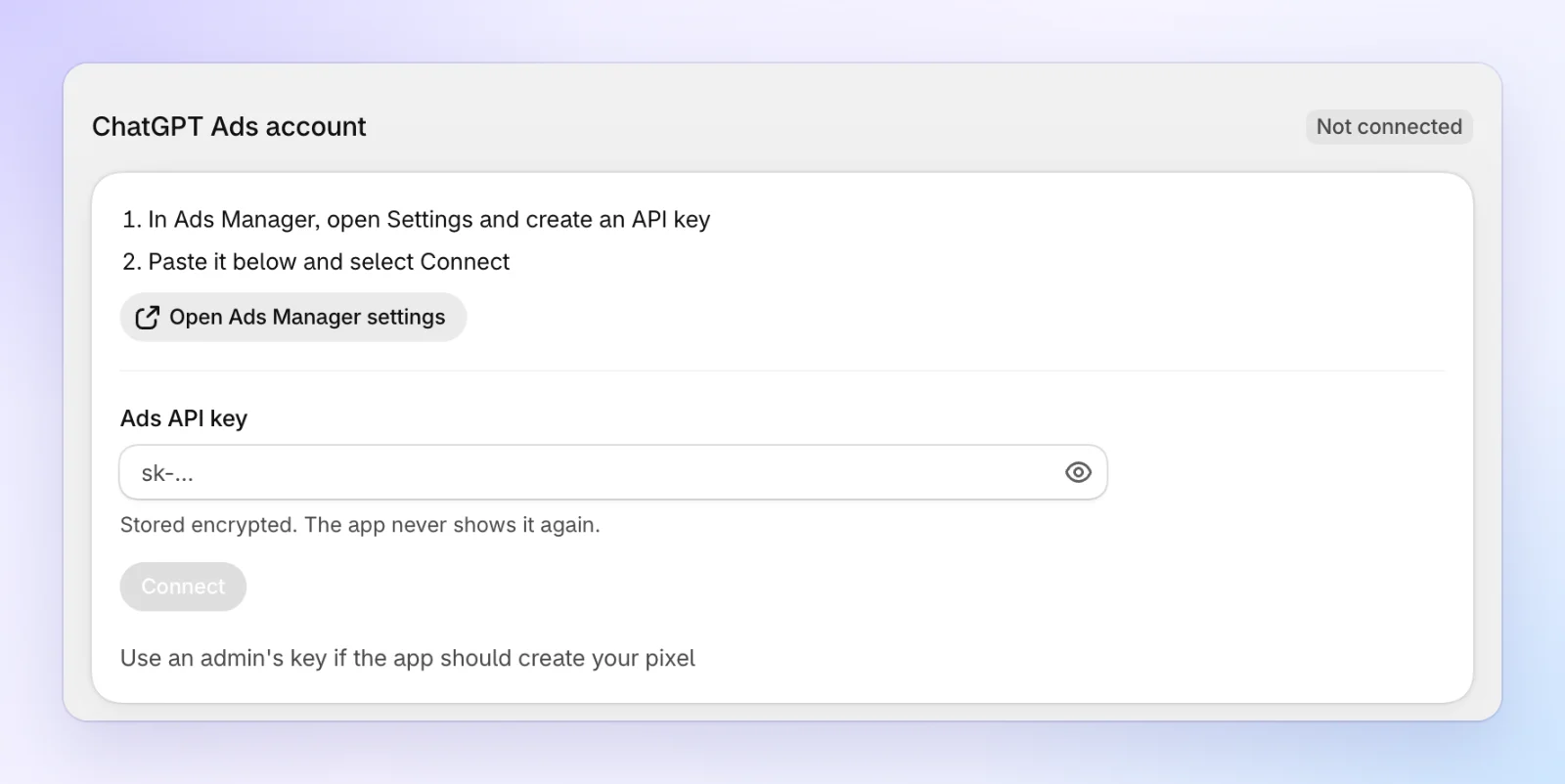
The key is stored encrypted. The app never shows it again.
Check the account
The card now shows a Connected badge. It lists your ad account's name and ID, its website, currency and time zone, and Account health: what OpenAI reports about the account.
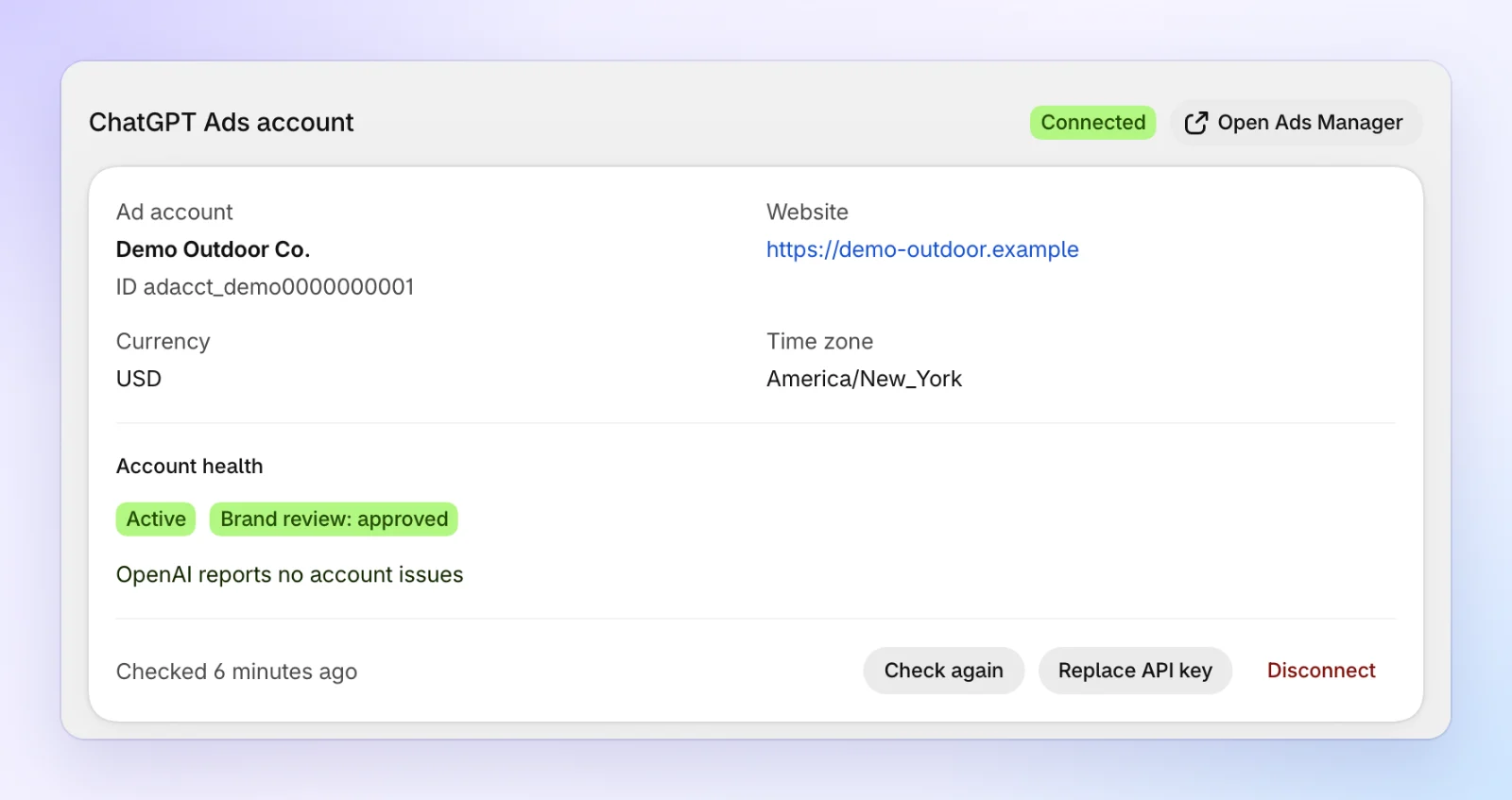
Your campaign budgets are set in the ad account's currency.
If the key isn't accepted
The card says what went wrong, under the key field:
| The app says | What to do |
|---|---|
| An Ads API key starts with sk-. Check that you copied the whole key. | Copy the key again from where Ads Manager showed it, and paste all of it. |
| OpenAI didn't accept this key. Check that you copied the whole key, and that it hasn't been deleted in Ads Manager. | Check the key is still listed under API Keys. If you can't copy it again, create a new one. |
| This key can't read the ad account. Create a key with access to the account in Ads Manager, or use an admin's key. | The key belongs to someone without access to this ad account. Ask an ad account admin. |
| We couldn't reach OpenAI to check the key. Your key may be fine - try again in a minute. | Wait a minute and click Connect again. |
Any API key with access to the ad account can connect. Only an ad account admin's key can also create a new pixel for you in the next step. Without one, you choose a pixel that already exists.
FAQs
Does connecting cost anything?
No. The app only reads your account and sets up tracking. Nothing spends until you create a campaign and turn it on yourself.
Can I change the key later?
Yes. In Settings, at the bottom of the ChatGPT Ads account card, click Replace API key and paste the new one. It replaces the saved key as soon as OpenAI accepts it. See Settings.
What happens to my key if I uninstall the app?
The app deletes your saved API keys when you uninstall it. See FAQ for everything that happens on uninstall.