Check it worked
Once the pixel and the app embed are on, make sure events from your store reach OpenAI. It takes two minutes, and you see what OpenAI received.
Visit your store like a shopper
On Tracking → Setup, click Open your store at the top of the Recent events from your store card. In the new tab, accept the cookie banner if your store shows one. Then view a product and add it to the cart.
Check again
Come back to the app and click Check again on the same card. It lists the events OpenAI received for your pixel in the last 15 minutes, newest first.
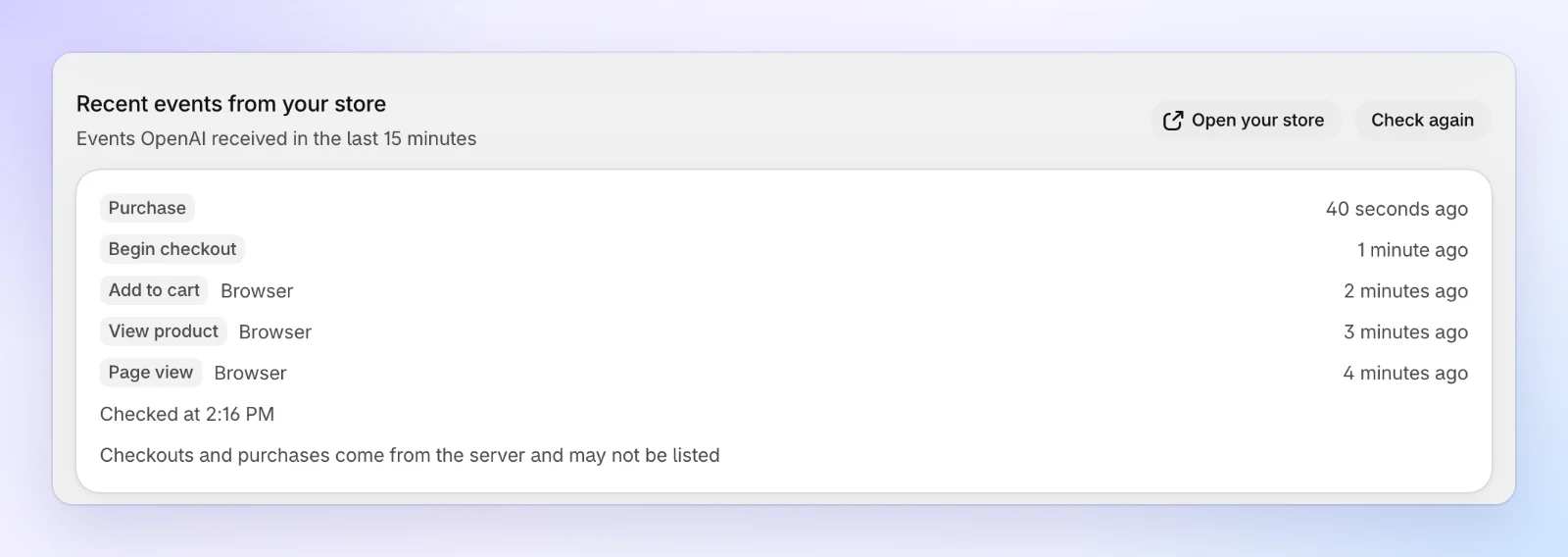
Your Page view, View product and Add to cart show up, marked Browser.
Checkouts and purchases reach OpenAI from the server, so they may not be listed there. The card says so under the list. To check those after your first orders, open the Health tab on Tracking: Purchases OpenAI received compares them with your Shopify orders. See Tracking.
If nothing shows up
| The card says | What to do |
|---|---|
| The app embed is off in your live theme, so the pixel doesn't load | Click Open theme editor, switch on Avada ChatGPT Ads pixel and click Save. See step 3. |
| No events yet. Open your store, accept cookies, view a product, then select Check again. | Accept the cookie banner on your store first. Events reach OpenAI only with a shopper's marketing consent. |
| The pixel is off, so no events are sent | Tick Measure with this pixel on the Pixel card. |
| OpenAI doesn't share recent events for this ad account. See them in Ads Manager under Conversions. | This is about the ad account, not your store. Look for the events in Ads Manager, under Conversions. |
| Couldn't check recent events. Try again in a minute. | This doesn't mean nothing arrived. Click Retry in a minute. |
Your setup is done. From now on, Home shows your ad spend, revenue from ads and true ROAS, and Alerts tells you by email if something stops working.
What's next
- Home: your setup status and results at a glance
- Product issues: fix what keeps products out of ChatGPT
- Campaigns: review status, pause and budget
- Performance: spend next to the sales it brought in
- Settings: alert emails, data retention and consent