Step 4: Send your products
Your products show in ChatGPT once OpenAI has them. The app sends your catalog as a product file, and keeps prices and stock up to date after that. Setting it up takes a minute. OpenAI then needs about 6 minutes to process the file.
Open the product feed
On Home, click Set up feed on Send your products to ChatGPT Ads. The Product feed page opens on Send your products to ChatGPT.
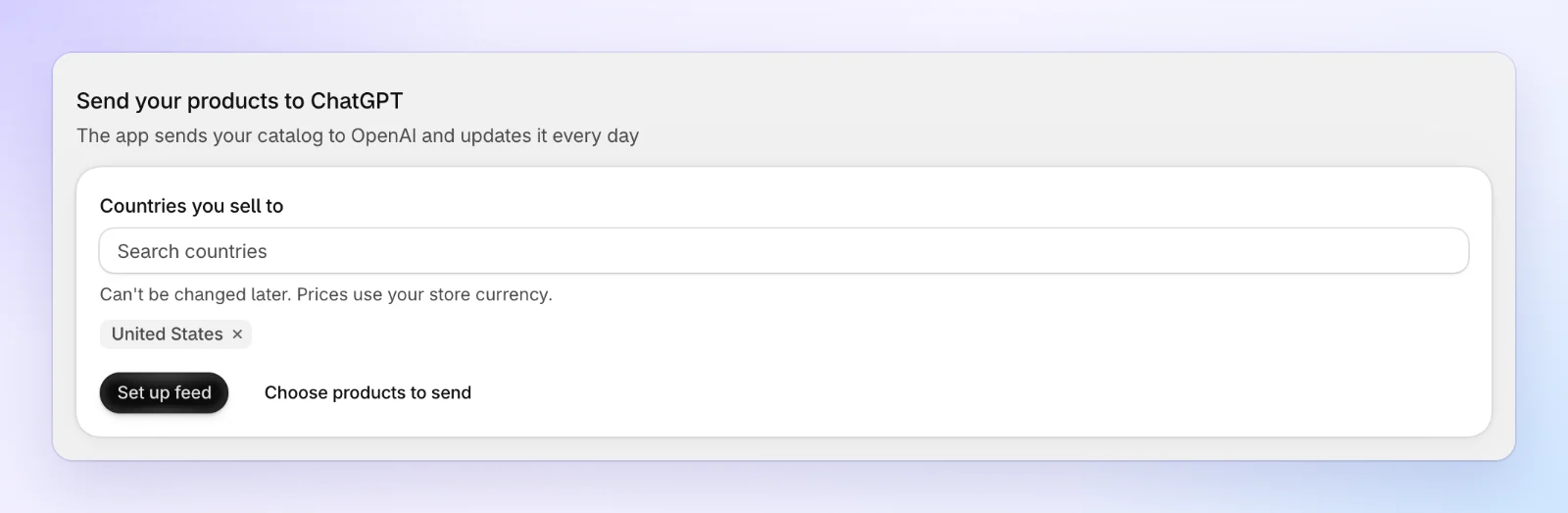
Want to send only some products? Click Choose products to send on the card, open the Settings tab and save your choice first. Setup sends what's saved. See Product feed.
Choose the countries you sell to
In Countries you sell to, add the countries where you want your products to show. The field starts with United States: remove it if you don't sell there. Choose at least one country.
You can't change the countries later without a new feed. Prices are sent in your store currency, never converted.
Click Set up feed
Click Set up feed. The app says Feed set up, and the first send starts.
Wait for OpenAI
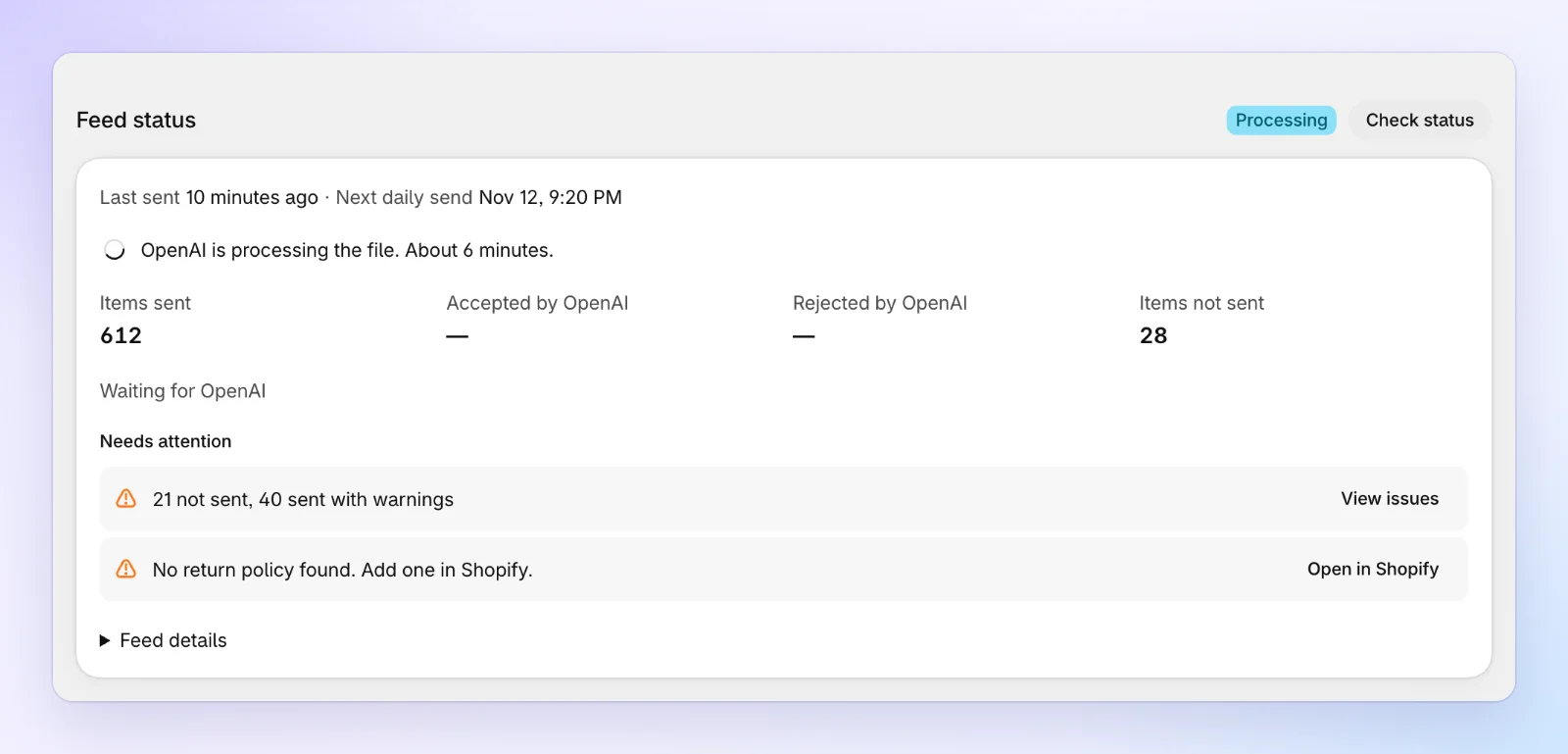
The page now has its six tabs, on Overview. Feed status reads Reading catalog while the app reads your products, then Processing while OpenAI works through the file. It usually takes about 6 minutes. You can leave the page; the app keeps working. Click Check status to look again.
Read the result
When OpenAI is done, Feed status reads Completed and shows:
- Items sent: what the app sent in the file.
- Accepted by OpenAI: what OpenAI took. These can show in ChatGPT.
- Rejected by OpenAI: what OpenAI refused.
- Items not sent: what the app didn't send, because of a problem it found in the product or your settings (for example, a product not published to the Online Store).
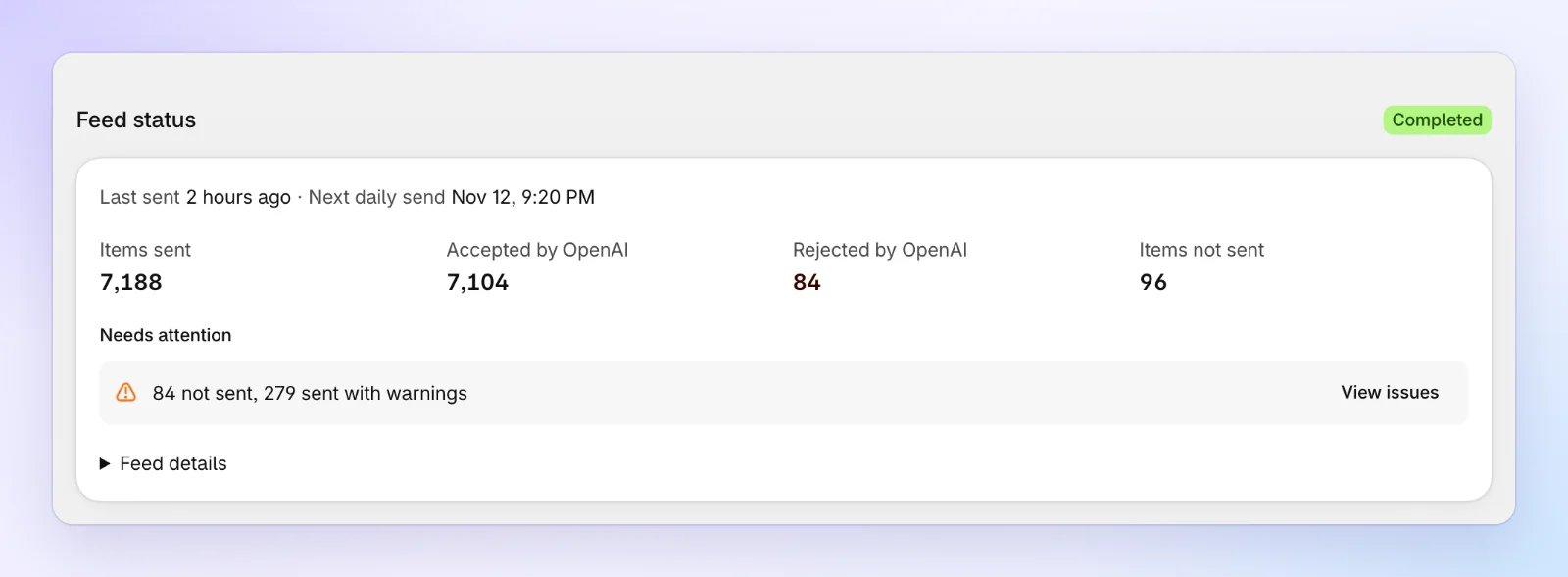
Needs attention sums up the problems. Click View issues to see each product, its problem and a Fix button.
You don't need to resend anything when a price or stock level changes. The app sends the change to OpenAI as it happens, and sends your whole catalog again every day.
FAQs
Some products were rejected or not sent. Do I have to fix them now?
No. The accepted products can show in ChatGPT already, and you can launch a campaign with them. Fix the rest when you have time: Product issues lists each problem with a Fix button that edits the product in Shopify.
Can I sell in more than one country?
Yes. Add every country under Countries you sell to before you click Set up feed. The countries are fixed once the feed is set up.