Step 3: Turn on the app embed
The app embed loads the pixel on your storefront. Without it, your store sends no events from shoppers' browsers. It takes one click in the theme editor and a save.
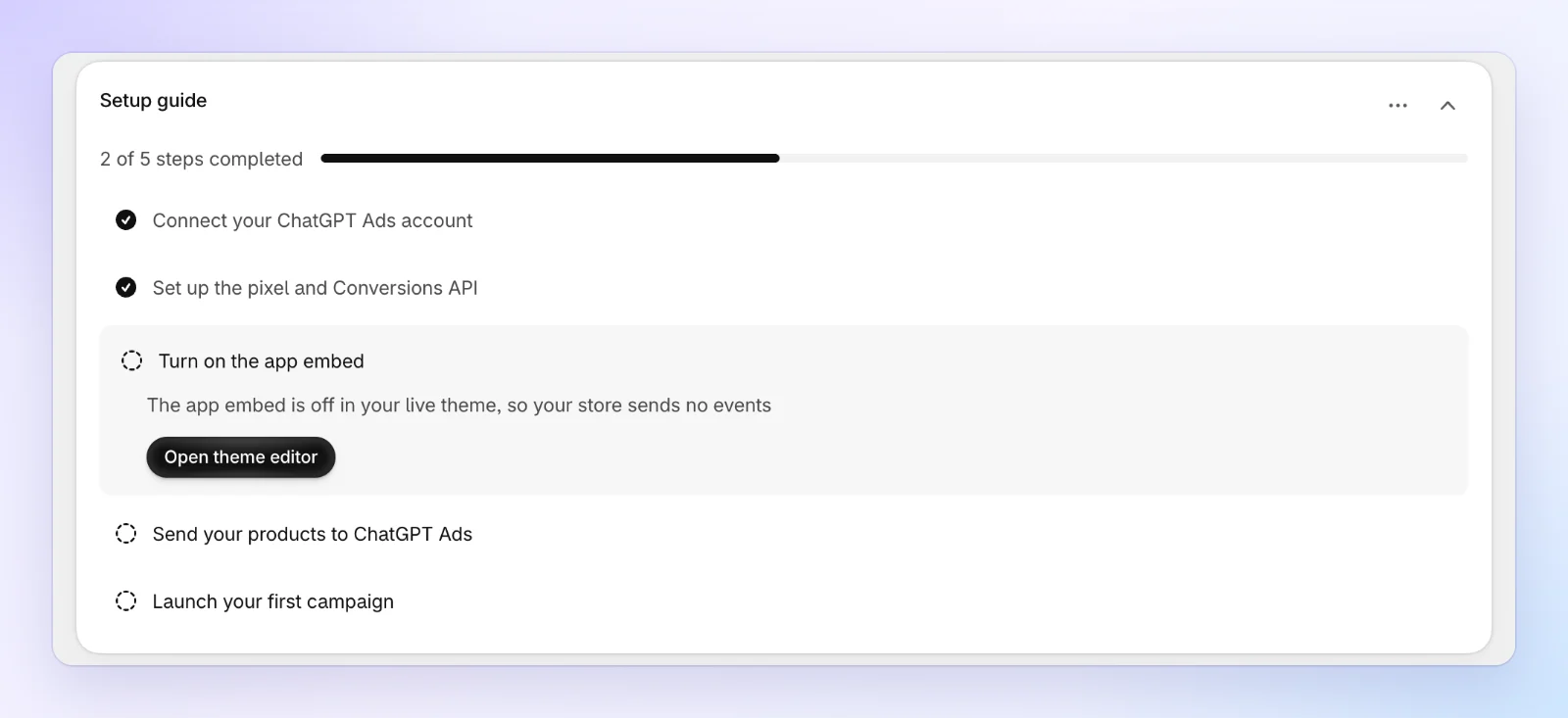
Open the theme editor
On Home, click Open theme editor on Turn on the app embed. The step says why it's open: The app embed is off in your live theme, so your store sends no events.
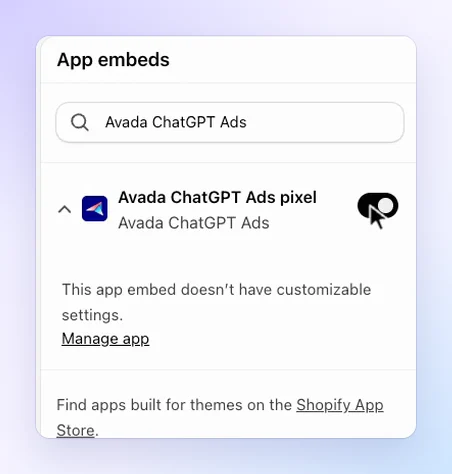
Your theme editor opens in a new tab, on App embeds.
Save the app embed
Avada ChatGPT Ads pixel is already switched on. Click Save at the top right of the theme editor. If the switch is off, turn it on first.
Come back to the app
Return to the app's tab. The setup guide checks your live theme again as soon as you're back, and the step is checked off.
The app checks the theme your store is publishing now. If you publish a different theme later, turn the app embed on in that theme too. The setup guide reopens this step until you do.
FAQs
Does the app embed slow down my store?
The app embed adds one small script (about 7 KB compressed) and nothing shoppers can see. OpenAI's pixel loads only for shoppers who allow marketing in your cookie banner, and only after they do.
Do checkouts and purchases need the app embed?
No. They reach OpenAI from the server, through the Conversions API you set up in step 2. The app embed sends the browser events: page views, product views and add to cart.