Create a TikTok feed
Instead of exporting a product file and uploading it to TikTok by hand, create one TikTok feed. The app sets up your TikTok catalog, and TikTok collects your latest products every day.
What is a TikTok feed?
A TikTok feed is your product list for TikTok ads. The app keeps it as a file online and links it to a TikTok catalog, the product list your ads draw from in TikTok's Catalog Manager. With a catalog, your ads can show shoppers the exact products they viewed in your store.
The path to sales is: approved products → they show in ads → shoppers click → orders. The app's job is to get your products into the catalog, keep them correct, and show you which ones TikTok approved.
You need a TikTok Business Center, the place where TikTok keeps your business assets, like ad accounts and catalogs. No Business Center yet? Create one at business.tiktok.com first, then connect in the app.
Connect TikTok
You do this once per store.
- Go to Settings, then open the TikTok row under Accounts.
- Click Connect TikTok account. Sign in to TikTok Business in the new window and allow access.
- Under Business Center, pick the Business Center that owns your catalogs. Your choice saves right away.
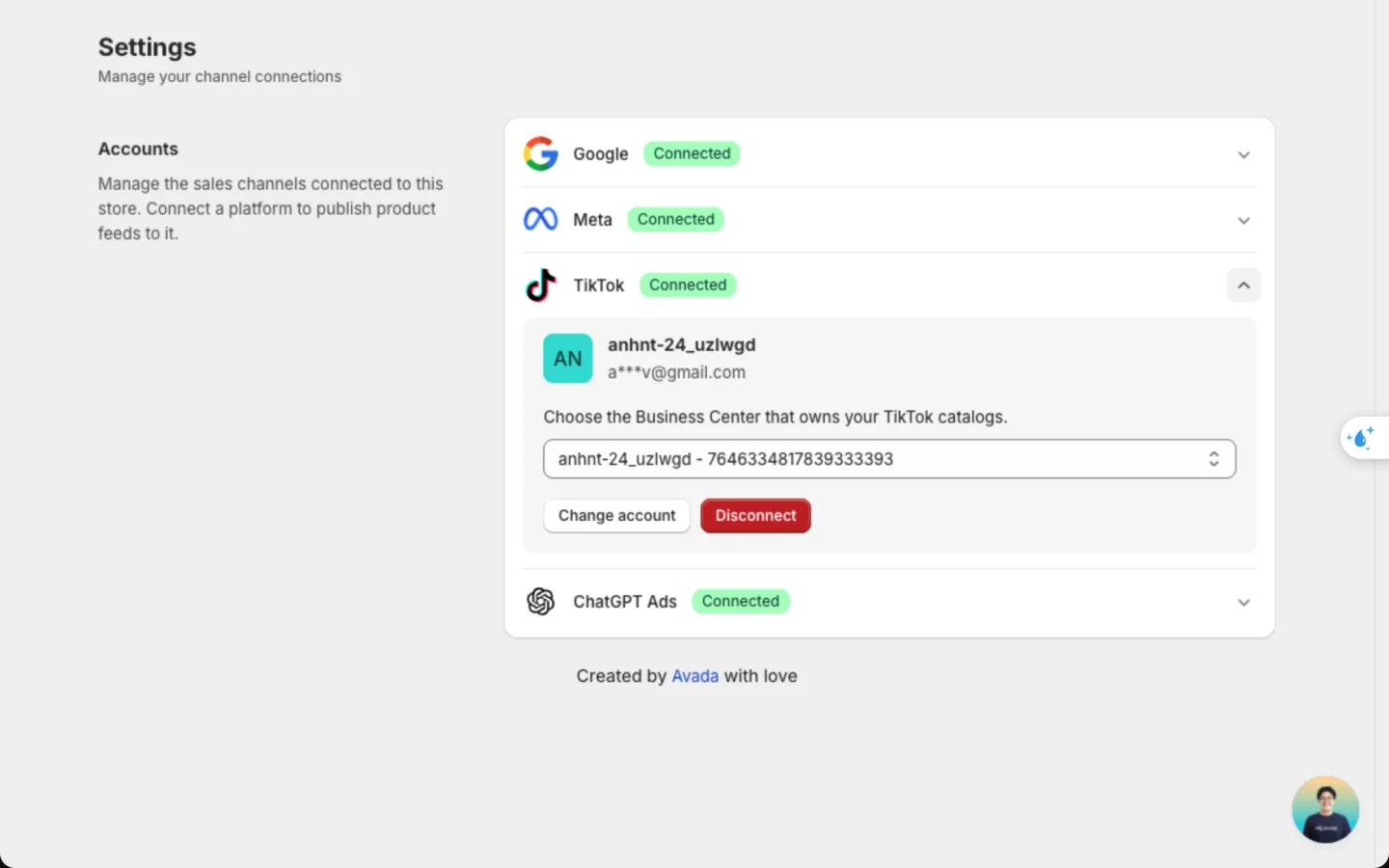
To switch accounts, click Change account. To remove the connection, click Disconnect.
Pick your Business Center before you create your first TikTok feed, and keep it. Your feeds and catalogs live in that Business Center.
Set it up
Choose TikTok
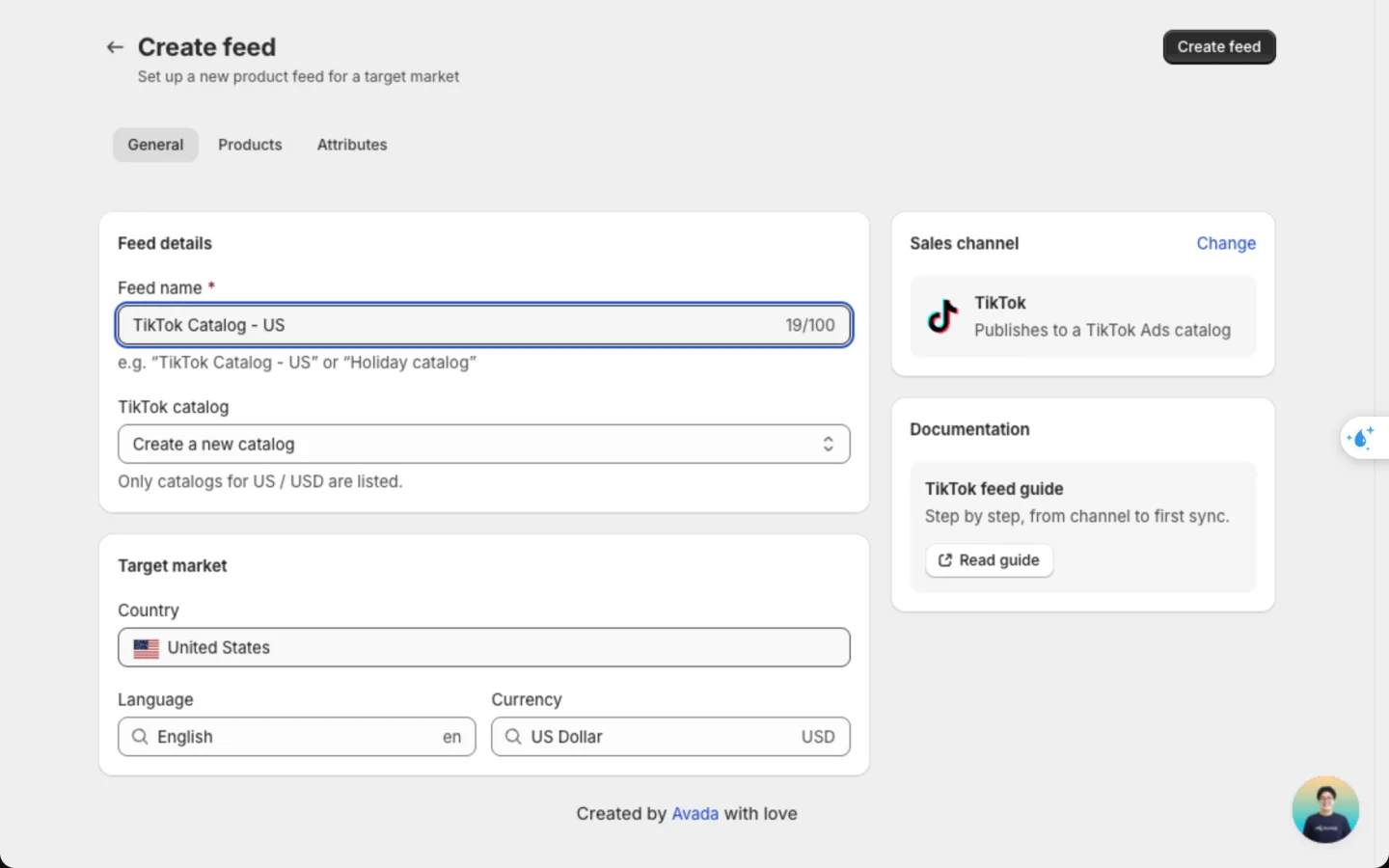
Go to Manage feed, click Create feed, then click TikTok. If you're already on the form, click Change in the Sales channel card to switch.
Name the feed and pick the catalog
On the General tab:
- Feed name: a label you'll recognise, like "TikTok Catalog - US". Shoppers never see it.
- Country, Language and Currency: the market this feed sells to. Country only lists the countries where TikTok runs catalogs.
- TikTok catalog: pick Create a new catalog, or one of your catalogs. Only catalogs that match the country and currency you chose are listed.
Choose the products and check the details
On the Products tab, choose which products and variants to send. The Attributes tab decides which Shopify detail fills each TikTok field. Both work the same as for a Meta feed.
Fields TikTok doesn't use, like adult content, bundles and size system, are hidden from Attributes. They're never sent to TikTok.
Save the feed
Click Create feed. The app builds your file, creates the catalog if you asked for a new one, and links the feed to it. A new feed takes a few minutes.
Check it worked
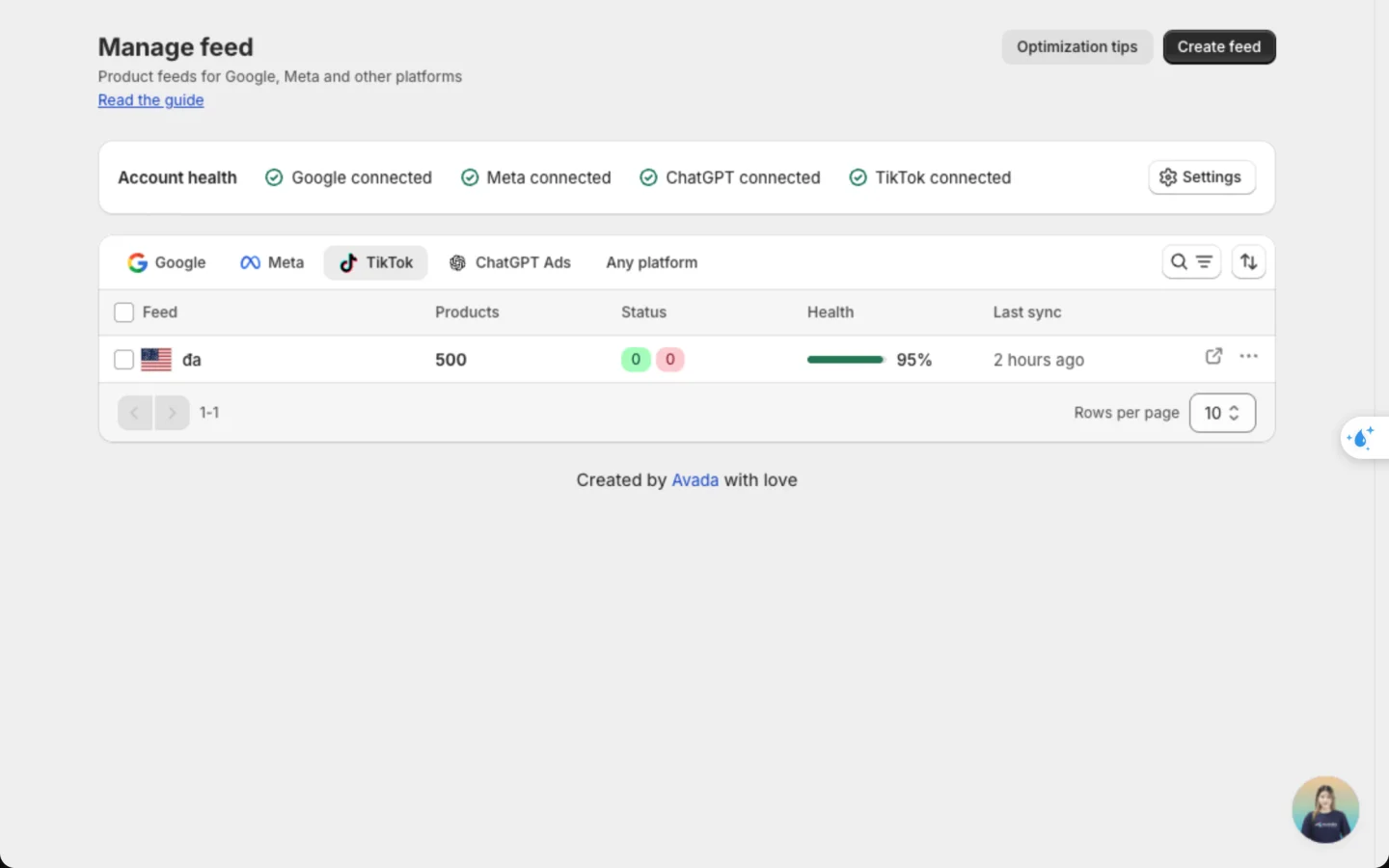
Go to Manage feed and click the TikTok tab. Every TikTok feed is listed here. The Status column counts how many products TikTok approved (green) and rejected (red).
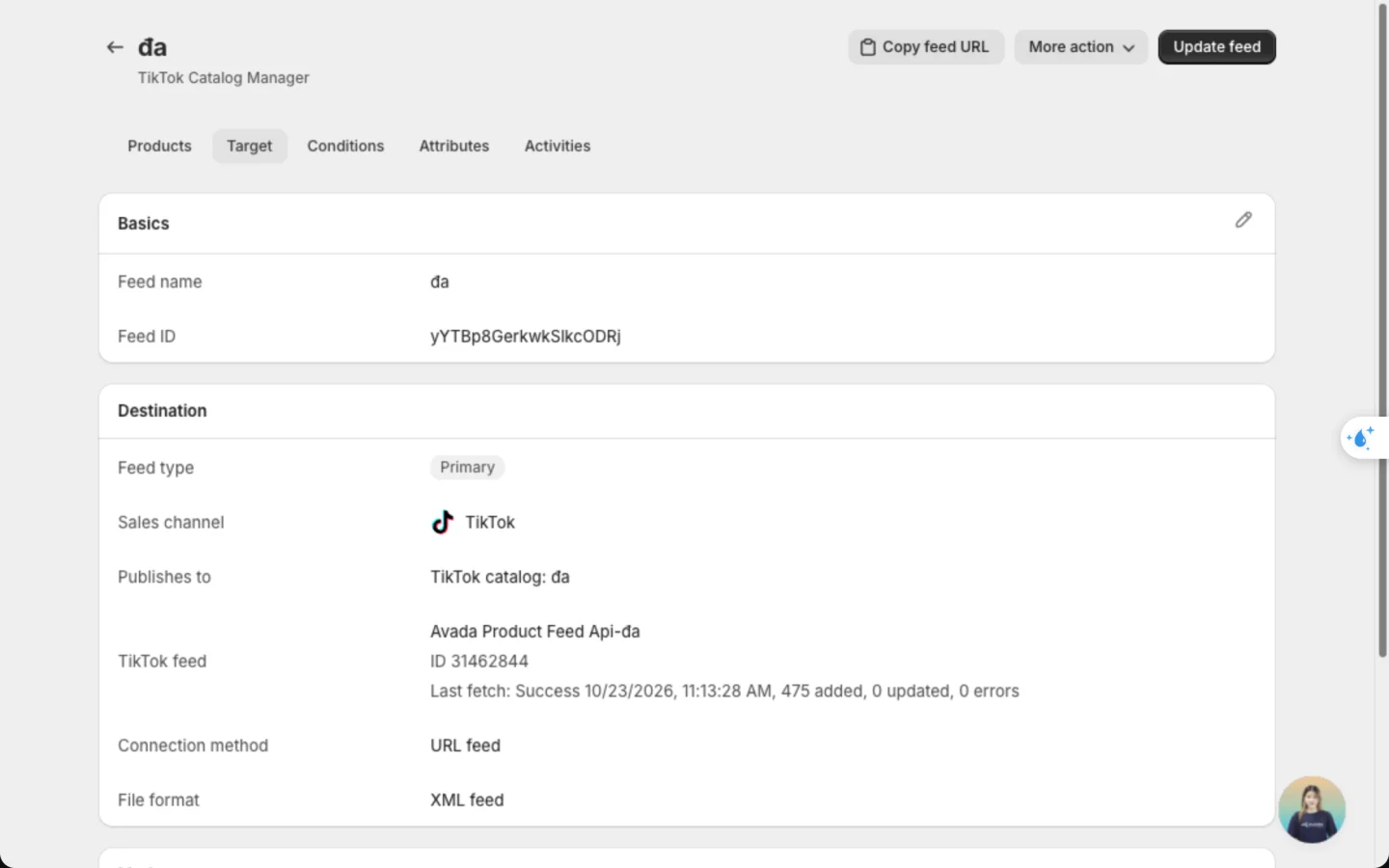
Open the feed and click the Target tab. The TikTok feed row shows the feed's name on TikTok, which always starts with Avada Product Feed Api-. Below it, you see when TikTok last collected the file, and how many products were added, updated or had errors. Before the first collection, it reads Waiting for TikTok to fetch the file.
Only products that pass the app's checks are sent. Nothing changes in your Shopify store.
Follow TikTok's approval
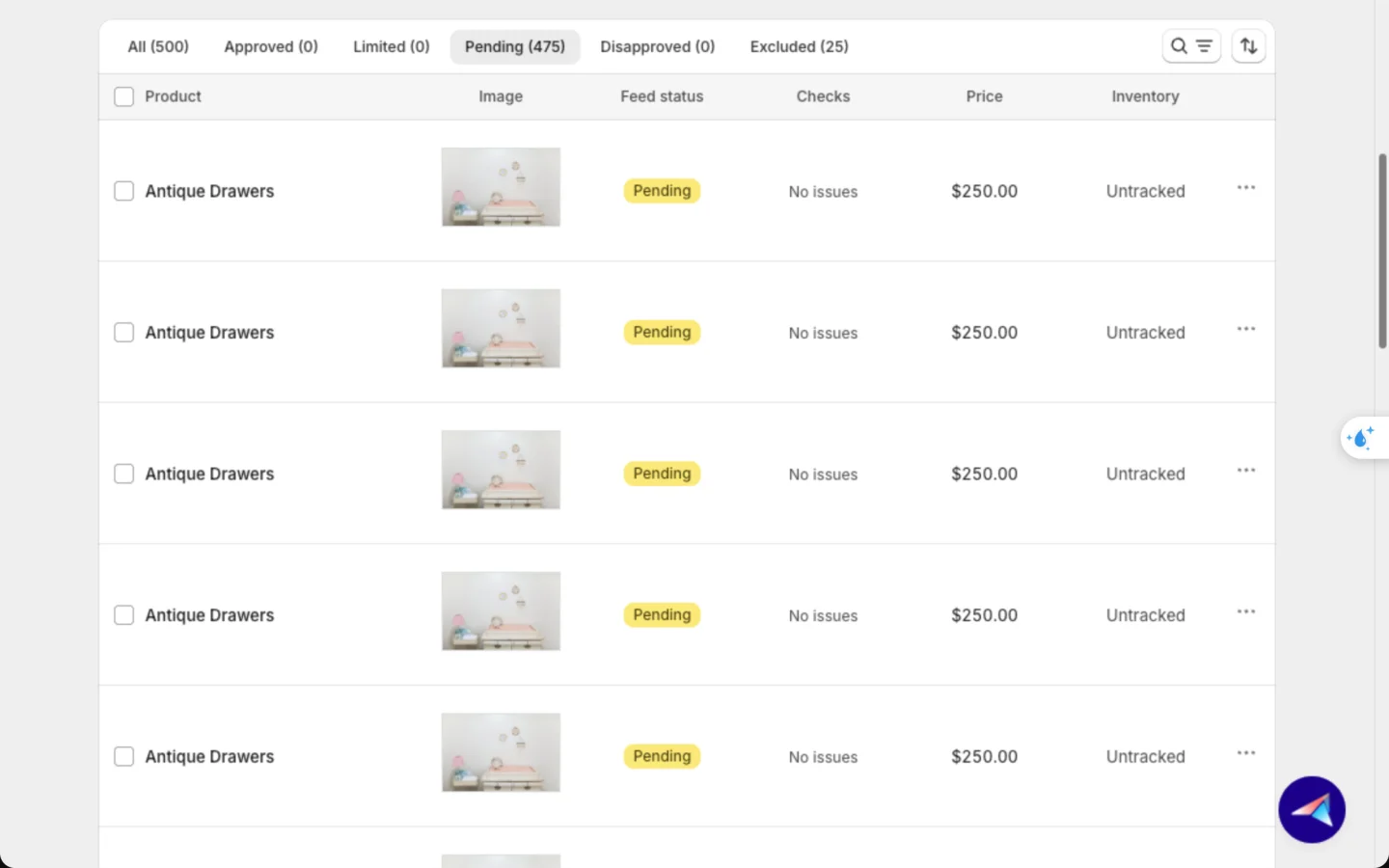
TikTok reviews each product before it can show in ads. Right after upload, products are Pending.
- Open the feed and stay on the Products tab.
- Hover over the Feed health circle and click Rescan to get the latest results from TikTok.
- Use the tabs above the product table to filter: Approved, Pending, Disapproved, and Excluded for products the app held back.
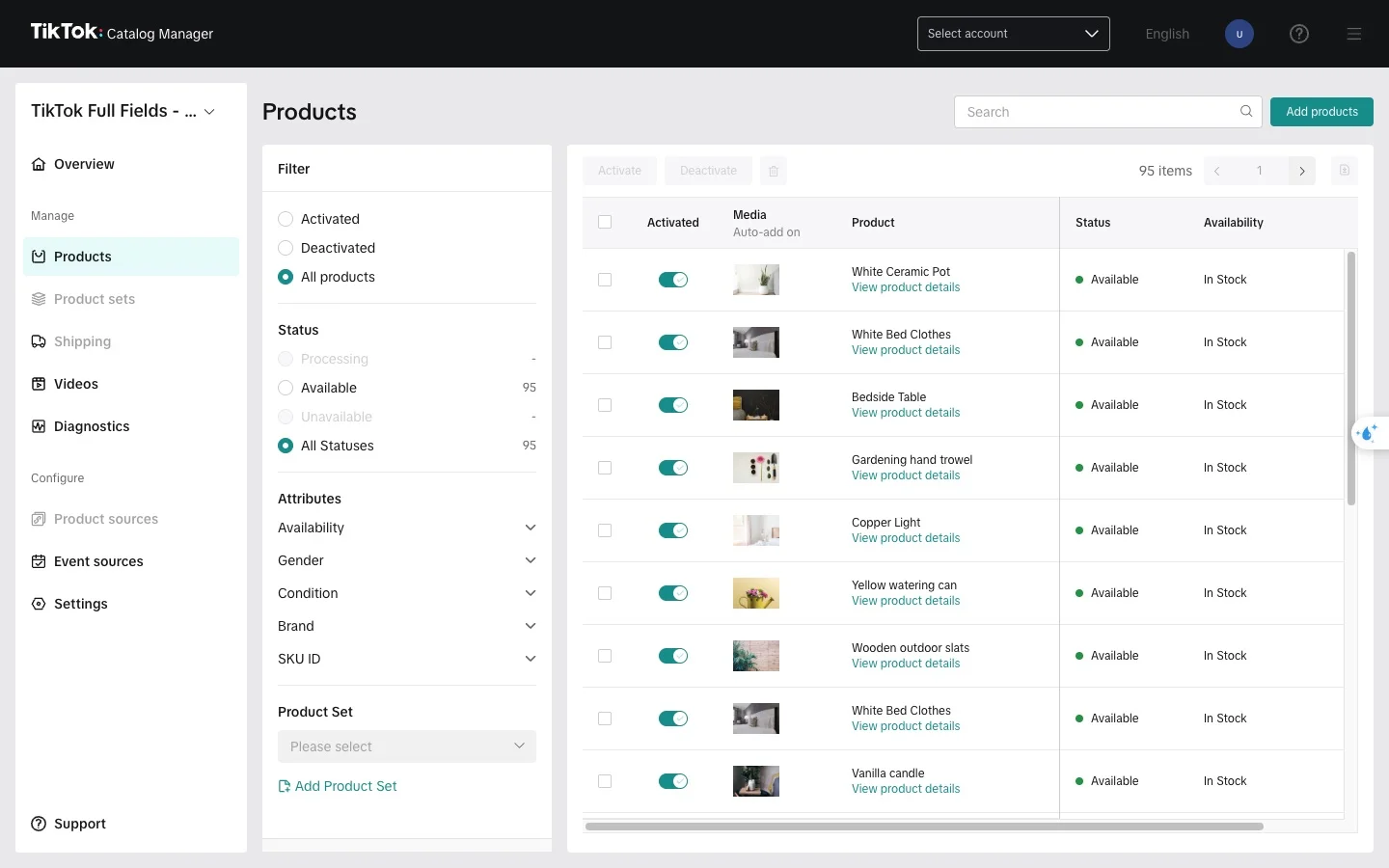
To see your products on TikTok, click More action → View in Catalog Manager on the feed page. In the feed list, the arrow icon at the end of the row does the same.
Good to know
- TikTok collects your feed once a day, at 4:00 AM in your store's time zone. A product change can take up to a day to reach TikTok. Click Update feed to rebuild the file sooner.
- The country, language, currency and catalog are fixed once you save. To sell in another country, create a new TikTok feed with a new catalog.
- After saving, you can only rename the feed. Do it from the Target tab.
- TikTok only lets the source that added a product update it. If an existing catalog already holds products added another way, like a manual upload or another app, your feed can't update those products. Use a new catalog to be safe.
- A TikTok feed is always a main feed. Localize and supplement feeds aren't available for TikTok.
- Deleting a feed removes its link from TikTok. If the app created the catalog and no other feed uses it, the catalog is deleted too. Catalogs you made yourself stay.
FAQs
Should I create a new catalog or use one I have?
A new catalog, in most cases. TikTok won't let the app update products that another source added to an existing catalog. Use an existing catalog only if it's empty or your ads already depend on it.
How long until TikTok approves my products?
Usually a few hours after TikTok collects the file. Click Rescan on the feed page later to see the result.
My country isn't in the list. Why?
TikTok runs catalogs only in some countries, and the list only shows those. If your country isn't there, TikTok doesn't support catalogs for it yet.
Can TikTok collect my feed every hour?
No. TikTok feeds are collected once a day. Click Update feed when you need the file rebuilt sooner.
Can I still use an Any platform feed for TikTok?
Yes, but you upload the link to TikTok yourself and don't see approval results in the app. A TikTok feed does all of that for you.
Will the feed change my Shopify products?
No. The app only reads your products. Edits in the feed never change Shopify.
Still have questions?
Chat with us from the app, any time.