Outlook Calendar
🔌 Connect Luna to Outlook Calendar
Step 1. Go to Settings → Integration
Open the LUNA Appointment Booking App and click Settings in the top navigation. Select the Integration tab. You will see a list of available integrations — Google and Outlook. Find the Outlook card and click Connect.
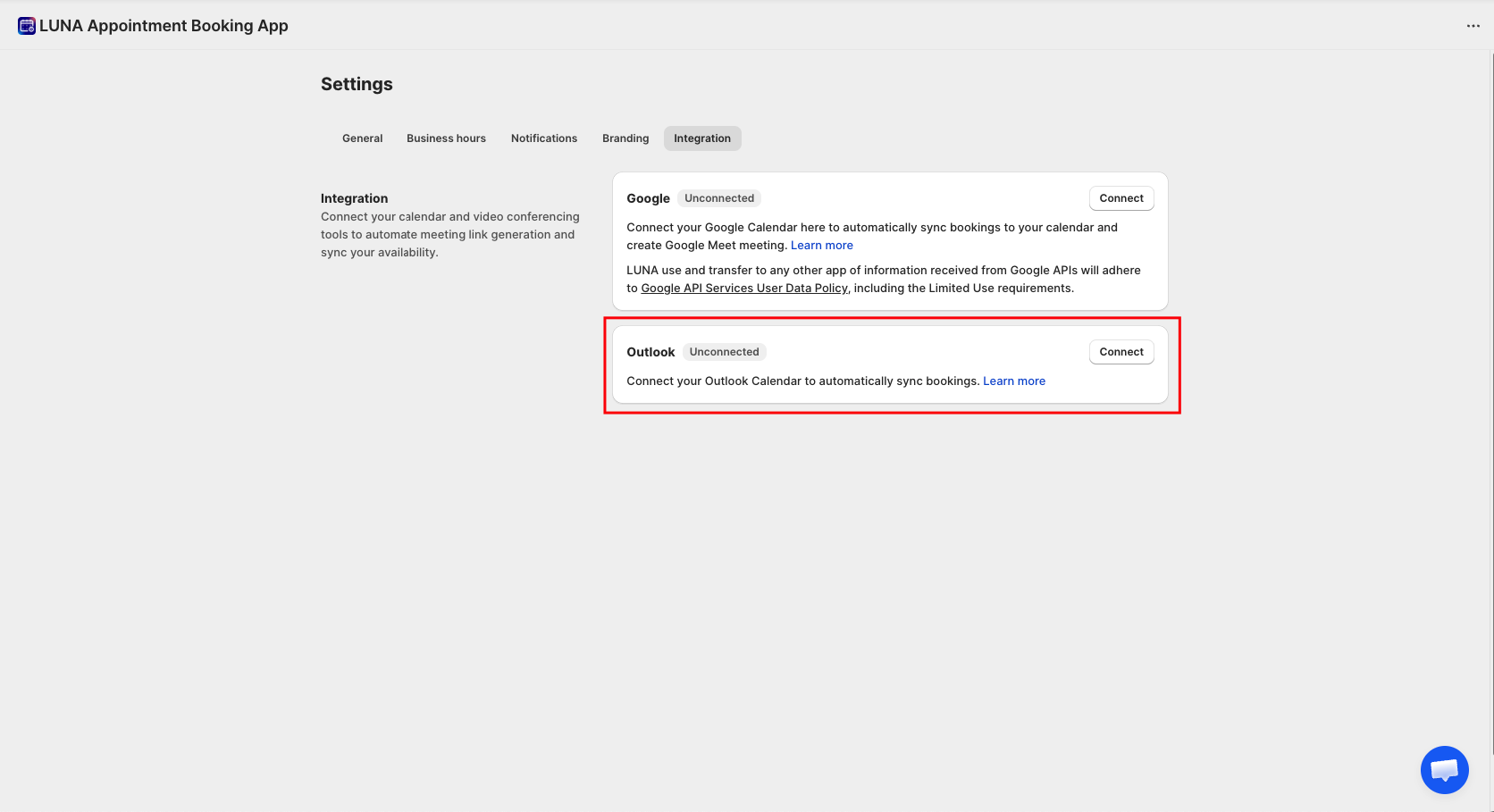
Look for the Outlook card showing Unconnected status, then click the Connect button on the right to get started.
Step 2. Sign in to Microsoft and grant access
A Microsoft authentication window will pop up. If you are not already signed in, enter your Microsoft account credentials. Then review the two permissions being requested and click Accept to continue.
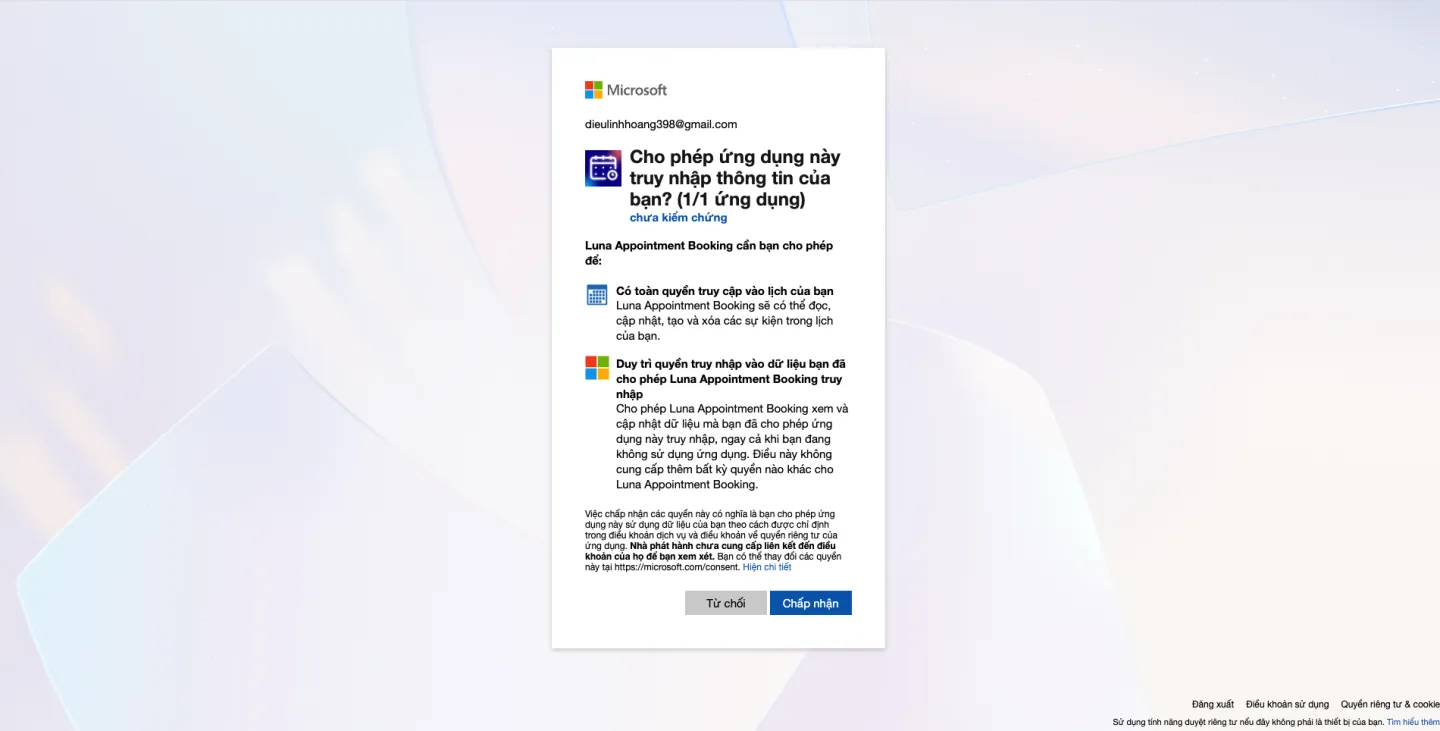
What these permissions mean:
- Full calendar access — lets LUNA automatically create, update, and remove booking events on your behalf.
- Maintain access — keeps the sync running in the background, even when the app is not open.
- Click Decline if you change your mind and do not want to connect.
Click Decline if you change your mind and do not want to connect.
Step 3. You're connected — verify the status
After granting access, Microsoft will redirect you back to the LUNA Settings page automatically. The Outlook card will now show a green Connected badge, and the button will change to Disconnect. Your calendar sync is now active.
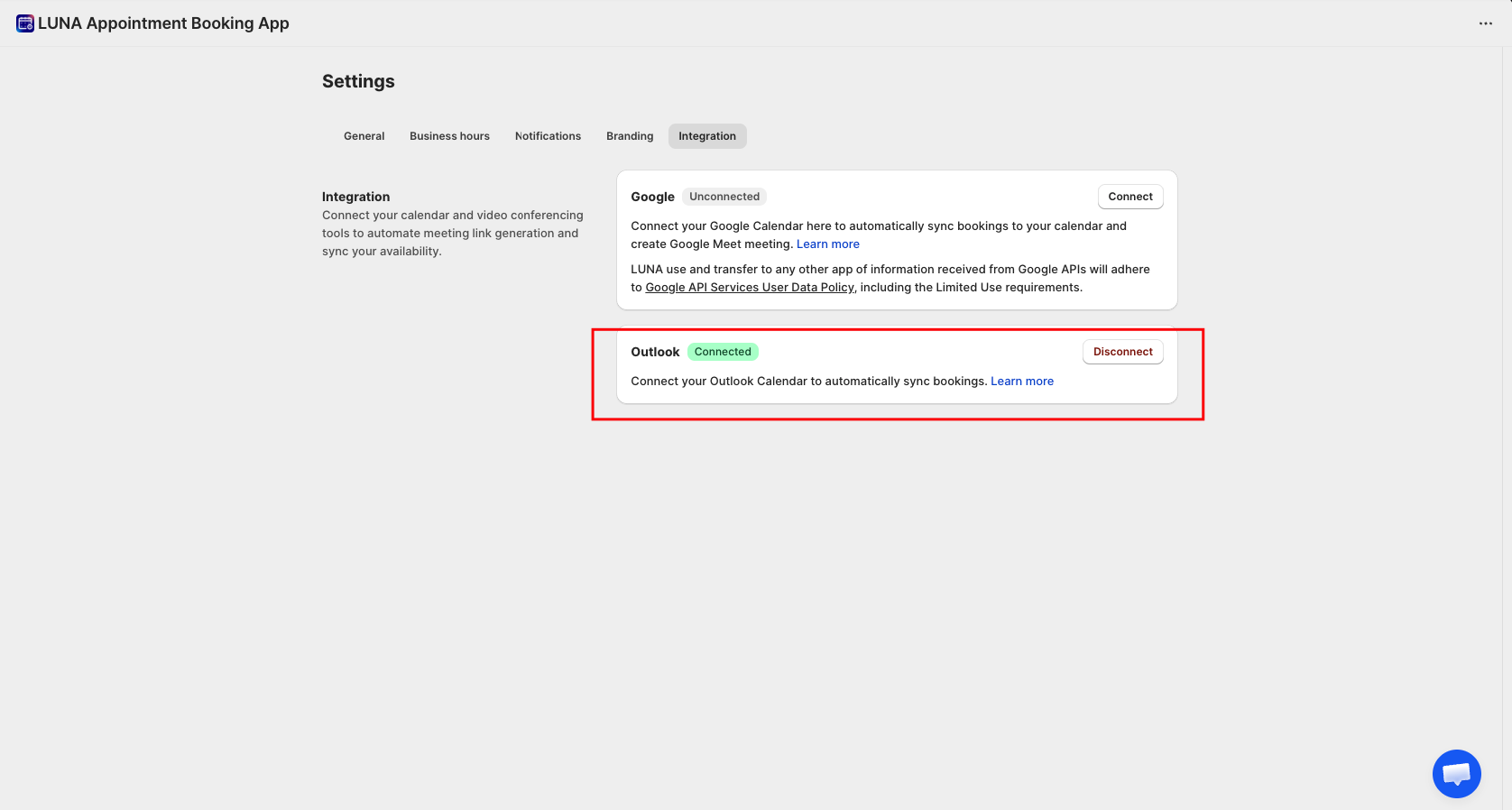
From this point, all new bookings in LUNA will sync to your Outlook Calendar automatically. To unlink, simply click Disconnect at any time.
Good to know
⚠️ Only one Outlook account can be connected at a time. To switch accounts, click Disconnect first, then connect again with the new account.
❗️You can connect both Google Calendar and Outlook Calendar at the same time if needed.
✅ Sync happens automatically — no extra steps are needed after the connection is set up.