Manage service
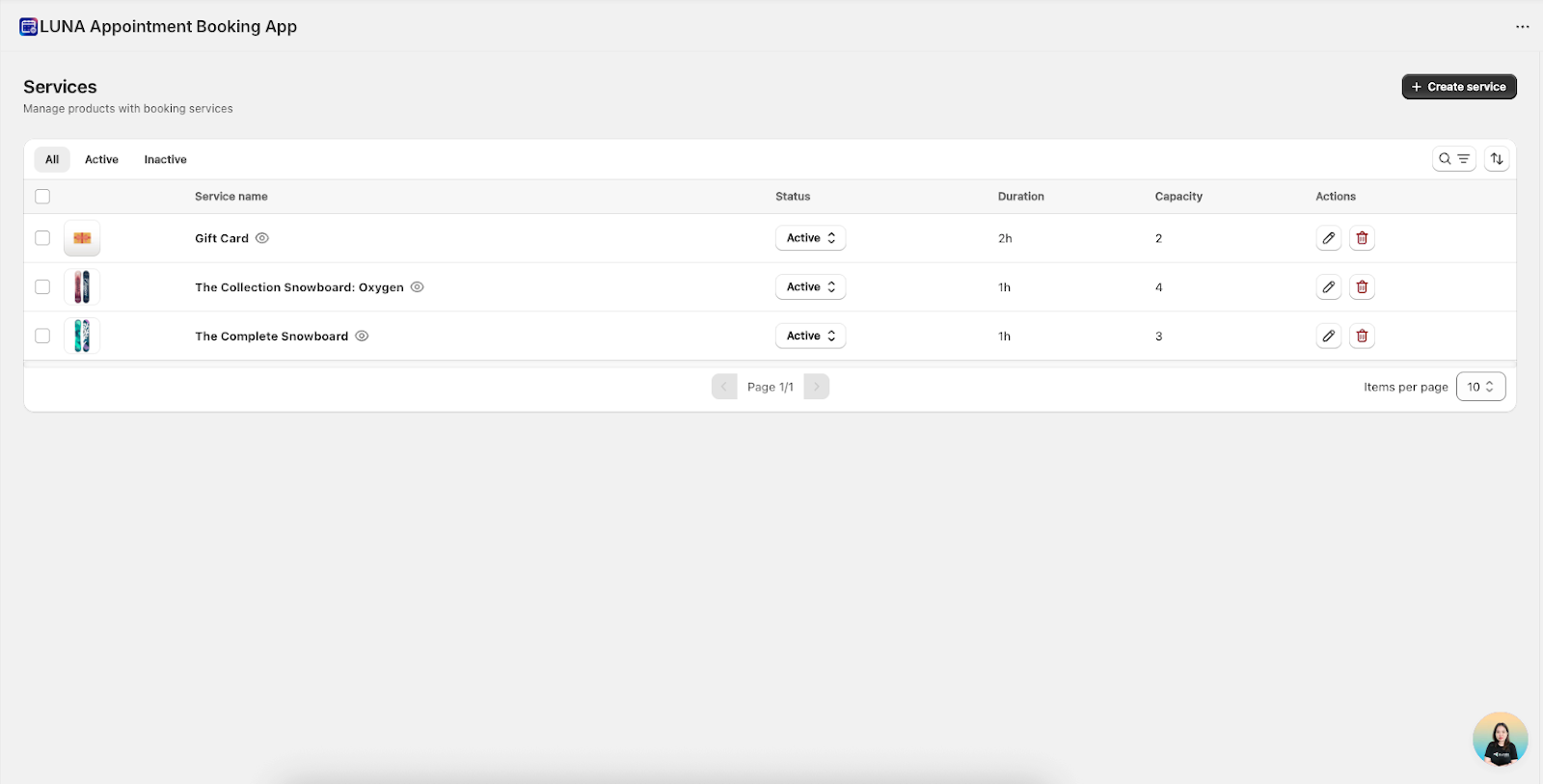
1. Services List – Everything in One Place
The Services List shows essential information about each service so you can quickly understand and manage it.
Service Name
- Displays the service name and its linked Shopify product image.
- Click to open the product directly in detail Service.
Status
- Active – The service is visible and available for booking.
- Inactive – The service is hidden from customers but not deleted.
Duration
Indicates how long the appointment lasts (e.g., 30m, 1h, 2h).
Capacity
Shows the number of customers allowed per appointment:
- 1 for one-on-one bookings
- greater than 1 for group bookings
Actions
- Edit – Modify service details
- Delete – Permanently remove the service
2. Search & Sort – Find Services Fast
Useful when managing many services.
Search
Type a service name to instantly filter the list.
Sort
Sort services alphabetically using Name A–Z.
Items per Page
Choose how many services to display at once: 10, 20, or 50.
3. Editing a Service – Adjust Anytime
You can adjust a service whenever your business needs change.
How to Edit a Service
- Locate the service in your list
- Click Edit
- Update the settings
- Click Save
What You Can Edit
- General setting of Service
- Availablity of Service
4. Service Status – Show or Hide Services Anytime
Status gives you control over visibility without losing any data.
Active
- Visible on your storefront
- Customers can book immediately
Inactive
- Hidden from customers
- Ideal for temporary pauses
- Existing bookings remain valid
When to Set a Service to Inactive
- Seasonal services
- Staff or schedule changes
- Temporary maintenance
- Testing new configurations
- Service not ready for customers yet
Benefit: You remain flexible while keeping all service data intact.
5. Deleting a Service – Permanent Removal
Delete a service only when you no longer need it.
How to Delete
- Click the Delete icon
- Confirm in the popup
- The service is permanently removed
Important Notes
⚠️ Deletion cannot be undone.
Before deleting, consider:
- Are there any upcoming appointments?
- Do you need past data for reporting?
- Could you use this service again later?
👉 Recommendation: Use Inactive if you only want to pause the service without removing it permanently.