Service type
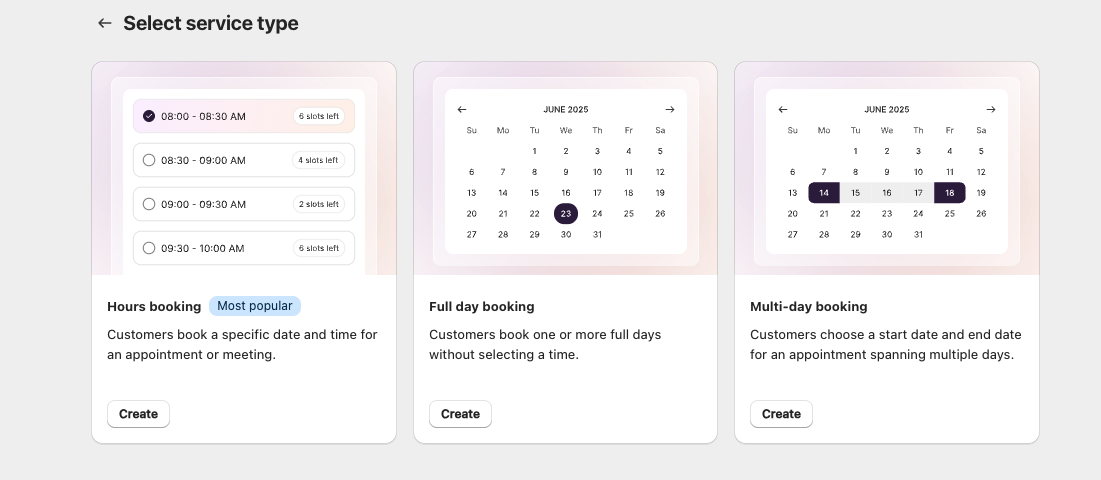
How to Access
- Go to Services
- Click Create service
- The Select service type page appears
Service Types
Hours booking (Most popular)
Customers pick a specific date and time slot.
Best for: appointments, consultations, meetings, short sessions.
- Has a duration (e.g., 30 minutes, 1 hour)
- Capacity can be limited per slot
Full day booking
Customers pick a single whole day — no time slot selection.
Best for: venue rentals, one-day workshops, retreats.
- Booking occupies the entire day
- Check-in and check-out times are defined per day
Multi-day booking
Customers pick a start date and an end date, and the booking spans multiple consecutive days.
Best for: tours, multi-day rentals, multi-day courses.
- Has a start date and an end date
- Check-in and check-out times are defined per day
- You can set minimum and maximum stay lengths
Choosing a Type
- Review the three cards on the Select service type page
- Click Select on the type that matches your service
- You're taken to the Create Service form, configured for that type
Important Rules
- A service must have exactly one service type
- You cannot change a service's type after it has been created. To switch types, duplicate the service and set the new type on the copy