Track & export visitor consent
The Consent Activities page lets you track and manage how visitors interact with your cookie consent banner. It has three tabs: Policy Acceptances, Data Requests, and Reset Given Consent.
Policy Acceptances
Requires: Advanced plan or higher
The Policy Acceptances tab records every visitor who has accepted or declined your cookie policy. This data is essential for compliance audits and understanding your consent rates.
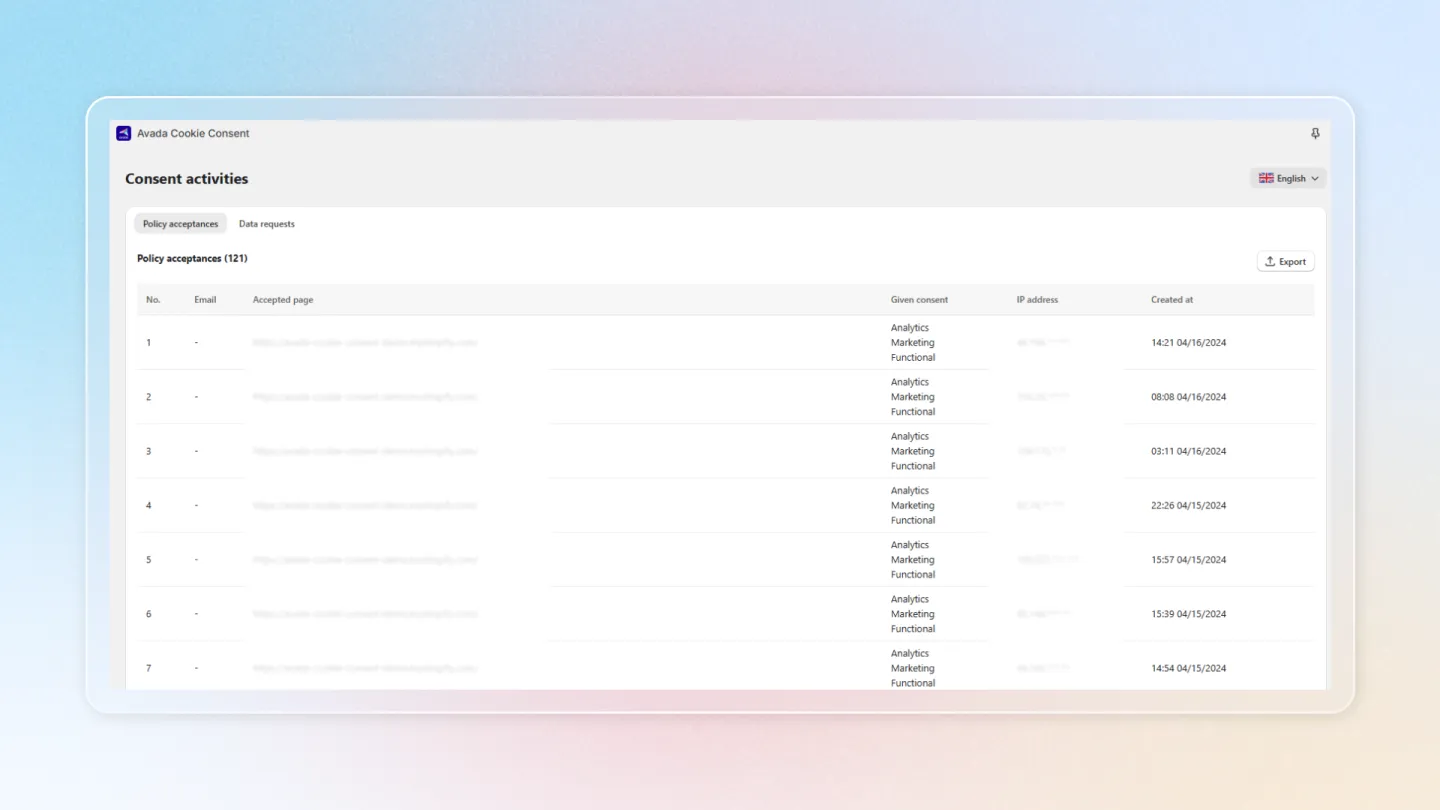
What is tracked?
Each record includes the following information:
| Field | Description |
|---|---|
| The email address linked to the consent record | |
| Accepted page | The page URL where the visitor gave consent |
| Given consent | The type of consent given (accepted all, declined all, or partial) |
| IP address | The visitor's IP address |
| Created at | The date and time consent was recorded |
Export Data
You can export the consent records as a CSV file for compliance reporting or analysis. Click the Export button to download the data.
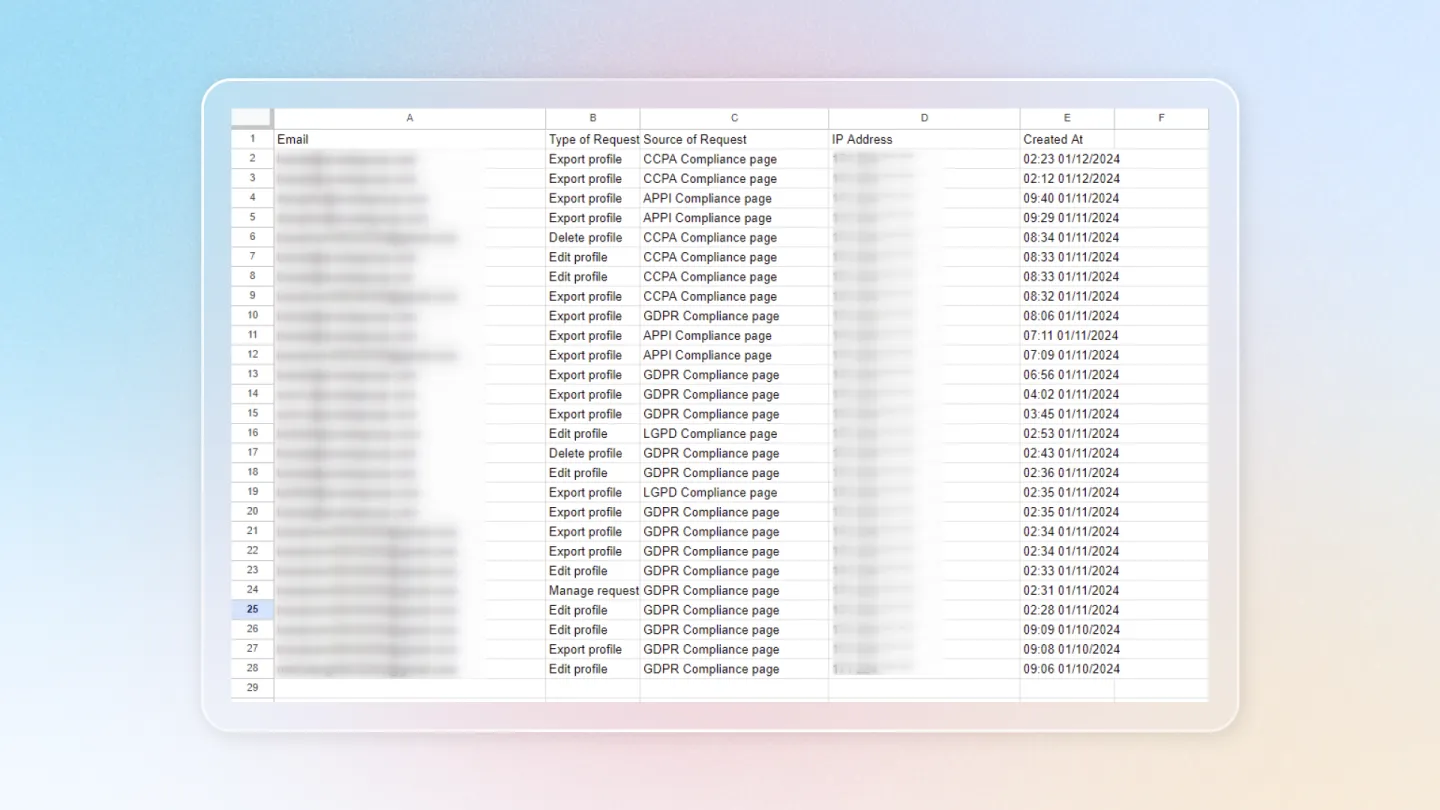
Keeping consent records is a key requirement under GDPR. Exporting consent data regularly helps you maintain compliance documentation.
Data Requests
The Data Requests section tracks privacy-related requests submitted by your customers through the Privacy Policy page.
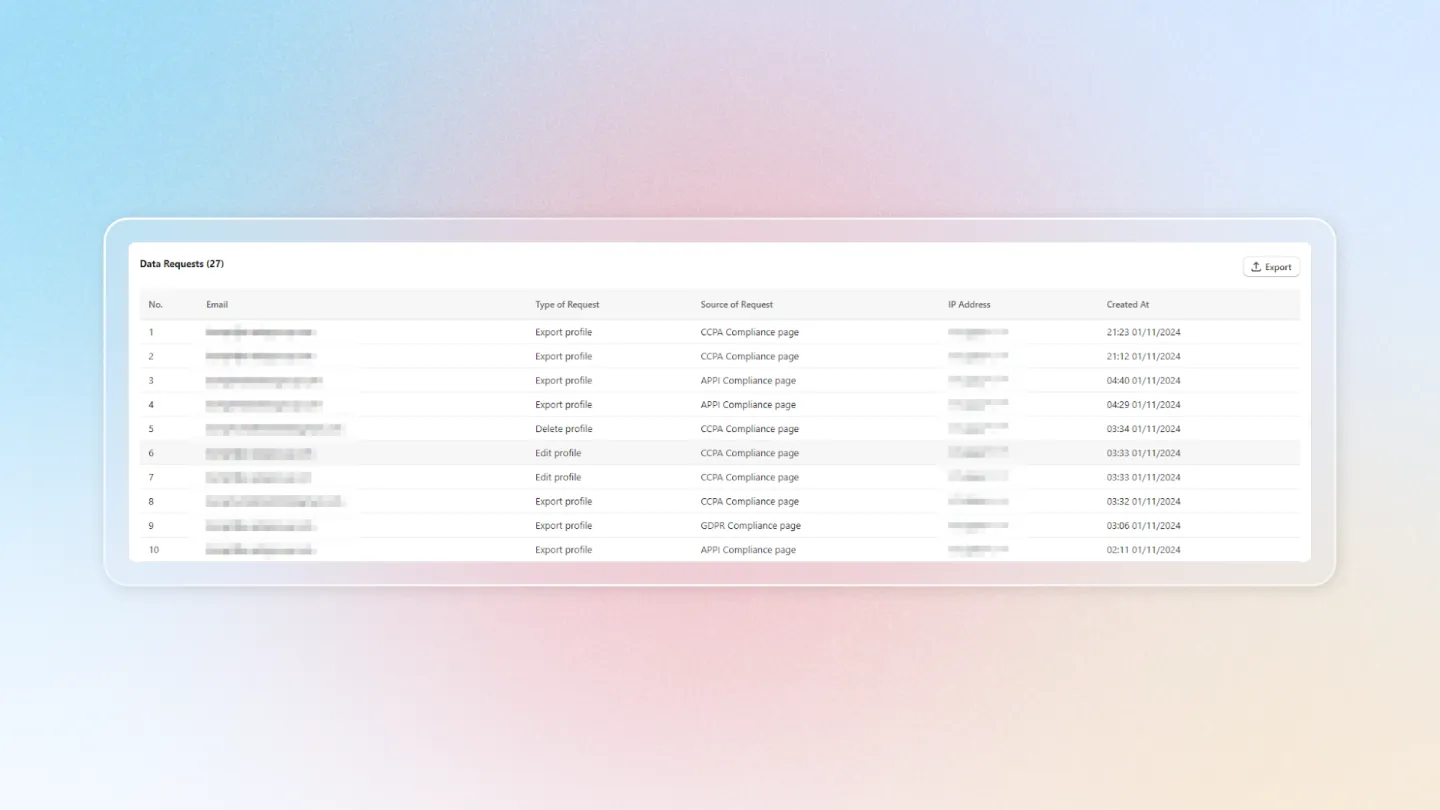
Exported Data Fields
Each data request record includes:
| Field | Description |
|---|---|
| The email address of the requester | |
| Type of request | The type of request (e.g., data access, data deletion, opt-out) |
| Source of request | Where the request came from |
| IP address | The IP address from which the request was submitted |
| Created at | The date and time of the request |
You can also export data request records as a CSV file for tracking and compliance purposes.
Reset Given Consent
Requires: Advanced plan or higher
When you change your compliance terms, use Reset given consent to clear the consent you've already collected. The banner then shows again so visitors can re-consent under your new terms.
- Open Consent activities and select the Reset given consent tab, then click Manage.
- Read the Before you proceed notice: the consent banner reappears for every visitor whose consent you reset, and their consent status and tracking scripts revert to default.
- Pick a Reset type:
| Reset type | What it clears |
|---|---|
| Reset all visitor's consent | Every visitor's stored consent, across all categories. |
| Reset analytic type | Only the analytics consent. |
| Reset marketing type | Only the marketing consent. |
| Reset functional type | Only the functional consent. |
- Click Reset to apply.
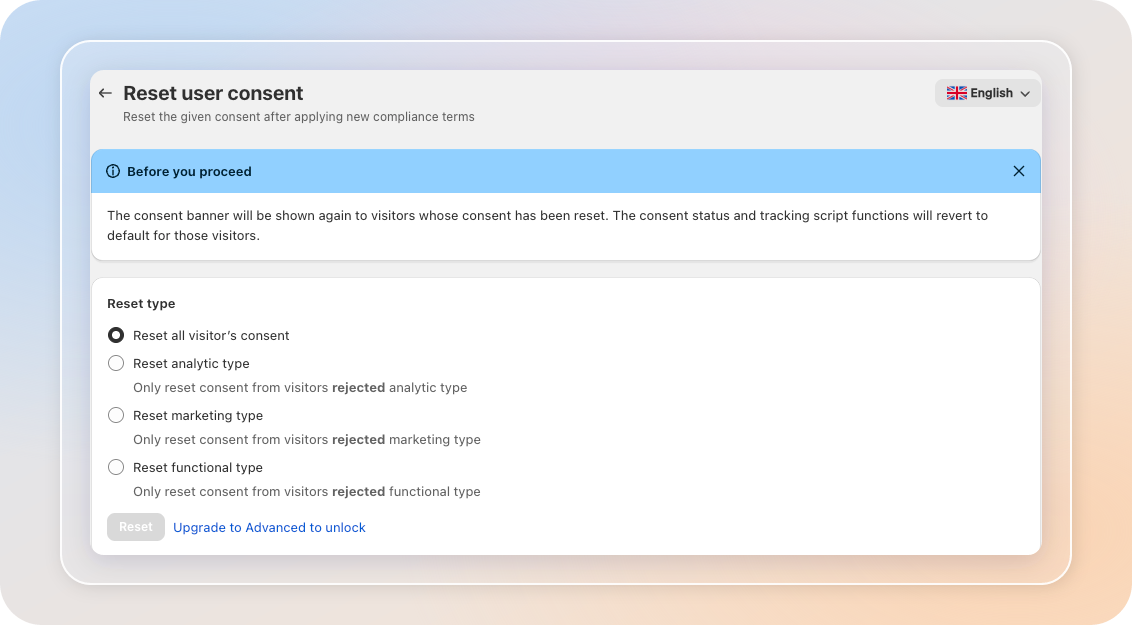
Resetting consent can't be undone. Affected visitors will see the consent banner again on their next visit, and tracking scripts pause for them until they consent again.