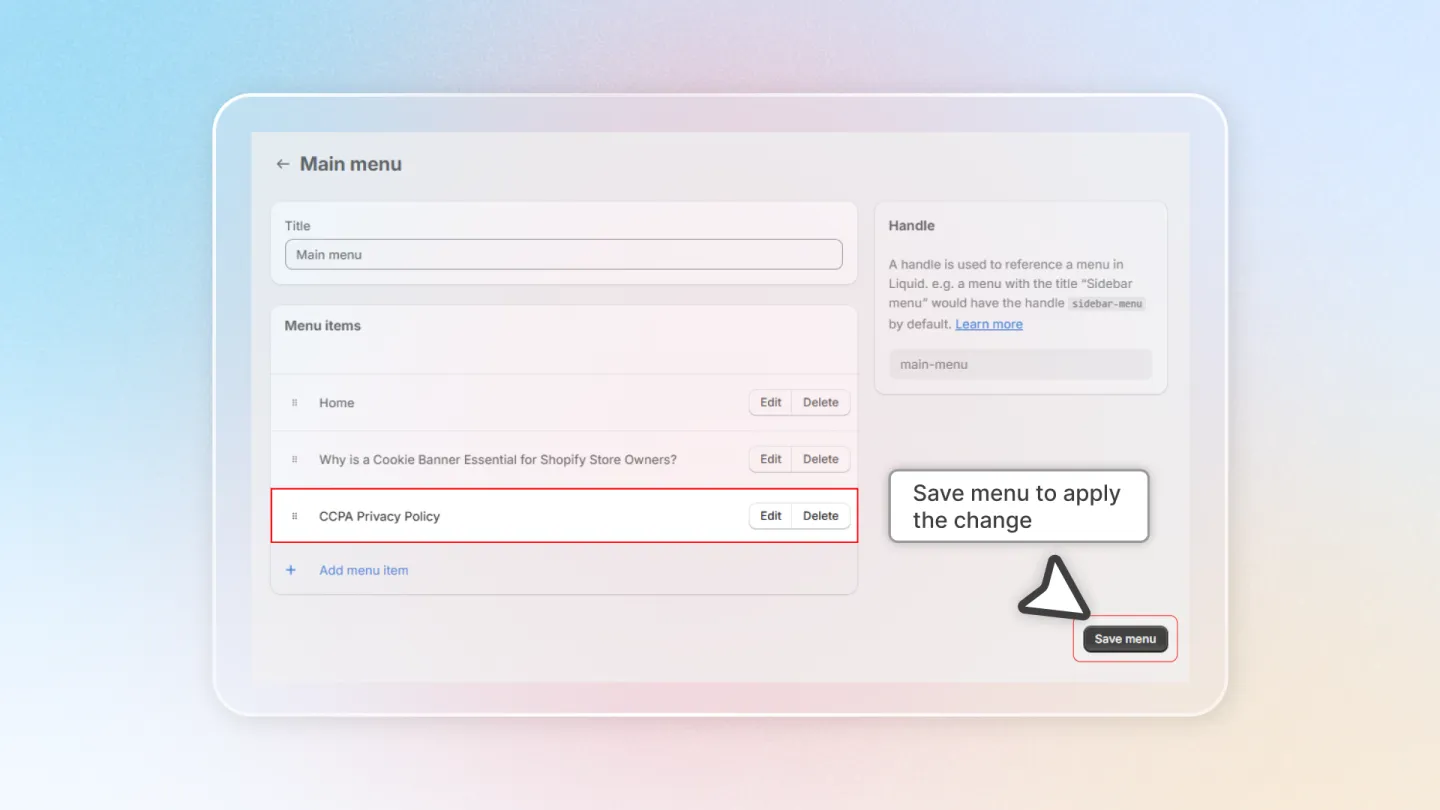
Add CCPA to Your Website's Menu
To comply with CCPA, you need to add a "Do Not Sell My Personal Information" link to your website's navigation menu. This guide shows you how to add the CCPA privacy link to your Shopify store's menu.
Access Navigation Settings
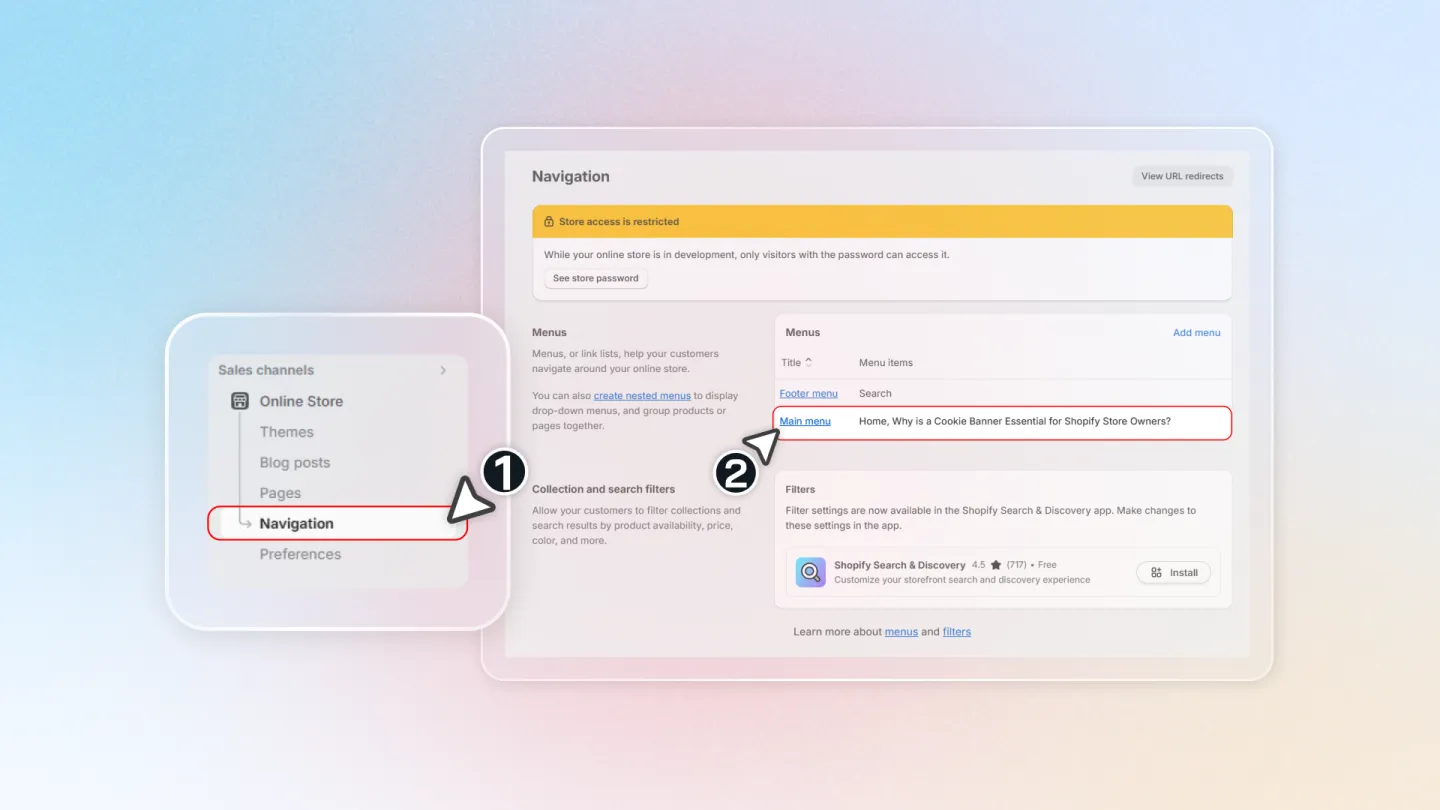
Go to your Shopify Admin > Online Store > Navigation. Click on the menu where you want to add the CCPA link (typically the footer menu). Then click Add menu item.
Create Menu Item
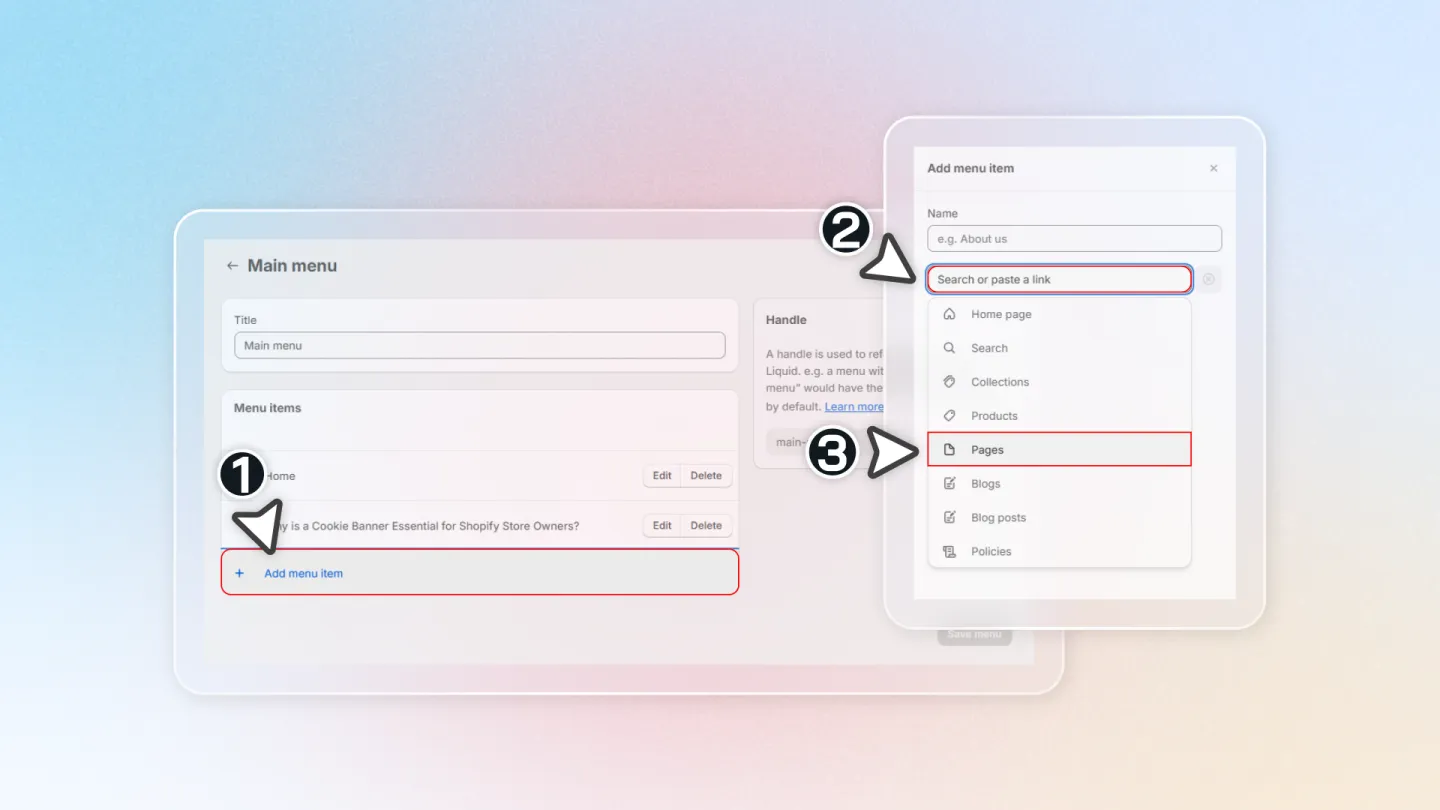
In the Name field, enter a label such as "Do Not Sell My Personal Information" or "Privacy Choices".
Select Privacy Link
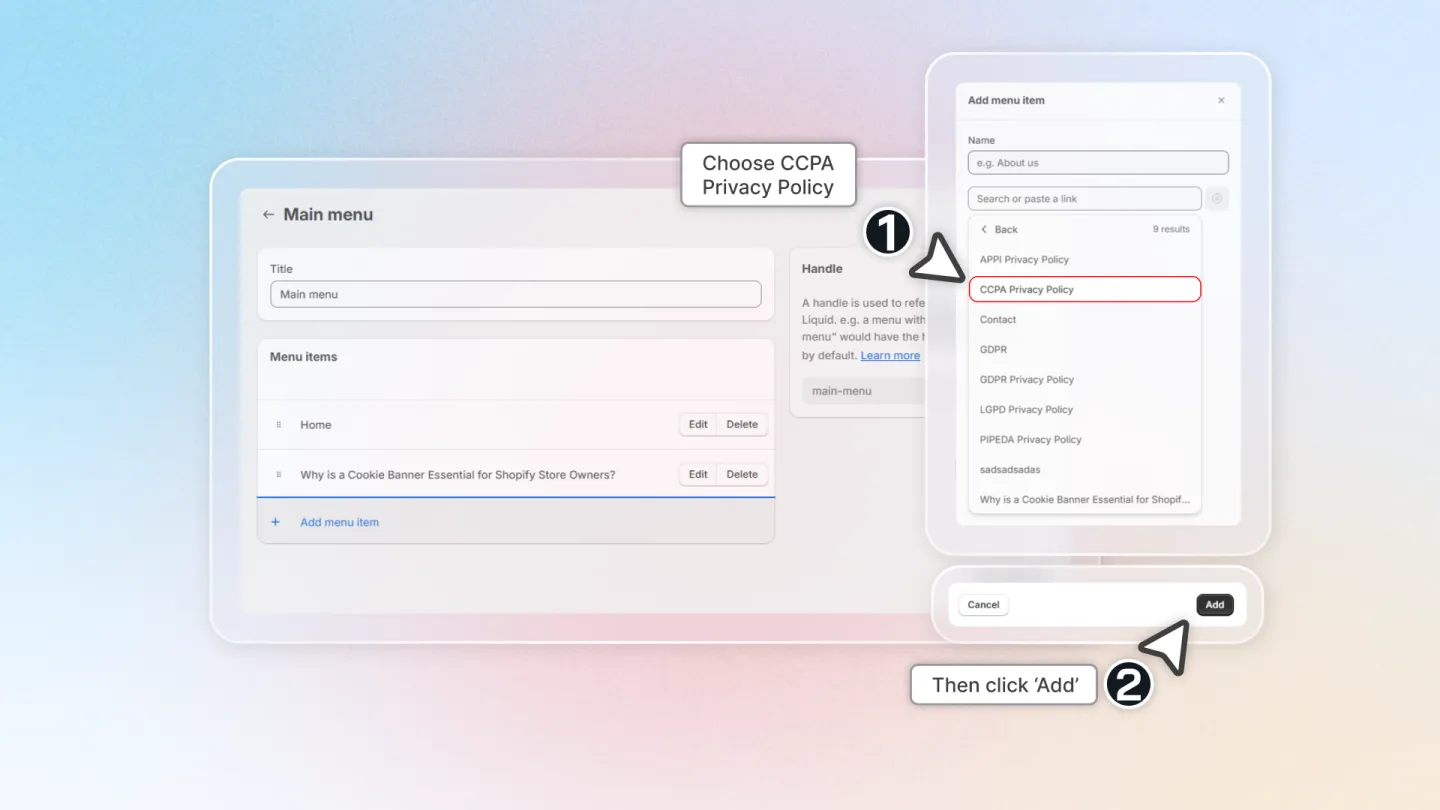
In the Link field, click the dropdown and select Pages. Choose the privacy policy page that Avada Cookie Consent has created for your store. This page includes the CCPA opt-out functionality.
Save
Click Save to add the new menu item to your navigation. Visit your storefront to verify the link appears in the correct menu location.