Translate Your Cookie Banner
Show your cookie banner in your visitors' language.
Set Up Default Languages
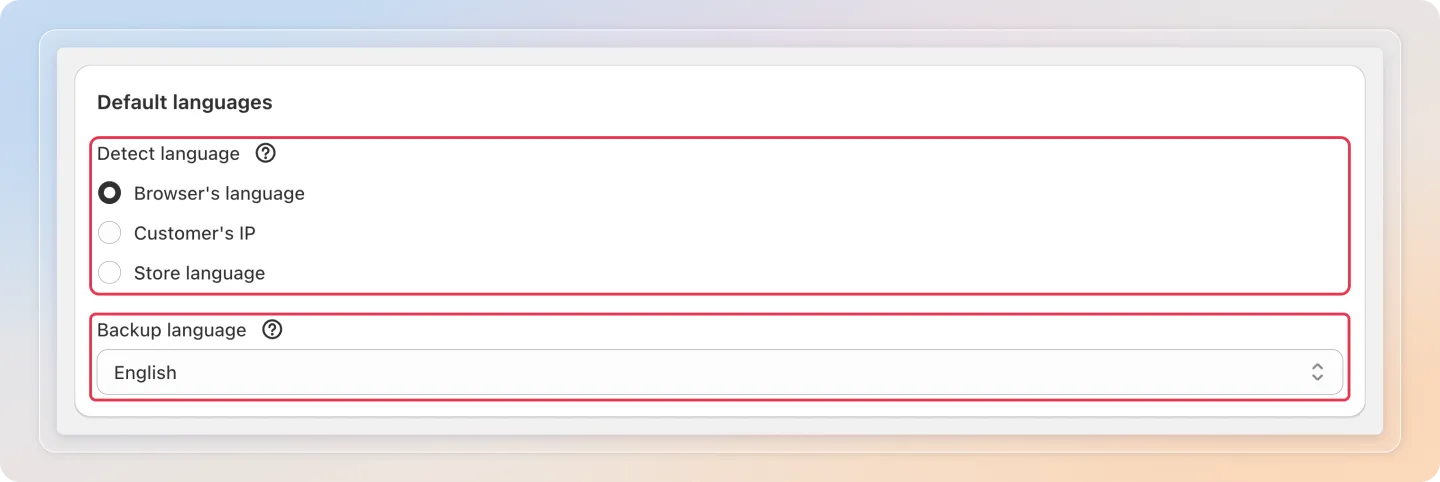
Go to Translation in the app. Use the Default languages card at the top.
- Under Detect language, choose how to find the visitor's language:
- Browser's language (recommended): the visitor's browser language.
- Customer's IP: the visitor's country.
- Store language: the language the visitor picked on your store.
- Under Backup language, choose the language to show when the visitor's language isn't in your list.
⚠️
Changing the Backup language resets your banner text to the default text of the new language. Copy your custom text first.
Click Save on the top bar.
Add Extra Languages
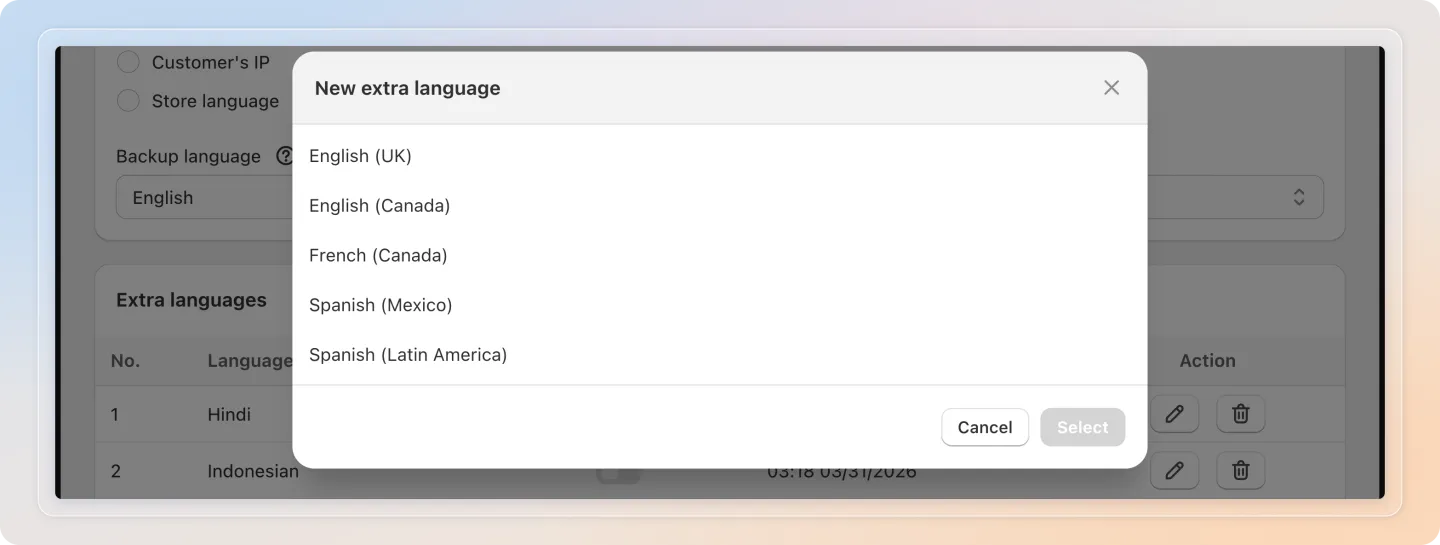
Click Add extra languages

Pick a language
Choose a language from the list. Region versions like French (Canada) are also available.
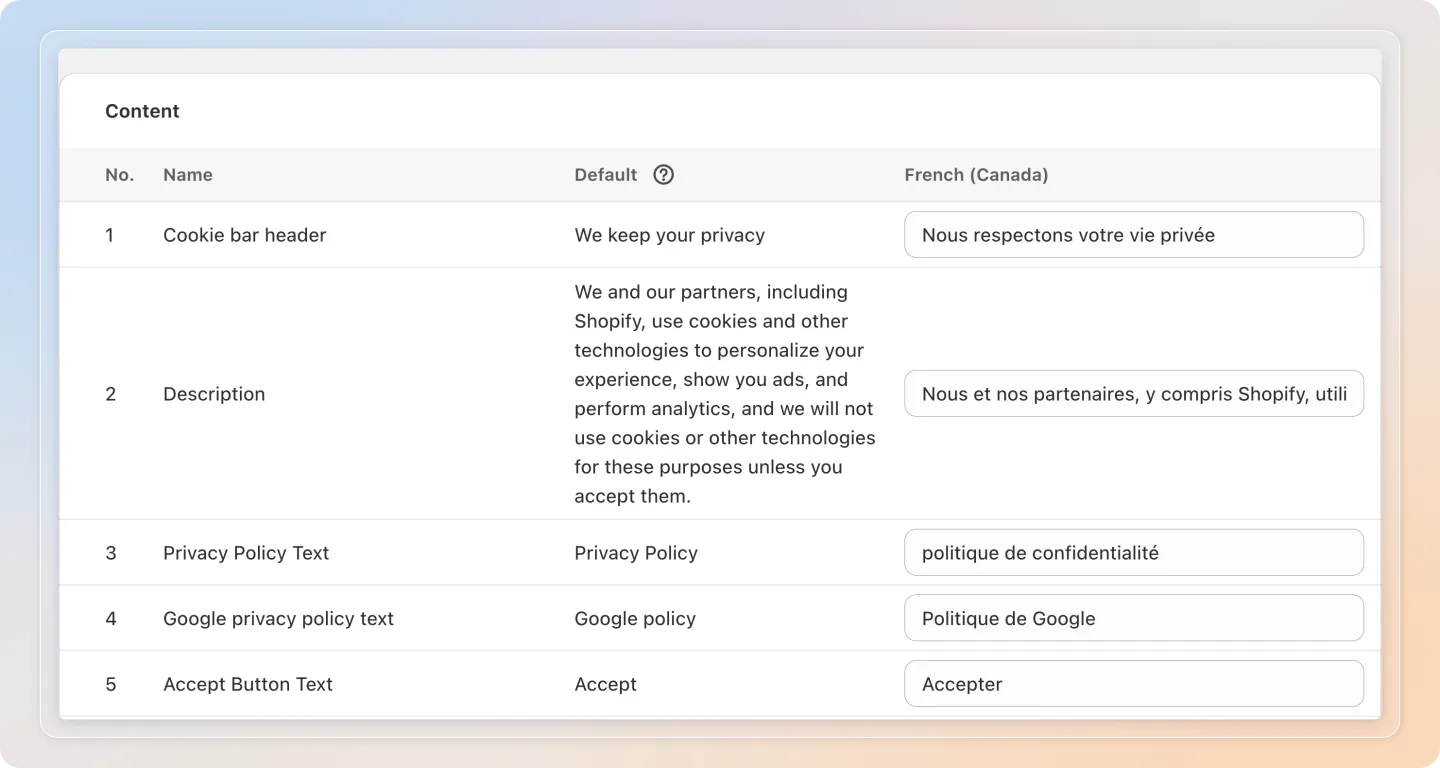
Check the translation
The app fills in the text with AI translation. Edit any field you want to change. Changes save automatically.
Free plan: 1 extra language. Pro plan: 2 extra languages.
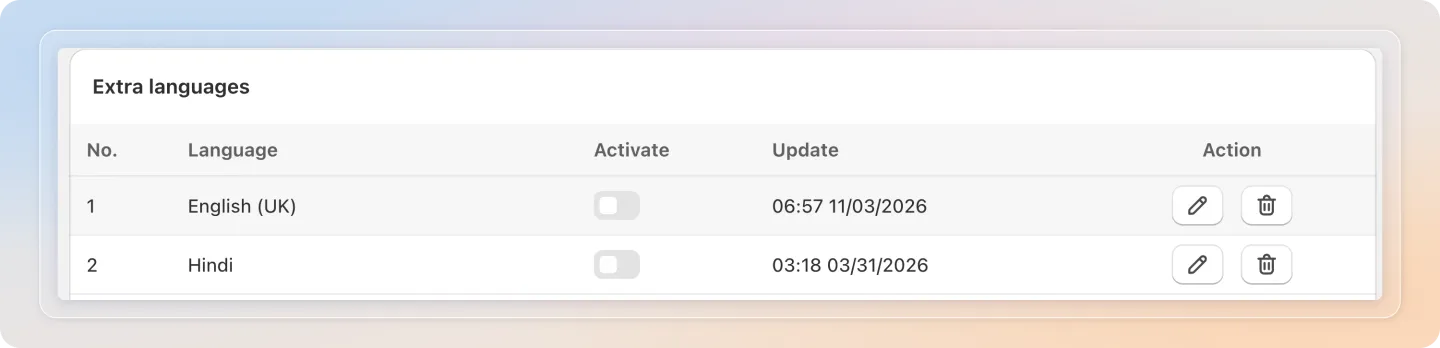
Edit or Remove a Language
In the language list, click the pencil icon to edit or the trash icon to remove.
Related Articles
Need help? Contact our support team.