Ask Shopify Sidekick to Check and Manage Your Avada Cookie Consent
Avada Cookie Consent now works with Shopify Sidekick - click Ask Sidekick for an instant answer on any page, or open Sidekick directly to ask or act for you.
Prerequisites
- Avada Cookie Consent must be installed on your store.
- Shopify Sidekick must be available on your store (Shopify is rolling this out gradually to all Admin accounts).
Get Instant Help With the Ask Sidekick Button
Find the Ask Sidekick button
Look for Ask Sidekick in the top-right corner of the page, next to the page's main buttons. It appears on Home, Settings, Advanced Settings, Cookies Management, Cookie Scanner reports, Consent Activities, GDPR Checklist, Translation, Integrations, Other Compliance, Subscription, and Onboarding.

Click Ask Sidekick
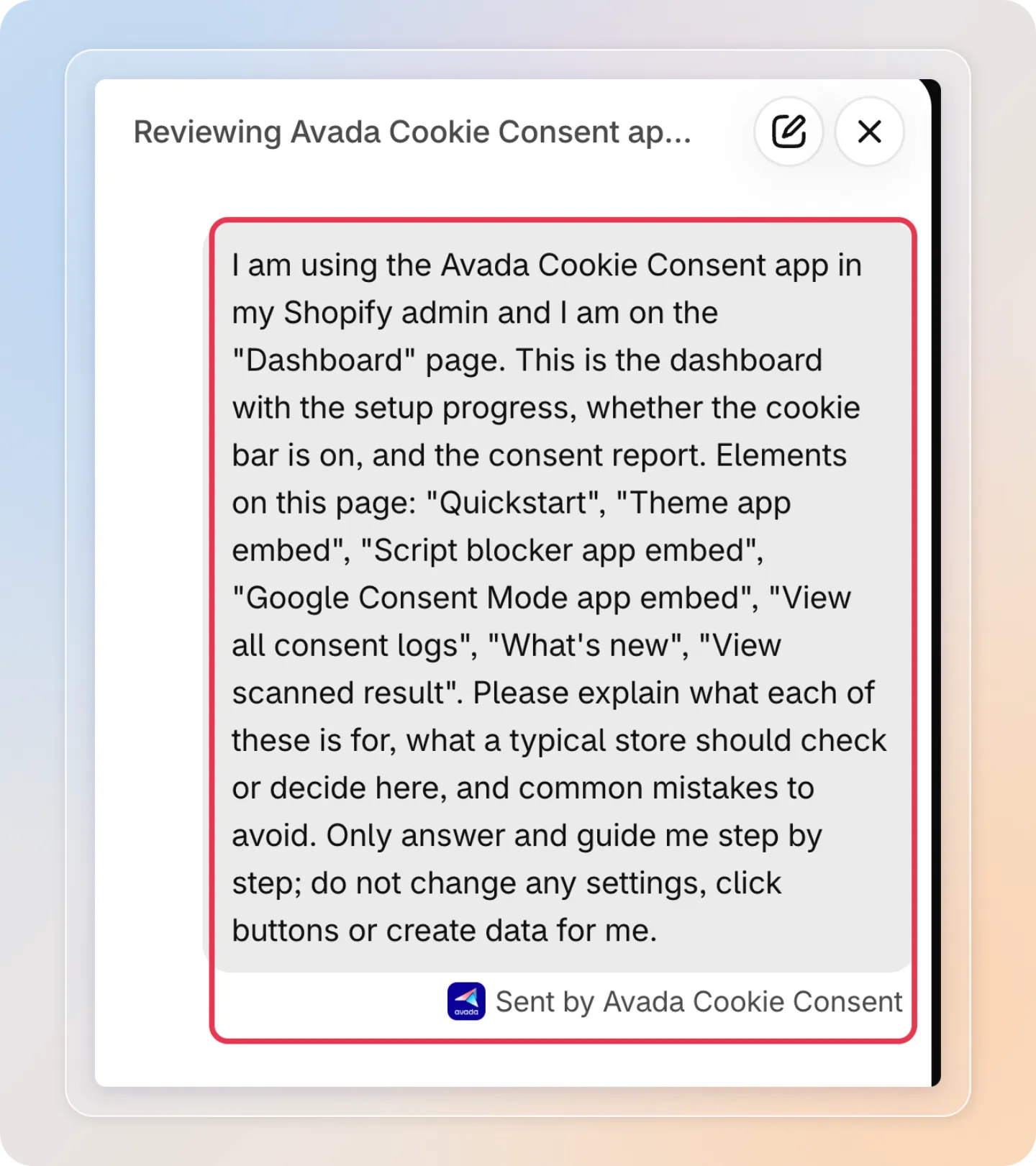
Click Ask Sidekick. The Sidekick panel opens and the app sends a question written for the page you're on, so you get relevant guidance right away without typing anything.
- The question is sent right away, marked Sent by Avada Cookie Consent.
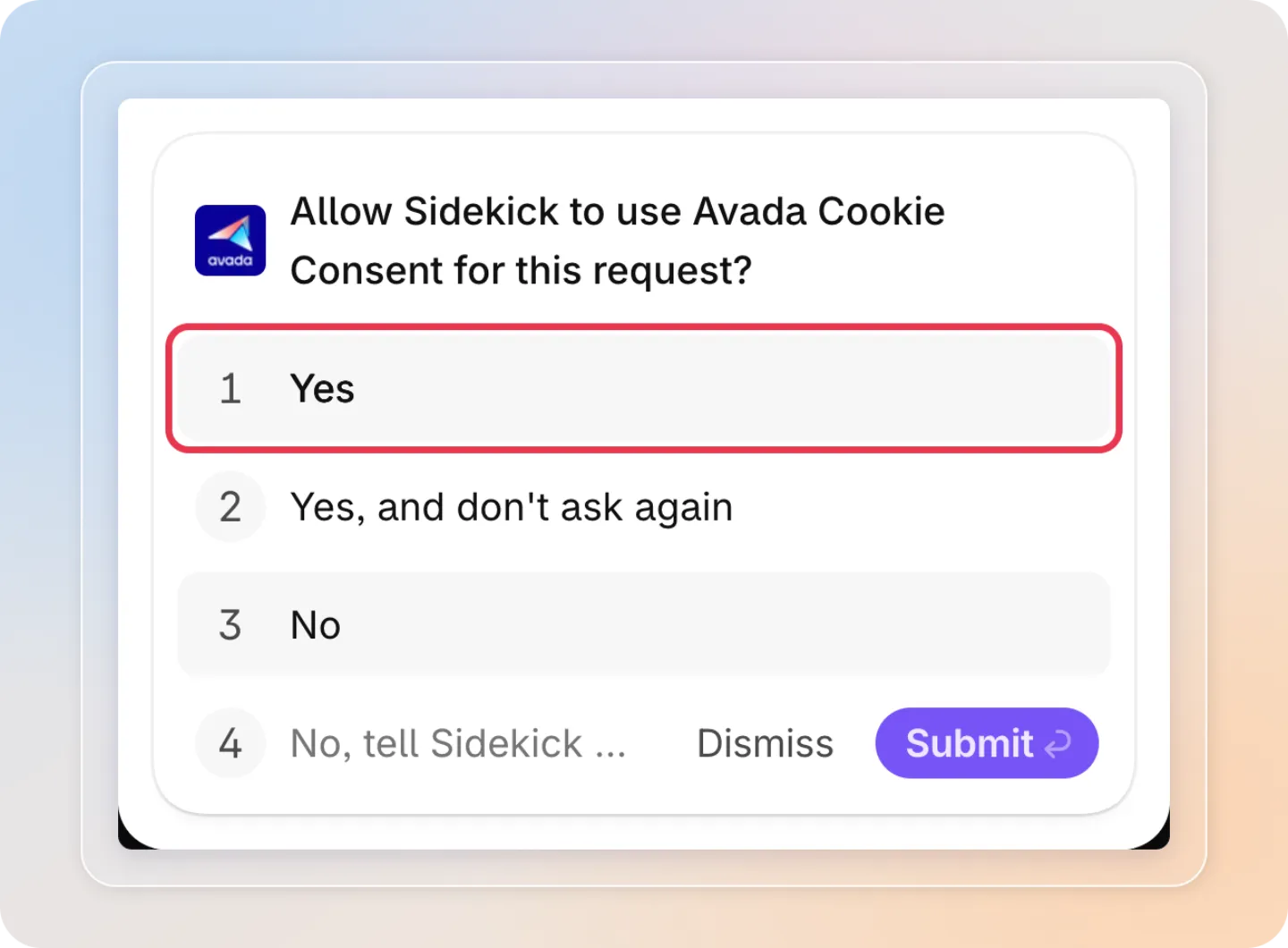
Allow Sidekick to use the app
Sidekick asks Allow Sidekick to use Avada Cookie Consent for this request? Click Yes so it can look up your banner setup, cookies, scan results, or consent data for that request. Sidekick may ask again for later requests; choose Yes, and don't ask again if you don't want to be asked each time.
Note: Clicking the button only sends the question. It does not change any of your settings or data on its own.
Keep working with Sidekick on the app
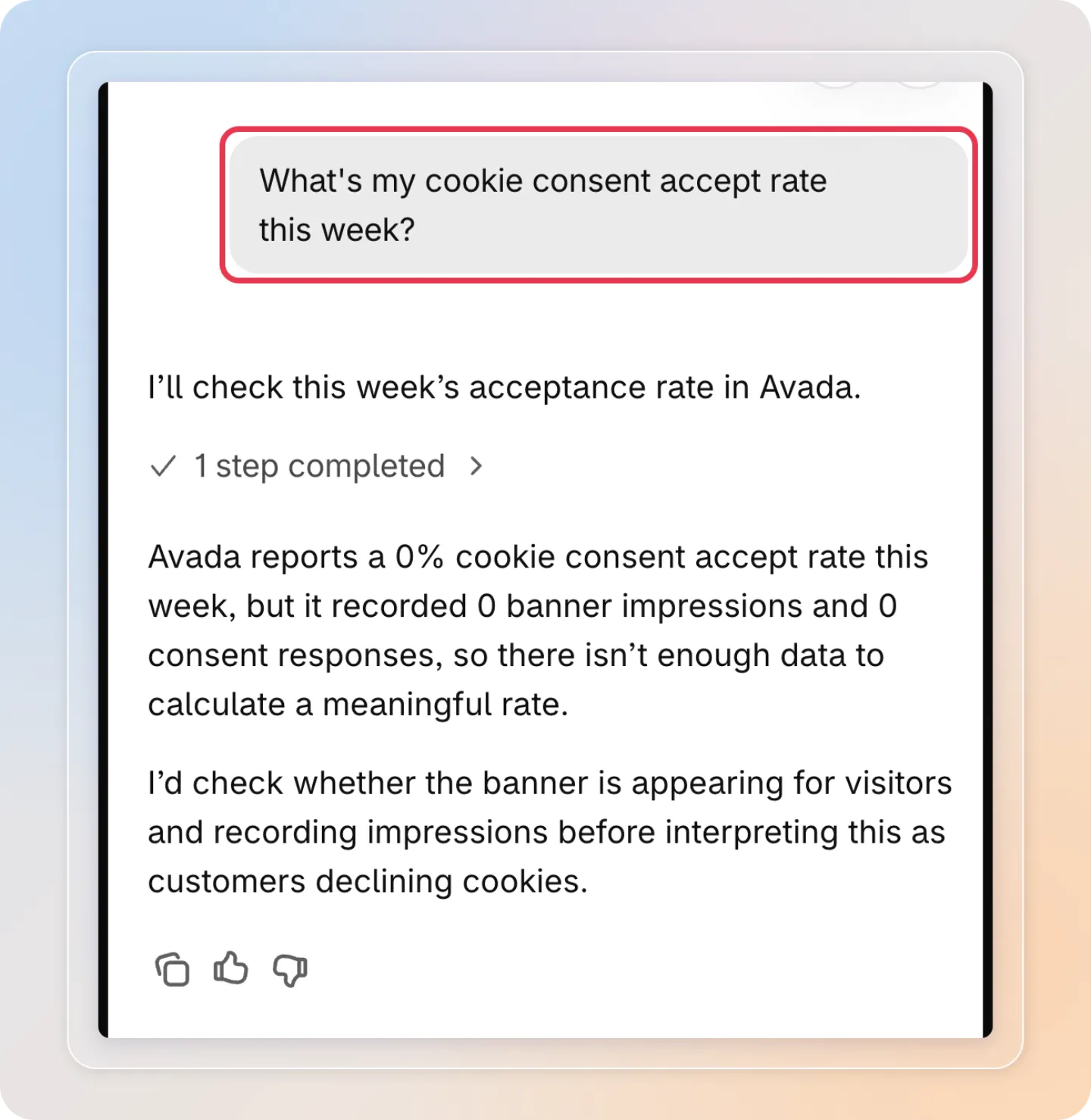
After the first answer, keep chatting in the same panel to get more done in Avada Cookie Consent. For example, you can ask Sidekick to:
- Check your consent rate: "What's my cookie consent accept rate this week?"
- Check where your banner shows: "Which countries is my cookie banner showing in?"
- Check your last scan: "How many issues did my last compliance scan find?"
- Change your banner: "Move my cookie banner to the bottom left."
- Add a cookie: "Add a marketing cookie named _fbp."
For questions, Sidekick answers with live data from your store. For changes, it opens the page in the app with the requested settings already filled in. Review them, then click Save.
Note: Sidekick never saves changes on its own. Nothing changes on your store until you click Save in the app.
Tip: The button only appears when Sidekick is available on your store. If you don't see it yet, Sidekick may not have rolled out to your account.
Ask Sidekick Directly
Open Sidekick
Go to your Shopify admin Home and click the Work with Sidekick box. You can also click Ask Sidekick inside the app to open the Sidekick panel on the right.
Ask about Avada Cookie Consent
Type your question or request in plain language, such as the examples above. Sidekick recognizes Avada Cookie Consent, asks your permission to use the app the first time, then answers with live data from your store or opens the change in the app for you to review and save.
Tips
- The Ask Sidekick button only appears when Sidekick is available on your store. If you don't see it yet, Sidekick may not have rolled out to your account.
- If Sidekick doesn't recognize a question about Avada Cookie Consent, try rephrasing using the setting or metric name (for example, "consent rate" instead of "cookie stats").
- Sidekick complements the app - use the Dashboard for full charts and history, and Sidekick for a quick answer while you're working elsewhere in Admin.
Related Articles
And there you have it! You can now get quick answers about your cookie consent setup straight from Shopify Sidekick.
If you have any questions or run into any issues, don't hesitate to reach out. We're here to help!