Integrate with TikTok Pixel
The TikTok Pixel integration makes your TikTok Pixel respect each visitor's cookie choice. Avada holds the pixel until the visitor accepts Analytics and Marketing cookies, and revokes consent when the visitor rejects them, so TikTok does not track visitors who have not given consent.
The TikTok Pixel integration is available on the Pro plan and above.
Open the TikTok Pixel integration
In the Avada Cookie Consent app, go to Integrations and click TikTok Pixel.
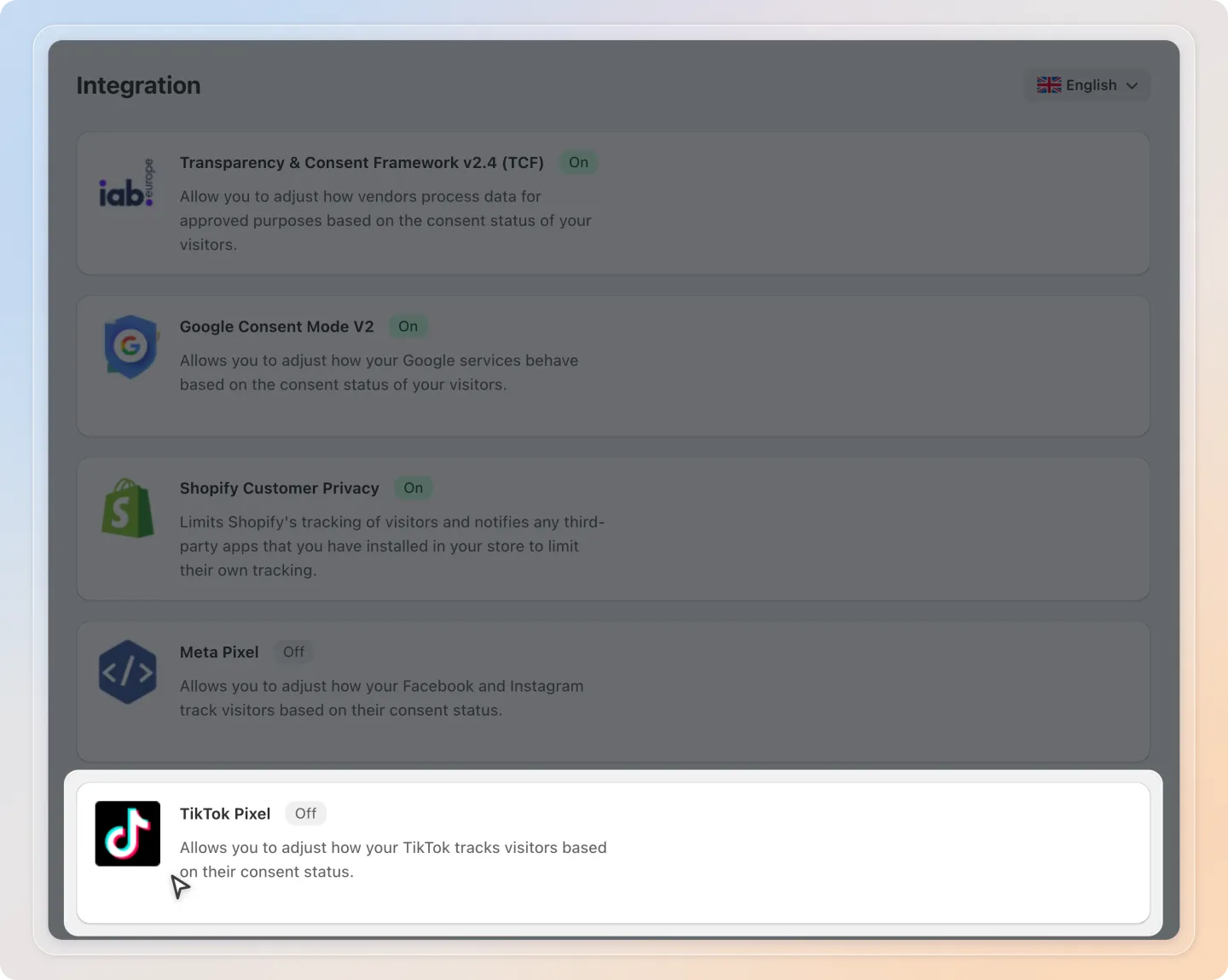
Add your TikTok Pixel ID
In Step 1: Set up for integration, enter your TikTok Pixel ID in the Tiktok Pixel script field. If you have more than one pixel, separate the IDs with commas. Then click Save in the bar at the top of the page.
You can find your Pixel ID in TikTok Ads Manager, on the Events page where you manage your pixels. It is a code of letters and numbers such as CABCDE1234567890FGHI.
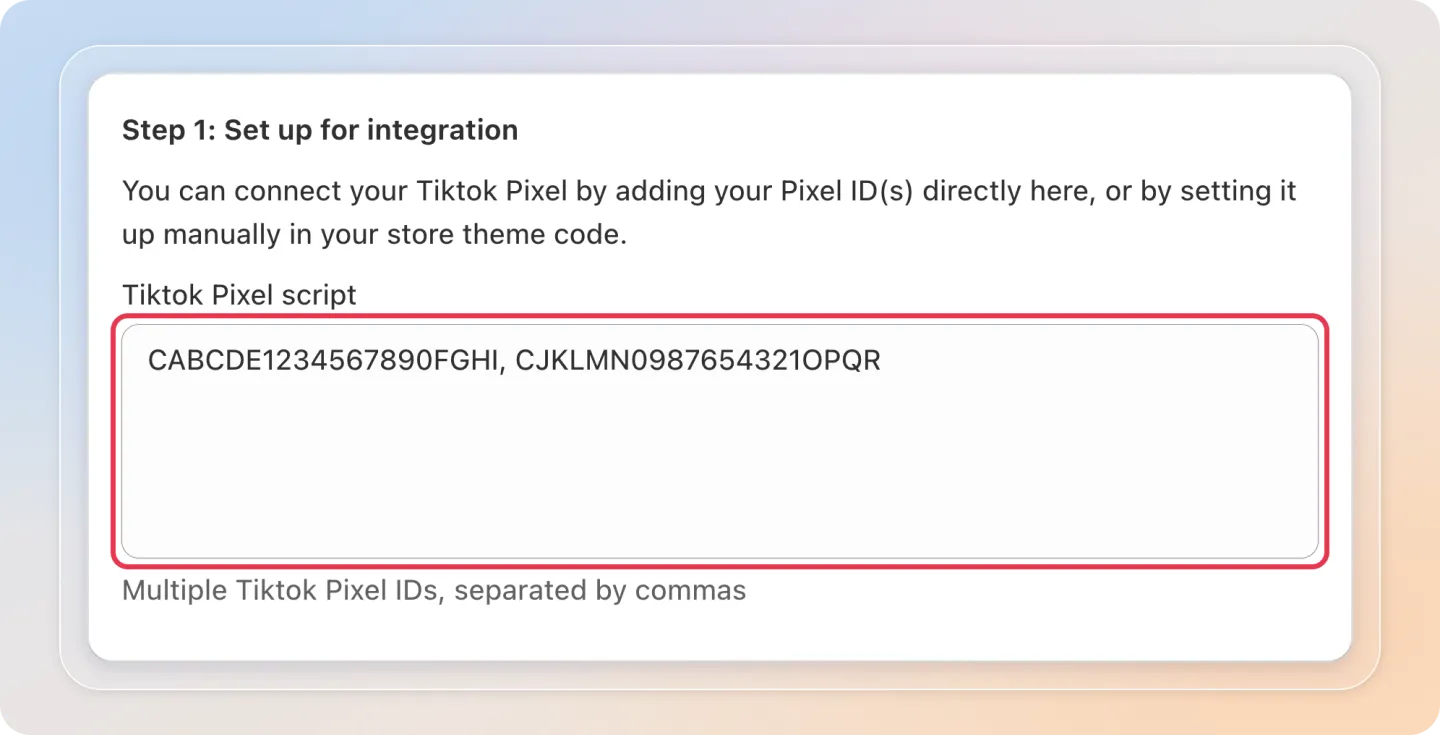
You can also paste your full pixel base code from TikTok Ads Manager instead of the ID.
Skip this step if your TikTok Pixel is already loaded from your theme.liquid, or if it comes from the TikTok sales channel. Do not add the same Pixel ID in more than one place.
Turn on the integration
In Step 2: Integrate with TikTok Pixel, click Turn on. The status changes to On.
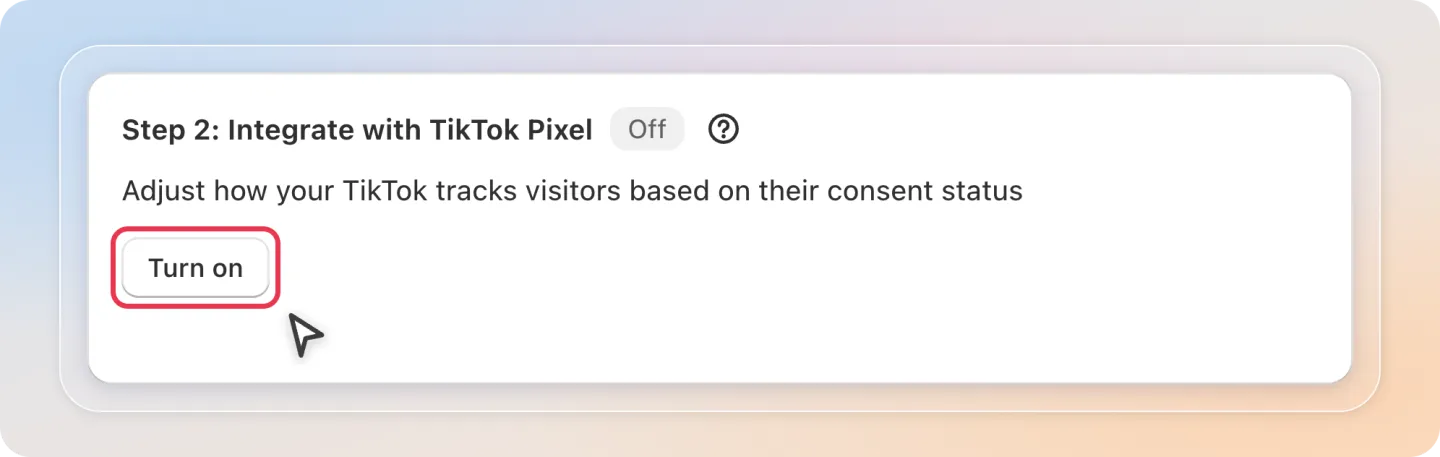
Once turned on, the TikTok Pixel tracks only after a visitor accepts both Analytics and Marketing cookies. If the visitor rejects them, Avada revokes TikTok consent for that visitor. You can click Turn off at any time to stop the integration.