Customize Notification Email to Store Owner
⚠️
This feature requires the Advanced plan or above.
You can customize the email notifications sent to the store owner when customers submit privacy-related requests.
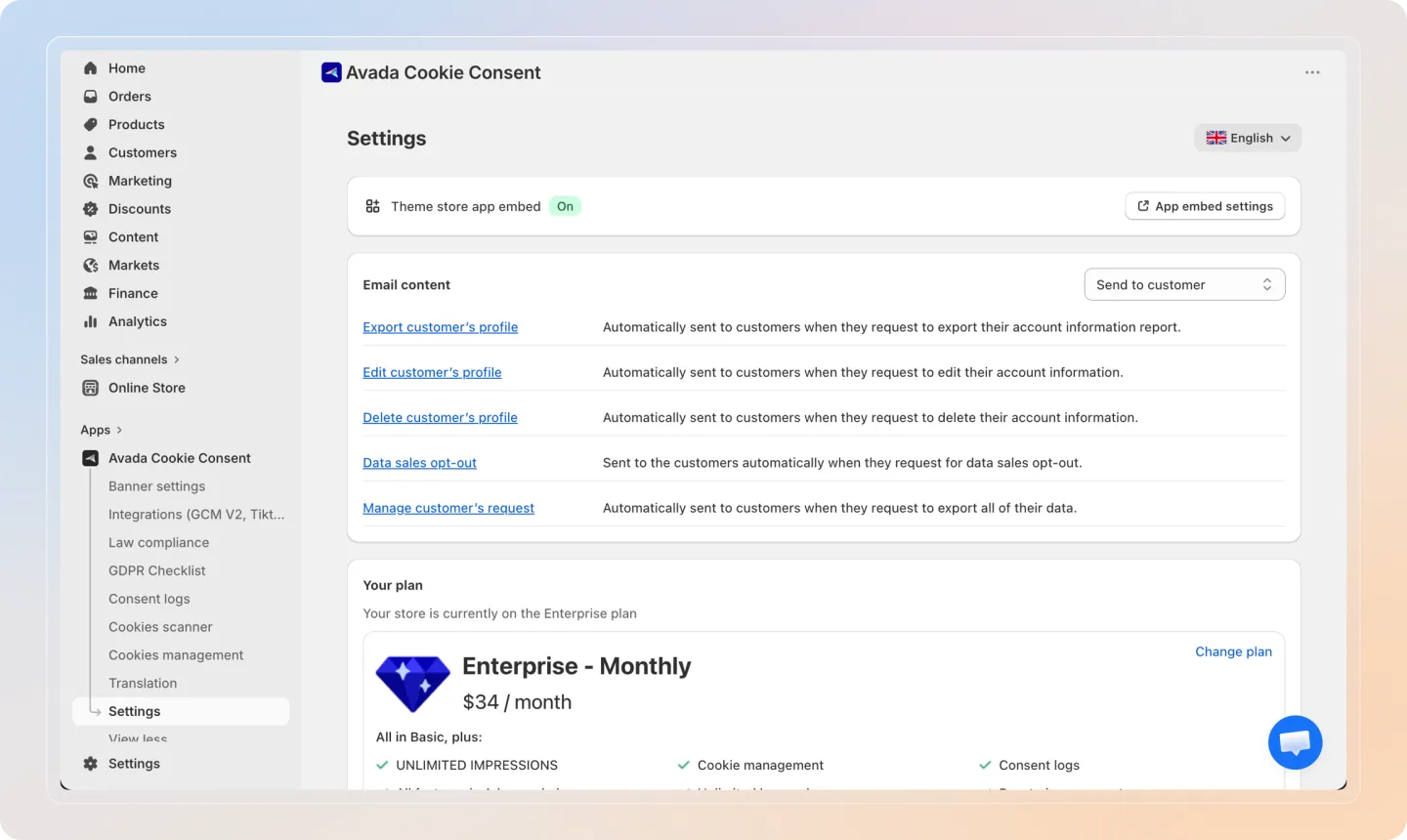
Navigate to Email Settings
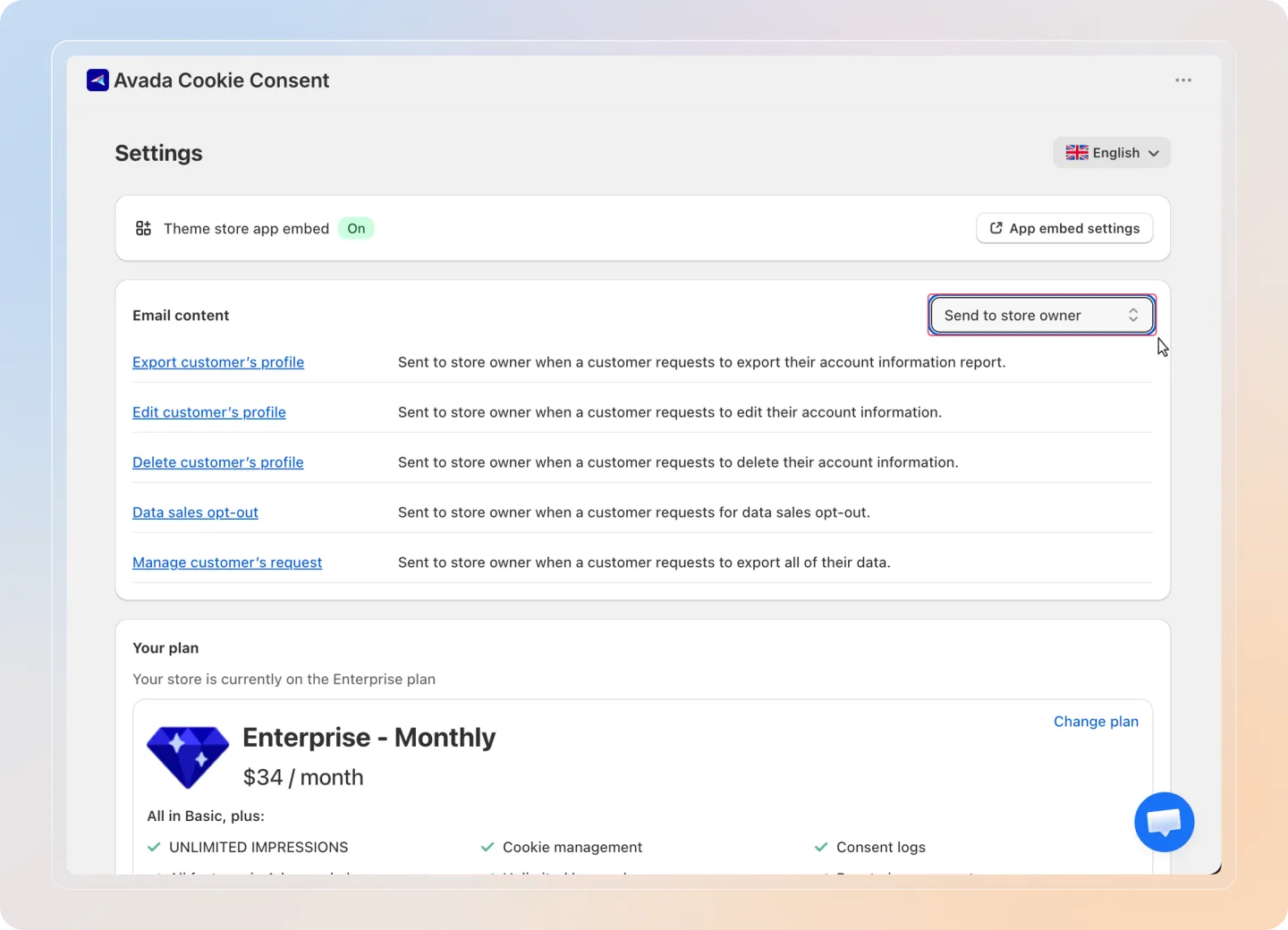
Go to Settings > Email Content in the Avada Cookie Consent app.
Select "Send to Store Owner" Dropdown
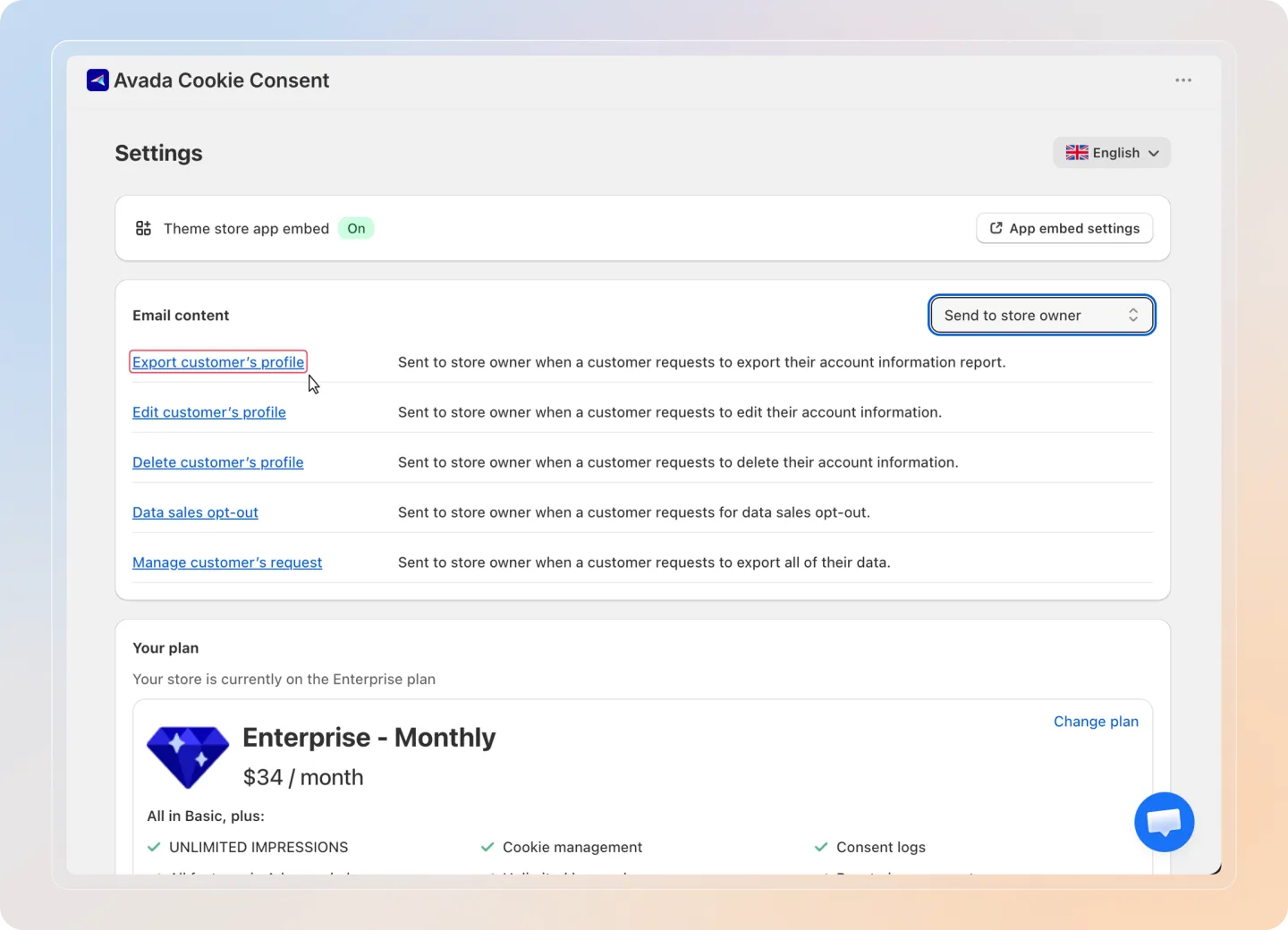
In the email template selector, choose "Send to store owner" from the dropdown menu.
Choose Template
Select one of the five available email templates:
| Template | Description |
|---|---|
| Export Customer Profile | Sent when a customer requests an export of their data |
| Edit Customer Profile | Sent when a customer requests to edit their personal data |
| Delete Customer Profile | Sent when a customer requests deletion of their data |
| Data Sales Opt-Out | Sent when a customer opts out of data sales (CCPA) |
| Manage Request | General notification for other privacy-related requests |
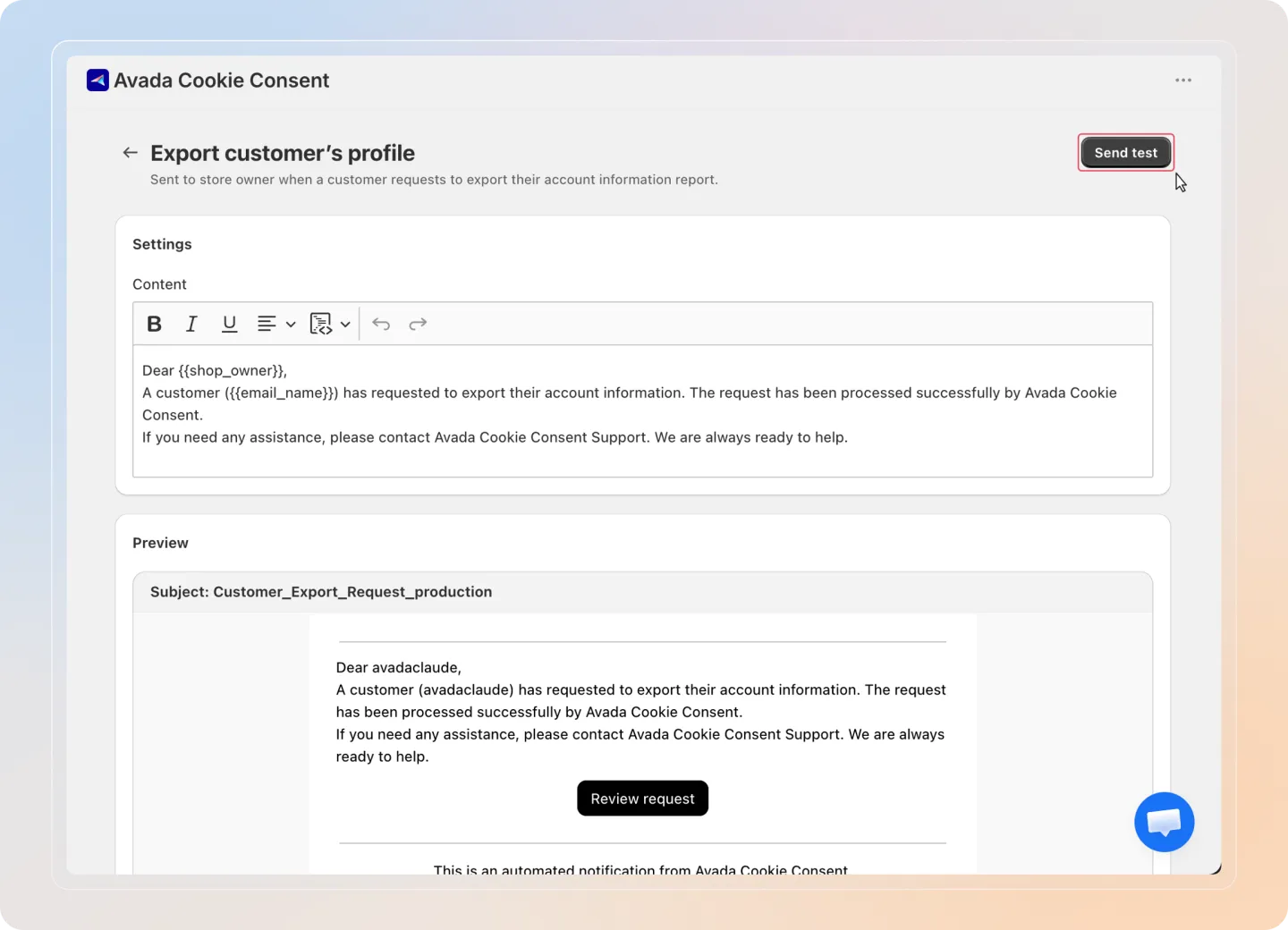
Edit Content
Customize the email body using the following template variables:
| Variable | Description |
|---|---|
{email_name} | The customer's email address |
{shop_name} | Your store's name |
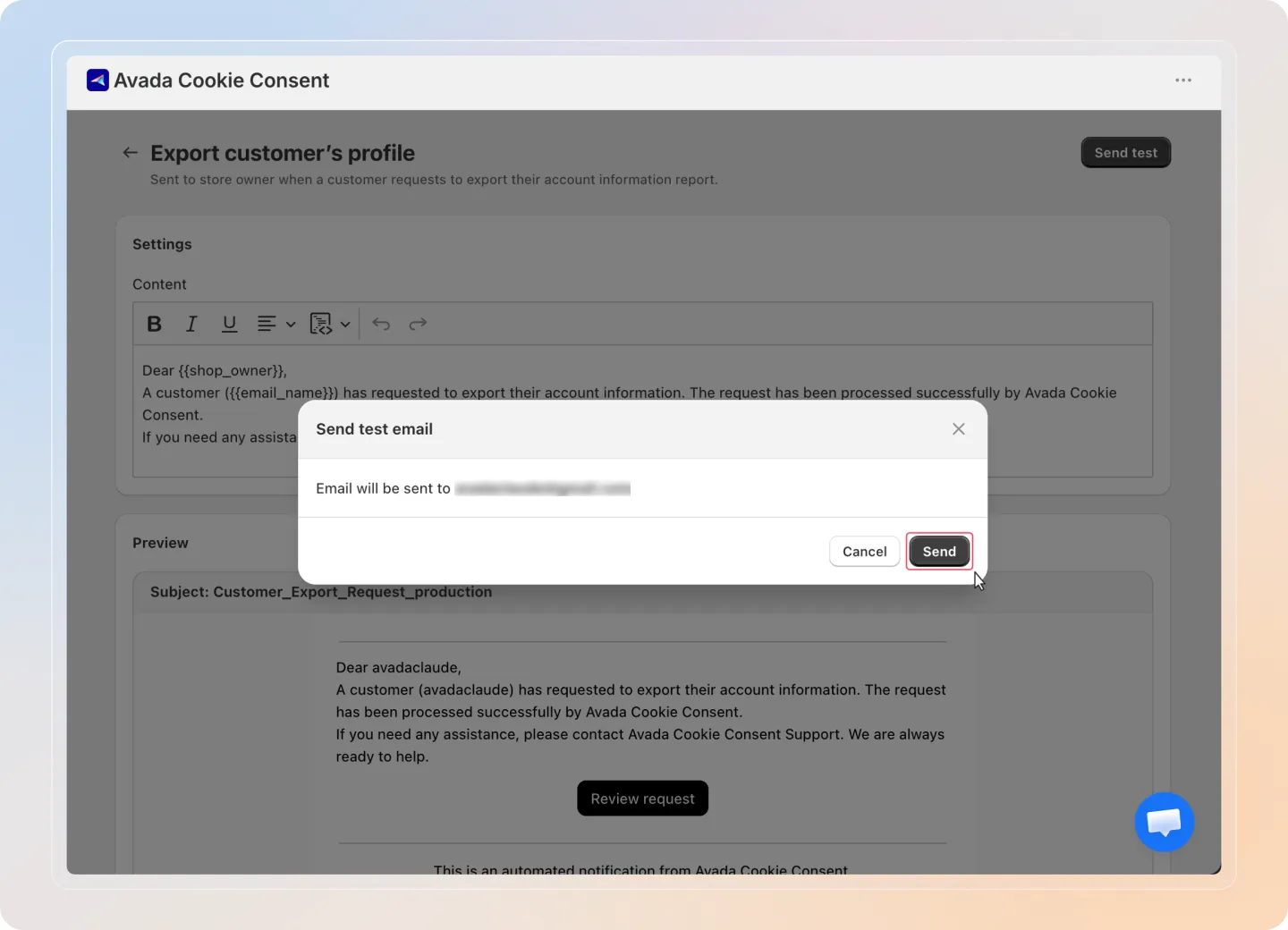
Send Test Email
Click Send test email to preview the email in your inbox before saving.
Save
Click Save to apply your changes. The customized email templates will be used for all future notifications.
How It Works
When a customer submits a privacy request through the Privacy Policy page:
- The customer's request is recorded in the Data Request section.
- A notification email is sent to the store owner using the appropriate template.
- The store owner reviews the request and takes the necessary action.