Set Up Consent Compliance on Shopify Checkout
This feature is available for Shopify Plus stores only.
Shopify Plus merchants can display the cookie consent banner on checkout pages to ensure compliance throughout the entire purchase flow.
Configure Banner Settings
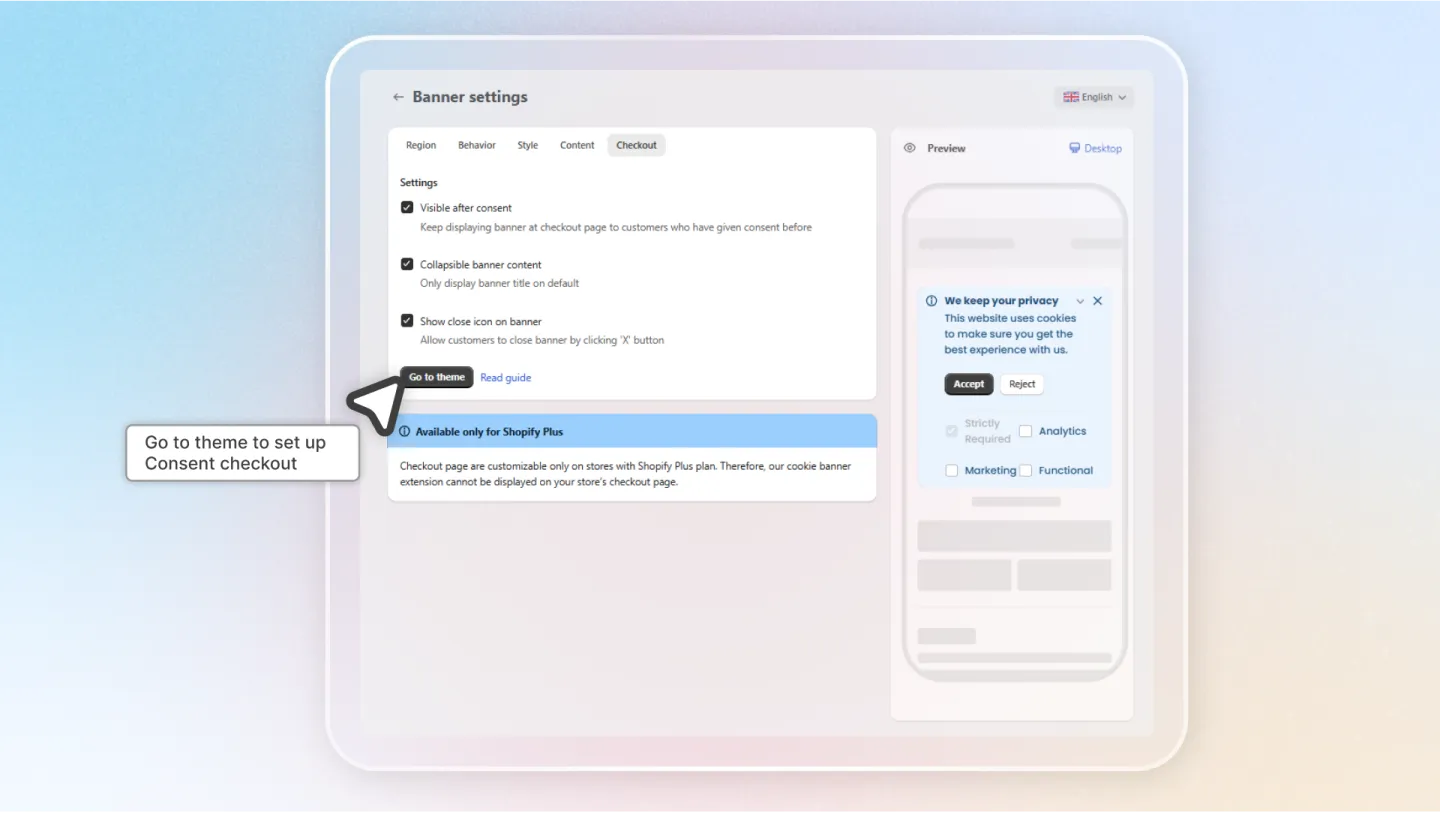
Navigate to Banner Settings and locate the Checkout section. Configure the following options:
| Setting | Description |
|---|---|
| Visible After Consent | Whether the banner remains visible after the visitor gives consent |
| Collapsible | Allow visitors to collapse/minimize the banner |
| Close Icon | Show a close icon on the banner for dismissal |
Choose Placement
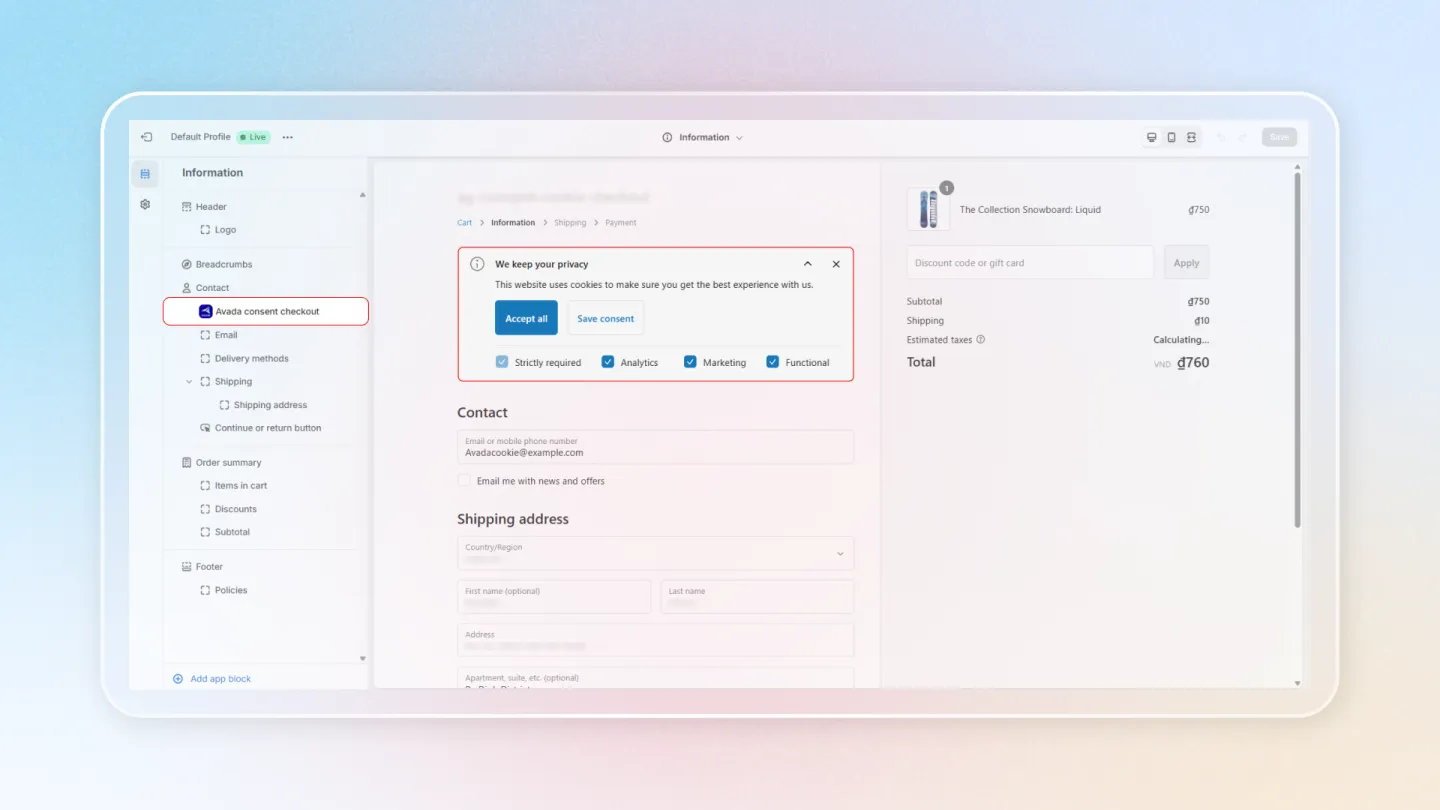
Select where the consent banner appears during checkout. You can place it on one or more of the following pages:
- Information page — Where customers enter their contact and shipping details
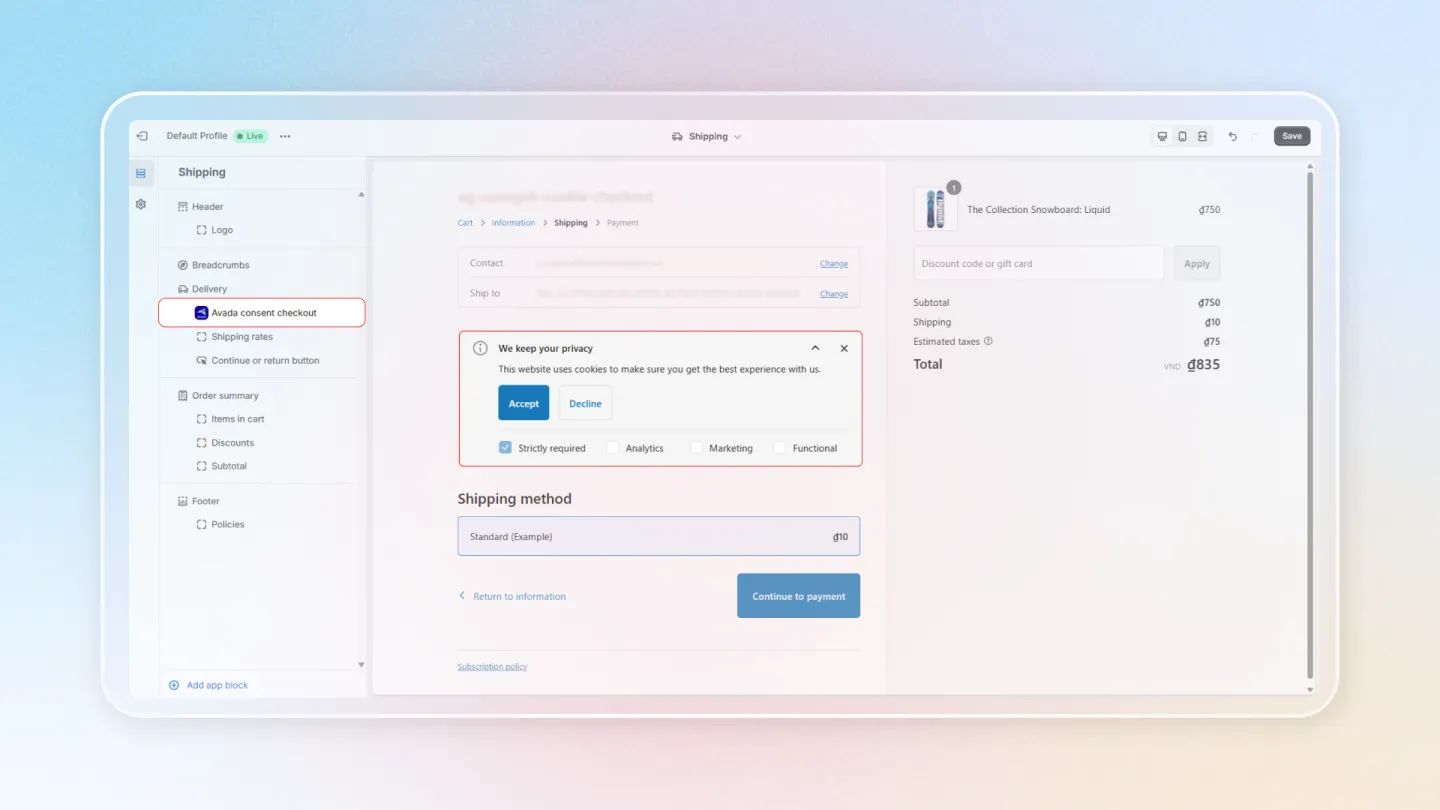
- Shipping page — Where customers select shipping methods
- Payment page — Where customers enter payment information
- Thank You page — The order confirmation page
Use drag and drop to position the banner within the checkout layout.
Save
Click Save to apply the checkout consent banner settings. Test your checkout flow to verify the banner appears correctly on the selected pages.
The checkout consent banner inherits the styling from your main banner settings. Customize the appearance in the Style tab of Banner Settings if needed.