Cookies Management
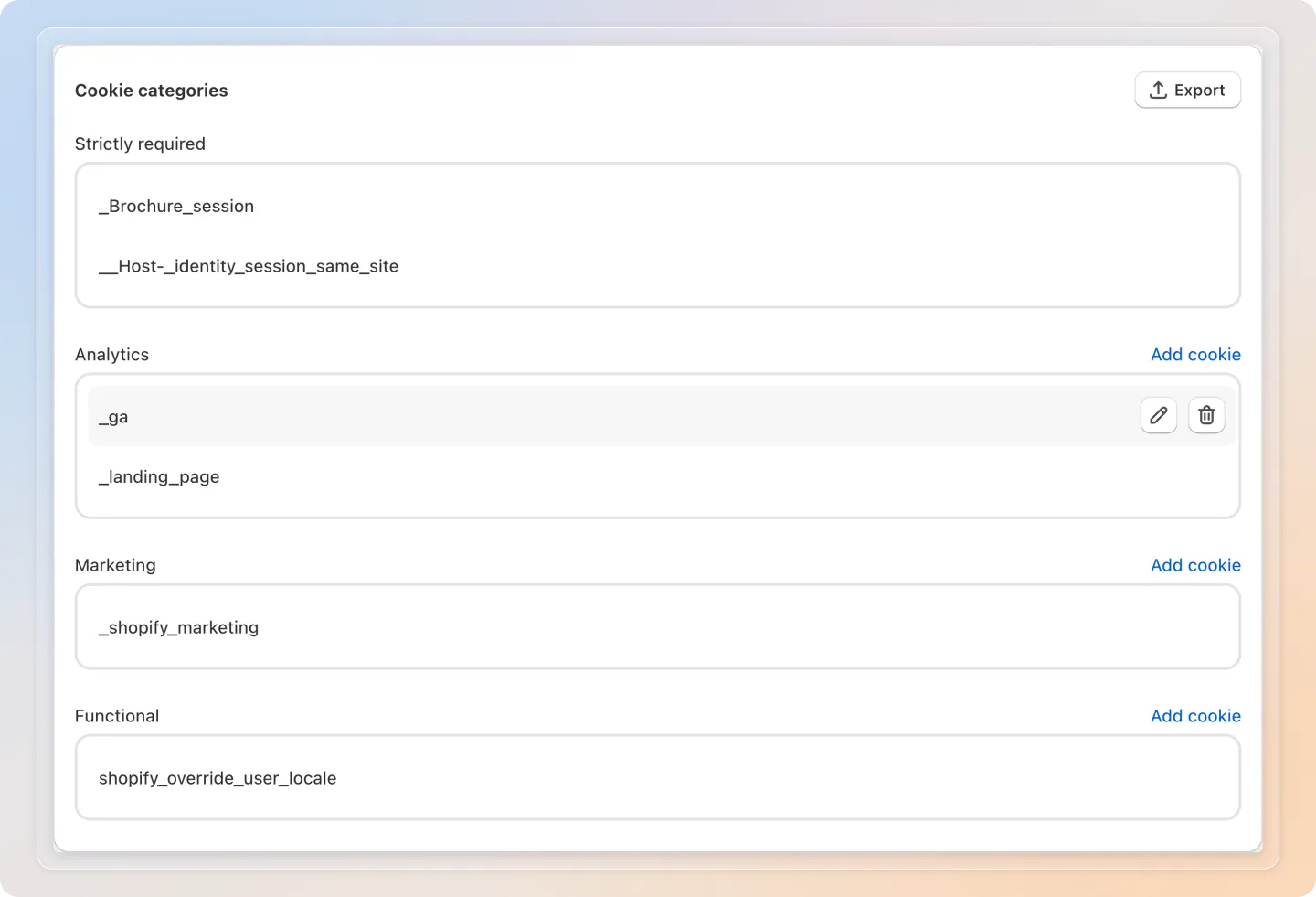
The Cookie management page lets you view, organize, and manage all cookies detected on your store. Cookies are grouped by category and displayed in the consent preference popup for your visitors.
Cookie Categories
Open Avada Cookie Consent and go to Cookies management. In the Cookie categories card, cookies are organized into four categories:
| Category | Description |
|---|---|
| Strictly required | Essential cookies needed for the website to function. These cannot be disabled by visitors. |
| Analytics | Cookies used to collect data about how visitors use your website (e.g., Google Analytics). |
| Marketing | Cookies used for advertising and retargeting purposes (e.g., Meta Pixel, TikTok Pixel). |
| Functional | Cookies that enable enhanced functionality and personalization (e.g., chat widgets, language preferences). |
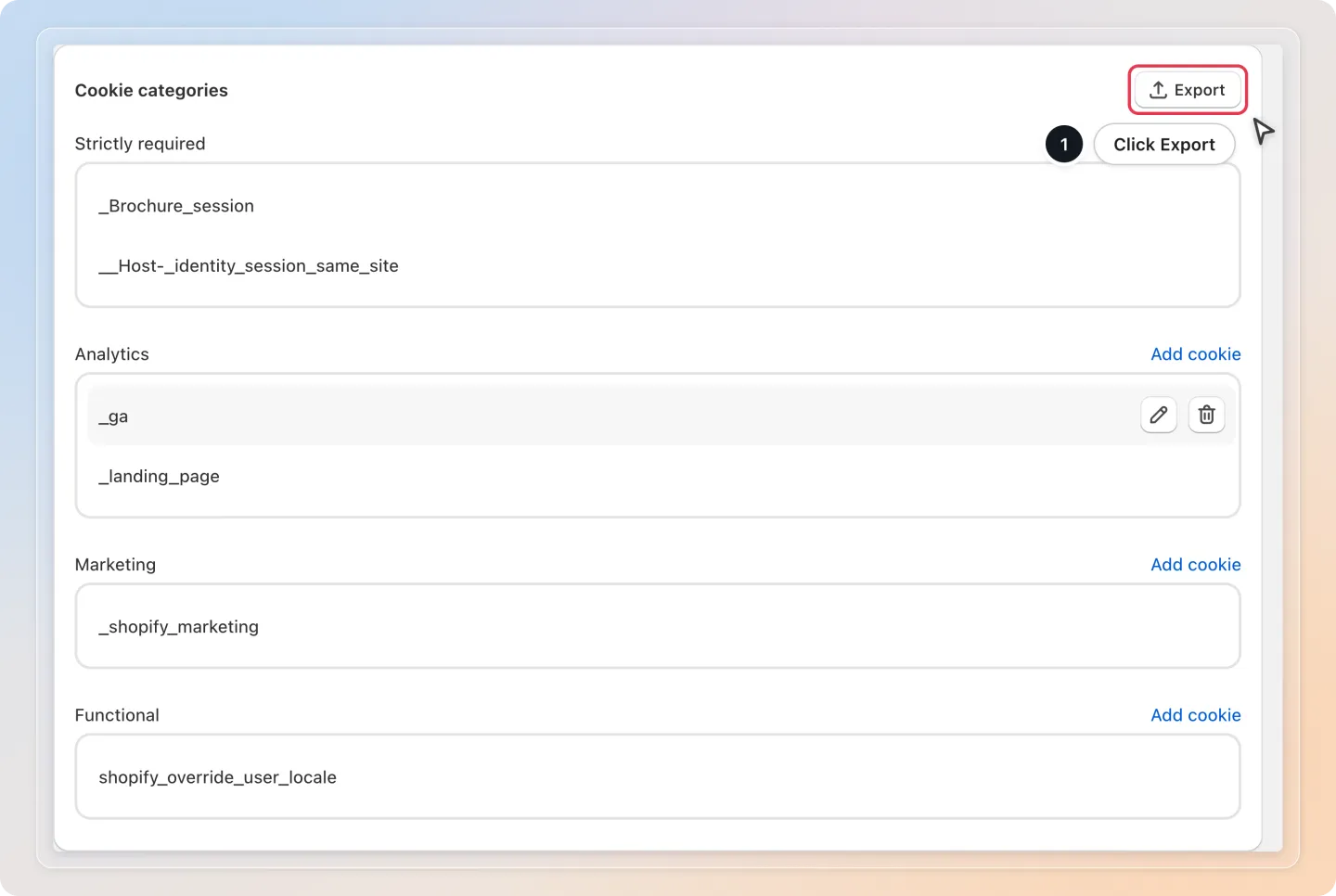
Export Cookies
Click the Export button to download your complete cookie list as a CSV file. This is useful for compliance documentation and audits.
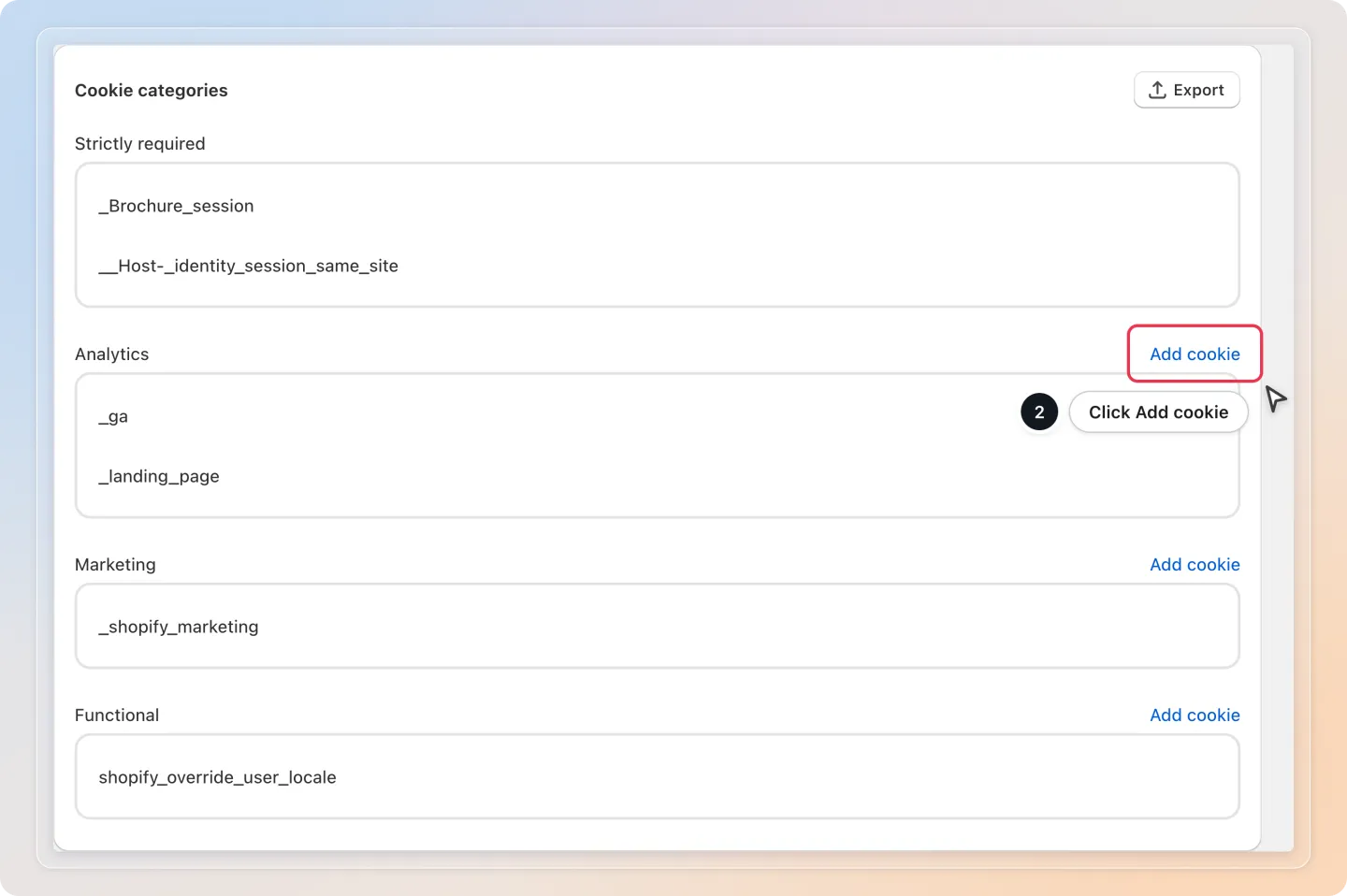
Add a Cookie
To manually add a cookie to your list:
- Click Add cookie next to the category the cookie belongs to (Analytics, Marketing, or Functional).
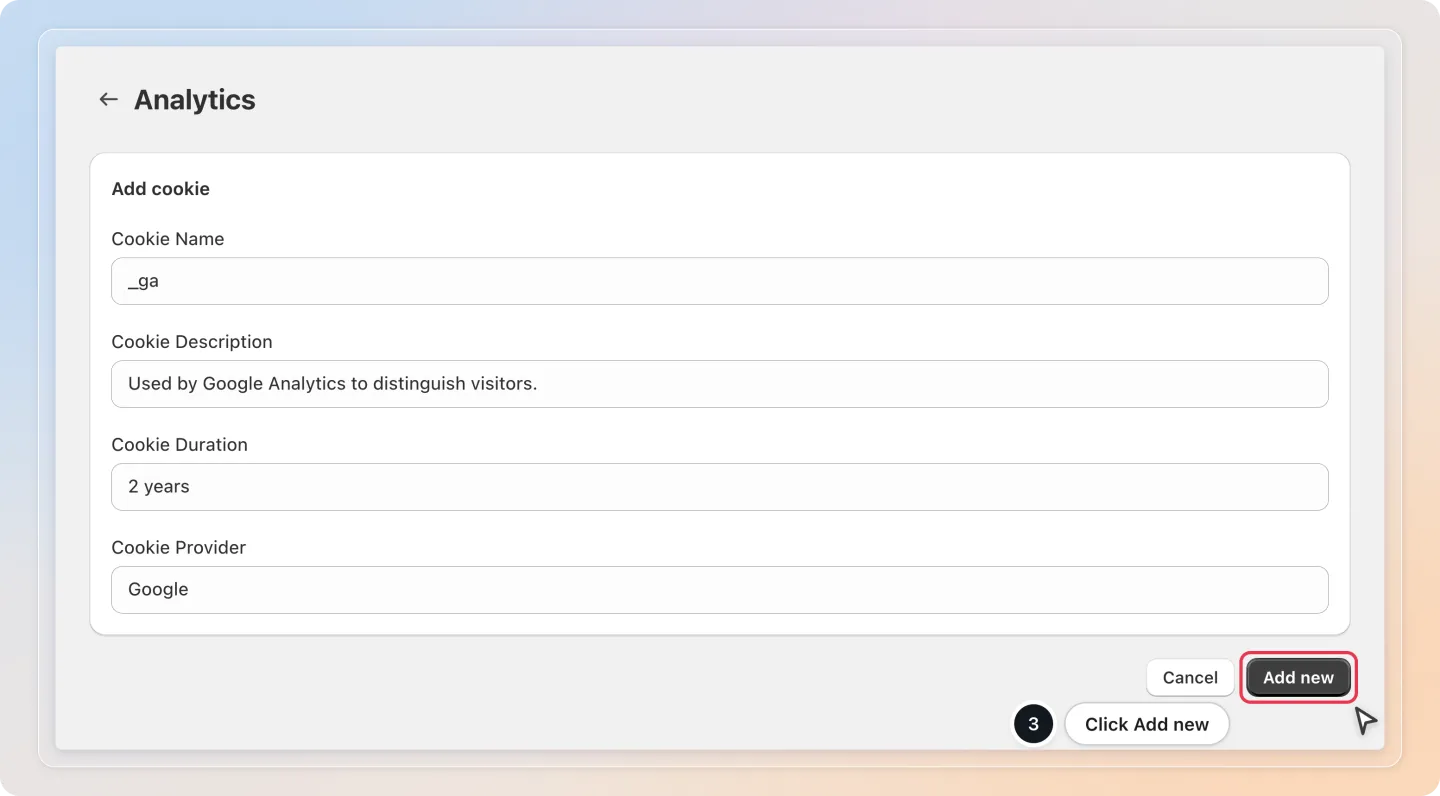
- Fill in the following fields:
| Field | Description |
|---|---|
| Cookie Name | The cookie name (e.g., _ga) |
| Cookie Description | A brief explanation of what the cookie does |
| Cookie Duration | How long the cookie persists (e.g., 2 years, session) |
| Cookie Provider | The service or company that sets the cookie (e.g., Google) |
- Click Add new.
Note: Strictly required cookies are managed by the app, so this category has no Add cookie link.
Edit or Delete Cookies
Hover over a cookie in the list to show its action buttons:
- To edit a cookie, click the pencil icon and update its details.
- To delete a cookie, click the trash icon.
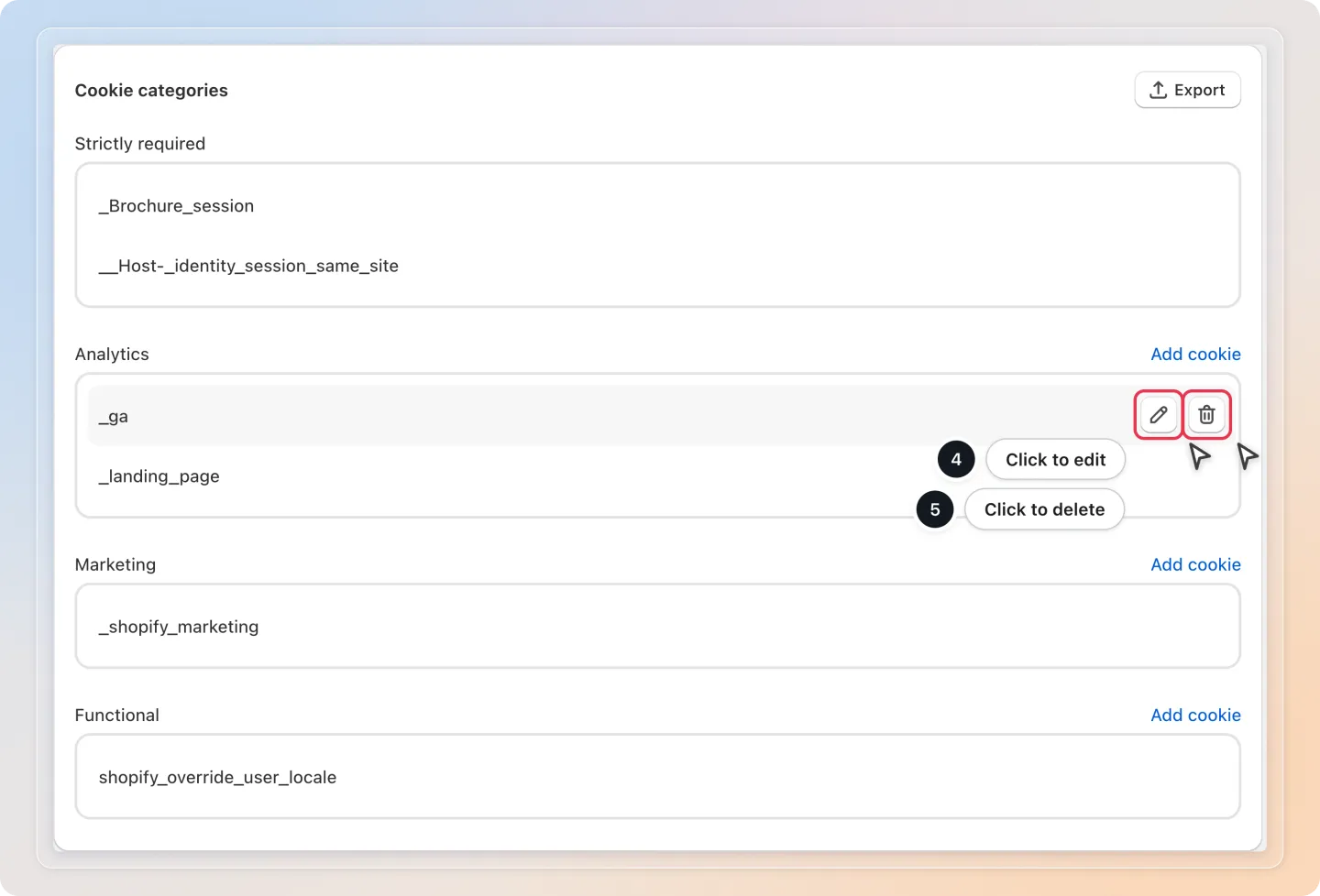
Warning: Deleting a cookie from the list does not remove the actual cookie from your website. It only removes it from the consent management display.
Show Cookie Details in the Preferences Popup
You can choose whether cookie details are shown in the Preferences popup that visitors see when they click "Preferences" on the banner.
- Go to Banner settings and open the Behavior tab.
- In the Banner type card, select Preferences or Accept/Preferences.
- Click Edit next to Display cookies information, then choose Yes to show cookie names, descriptions, and durations, or No to show only the cookie categories.
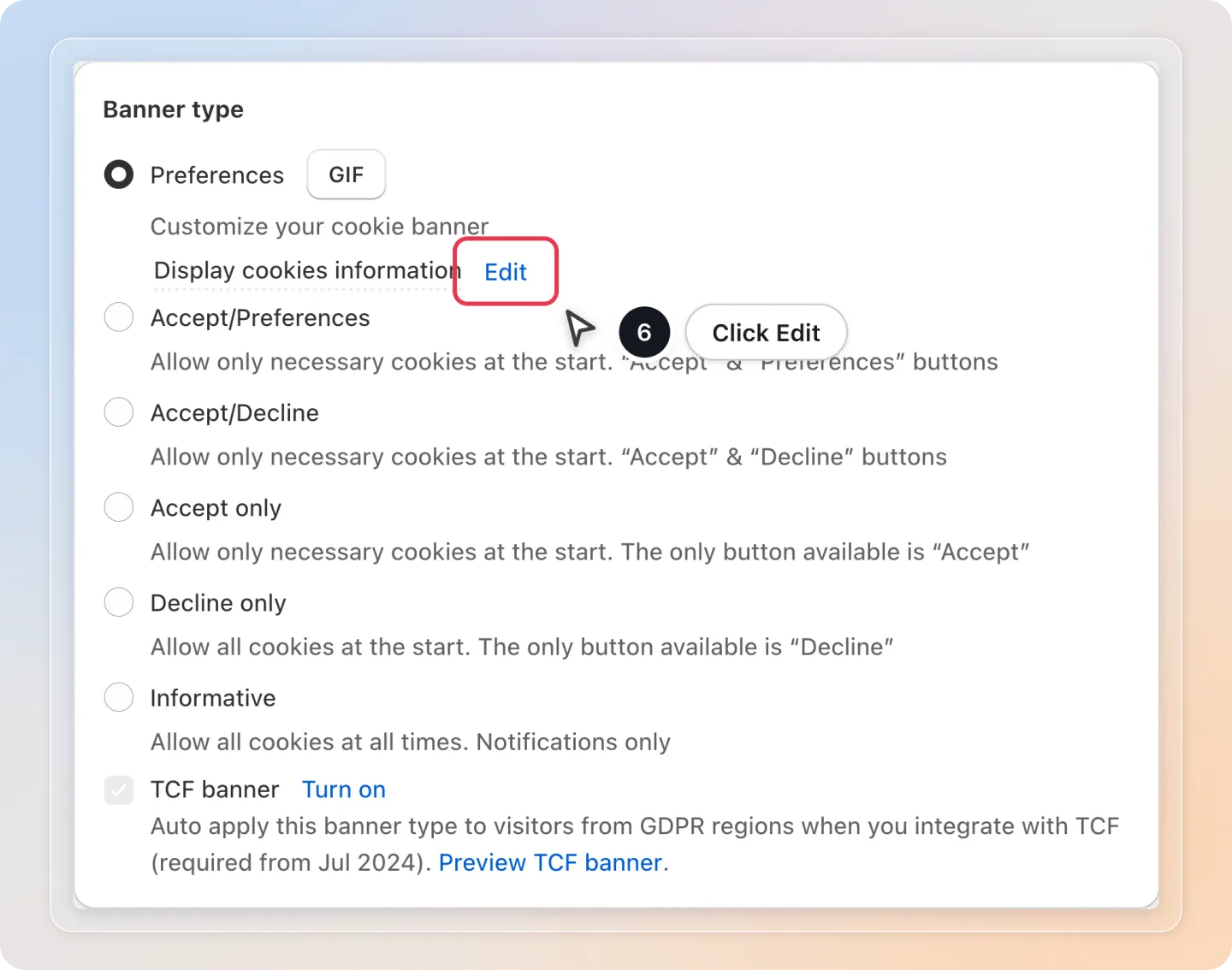
Note: Showing cookie details in the preferences popup provides greater transparency, which is recommended for GDPR compliance.
Tips
- Use Export before making bulk edits, so you have a backup of your current cookie list.
- Add a cookie to the category that matches its purpose, so visitors can accept or reject it correctly in the preferences popup.
Related Articles
- Set Up Cookie Bar Display
- Consent Activities
And there you have it! You now know how to manage your cookie list and show cookie details to your visitors. If you have any questions or run into any issues, don't hesitate to reach out. We're here to help!