Image alt text optimizer
Optimize how images shows on search results
Optimizing images helps search engines understand and index your images, boosting your store's visibility.
We help automate this process by enhancing your image alt text, making your products more discoverable in search results.
- Go to Image optimization -> Image alt text optimizer
- Choose your alt text optimization mode
AI Automation (Recommended): AI analyzes the image and writes natural, context-rich alt text for you.
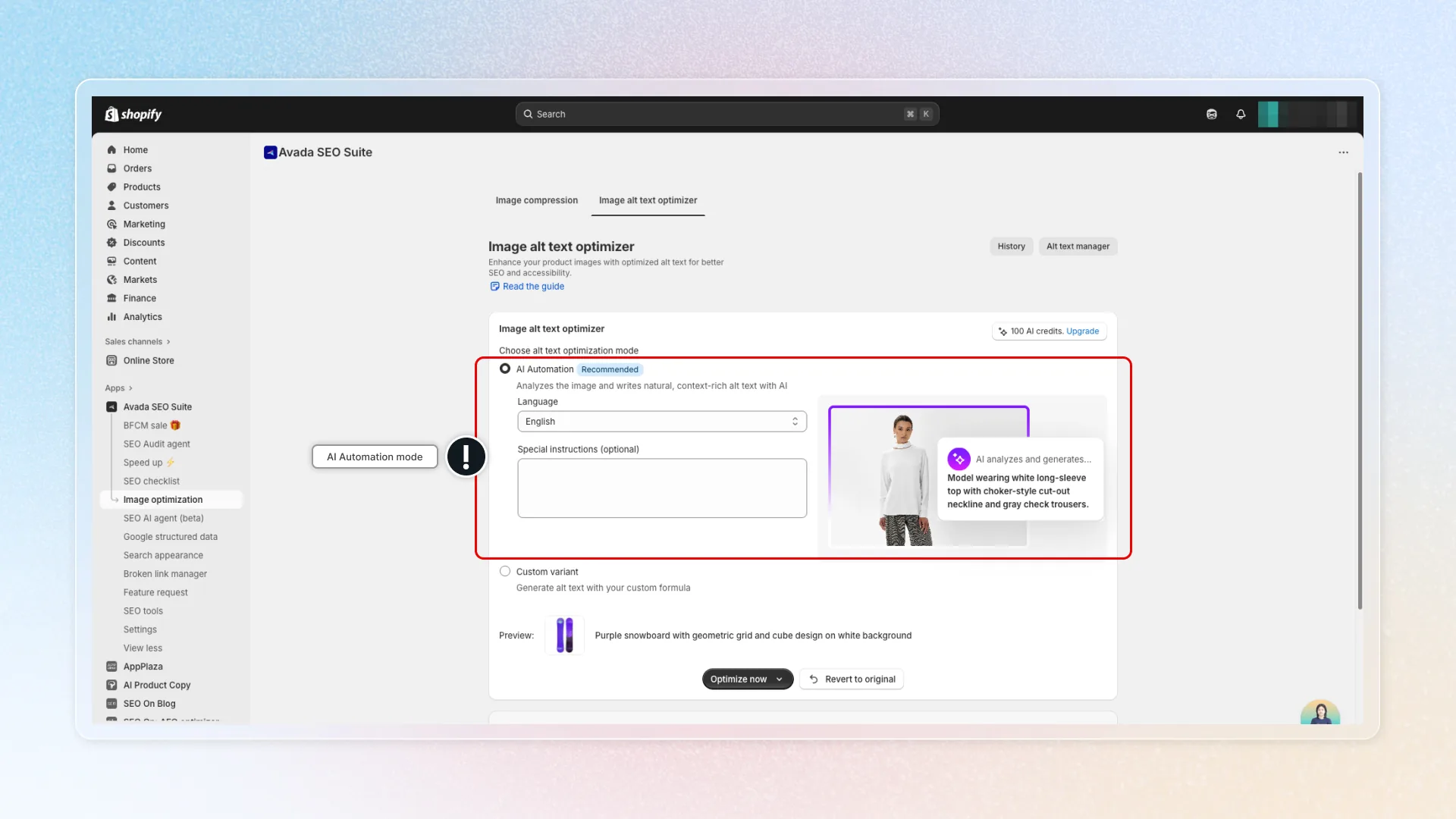
- Select the Language for your alt text.
- (Optional) Add Special instructions if you want AI to follow a specific tone, style, or keyword guideline (e.g. Highlight unique product features, mention material and color, keep tone professional and descriptive.)
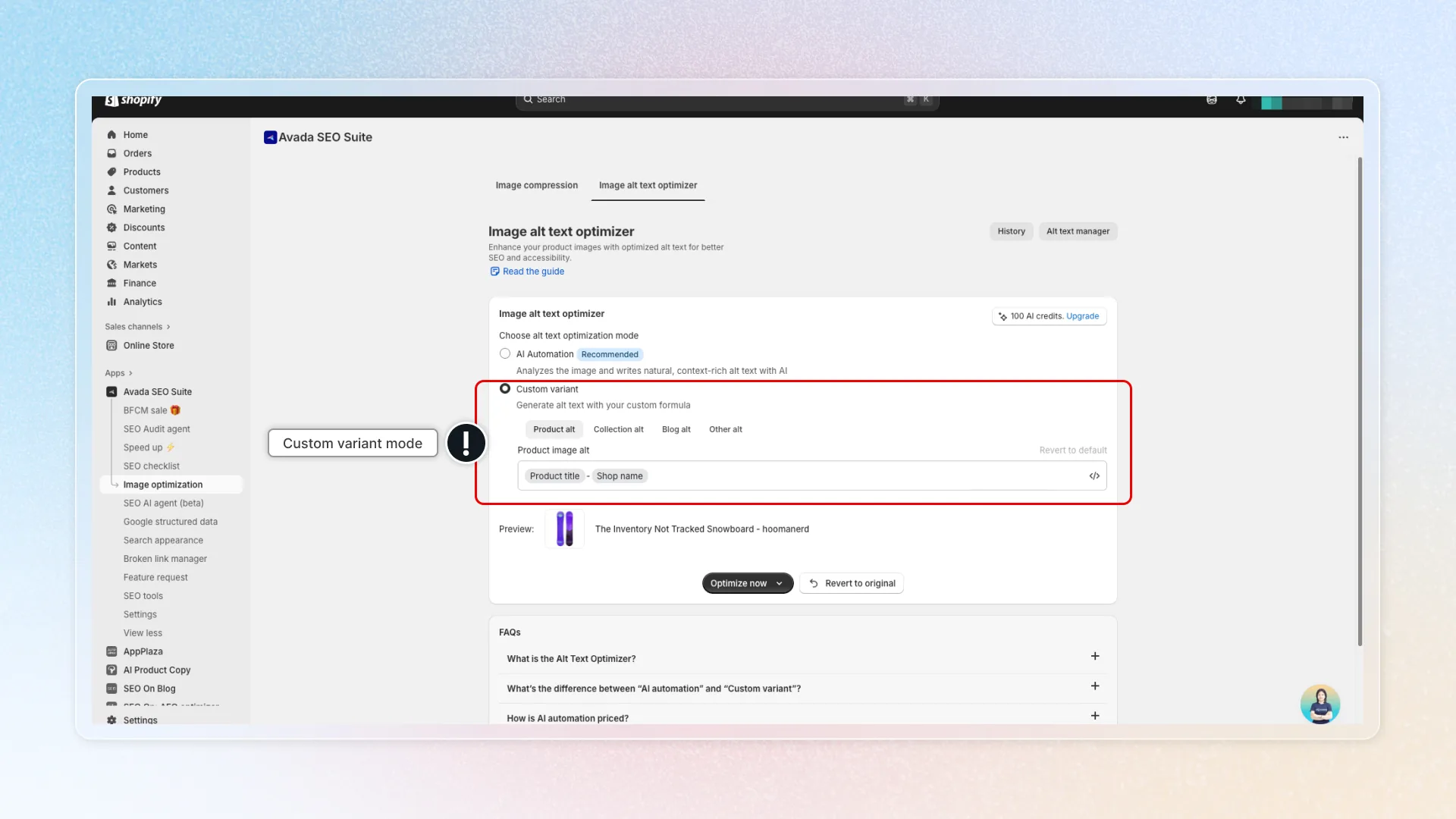
Custom variant: Generate alt text with your own formula using available variables (for example: Product title, Collection name, Shop name, etc.).
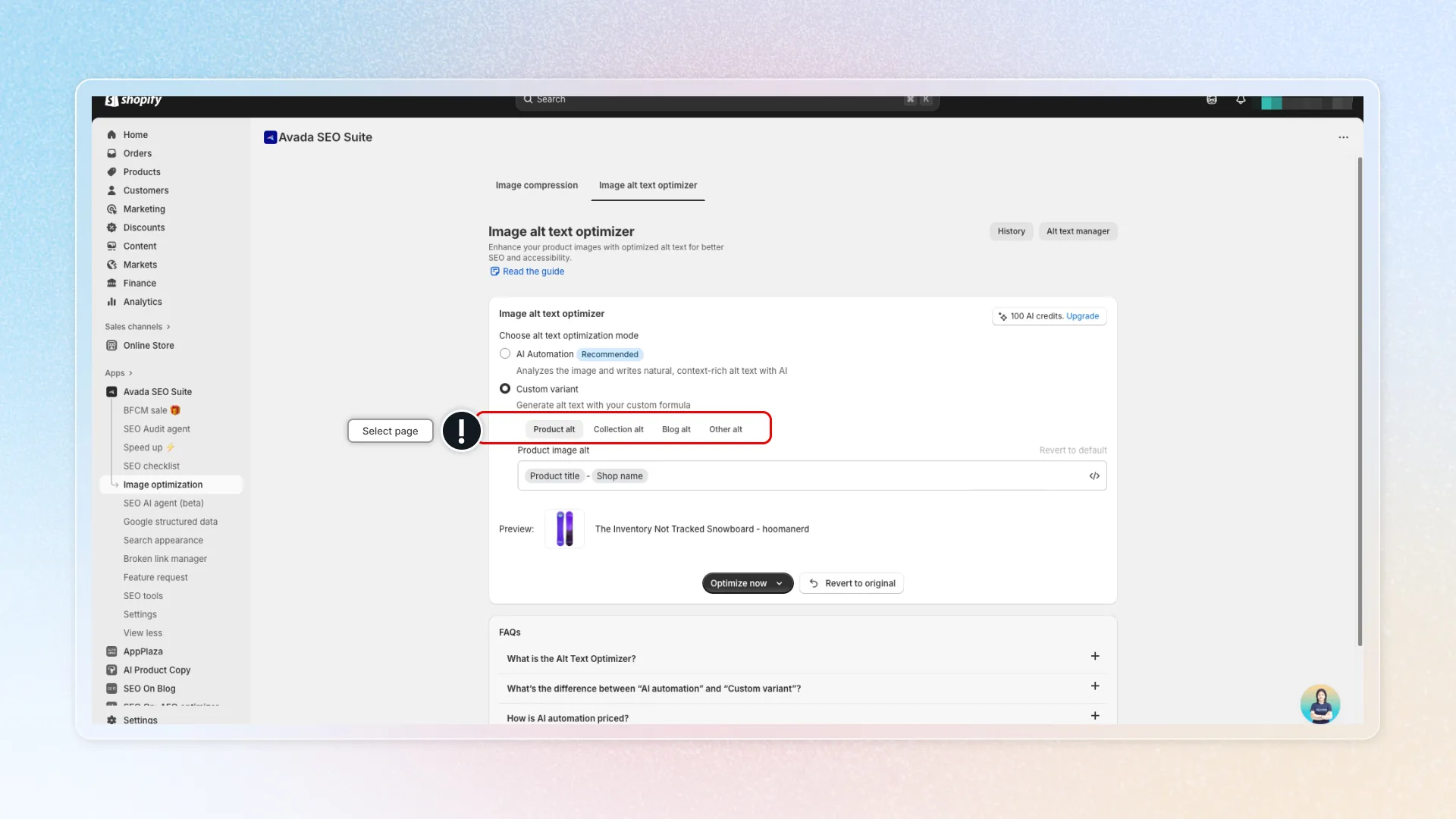
- Select page
- For each page, click the </> button to see and insert variables into your formula. See example.
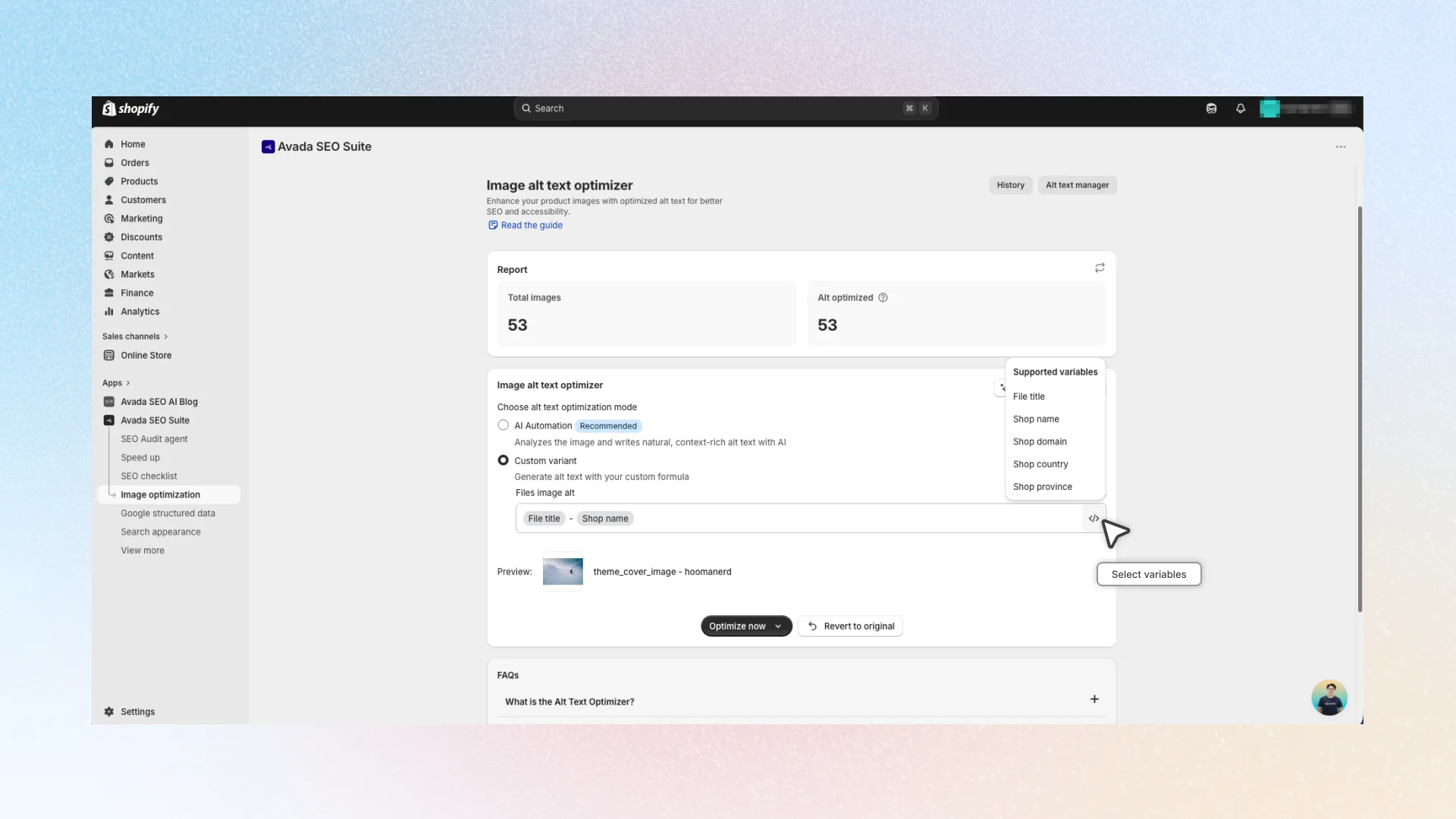
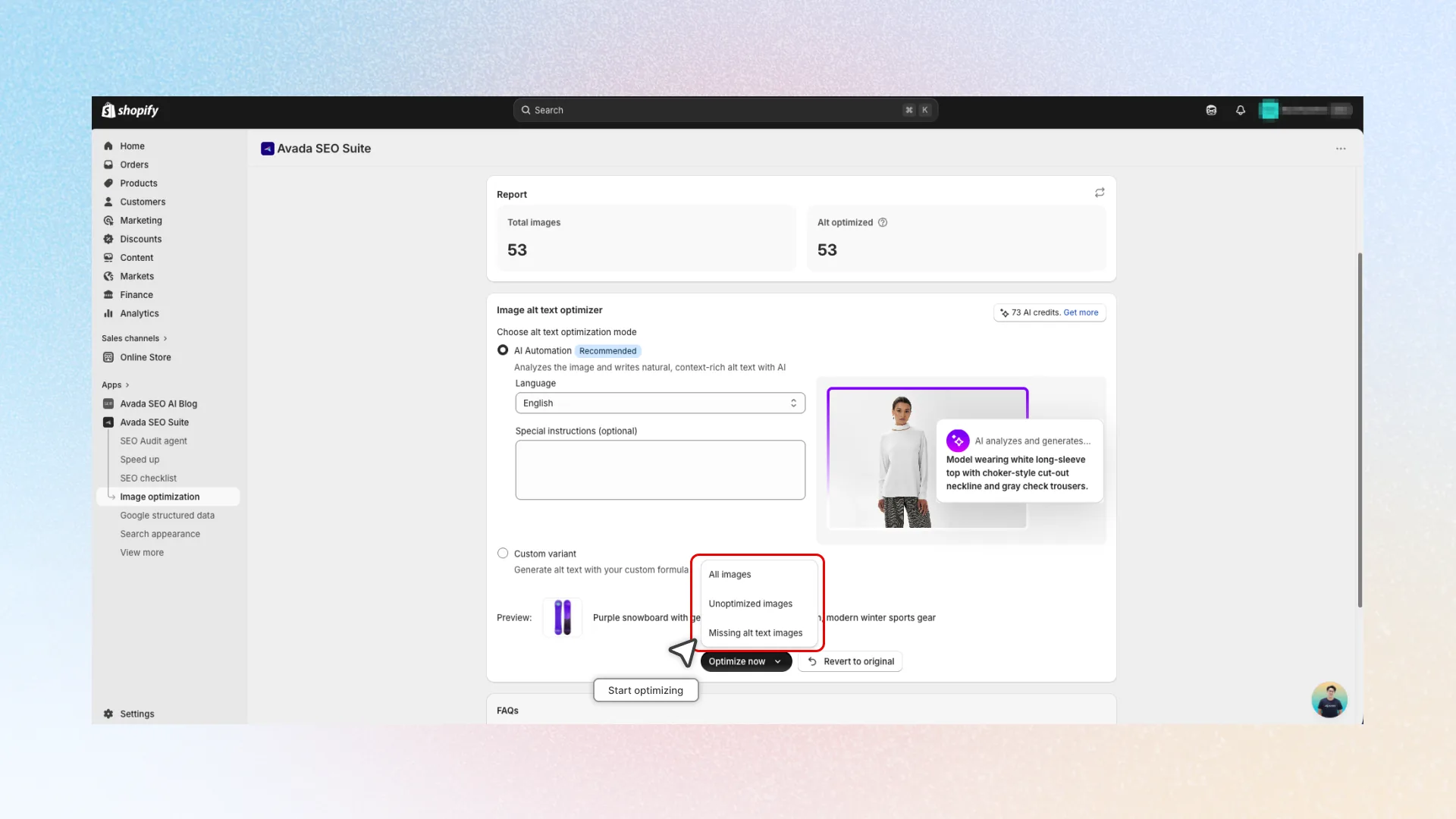
- Select which images you want to optimize, then click Optimize now to start optimizing.
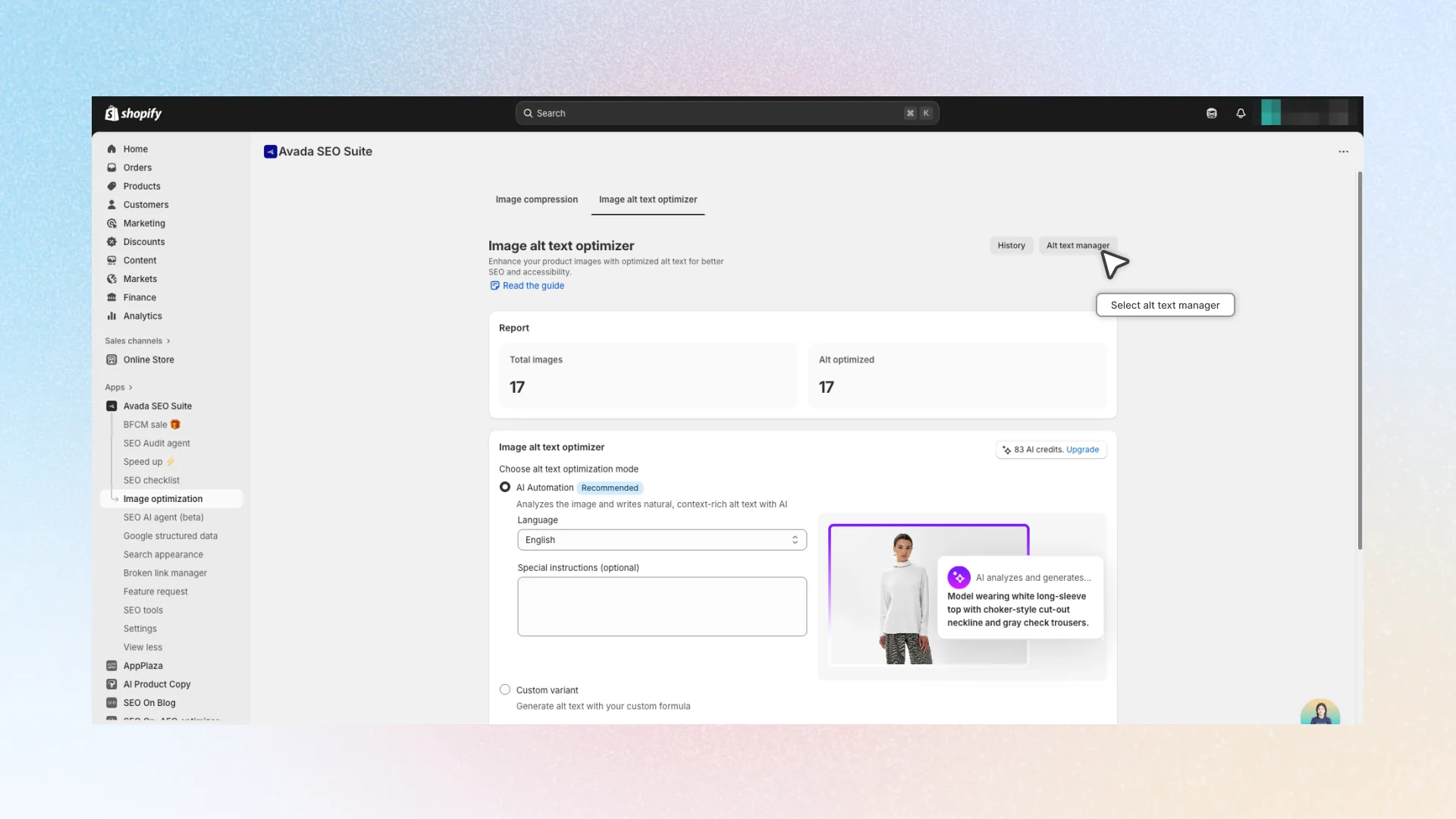
- After optimization, check the results in Alt text manager
- Hover to see the full result
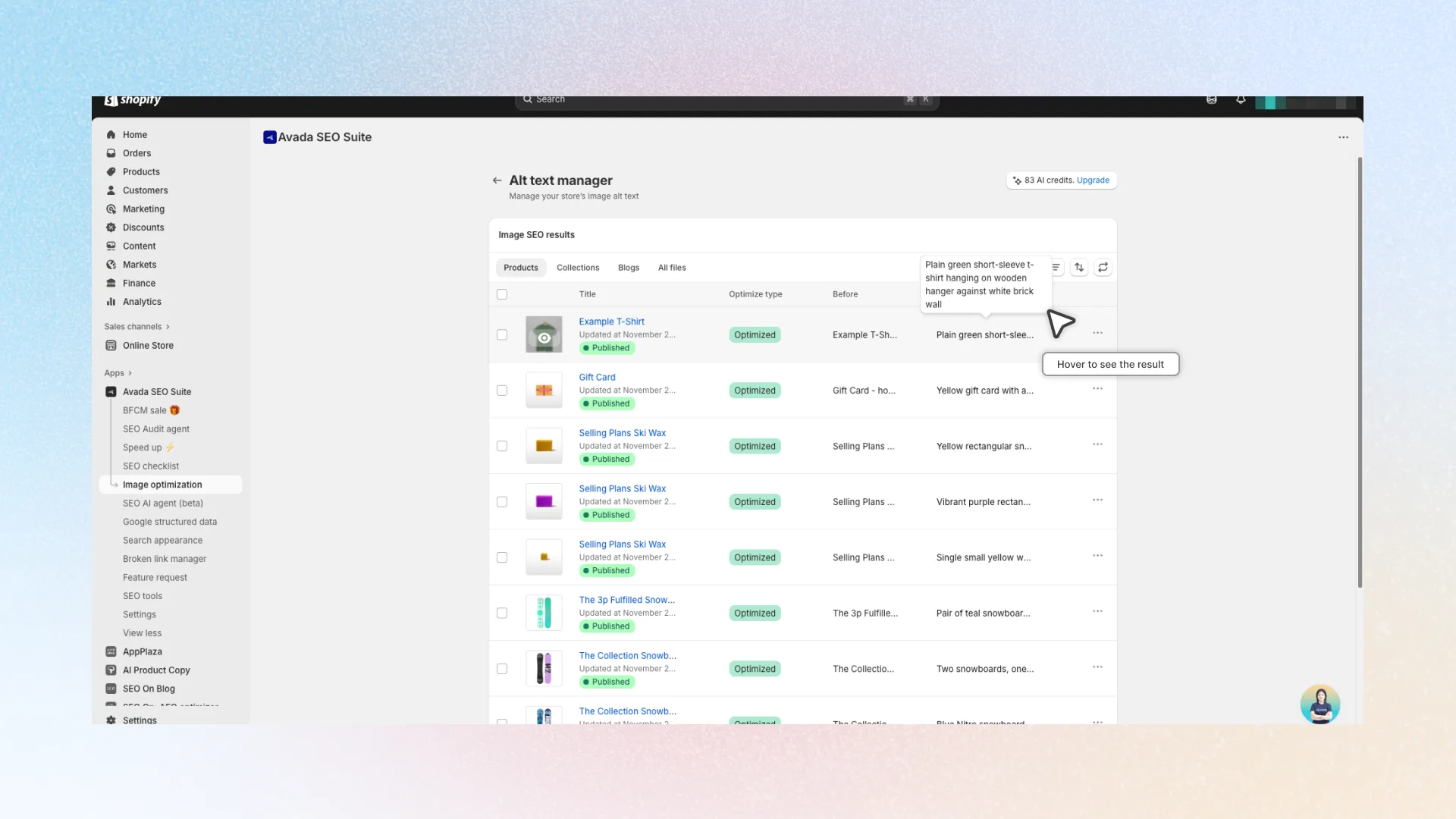
- If you want to revert alt to original versions, in the image you want to revert, click the ⋯ more actions menu → click Revert to original.