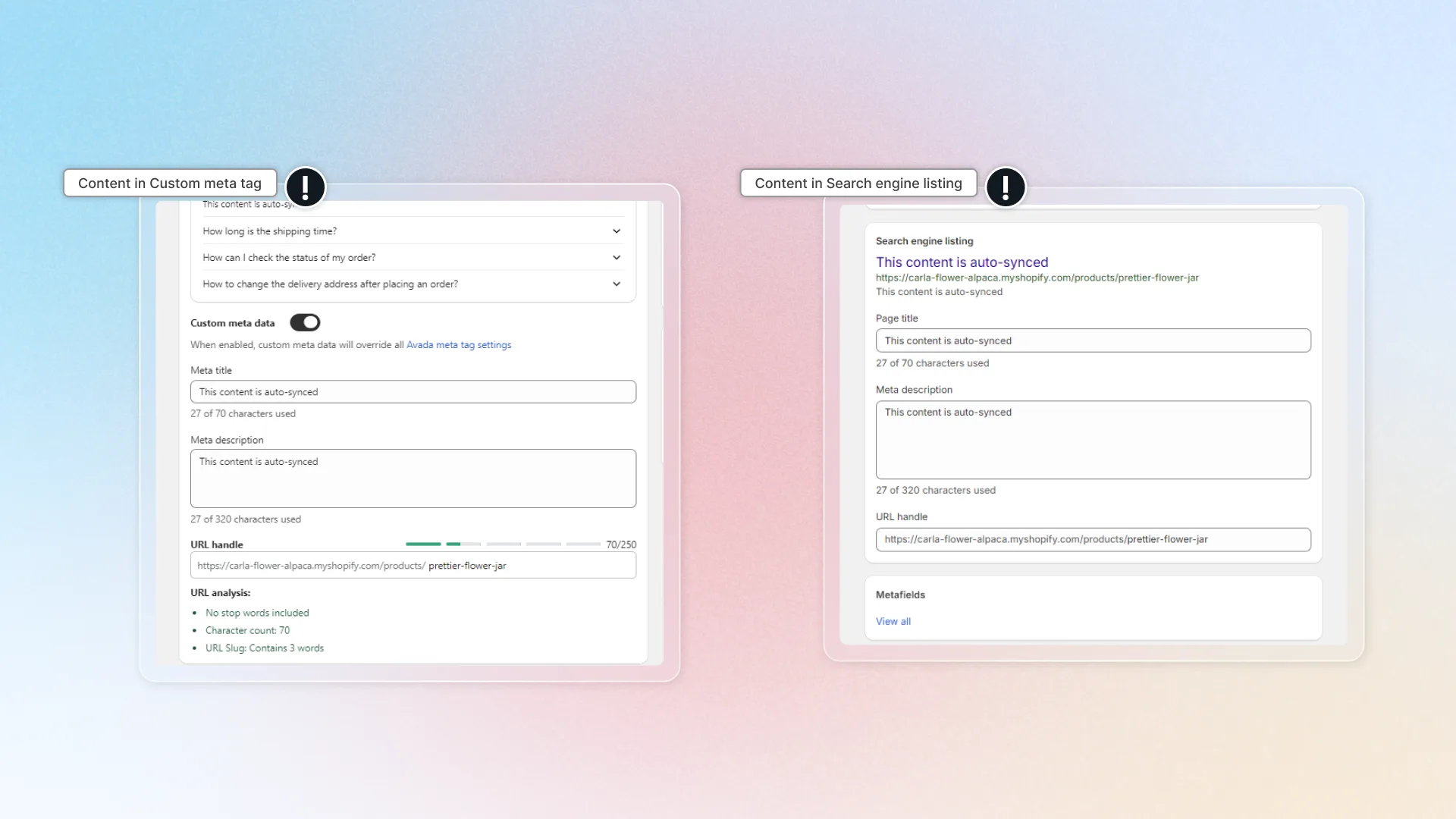
Custom meta tags details
Set unique meta title and description for a single page directly from SEO Audit.
Watch how to set custom meta tags for a single page. Click a step under the replay to jump to it, or click the replay to pause.
Custom meta tags details let you set unique meta title and description for a specific page. This overrides everything else — your Default meta tags, any matching Custom meta tags rule, and Shopify's native meta data.
How to set custom meta tags for a page
Open SEO Audit
In SEO Audit, click Explore details on the page you want to edit.
Select the page to edit
Pick the page whose meta tags you want to customize.
Turn on Custom meta data
In the Meta tags section, turn on Custom meta data. The Meta title and Meta description fields appear, filled with the page's current meta tags.
Edit your title and description
Type the meta title and description you want.
Click Save
Save the settings.
Test on search results
AI generate
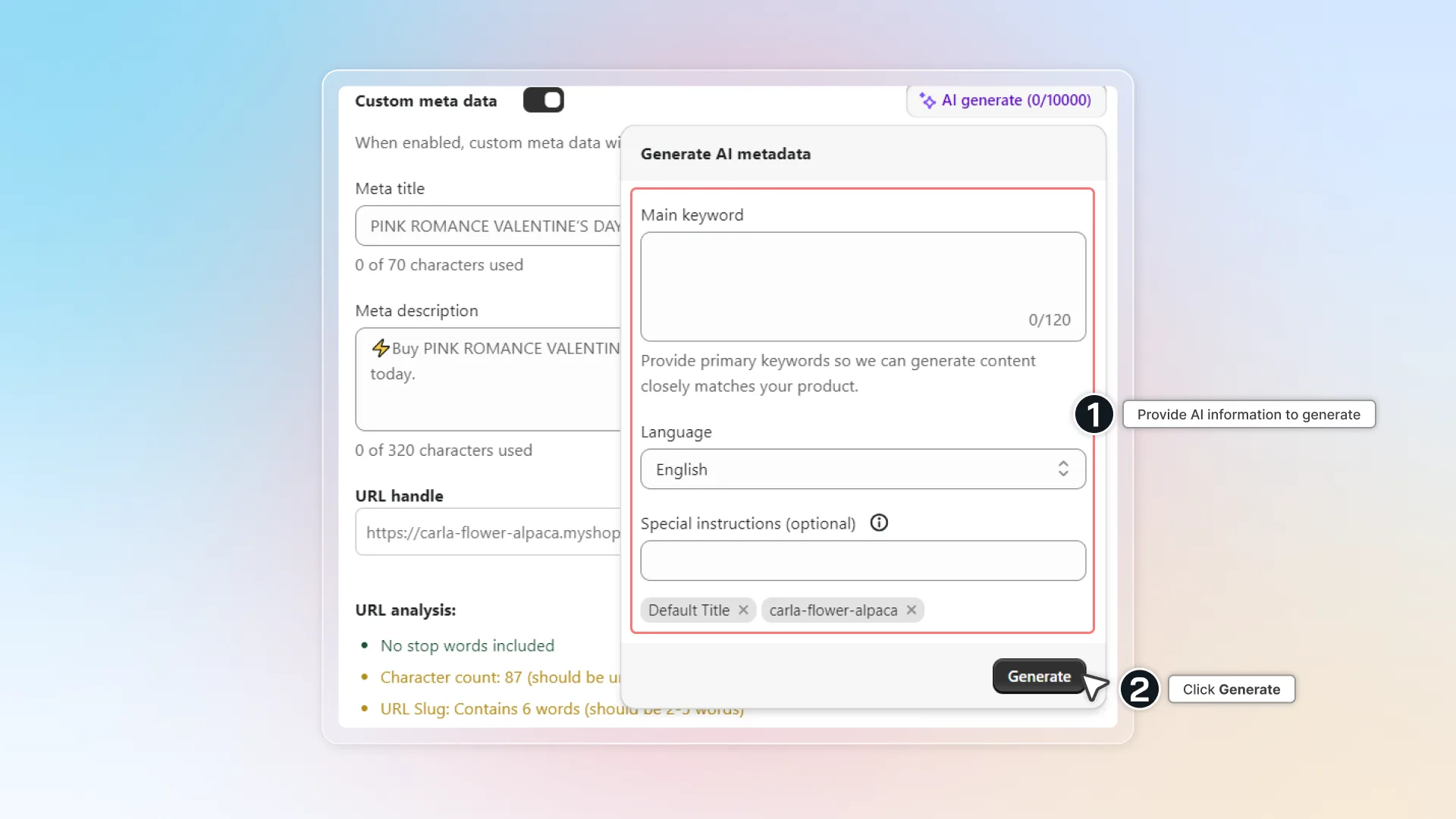
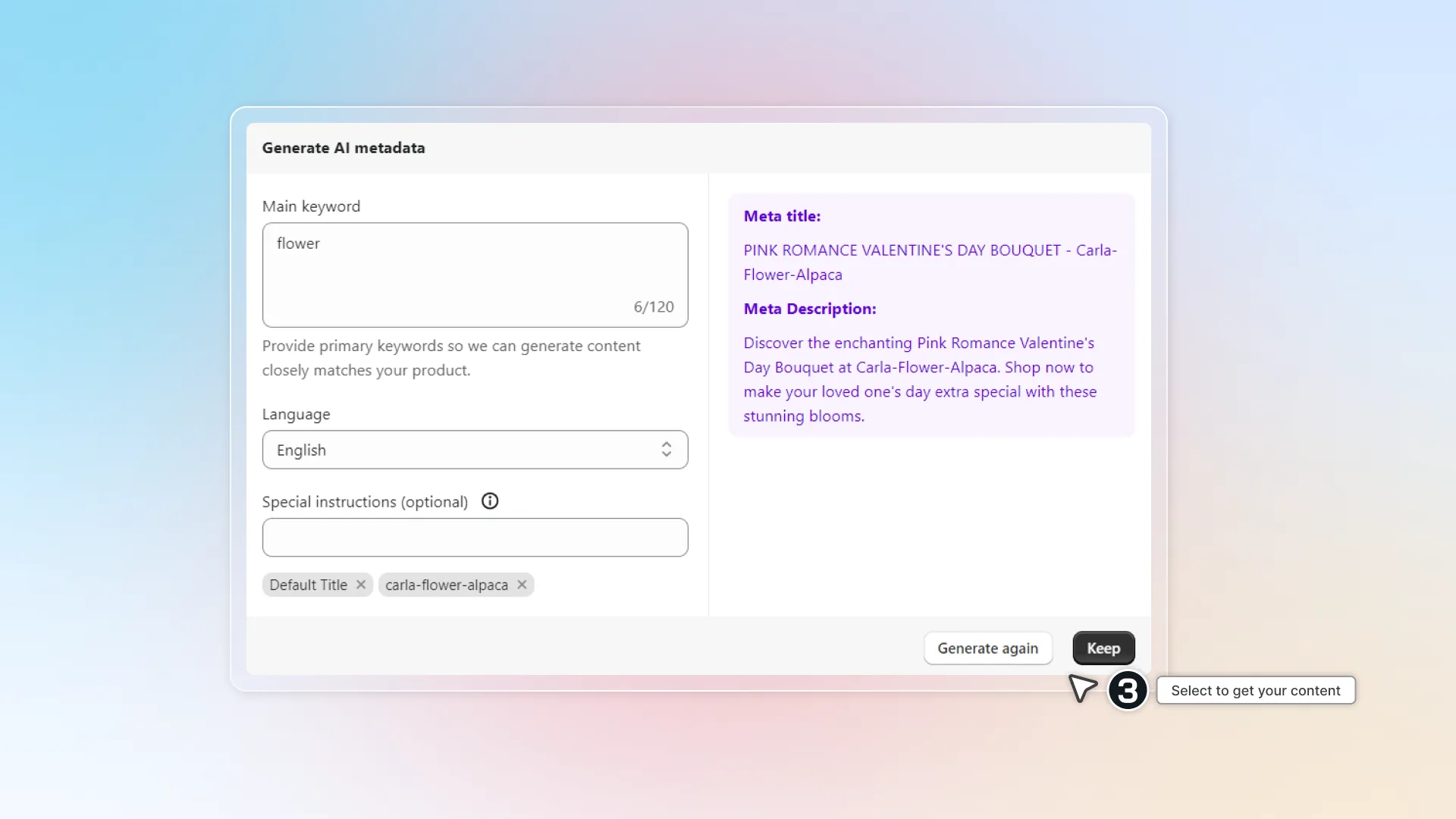
You can use our AI to generate your meta title and meta description.
- After turning on Custom meta data, click AI generate.
- Provide AI your product information and click Generate so it can generate proper content.
- Select Keep to use the content generated by AI, or Generate again.
How many times can I use the AI meta tags generator?
AI generator credits vary by plan:
- Free — 100 credits
- Pro — 1,000 credits
- Enterprise — 10,000 credits
Auto-sync with Shopify
Custom meta tags are auto-synced with the Search engine listing section in Shopify admin.