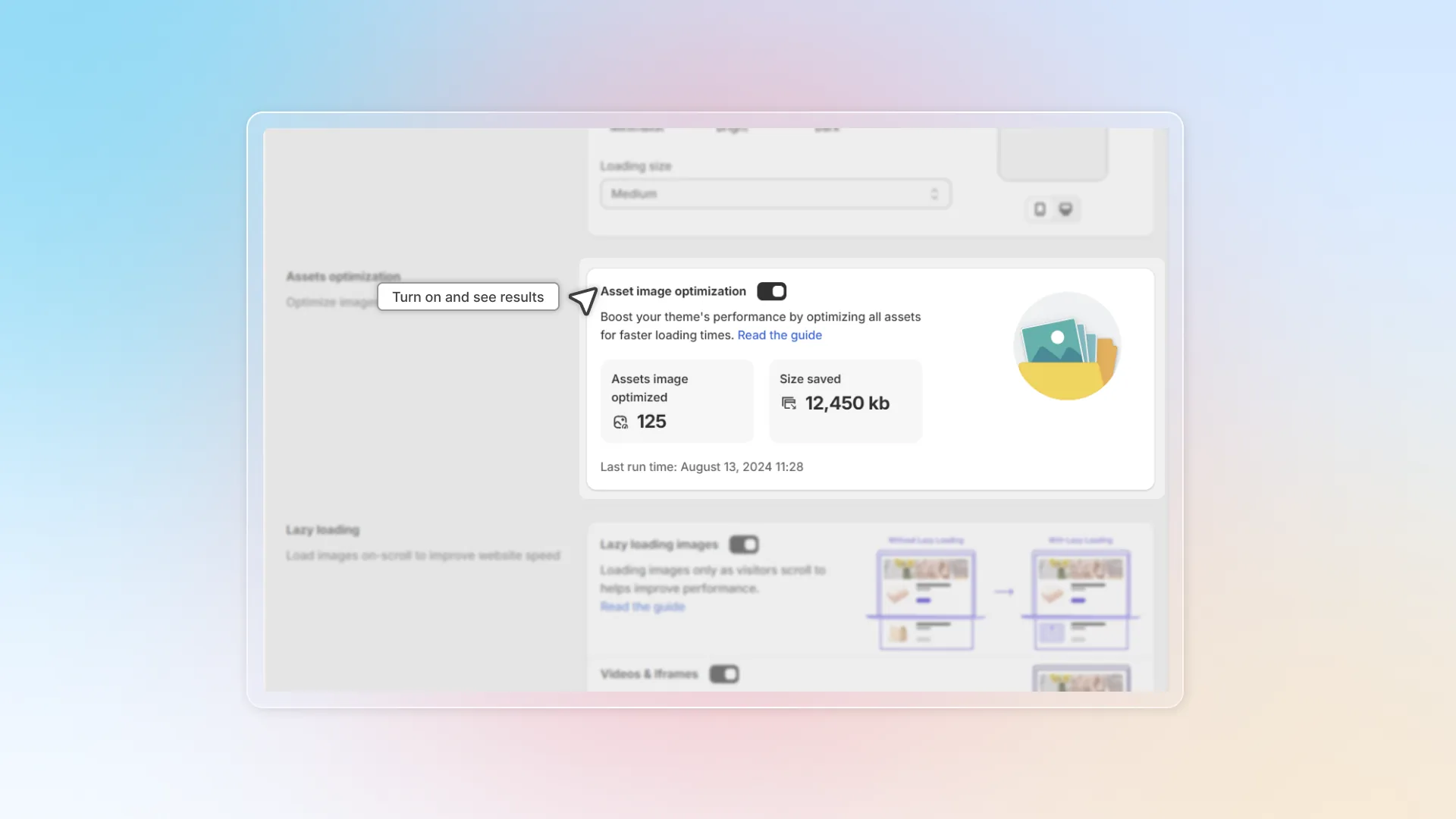
Assets optimization
Optimize all images in assets file to load page faster
Watch how to turn on Asset image optimization and save it. Click a step under the replay to jump to it, or click the replay to pause.
What is asset?
Asset files in theme the individual files that make up a shop's theme.
You can find assets file in the Online store -> Theme -> Edit code -> Find "Assets"
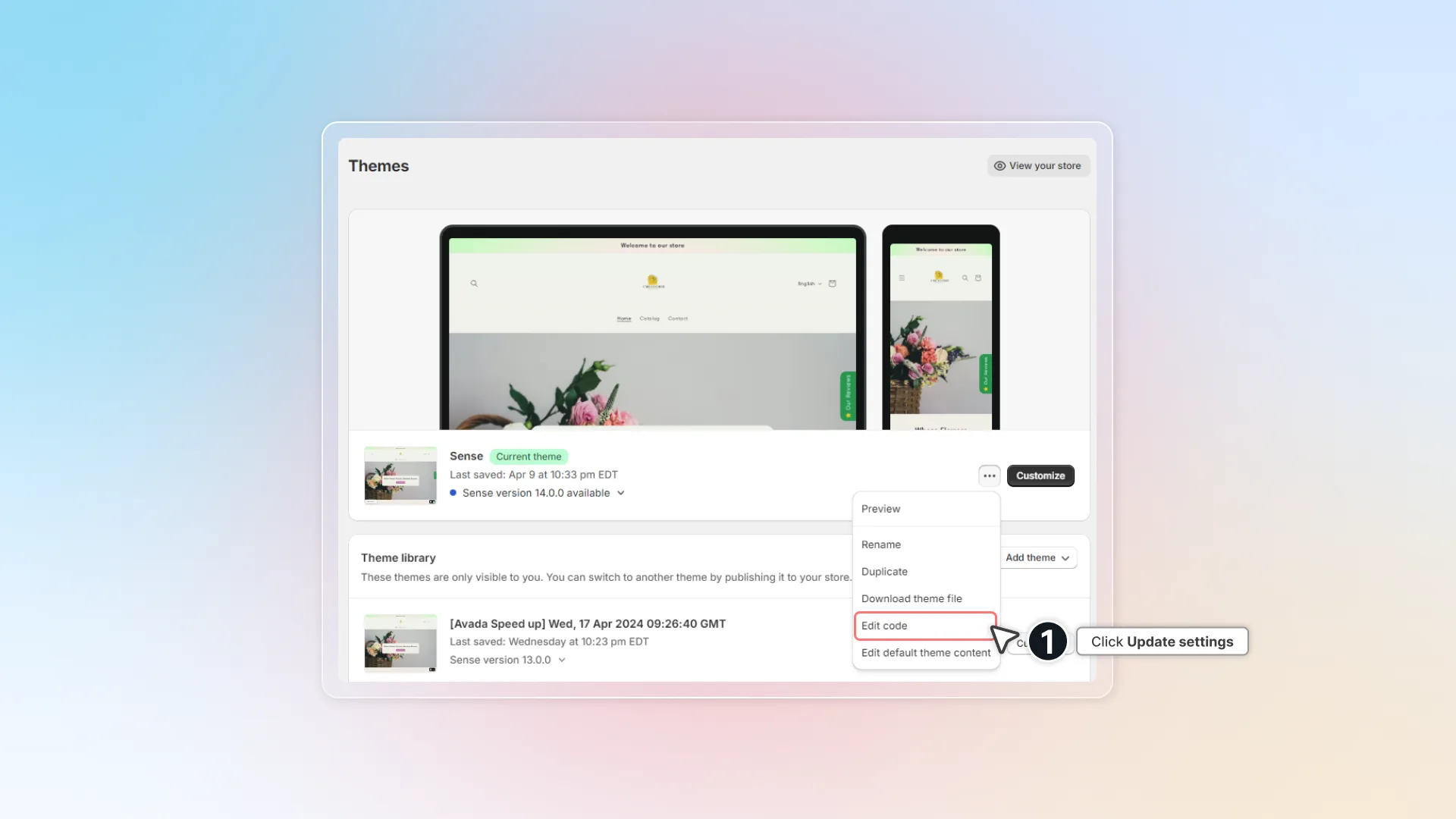
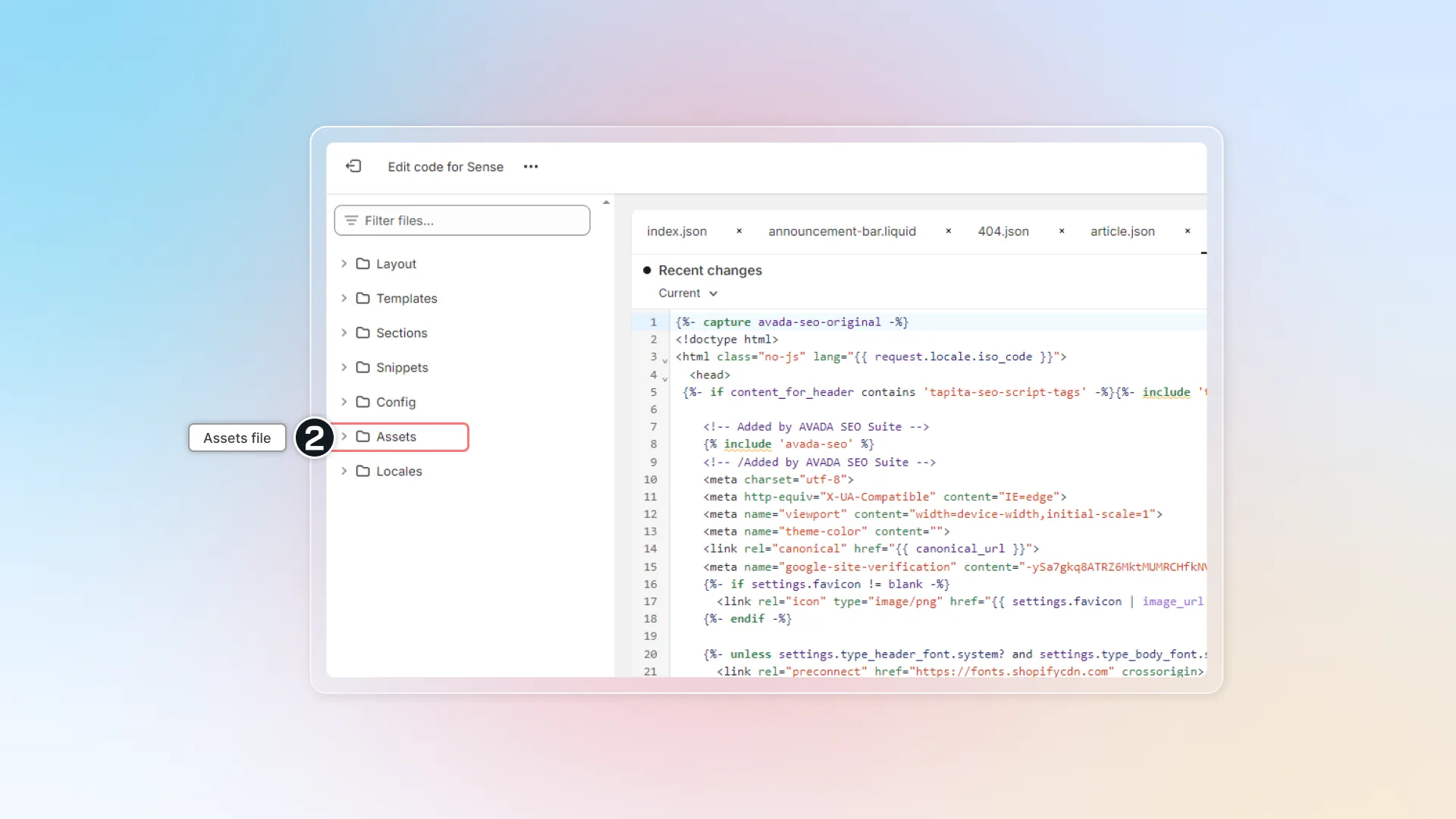
A theme's assets include its templates, images, stylesheets, and extra snippets of code. They are arranged among the theme's directories, such as layout, templates, and assets.
Learn more about Asset with Shopify (opens in a new tab).
How does Assets optimization help?
We help optimize all images in assets file.
Images in assets:
- are typically files uploaded to the Files (opens in a new tab) section in your Shopify admin
- might not be in product, collections and blog posts pages
- In "Speed up customization" -> Assets optimization
- Turn on the Asset image optimization
- Click Save
- After speeding up with customized mode, you'll see details of the assets optimization.