AI content
Use AI to generate SEO content for your entire store at scale — meta titles, meta descriptions, and FAQs — from one place.
What is AI content?
AI content is a hub that brings every AI writing tool in Avada SEO Suite into a single screen. Instead of opening each product or collection one by one, you pick the type of content you want and let AI generate it in bulk across your whole store — choosing the language, the amount, and any special instructions.
You'll find it in the app under AI content.
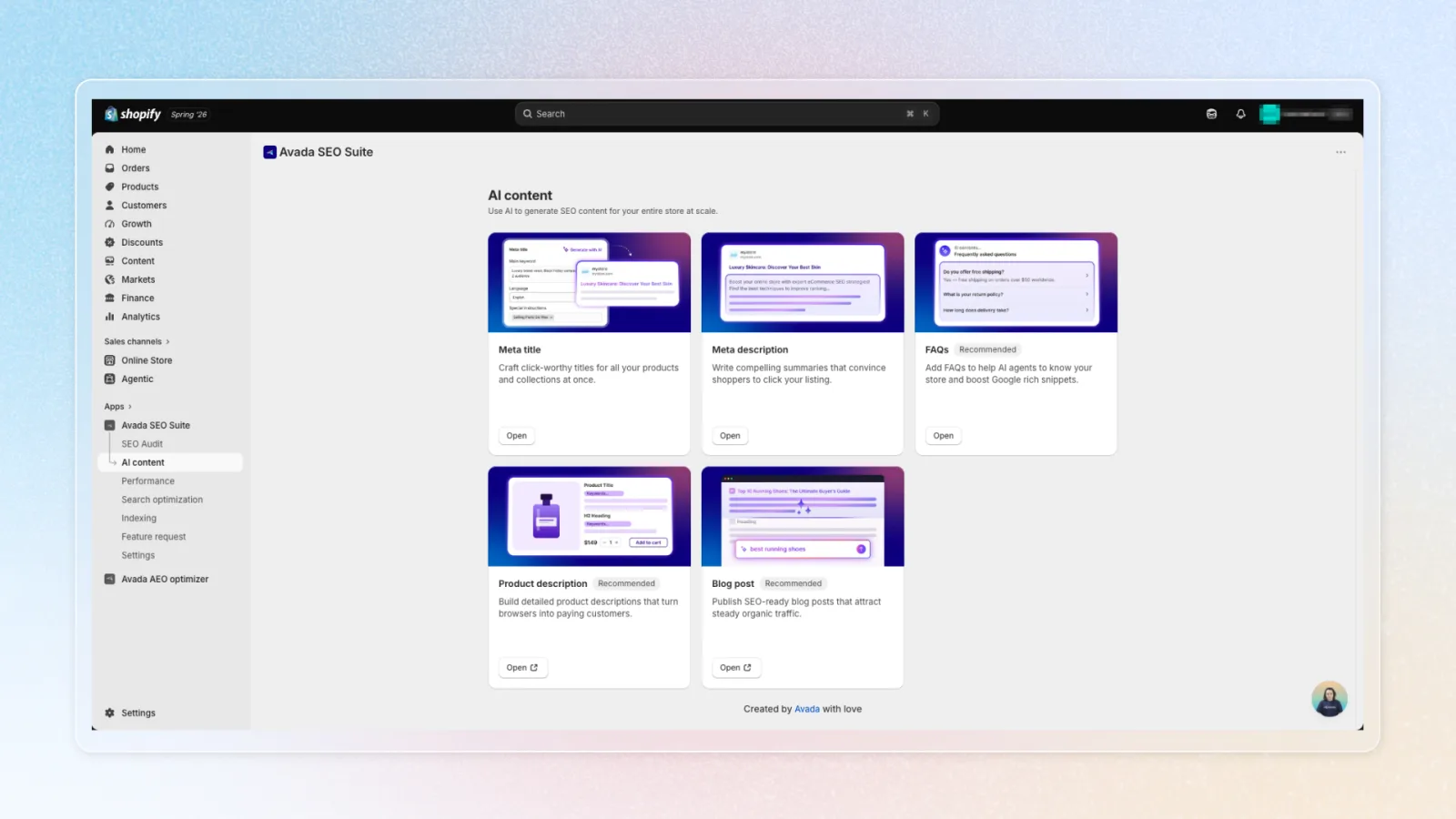
What you can generate
The page has five cards. Three are generated inside SEO Suite, two open a dedicated Avada app:
| Card | What it does | Where it runs |
|---|---|---|
| Meta title | Click-worthy titles for all products and collections at once | In SEO Suite |
| Meta description | Compelling summaries that convince shoppers to click your listing | In SEO Suite |
| FAQs | FAQs that help AI agents understand your store and boost Google rich snippets | In SEO Suite |
| Product description | Detailed product descriptions that convert | Installs/opens Avada AI Product Description |
| Blog post | SEO-ready blog posts for steady organic traffic | Installs/opens Avada AI Content Blog Builder |
The Product description and Blog post cards open a separate Avada app. If you don't have it yet, the button installs it for you; if you already do, it just opens the app.
How to generate content in bulk
The steps are the same for Meta title, Meta description, and FAQs. Open a card from the AI content page to reach its workspace.
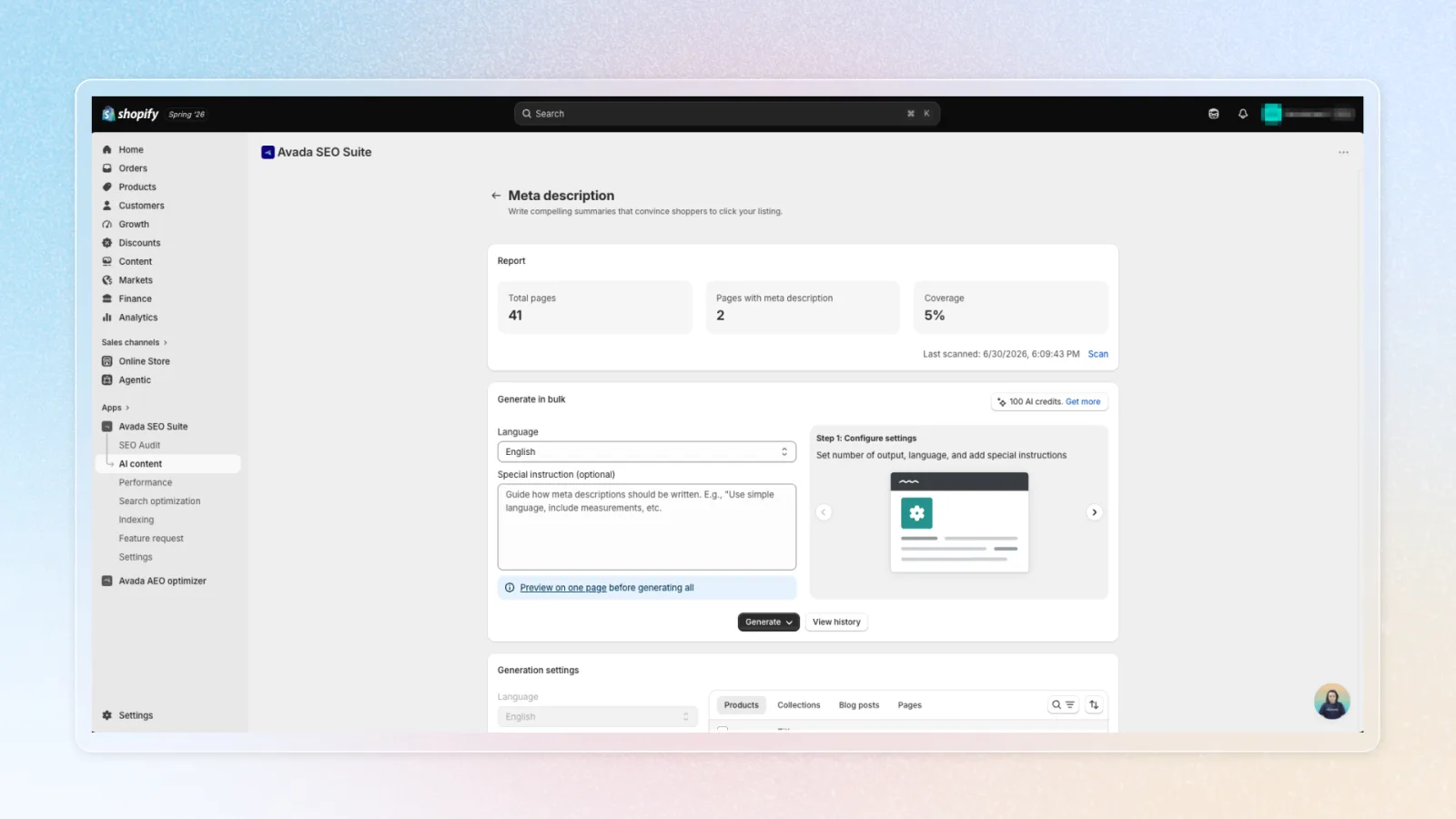
Check the report
The Report at the top shows how much of your store is already optimized — Total pages, Pages optimized, and Coverage (%). Click Scan to refresh these numbers with your latest store data.
Set up the generation
In Generate in bulk, choose your Language, optionally set a Special instruction to guide tone or keywords (e.g. "luxury brand voice, mention free shipping"), and — for FAQs — how many FAQs per page (1–10).
Choose what to generate
Click Generate and pick a scope:
- Generate for all pages — (re)generates content for every page
- Generate for pages without content — only fills pages not yet optimized, so you don't spend credits on pages that already have content
Watch the progress, then apply
The job runs in the background with a progress bar — you can keep working elsewhere and come back when it finishes. When it's done, open the Preview to review and edit what AI wrote, then apply it to your store. The History panel keeps a record of past runs.
How AI credits are used
Generating content uses AI credits:
- Meta title / Meta description — 1 credit per page
- FAQs — 1 credit per FAQ, per page (e.g. 3 FAQs per page = 3 credits per page)
If you run out of credits, you'll be prompted to upgrade. You can open the AI credit pricing details directly from the Generate in bulk card.
Use Generate for pages without content when you only want to fill the gaps — it skips pages that already have content and saves credits.
Showing FAQs on your storefront
FAQs need the Avada FAQs block added to your theme to appear on your storefront. When the block isn't installed, a banner appears with an Add block button that takes you straight to the theme editor. After adding it, click Check again to confirm.
Meta titles and meta descriptions don't need a theme block — they're applied to your pages directly.