Minification
Minification is retired. Shopify's CDN now minifies your theme's CSS and JavaScript automatically, so this app's minification is no longer needed and is being retired.
If it is still on in your store, you can turn it off at any time — doing so restores your theme's original files and removes the files this app generated. It can no longer be turned back on, and stores that never had it on no longer see the feature at all.
See Shopify's own guide to improving web performance (opens in a new tab).
Reduce load times and improve user experience by streamlining your website's code.
What is minification?
As a process of code optimization, minification removes unnecessary information from the source code — white spaces, line breaks, comments, etc. — to help your pages load faster.
How does it help?
Minification can bring these benefits to your site:
- Decrease the loading time of your website for better performance
- Improve score of crucial Google PageSpeed elements: FCP (opens in a new tab), LCP (opens in a new tab), boosting your site's speed score
How to set up minification
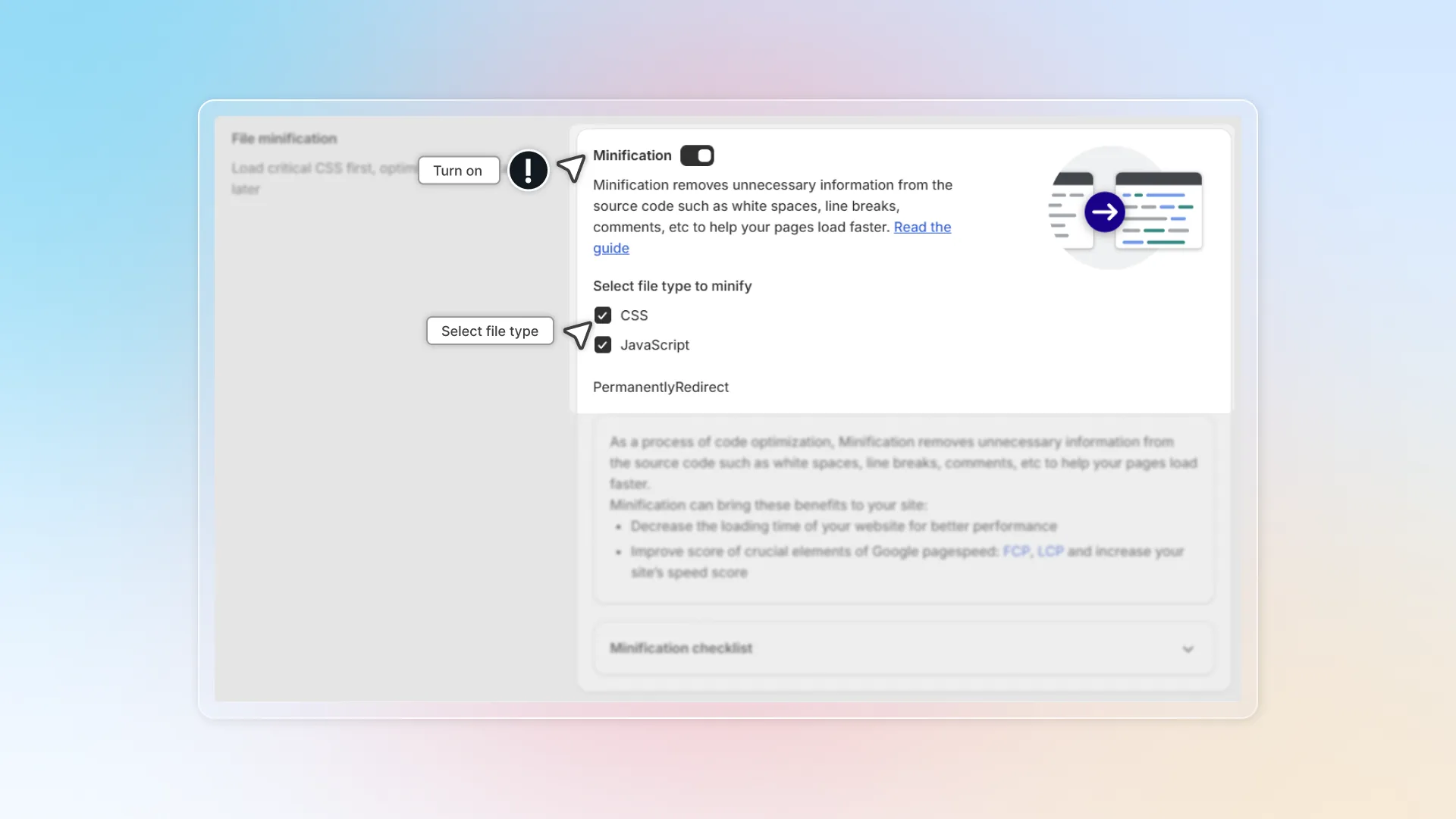
Open Speed up customization
Go to Speed up customization → Minification.
Turn on Minification
Select file types to minify
We support CSS and JavaScript.
Click Save
How to check if minification works
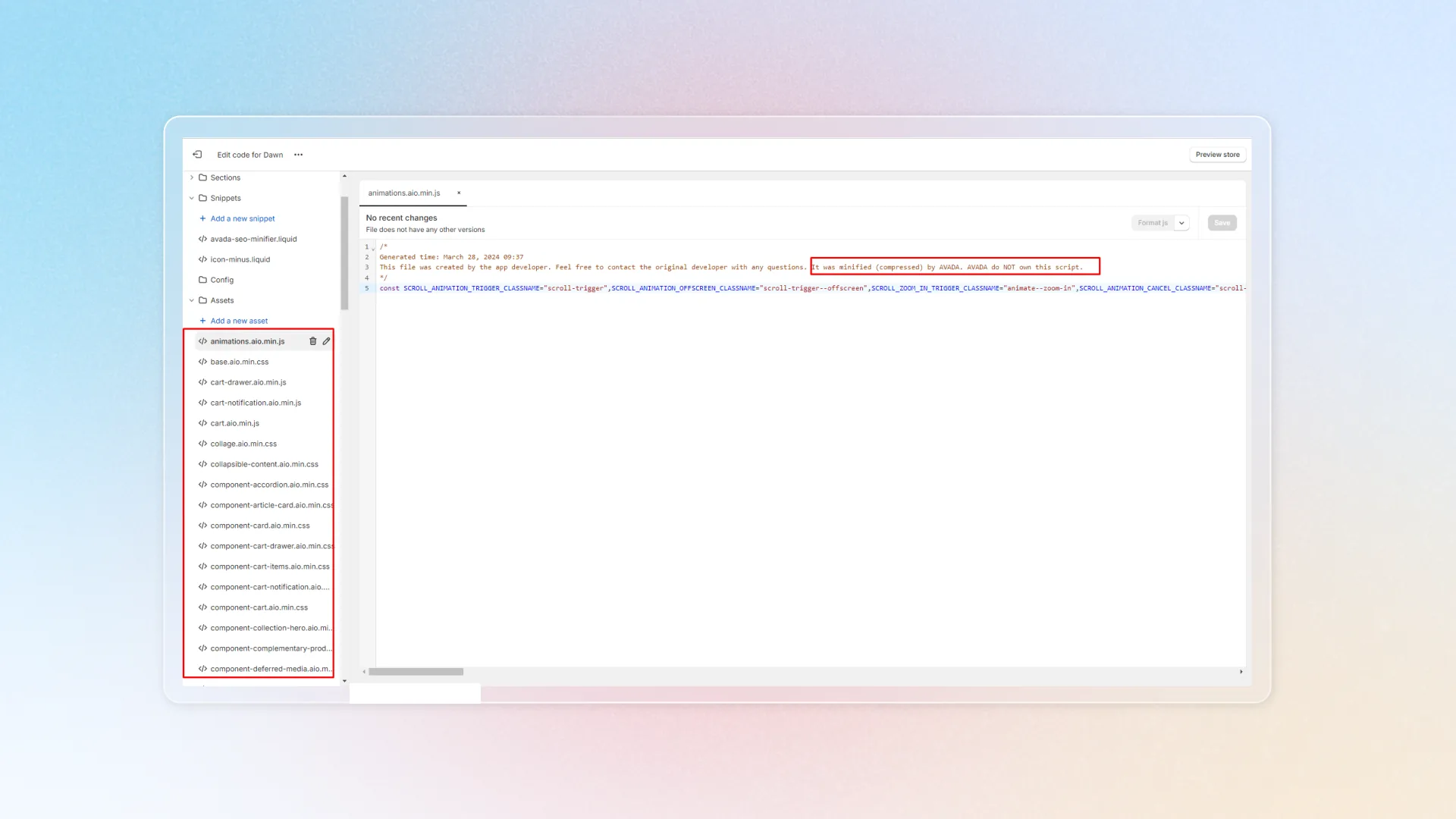
Open Shopify admin themes
In Shopify admin, go to Online Store → Themes.
Edit theme code
In your current theme, click Edit code.
Search for "min" in Assets
Under Assets, search for min or minified. If it shows up (image below), minification is working on your store.
Open your storefront
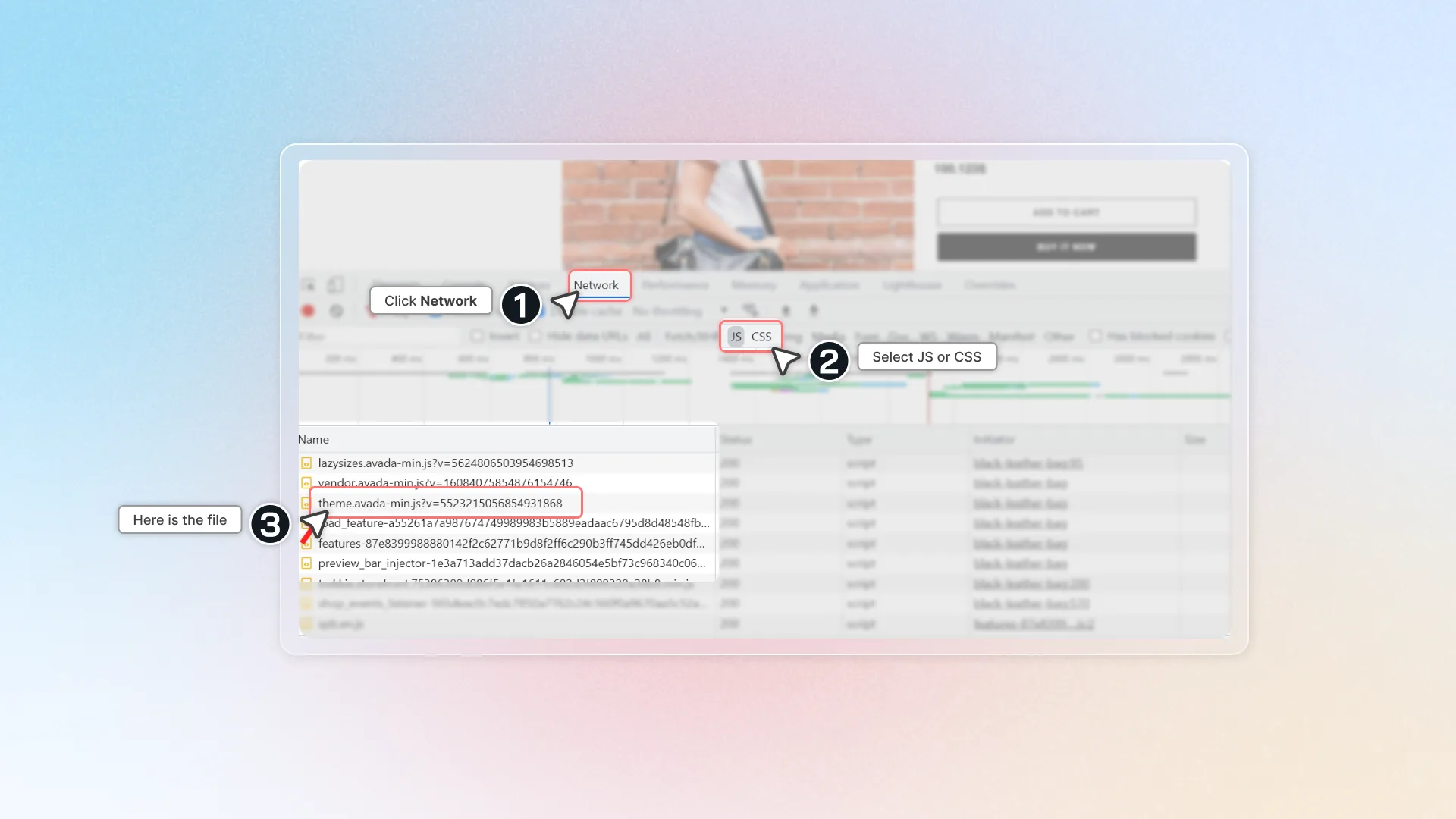
Visit your website, right-click, and click Inspect.
Open Network tab
Click Network → click JS or CSS.
Find the minified file
Find a file with the aio.min tag (image below).
What if I change my theme content?
If you make any changes in your live theme relevant to image elements (HTML or Liquid source code, not image URLs), click Update now so Avada SEO Suite stays in sync.