Viewing Your Commissions
The Commissions page (sidebar label: Commissions; URL still /conversions) shows every referral order that came from you — whether through your referral link or your discount code. It is your detailed earnings log.
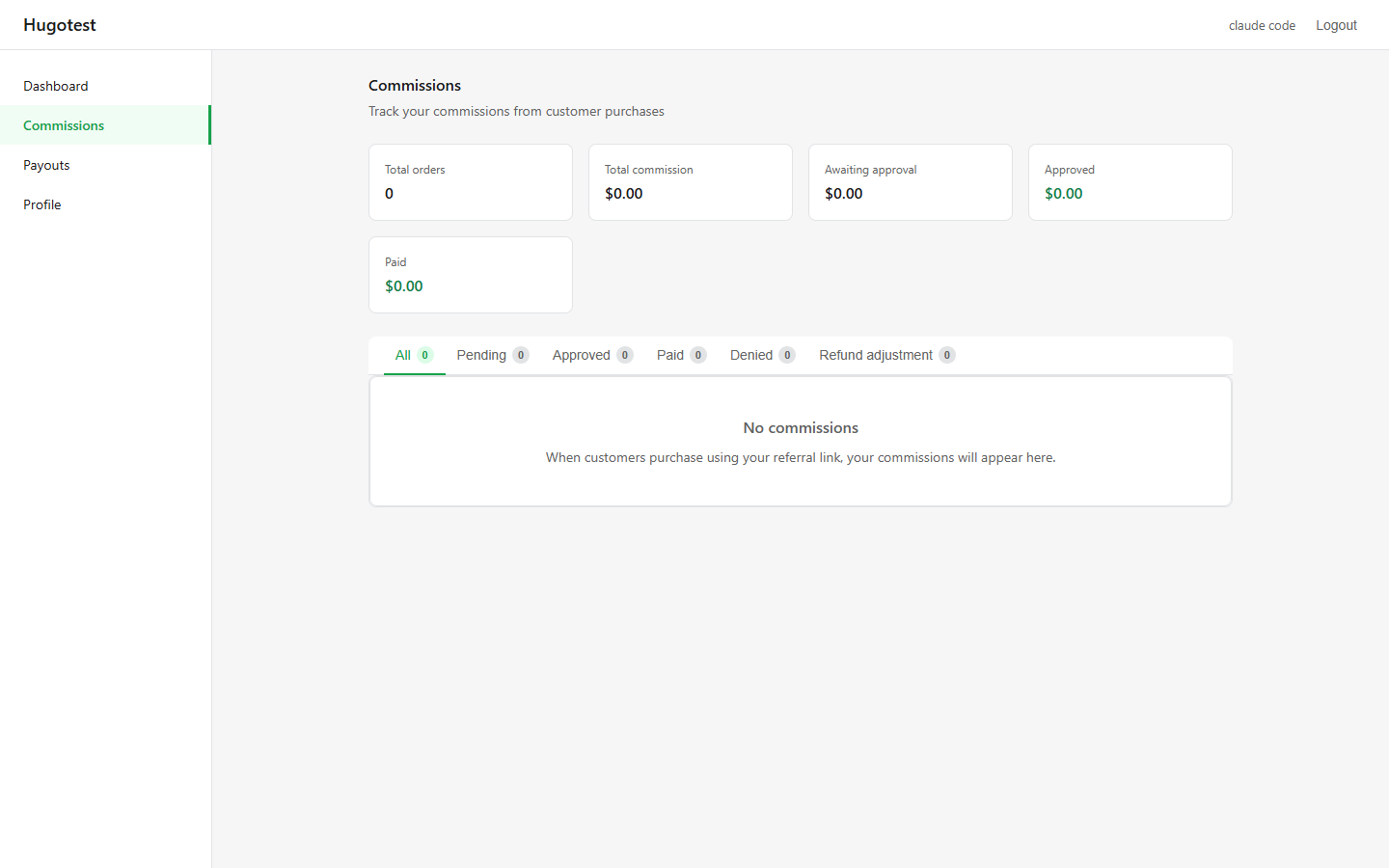
Top of the page
A short heading ("Track your commissions from customer purchases") and five summary cards at a glance:
| Card | Meaning |
|---|---|
| Total orders | Number of referral orders, all statuses combined |
| Total commission | Total commission across all orders (gross) |
| Awaiting approval | Commission from orders the merchant has not reviewed yet (Pending) |
| Approved | Commission confirmed but not yet paid |
| Paid | Commission already paid out to you |
These numbers update in real time as orders come in and the merchant reviews them.
Filter tabs
Below the cards are six tabs, each showing a count badge:
- All — every commission.
- Pending — waiting for merchant review.
- Approved — yours, waiting to be paid in the next payout.
- Paid — historical.
- Denied — rejected by the merchant. You earn $0 on these.
- Refund adjustment — order was refunded after payout, so the merchant deducted the commission from a later payout.
Click any tab to filter the list below.
Empty state
If you have no commissions yet, the list area shows:
No commissions — When customers purchase using your referral link, your commissions will appear here.
First conversions typically take 1–2 weeks after you start sharing your link. Be patient and keep sharing.
You cannot edit commissions
The merchant is the only person who can approve, deny, or change commissions. You are read-only here. If you think something was denied wrongly:
- Email the merchant with the order number.
- Attach proof of referral if you have it (screenshots, campaign link).
Understanding the Pending queue
Don't expect Pending commissions to be approved instantly — merchants typically wait 7–14 days after an order to give time for returns. Most pending commissions become Approved within 2 weeks.
If an order stays Pending for 30+ days, feel free to email the merchant and ask about their approval schedule.
Refund adjustments
If a customer fully or partially refunds an order after you were already paid, the merchant cannot pull the money back from your PayPal. Instead, a row appears under the Refund adjustment tab with a negative amount, and that amount is automatically subtracted from your next payout.
This is normal and expected — refunds happen.
Export
There is no CSV export in the portal today. If you need to show earnings for tax purposes, screenshot the tabs you need or request a summary from the merchant.
Next step
- Viewing Your Payouts — what the merchant has paid you so far.
- Dashboard — back to overview.