Add an Affiliate Manually
Adding an affiliate manually is the fastest way to bring someone onboard when you already know who they are — a friend, an influencer you contacted, a customer you want to reward.
The alternative is to share a public signup link and let people register themselves. Both methods create the same end result; manual is just more direct.
Steps
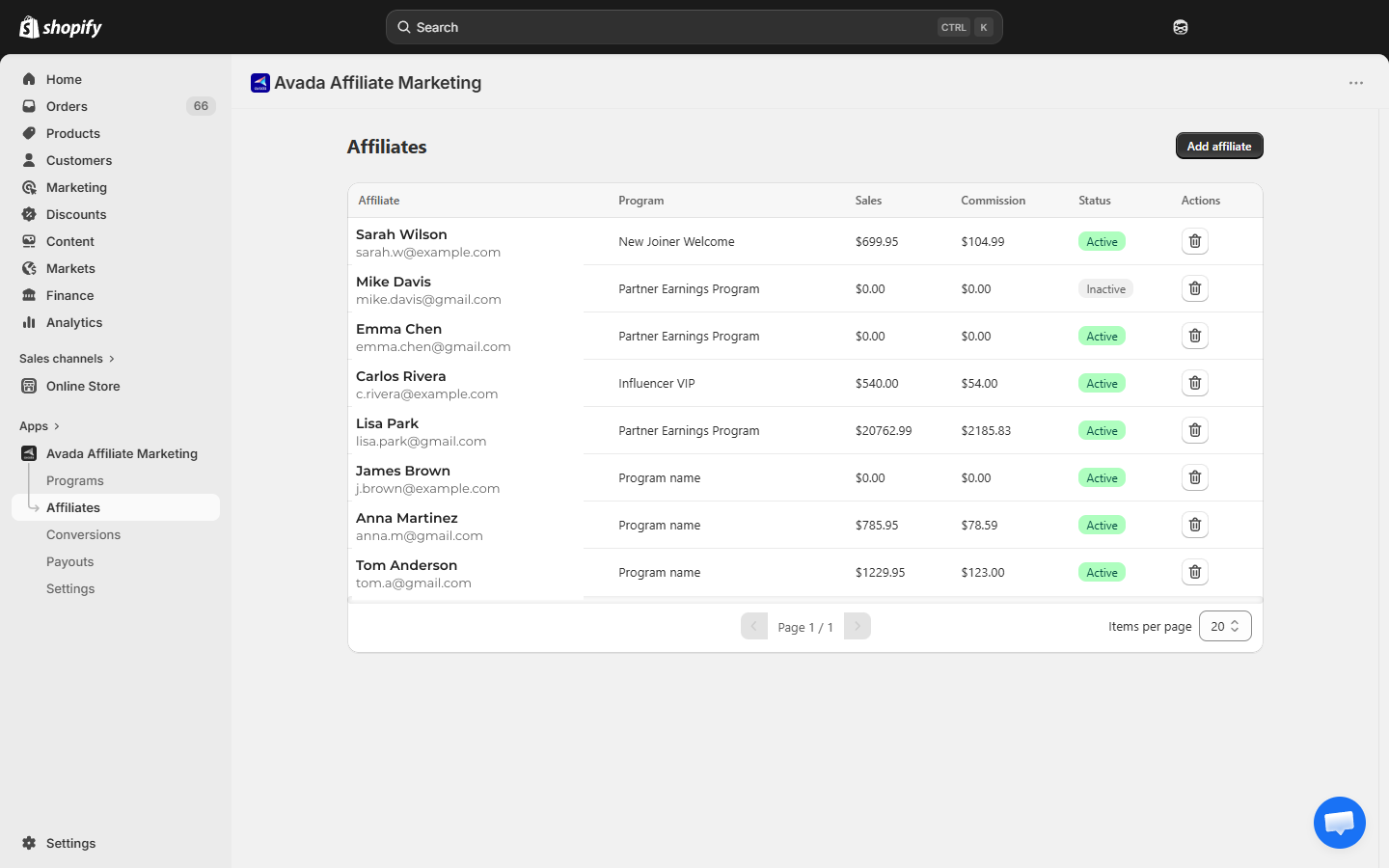
- Go to Affiliates in the sidebar.
- Click Add affiliate in the top-right.
- Fill in the modal:
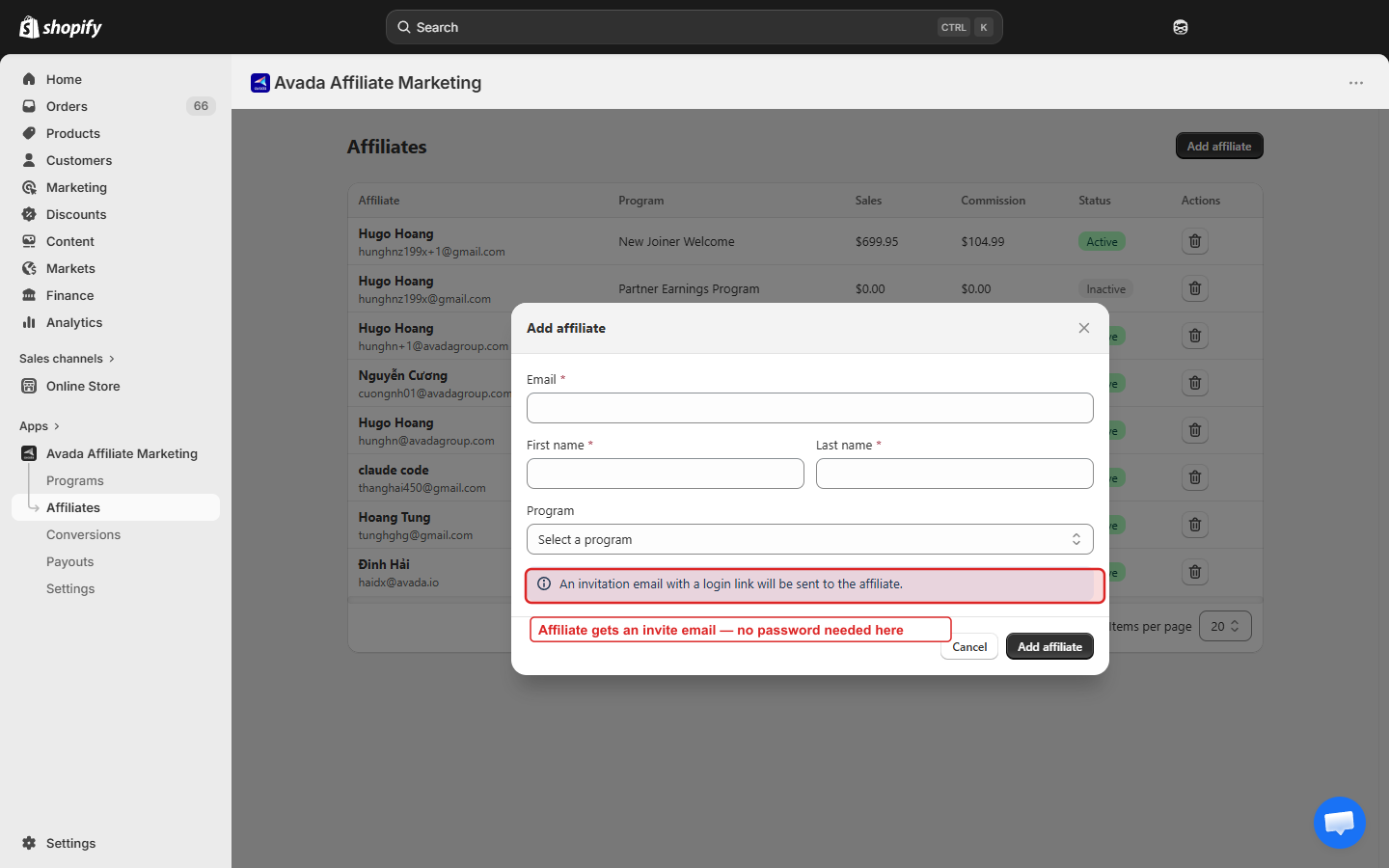
| Field | Required | Notes |
|---|---|---|
| Yes | Used for login, invite email, and payout contact. Must be unique per shop. | |
| First name | Yes | Shown in the portal and reports. |
| Last name | Yes | Shown in the portal and reports. |
| Program | Yes | Pick which program the affiliate belongs to. |
The Add modal has no Status field — manually-added affiliates are created with Active status automatically so they can start earning right away. (If you want them to be approved manually instead, share the public signup link instead — see Invite via Portal Signup Link.)
An info banner inside the modal reminds you: "An invitation email with a login link will be sent to the affiliate."
- Click Add affiliate at the bottom of the modal.
The affiliate is created and receives a welcome email with a link to set their password and log in to the Affiliate Portal.
What the welcome email contains
- Their login email.
- A link to set their password (valid for 15 minutes).
- A link to your Affiliate Portal.
- Their assigned program name and commission rate.
If the affiliate does not get the email, ask them to check spam. They can also use the Forgot Password flow on the portal login page to request a new link.
Default status: Active vs. Pending
- Active (default for manual adds) — the affiliate can log in and start earning immediately. Any referral orders they bring in are tracked.
- Pending — the affiliate cannot log in; login attempts show "Your account is pending approval." Use this if you want to do a final check before letting them run. Approve them when ready.
Most merchants use Active for manually-added affiliates (they trust the person already) and Pending for self-signups (review first).
Adding many affiliates at once
For bulk imports (e.g. importing from another platform), there is no CSV upload today. The workaround is:
- Share your Portal Signup Link with the list.
- Everyone self-registers; you approve them in a batch.
If you have hundreds of affiliates to import, contact [email protected] — we can help with a one-time migration.
Duplicate emails
Each affiliate email must be unique within your shop. If you try to add someone whose email already exists, the app shows "Email already registered" and blocks the save. If you need to reassign their program, edit the existing affiliate instead of creating a new one.
Next step
- Approve or Disapprove — for affiliates added in Pending status.
- Invite via Portal Signup Link — let people self-register.
- Affiliate Portal Overview — what they see once they log in.