Edit or Delete an Affiliate
The actions available to you depend on the affiliate's current status. Today the merchant side is intentionally minimal — most editing is handled by the affiliate themselves in their portal.
What you can do per status
| Status | Available actions |
|---|---|
| Pending | Approve (→ Active) or Disapprove (→ Inactive) |
| Active | Delete |
| Inactive | Delete |
The merchant cannot edit an affiliate's email, name, or status from the Affiliates list today. You can reassign their program — see Move to Another Program. Affiliates update their own details (name, payment info) in the Portal Profile page. Custom referral codes are auto-assigned by the system and not editable on either side.
Affiliate statuses
The three statuses and what they mean:
| Status | Can log in? | Earns commission? |
|---|---|---|
| Active | Yes | Yes |
| Pending | No | No — waiting for your approval |
| Inactive | No | No — referrals are ignored |
How an affiliate ends up in each status:
- Active — you approved them from Pending, or you added them manually with status set to Active.
- Pending — they signed up via the public registration form.
- Inactive — you disapproved them while they were Pending. Once an affiliate is Active, they cannot be moved to Inactive from the merchant side today.
Inactive is effectively a "soft-delete" that keeps the affiliate's record (clicks, prior conversions) for your reports, but the affiliate cannot log in or earn new commissions. There is no way to reactivate an Inactive affiliate from the UI today — if you want them active again, delete them and have them register again.
Deleting an affiliate
- Go to Affiliates.
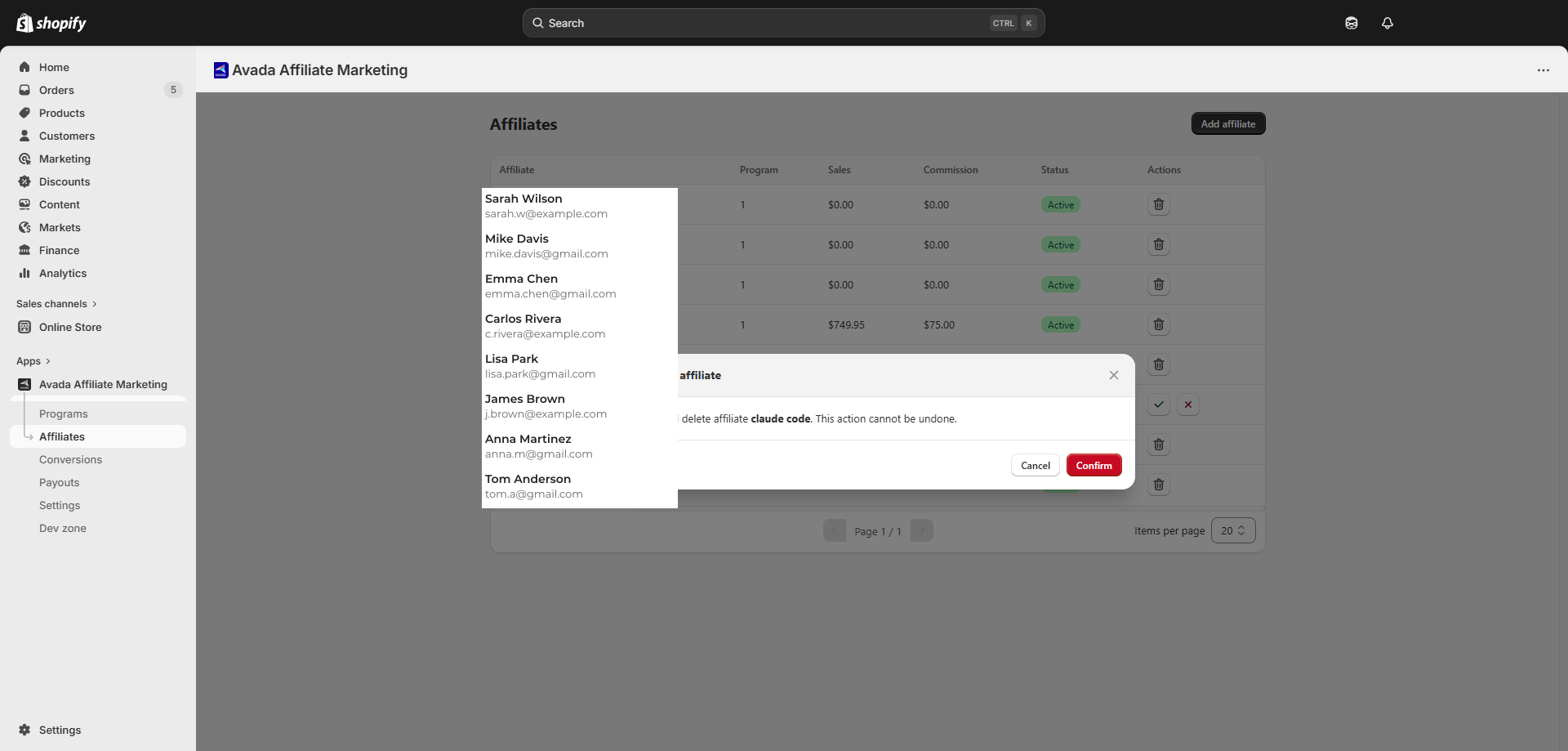
- On the row of the affiliate you want to remove, click the trash icon in the Actions column. (Pending rows show approve / disapprove icons in place of the trash icon — switch them off Pending first via Disapprove if you want to delete.)
- A confirmation dialog appears: "Deleting
{name}'s account will permanently erase all associated records (clicks, conversions, commissions, and more). This cannot be undone." - Click Delete affiliate to confirm.
What gets deleted
- Affiliate record — email, name, login credentials — gone.
- Referral link + code — stops matching on new orders.
- All historical clicks, conversions, and commissions for that affiliate — also removed.
What stays
- Past payouts in your accounting record — payouts are not affiliate-scoped at the database level.
Disapprove vs. Delete
When a Pending affiliate doesn't fit, you can either disapprove them (sets Inactive, keeps record) or wait until they're Active and delete them. Once Active, only Delete is available from the UI today.
| You want to... | Best choice |
|---|---|
| Reject a Pending application but keep the audit trail | Disapprove (Pending → Inactive) |
| Erase a Pending application entirely | Disapprove, then Delete the Inactive row |
| Remove an Active affiliate (no longer wanted, GDPR request, etc.) | Delete (Active → erased) |
| Spam / fraud Pending application | Disapprove, then Delete if you don't need the record |
Deletion is irreversible — there is no "undo". If you delete by mistake, the affiliate has to re-register from scratch as a new account, and their old conversions cannot be recovered.
Searching the list
The Affiliates page table supports search by name or email at the top of the table. Status / Program filters are not exposed as separate dropdowns today — use the search box for the affiliate you want, or scroll the list.