Invite via Portal Signup Link
The Registration page link is a public URL that anyone can open to register as an affiliate for your store. This is the scalable way to recruit — put the link in your emails, your social bio, a page on your website, or a campaign post.
New registrations arrive in your Affiliates list with Pending status. You review and approve each one before they can earn commission.
Where to find your signup link
- Open the app. You land on Home by default.
- Find the Affiliate portal links card.
- In the Registration page row, click the copy icon at the right end of the URL field.
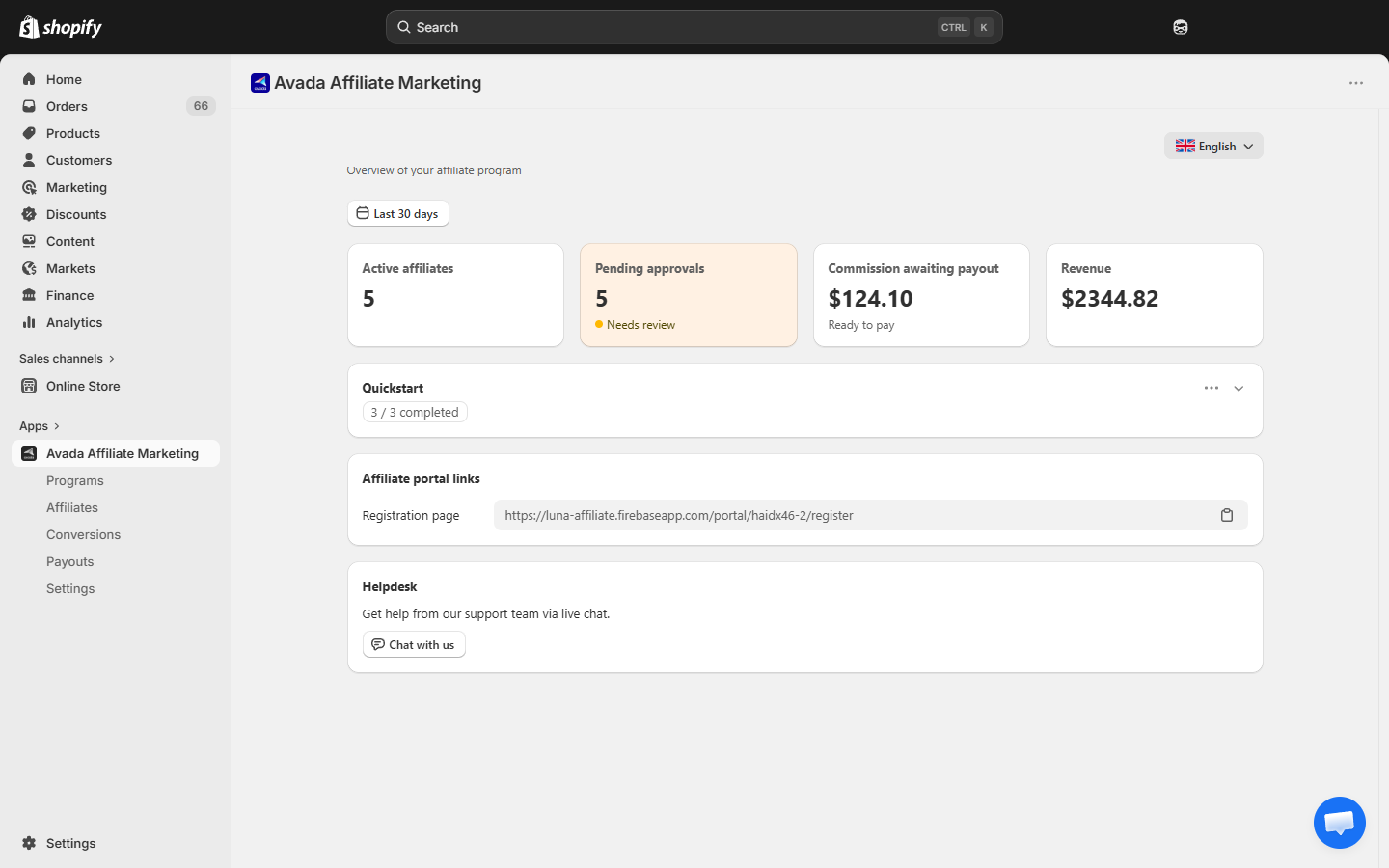
The link looks like this:
https://luna-affiliate.firebaseapp.com/portal/<your-shop-handle>/registerFor example, a store with the handle acme-store gets https://luna-affiliate.firebaseapp.com/portal/acme-store/register.
What the signup form looks like
When someone opens the link, they see a registration page with your program details on the left and a Create your account form on the right:
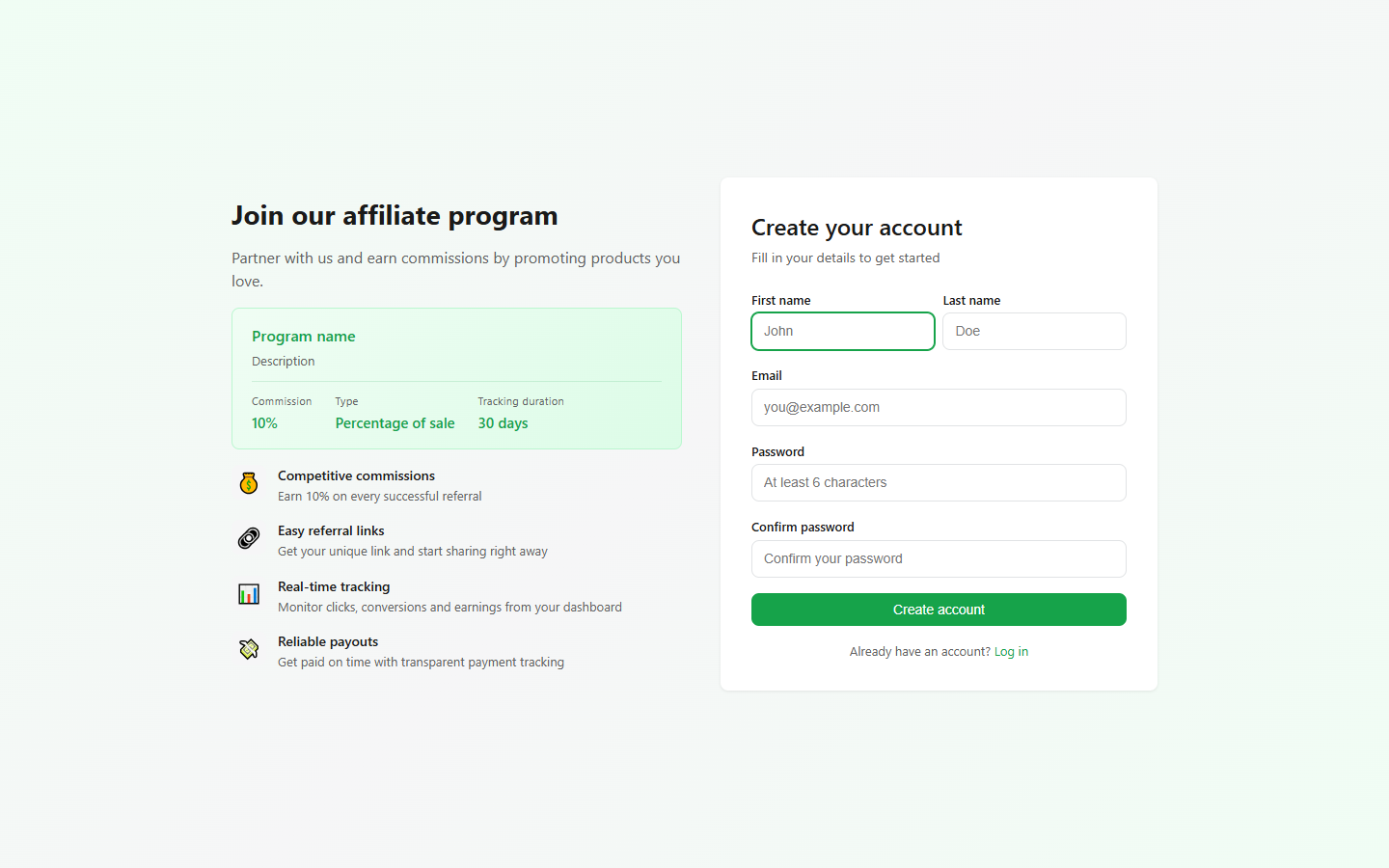
| Field | Required | Notes |
|---|---|---|
| First name | Yes | Shown in your reports and the affiliate portal. |
| Last name | Yes | — |
| Yes | Used for login and all notifications. Must be unique per shop. | |
| Password | Yes | Minimum 6 characters. |
| Confirm password | Yes | Must match. |
The left side of the page shows the program they will join (your default program) — name, description, commission rate, value type, and tracking duration — so they know what they are signing up for.
Payment method is not asked at signup. The affiliate adds it later in their Profile — until they do, you cannot mark their payouts as paid.
What happens after someone registers
- The app creates a new affiliate record with Pending status.
- You get an email: "New affiliate application from [name]" (if merchant email notifications are on).
- The new affiliate appears in your Affiliates list with a yellow Pending badge.
- The affiliate cannot log in until you approve them — login attempts show "Your account is pending approval".
Who sees which program?
By default, new signups are assigned to your Default program. If you want to offer different programs to different groups, you can:
- Option A: Use UTM or campaign parameters on the link and manually reassign after signup.
- Option B: Share the signup link only to your public audience (default program) and add VIP affiliates manually with a different program.
Disabling public signups
If you do not want anyone to self-register, simply do not share the link. There is no way for someone to find it without you giving it to them — it is not listed anywhere publicly.
If you want to pause new signups entirely, deactivate your default program. The signup form will refuse new applications.
Promoting the link
Places that work well:
- Order confirmation page — customers who just bought are your best future affiliates.
- Newsletter footer — "Become an affiliate and earn X% on every referral".
- Instagram / TikTok bio — link in bio via Linktree or similar.
- Influencer outreach emails — include the link in your pitch.
- Landing page — create a dedicated
/partnerspage with the benefits and the signup button.
Next step
- Approve or Disapprove — manage incoming applications.
- Set Default Program — make sure signups land in the right program.