Add an Order Note (Customer Flow)
Order notes are a free-text field on the order. Customers use them for things like "Leave at the back door" or "Gift wrap, please". Both you and the customer can edit the note.
Enabling notes
You control whether customers can edit notes. In Editing rules, this is the Edit order note switch. It is on by default, along with Edit shipping address and Cancel order. Turn it off and only you can add notes from the admin.
What the customer sees
On the Order Status Page, inside the Edit your order card, a row labelled Add order note.
- Click the row → it expands with a textarea pre-filled with any existing note.
- Up to 500 characters, unless you set your own limit.
- Click Save → row collapses with Saved state.
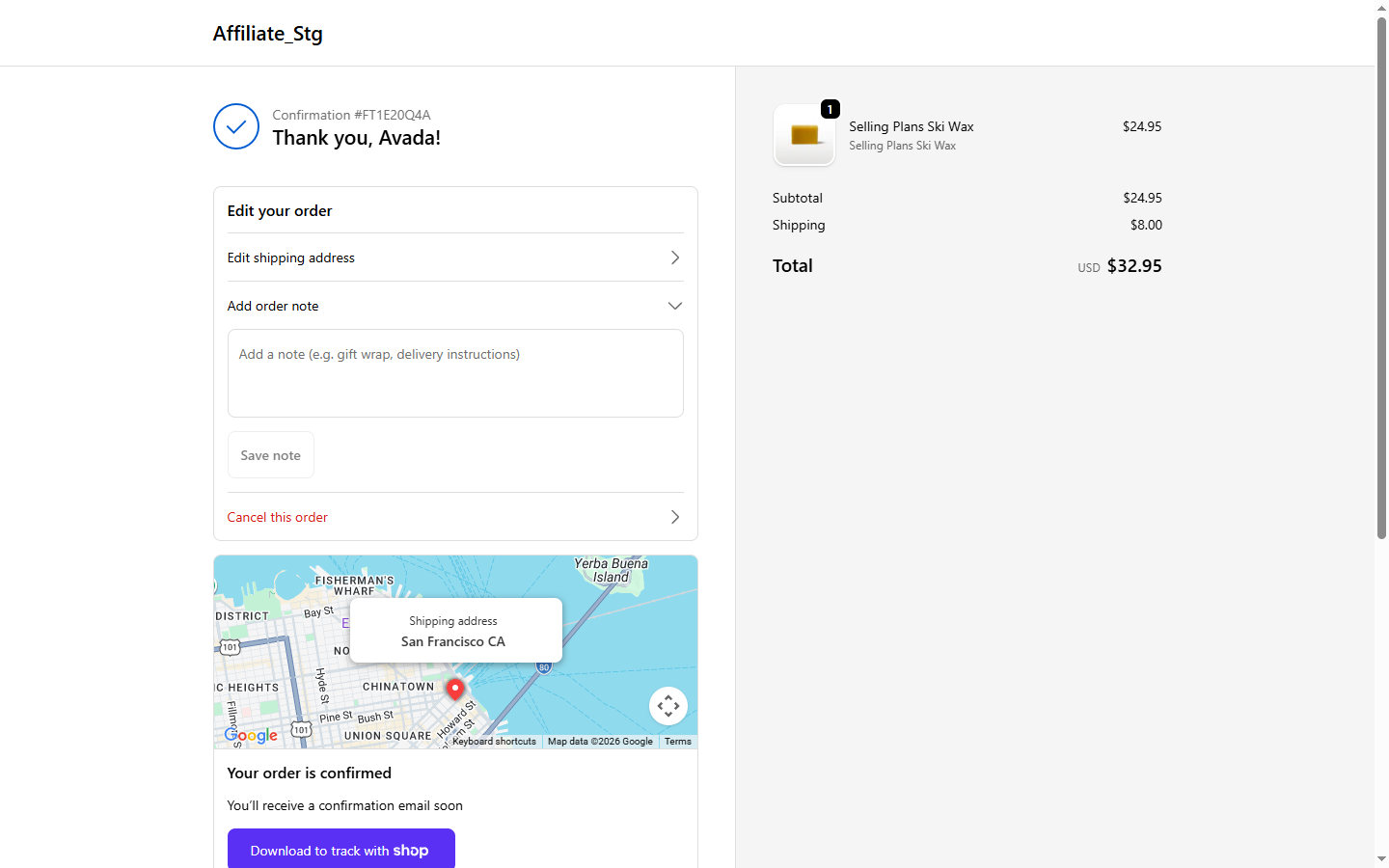
The note appears on the order in your Shopify admin under Notes in the right sidebar — same field merchants have always had.
Limits
- 500 characters by default. Set your own cap in the Edit order note panel of Editing rules, anywhere from 10 to 5000 characters. The field starts at 250 when you turn the cap on. We warn before save either way.
- No HTML / scripts — plain text only, anything tag-like is escaped.
- No PII validation — if a customer types a card number we do not block it. Train your staff to ignore PII in notes.
When notes do not show up
- You have Edit order note turned off, so the row is hidden.
- The whole Edit your order card is closed for this order (fulfilled or partially fulfilled, past the time window, fully refunded, or cancelled). See when the card is blocked.
See also
- Edit shipping address — same UX pattern (inline accordion + immediate save)
- Activity page — note edits show up here with full history