Activity Page
The Activity page is your ledger of every customer-facing change. Each row is one customer save, an edit or a cancellation.
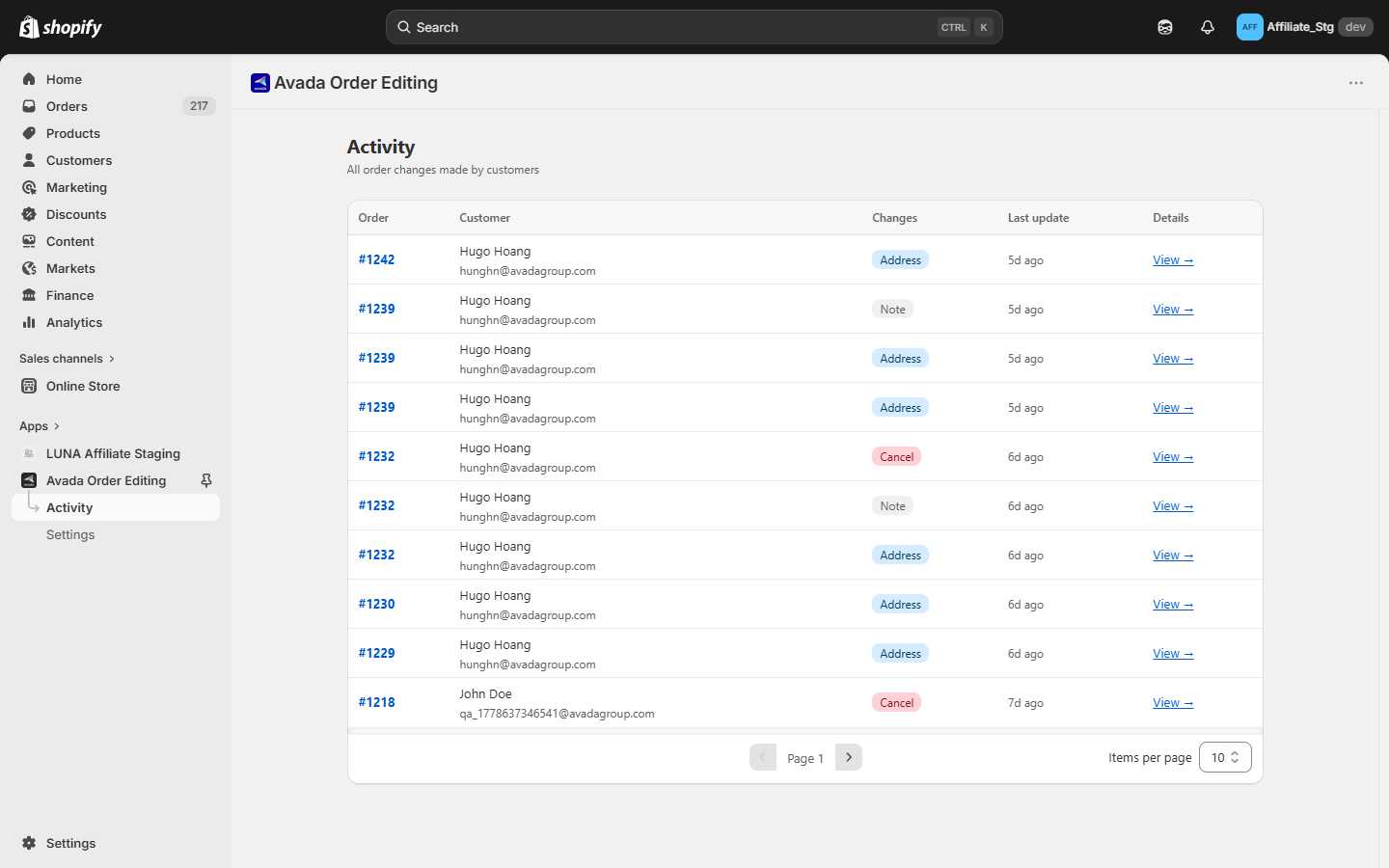
Columns
| Column | What it shows |
|---|---|
| Order | Order name, for example #1042. Click to open the order in your Shopify admin. |
| Customer | Name and email. |
| Change | The kind of change, as a badge. One save that touched several things shows more than one badge. |
| Last update | When the change happened, shown as relative time, for example 32d ago. |
| Order total change | How much the order total moved, so you can scan the money impact without opening anything. |
A refund badge also appears where relevant, marking whether the money went back to the original payment method or out as store credit.
Filter and search
- Change filter: Address, Note, Cancel, Products, Discount, Shipping.
- Last update filter: Today, Last 7 days, Last 30 days, or a custom range.
- Search by order name or customer email.
Seeing what actually changed
To see the exact before and after values for a change, open the order in your Shopify admin from the Order column. Shopify's own order timeline holds the full history.
The app can also show that diff inline, without leaving the app. This is enabled per store rather than being on for everyone, so if you would like it on yours, use the Contact us button in the banner at the top of the page and we will turn it on.
The six change types
Address, Note, Products, Discount, Shipping, and Cancel. Item-level detail, whether a product was added, removed, or changed in quantity, is broken out further on the Analytics page.
Empty state
When you have no edits yet, the page shows a friendly empty state. Usually it means the widget has not been added in the checkout editor yet, or no test edit has been placed. See the Quick Start.
Good to know
- Failed saves are not logged. If nothing actually changed, there is no row.
- One save, one row. A customer who changes the address and adds a note in the same save produces a single row with two badges.
See also
- Analytics page, the same activity rolled up into numbers
- Max edits per order, capping how many rows one order can produce