Dashboard Overview
The Home screen is the first thing you see when you open the app. It is built around three things: stats you care about, what to do next, and how to get help.
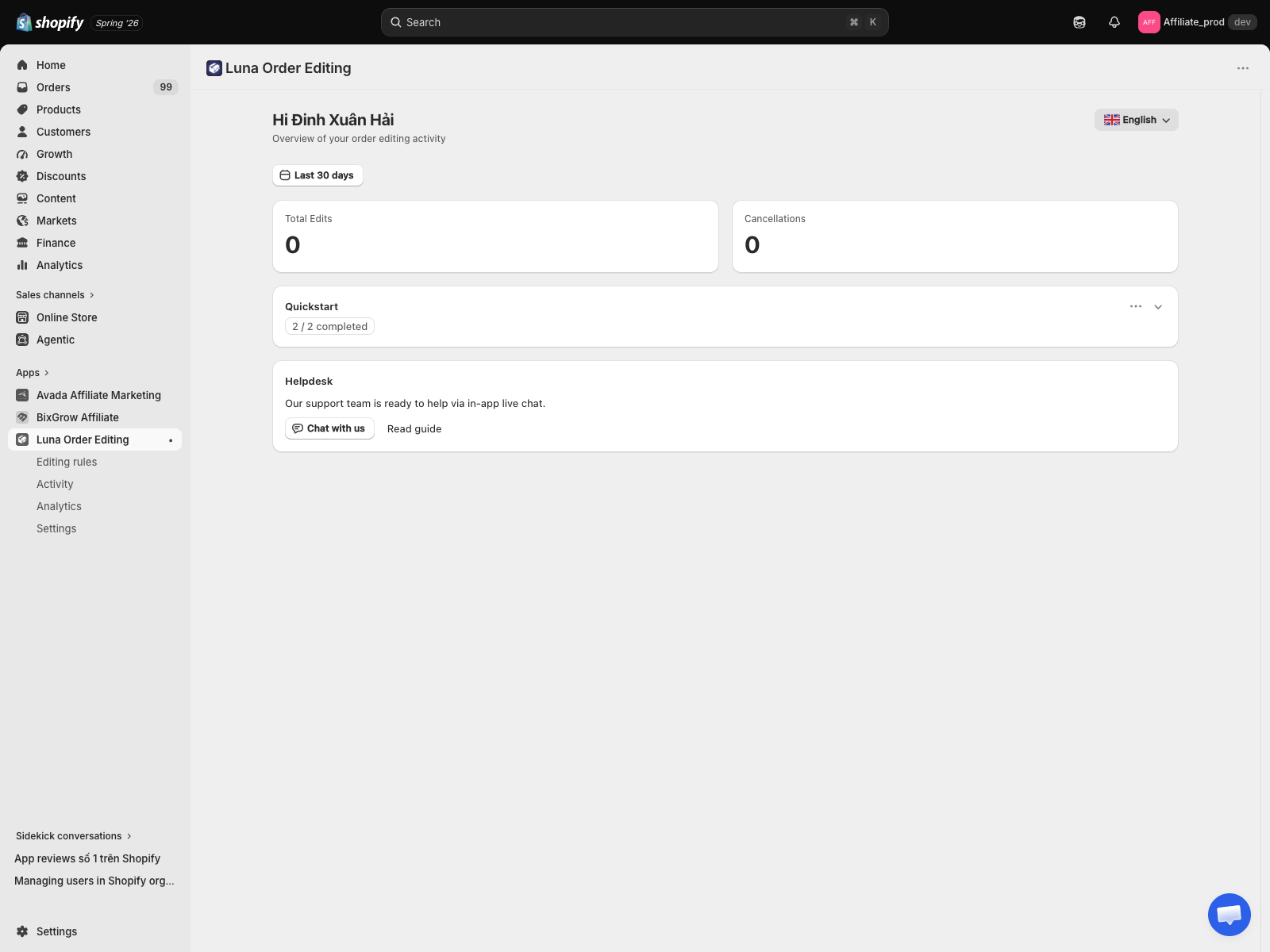
Greeting and date range
At the top: a greeting with your name, and a date range filter defaulting to Last 30 days. The filter applies to the metric cards below.
Metric cards
Two cards summarise the period:
- Total Edits, successful customer edits. Address changes, notes, item changes, and every other edit type count here. One save counts as one edit.
- Cancellations, customer-initiated cancellations. Each one refunds and restocks automatically.
For the money side of the story, open Analytics.
Quickstart card
A two-step onboarding checklist:
- Configure settings, done when you open the app's settings and save once.
- Add the widget, done when the app block is detected on your Thank you or Order status page, added through the checkout editor.
When both are green, the card shows 2 / 2 completed and stays collapsed. You can re-expand it any time.
Helpdesk card
Chat with us opens live chat inside the app, so you can talk to support without leaving your Shopify admin. Read guide opens this user guide.
The sidebar
Beyond Home, the app has four items:
| Item | What it is |
|---|---|
| Editing rules | Everything customers may change, in one full-screen editor |
| Activity | Every customer edit and cancellation |
| Analytics | Edits, cancellations, and the money handled |
| Settings | Email notifications |
What you will not see here
- Per-order details, those live on the Activity page.
- Rules and settings, separate sidebar items, not on the dashboard.
The dashboard is intentionally short. If you find yourself wanting more here, tell us what is missing.