Refund & Restock
When a cancellation goes through (customer self-serve or merchant-side), we run two actions automatically.
Default behavior
| Action | What we do | Configurable |
|---|---|---|
| Refund | Full refund, sent to wherever your Refund destination setting points: the original payment method, or store credit. | The destination, yes. Whether to refund, no. |
| Restock | Restock every item to the original location it was reserved from. | No. |
This matches Shopify's Refund and restock checkbox. We always tick both for self-serve cancels.
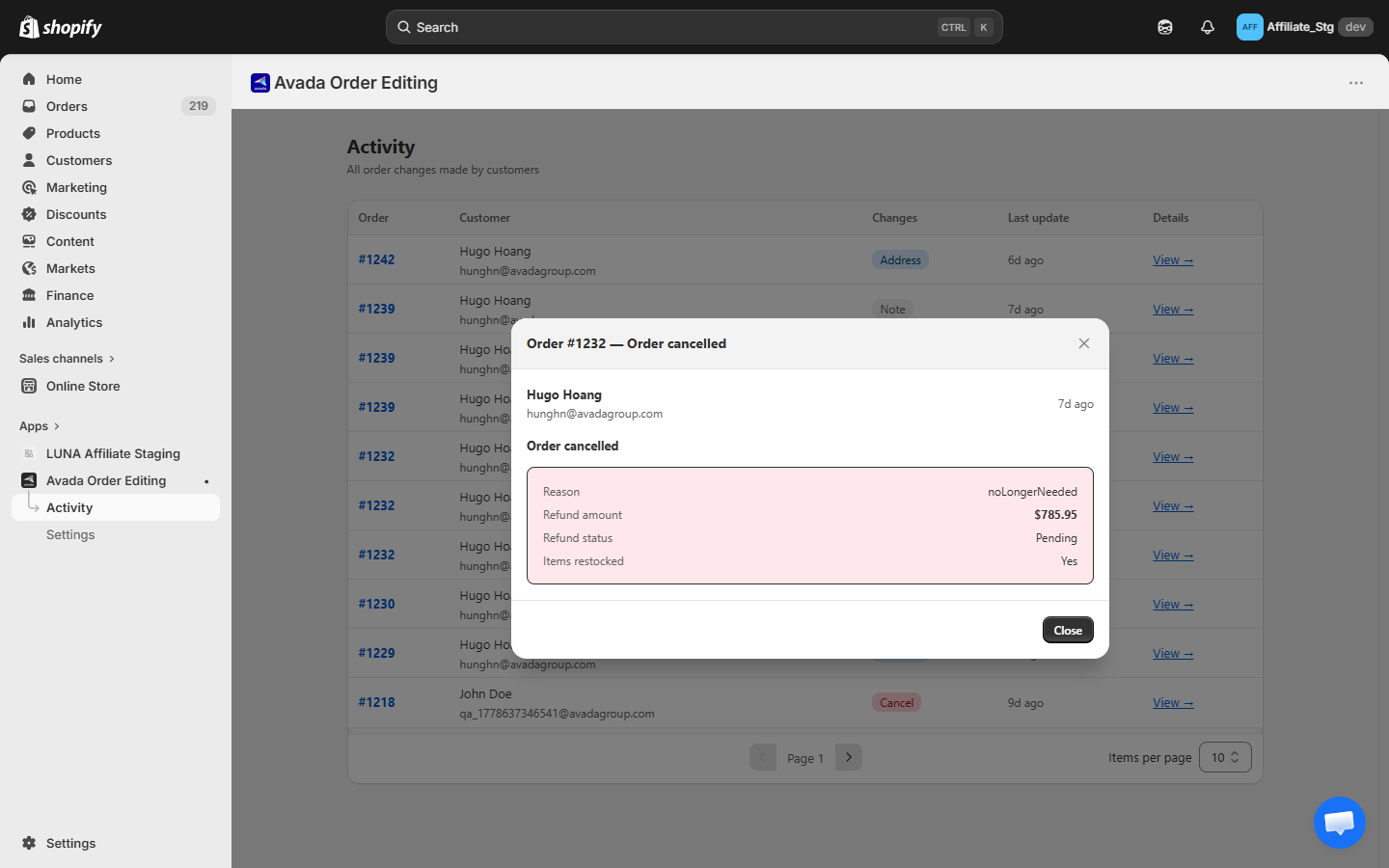
The cancellation detail — reason, refund amount, refund status, and whether items were restocked — is recorded on the Activity page:
Edge cases
Mixed payment methods
If the order was paid with a gift card + credit card, the refund splits the same way Shopify splits it natively. We do not override.
Multi-location restock
If an order pulled inventory from two locations, the restock returns each line item to its original reservation location. There is no merge-to-one-location step.
Manual gateways
Some manual / offline payment methods cannot be refunded via API. For those, the Cancel order row hides on the customer-facing widget — we do not show an option we cannot honor. Cancel from your Shopify admin manually if needed.
Partial fulfilment
If part of the order has shipped, we treat the order as fulfilled and the cancel option hides. Issuing a partial refund/restock for the remaining items requires merchant judgement (e.g., is the carrier still able to recall?). We do not auto-do that.
High-risk orders
If Shopify flagged the order as high risk and you have not approved the charge, the refund still works (no charge to refund). The order goes to cancelled state cleanly.
Refunding as store credit
Set Refund destination to Store credit in Editing rules and every refund the app makes, including cancellations, goes to the customer's store credit balance instead of their card. You can give the credit an expiry, and turn on the Store credit expiring soon email to remind the customer before it lapses.
Orders placed by a guest with no customer account fall back to the original payment method automatically, so nobody receives credit they cannot spend. See Refund destination for the Shopify settings you need on first.
What if the customer wants to re-place the order?
They place a new order on the storefront. We do not "uncancel". This is intentional — uncancelling re-reserves inventory and re-charges, which rarely matches the customer's intent.