Preview
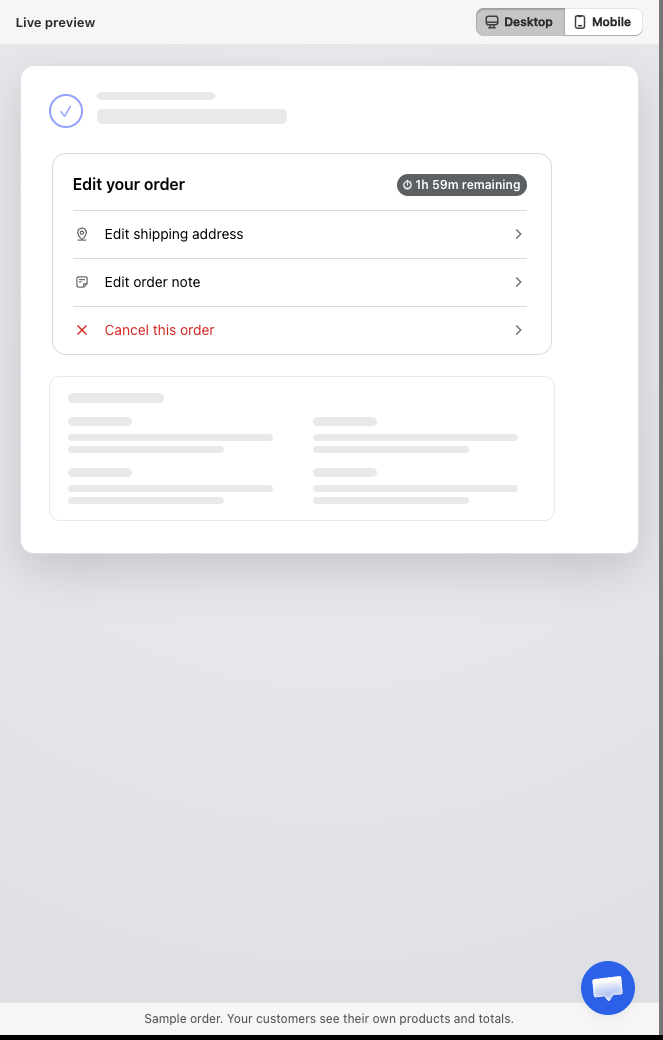
The right-hand column of Editing rules is a live Preview of the customer-facing Edit your order card. It shows the widget as it will appear on the Thank you and Order status pages, and it updates instantly as you flip switches, before you click Save.
Why it's there
You no longer have to place a test order and open your storefront to check your configuration. Change a rule on the left and watch the customer view change on the right: what shows up, in what order, and what each option lets the customer do.
What it reflects
| What you change | What happens in the preview |
|---|---|
| Customer actions on or off | The matching row appears or disappears in the widget. |
| Dragging a customer action to a new position | The rows reorder to match. |
| Edit items sub-switches | Opening Edit items reflects which actions are available. |
| Address fields you lock | The address form shows those fields as locked. |
| Cancellation reasons you edit | The reason list in Cancel this order updates. |
| Note character limit | The note box reflects the new cap. |
| Edit time window | Shows the countdown badge, for example 1h 59m remaining, or hides it when no limit is set. |
| Translations | Re-renders in the language you are editing. |
| All actions off | The preview shows that the widget will not appear to customers at all. |
| Email notifications | No effect. Those are emails, not part of the customer view. |
The preview reads your current, unsaved changes, so it is a safe place to experiment before committing.
See what customers can set
Click any row inside the preview to expand the exact screen your customer would use:
- Edit shipping address, the address form.
- Edit items, the item list with Edit and Add new product. Open Edit to see the variant, quantity, and remove screen. Open Add new product to see the product picker.
- Apply discount code, the code field.
- Change shipping method, the method list.
- Add order note, the note box.
- Cancel this order, the refund summary and reason list.
Each control appears only if you enabled the matching rule.
Desktop and mobile
Use the Desktop and Mobile toggle at the top of the panel to preview both layouts. Most storefront traffic is mobile, so the phone view is worth a look, especially after translating a label into a longer language.
Good to know
- The preview is a close approximation. Exact colours and fonts on your live store follow your theme.
- It uses sample data, a demo order and demo products, not a real order.
- The widget only appears to a real customer while the order is still editable: not fulfilled, not cancelled, not fully refunded, and inside the time window.
See also
- Editing rules, the editor this preview lives in
- Allowed edit types, choose what customers can change
- Translations, check label length before it reaches a customer